
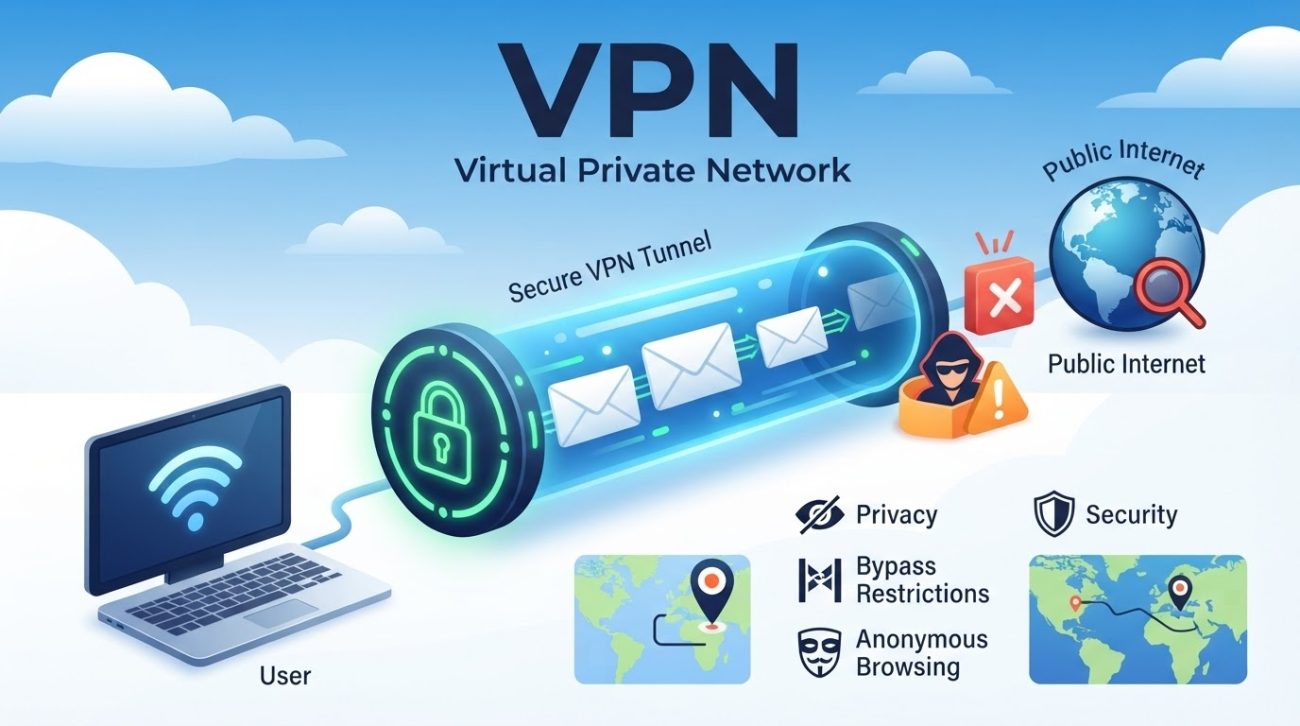
There are many reasons to use a VPN, but they are not all about staying anonymous. A VPN can help reduce what your internet provider can see. It can also hide your regular public IP address from websites, add another layer of privacy on public Wi-Fi, and help you connect to private work or home networks.
But a VPN is not a magic shield.
It does not stop every scam, block all trackers, remove malware, or make you fully anonymous. What it really does is simpler: a VPN changes the path your internet traffic takes and changes which public IP address many websites see.
That can be useful. But it also comes with tradeoffs.
When you use a VPN, your internet provider may see that you are connected to a VPN, while the VPN provider becomes another company you are trusting with your connection. So the better question is not just, “Does a VPN protect me?”
A better question is:
What does a VPN change, who can still see me, and do I actually need that extra layer?
Here are seven practical reasons to use a VPN, along with what each benefit can—and cannot—do.
1. Reduce What Your ISP Can See With a VPN
Your internet service provider, or ISP, carries your internet traffic. It connects your device to the wider internet.
But there is an important detail here: your ISP usually cannot read the full contents of websites that use HTTPS. That means it generally cannot see the exact page, password, or message you send over a properly secured HTTPS connection.
So why use a VPN?
Because your ISP can still see some information about your connection. Depending on the setup, it may be able to see things like when you connect, how much data you use, and other network information.
A VPN changes part of that picture.
Your device creates an encrypted tunnel to the VPN server. Your ISP can usually see that you are using a VPN. It can also still see some basic connection details, such as timing and traffic volume.
But the individual destinations inside the VPN tunnel are generally hidden from the ISP.
That is why saying “a VPN hides your internet activity” is too broad.
A better way to think about it is:
A VPN moves some network visibility away from your ISP and puts the VPN provider in the middle.
That last part matters.
When you choose a VPN, you are trusting the VPN provider with a meaningful part of your internet traffic. So its privacy policy, security practices, ownership, and business model are worth checking before you sign up.
For a deeper explanation, see our guide on whether a VPN can hide your browsing history from your internet provider. You can also read how a VPN can reduce ISP tracking for a closer look at what your provider can still see.
Best fit: People who want to reduce their ISP’s or local network operator’s direct view of their browsing destinations.
2. Add a Privacy Layer to Unfamiliar Wi-Fi
Public Wi-Fi gets a bad reputation, but using it is not always dangerous.
Most modern websites use HTTPS, and the FTC says public Wi-Fi is generally safer than it was in the past because encryption is now much more common.
Still, an unfamiliar network can leave you with questions.
Is this really the hotel Wi-Fi? Is this the right café hotspot? Who runs the network? Has it been set up well?
You may not know the answers.
This is one reason to use a VPN on a network you do not control. A properly configured VPN creates an encrypted connection between your device and the VPN server. That can reduce what the local network operator can learn about where your traffic is going.
In simple terms, the Wi-Fi network can still see that your device is connected. But a VPN can make the details inside the VPN tunnel much harder for that network to see.
There is a catch, though.
A VPN does not make a bad network good. It does not turn a fake hotspot into a safe one. It also does not stop you from falling for a phishing page.
So a VPN should be treated as defense in depth. It is one layer of protection, not the whole plan.
You should still:
- Join the correct Wi-Fi network.
- Keep your operating system and apps updated.
- Use multifactor authentication when it is available.
- Be careful with unexpected login links.
- Check for HTTPS before entering sensitive information.
The FTC also warns that a website can use HTTPS and still be a scam. The lock icon means the connection is encrypted; it does not prove that the person or company behind the site is trustworthy.
For home connection problems, remember that a VPN cannot fix every network issue. Our guide on how to fix slow internet covers common causes that changing VPN settings may not solve.
Best fit: Travelers, remote workers, students, and anyone who often uses shared or unfamiliar Wi-Fi.
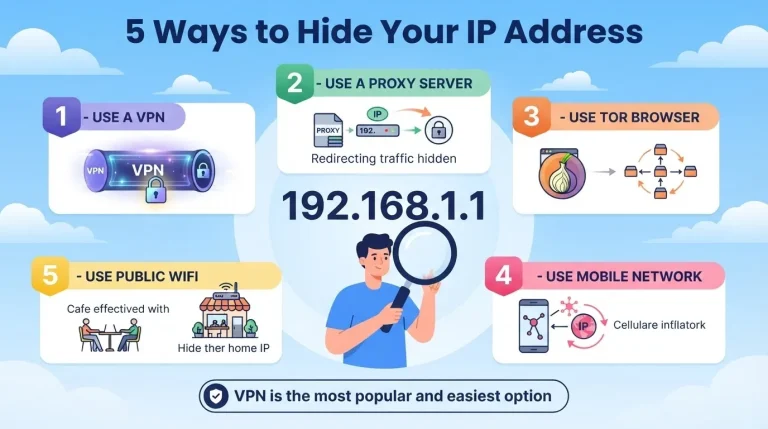
3. Keep Your Public IP Address More Private
One of the most common reasons to use a VPN is to avoid showing your normal public IP address to every website you visit.
Your public IP address is tied to your internet connection. It does not usually reveal your exact street address, but it can give services an idea of your general location and the network you use.
When you connect through a VPN, websites will usually see the VPN server’s public IP address instead of the IP address from your home or mobile connection.
That can be useful.
For example, if many visits come from the same home IP address, a VPN can make those visits appear to come from the VPN server instead.
But that does not mean the website no longer knows who you are.
A website can still recognize you through:
- Your account login
- Cookies and other tracking tools
- Browser or device fingerprinting
- GPS or other location permissions
- Information you give the site yourself
This is an important limit to understand.
A VPN changes one network identifier. It does not erase every other way a service can recognize you.
That is also why a VPN is different from other privacy tools. Our guide to the difference between a VPN, DNS, and a proxy explains why these tools are not interchangeable.
A VPN is best thought of as one part of a larger privacy setup. Browser privacy controls, tracker blocking, careful app permissions, strong passwords, and multifactor authentication can all play a role too.
Best fit: People who would rather not expose their usual home or mobile-network IP address to every website or online service they use.
4. Use a VPN for Secure Remote Access
Not every VPN is made for personal privacy.
Businesses, schools, and other organizations also use VPNs to give approved users secure access to private systems.
For example, a work VPN may let an employee connect to:
- Internal dashboards
- File servers
- Development systems
- Private databases
- Administrative tools
- Other services that are not open to the public internet
This is a different reason to use a VPN.
In a work setting, the main goal may not be hiding your location. The goal is to give an authorized person a protected route to a private network or service.
NIST guidance on enterprise telework and remote access describes VPNs as one technology organizations can use to support remote access to internal resources, along with other security controls.
A personal VPN can also be used for remote access in some home-network setups. For example, you may use one to reach a compatible device or service at home while you are away.
But setup matters.
You may still need strong authentication, software updates, firewall rules, and other security controls. A VPN by itself does not make a private network safe.
There is another important difference between a personal VPN and a work VPN.
A work VPN may give your employer or network administrators visibility into work-related traffic.
So a corporate VPN should not be treated as a personal anonymity tool. It is mainly a tool for access and security.
Best fit: Remote workers, IT teams, business travelers, and people who need authorized access to private systems.
5. Protect More Than Just Browser Traffic
Your browser is only one app that uses the internet.
Your email app can connect online. So can cloud storage, games, messaging apps, mobile apps, and some services built into your operating system.
This is another useful benefit of using a VPN.
A device-level VPN can route traffic from many of these apps through the VPN connection. That can give you a more consistent network privacy layer than browser settings alone.
But it does not always cover everything.
The exact behavior depends on your device, VPN app, and settings.
For example, split tunneling lets you choose which apps use the VPN and which apps use your normal internet connection. That can be useful, but it also means that not every app is necessarily going through the VPN.
There is also the problem of a dropped connection.
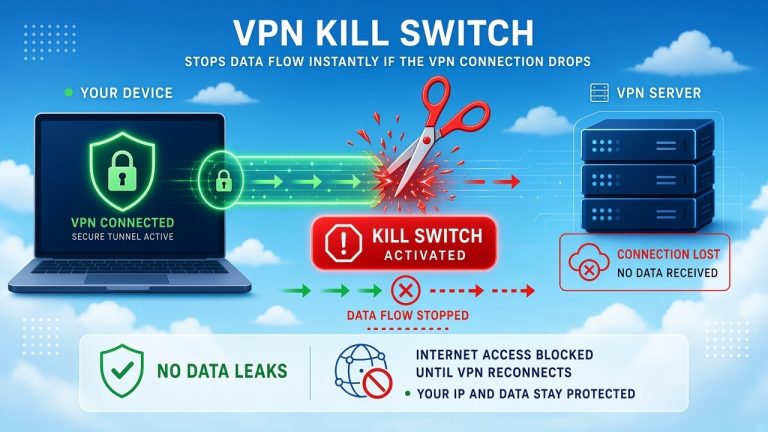
If the VPN disconnects, some traffic may return to your normal internet connection. A kill switch is designed to help by blocking traffic when the VPN connection drops, but how well it works depends on the VPN app, operating system, and configuration.
Our guide to what a VPN kill switch is and why it matters explains this feature in more detail.
The main point is simple:
A VPN does not guarantee that every app connection is protected all the time.
Before you rely on one, check how the app handles split tunneling, DNS, IPv6, leak protection, and kill-switch behavior.
Best fit: People who want a network-level privacy layer that covers more than just the browser.
6. Bypass Some Network Restrictions With a VPN
Another common reason people use a VPN is to get around certain network restrictions.
A school, workplace, hotel, internet provider, or government may block access to specific websites or services.
Because a VPN sends your traffic through another server, it may help get around some types of network-level filtering.
But there is no guarantee.
It depends on how the restriction works. It also depends on whether the network allows VPN traffic.
Some networks can block known VPN servers or detect and restrict VPN traffic. A VPN also cannot fix a full internet shutdown because you still need some kind of internet connection underneath it.
There can also be legal issues.
VPN use is allowed in many places, but some countries or regions regulate or restrict VPNs and other circumvention tools. If bypassing a network restriction could have serious consequences, check the local rules and think about the risks before doing it.
Streaming is another example.
A VPN may change the apparent network location of your connection, but that does not mean it will always unlock a certain streaming catalog. Streaming companies can block known VPN addresses or apply their own rules based on licensing, account status, or location.
Our article on the legal implications of using a VPN to watch Netflix looks at that topic in more detail.
Best fit: People dealing with network-level restrictions where VPN use is lawful and appropriate.
7. Get a More Consistent Online Experience While Traveling
Travel can be another reason to use a VPN.
Websites and online services can use your IP-based location to change search results, language, news, content, and other parts of the experience.
When you travel, your normal connection may suddenly appear to come from a different city or country.
A VPN can sometimes make that experience more consistent by letting you connect through a VPN server in a location you choose.
For example, a VPN may help you:
- See search results tied to another region
- Test how a website looks in another market
- Reach a region-specific work or business portal
- Use a service that applies network-based location rules
- Reduce exposure to some local network restrictions
But this is where expectations matter.
A VPN changes your apparent network location. It does not rewrite the country on your account. It does not guarantee lower prices. And it does not force a service to ignore its own rules.
Banks and other security-sensitive services may also flag a VPN connection. They may ask for extra verification or block known VPN addresses.
The same can happen with streaming services.
And there is a performance tradeoff. A VPN can add some overhead. If your internet connection is already weak or unstable, changing VPN settings may not solve the real problem.
Best fit: Travelers, international teams, researchers, and website owners who need to test or access location-based experiences.
What a VPN Does Not Do
The benefits of using a VPN make more sense when you also understand its limits.
A VPN can change your traffic path and the public IP address many websites see. But it is not a complete cybersecurity system.
By itself, a VPN generally will not:
- Stop you from opening a phishing site
- Remove malware from your device
- Stop every type of tracking
- Prevent tracking when you are signed in to an account
- Block every cookie or fingerprinting method
- Hide information you choose to share
- Make you fully anonymous
- Protect data after it reaches the destination service
- Guarantee access to blocked content
- Replace software updates, strong passwords, or multifactor authentication
This is why a VPN should be one part of a larger security and privacy setup.
The FTC recommends basic steps such as using strong passwords, enabling two-factor authentication, keeping software updated, and being careful with suspicious websites and messages.
A VPN can work alongside those protections. It does not replace them.
How VPN Encryption Works and What It Protects
Encryption is one of the main reasons a VPN can protect the connection between your device and the VPN server.
But the word “encrypted” does not tell you everything.
The strength of a VPN connection depends on the protocol, cryptographic algorithms, software implementation, device settings, DNS behavior, routing, and other factors.
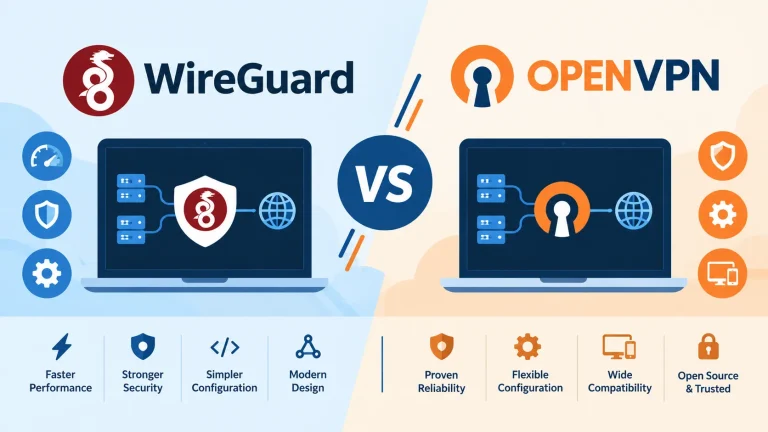
Modern VPN services may support protocols such as WireGuard or OpenVPN.
WireGuard, for example, uses modern cryptographic tools and is designed to be simpler and smaller than many older VPN implementations. But using WireGuard does not automatically make a VPN provider trustworthy.
The provider still matters.
So does the app. So does the configuration.
And so does what happens after your traffic leaves the VPN server.
The key point is:
“Encrypted” does not mean “everything online is now protected.”
VPN encryption mainly protects the tunnel between your device and the VPN server. Once the traffic reaches its destination, other protections still matter.
For readers who want the technical side without the marketing language, see our guide to how strong VPN encryption really is, or our more detailed VPN encryption guide.
How to Choose a VPN You Can Trust
If you are thinking about the reasons to use a VPN, you should also think about who you are trusting to run it.
A VPN provider can handle a meaningful part of your internet traffic. That makes the provider’s business practices and security record just as important as its feature list.
Before you subscribe, look at:
- Ownership: Is it clear who owns and runs the service?
- Privacy policy: Does it clearly explain what data is collected, why it is collected, and how long it is kept?
- Independent audits: Are recent audits available, and does the report explain what was tested?
- Business model: How does the company make money, especially if the service is free?
- Security history: Does the provider openly report security problems when they happen?
- Protocols: Does it support established protocols such as WireGuard or OpenVPN?
- Leak protection: Does it offer useful DNS and IPv6 protections?
- Kill switch: Can it block traffic if the VPN connection drops?
- Maintenance: Are the apps actively updated?
- Marketing claims: Does the provider avoid promises like “total anonymity” or “complete protection”?
Be especially careful with the phrase “no logs.”
The words sound simple, but they can mean different things.
A provider may say it does not keep browsing history, while still storing some connection data, account details, or diagnostic information.
That does not automatically mean the service is bad. It means you need to understand exactly what the company is claiming.
Independent audits can provide useful evidence. But an audit is still a review of a particular system at a particular time. It can give you more confidence in a specific claim without turning that claim into a forever guarantee.
You may also want to ask whether you need a free VPN at all. Our guide to whether it is safe to use a free VPN covers some of the tradeoffs to consider.
And if your main reason for getting a VPN is gaming, the decision may be different. See our guide on whether a VPN is good for gaming before assuming a VPN will improve speed or lower latency.
Should You Leave a VPN On All the Time?
There is no rule that says you must leave a VPN on 24/7.
Keeping it on may make sense when you regularly want the VPN’s privacy or routing benefits.
Turning it off may make sense when a website or app does not work correctly through the VPN, when you need your normal network location, or when the VPN causes a performance or compatibility problem.
So instead of asking, “Should I always use a VPN?” ask:
What am I getting from the VPN right now, and is that benefit worth the tradeoff?
Our guide to whether you should leave your VPN on all the time covers those choices in more detail.
The Bottom Line: Why Use a VPN?
There are good reasons to use a VPN, but the right reason depends on your situation.
A VPN may be useful when you often connect through networks you do not control. It can also make sense when you want to reduce ISP-level visibility, need remote access to private resources, or prefer not to expose your usual public IP address to every website and service you use.
But you may not need a VPN for every problem.
If your biggest concern is phishing, malware, account theft, or behavioral tracking, other security tools and habits may matter more.
The simplest way to think about a VPN is this:
A VPN creates an encrypted route between your device and another network while shifting some of your network-level trust from your ISP or local network to the VPN provider.
That is the tradeoff.
A VPN may reduce what one party can see while giving another party a role in handling your traffic.
It may change the IP address websites see without making you anonymous.
It may help with some network restrictions without guaranteeing access.
It may add privacy on public Wi-Fi without making a dangerous website safe.
And it may protect a connection without protecting the device itself.
So, why use a VPN?
Use one when its specific benefits match the problem you are trying to solve.
That is a much more useful way to look at VPNs than treating them as an all-in-one privacy or security solution.
You May Also Like
 Computers & PC Games
Does a VPN Really Improve Minecraft Ping and Performance?
 VPNs & Proxies
Why You Should Use a VPN for Minecraft Servers
 VPNs & Proxies
What Is a VPN Kill Switch and Why Is It Important?
 Computers & PC Games
Is RomsFun Safe and Legit? My Complete Review and Testing Experience
 VPNs & Proxies
How to Hide Your IP Address and Protect It: 5 Best Ways
 VPNs & Proxies