

How much internet speed do you actually need for gaming and streaming? It’s tempting to pay for the fastest plan available, but most people don’t need gigabit internet just to play online games or watch videos.
For many gamers, 25–50 Mbps download and around 3–5 Mbps upload can be a reasonable starting point, especially if you mainly play mobile games such as PUBG Mobile and Mobile Legends. If you share your connection with other people or regularly stream videos while gaming, 50–100 Mbps gives you more room for everyday activities.
My own 100 Mbps connection has been enough for my household. I use three smartphones, one laptop, and one PC for gaming, streaming, browsing, and other online activities. Playing PUBG Mobile and Mobile Legends feels smooth under normal conditions, and I haven’t noticed problems caused by insufficient bandwidth.
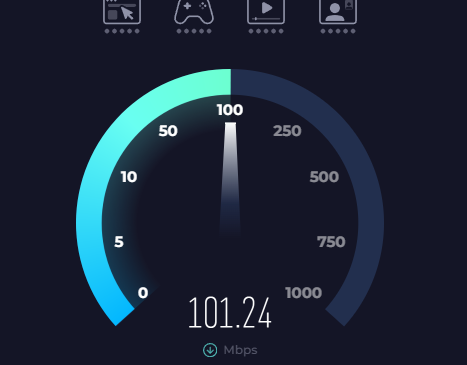
However, I’ve also noticed that my connection doesn’t always deliver the same speed. Sometimes, particularly during bad weather, my speed tests show around 90 Mbps or even less than 80 Mbps. That’s my experience with my own connection, not a rule that applies to every internet provider.
Download speed is only part of the picture. Ping, jitter, packet loss, Wi-Fi quality, and your internet provider’s routing can all affect gaming performance. Even a 1 Gbps connection can experience lag if the connection is unstable.
Let’s look at how much speed gaming and streaming need, when a faster plan is worthwhile, and how to check whether your internet connection is performing as expected.
What Is a Good Internet Speed?
A good internet speed is fast enough to handle your regular activities without becoming a bottleneck. The right plan depends on how many people share the connection and what they do online.
Someone who mainly browses the web, watches HD videos, and plays mobile games usually doesn’t need the same plan as a large household with several simultaneous 4K streams and frequent game downloads.
Here’s a practical starting point:
| Internet Speed | Good For |
|---|---|
| 25 Mbps | Casual gaming, basic browsing, and light streaming |
| 50 Mbps | Online gaming, HD streaming, video calls, and everyday use |
| 100 Mbps | Gaming, multiple streams, downloads, and several connected devices |
| 200–300 Mbps | Larger households, frequent downloads, and heavier simultaneous use |
| 500 Mbps+ | Households with many demanding devices and large data transfers |
| 1 Gbps+ | Very high bandwidth needs, multi-gigabit downloads, and heavy household use |
These are general guidelines, not strict requirements. Actual performance depends on your connection’s stability and the activities taking place at the same time.
For example, several phones used for messaging and browsing may consume relatively little bandwidth. A PC downloading a large game while multiple TVs stream high-resolution video can create a much greater demand.
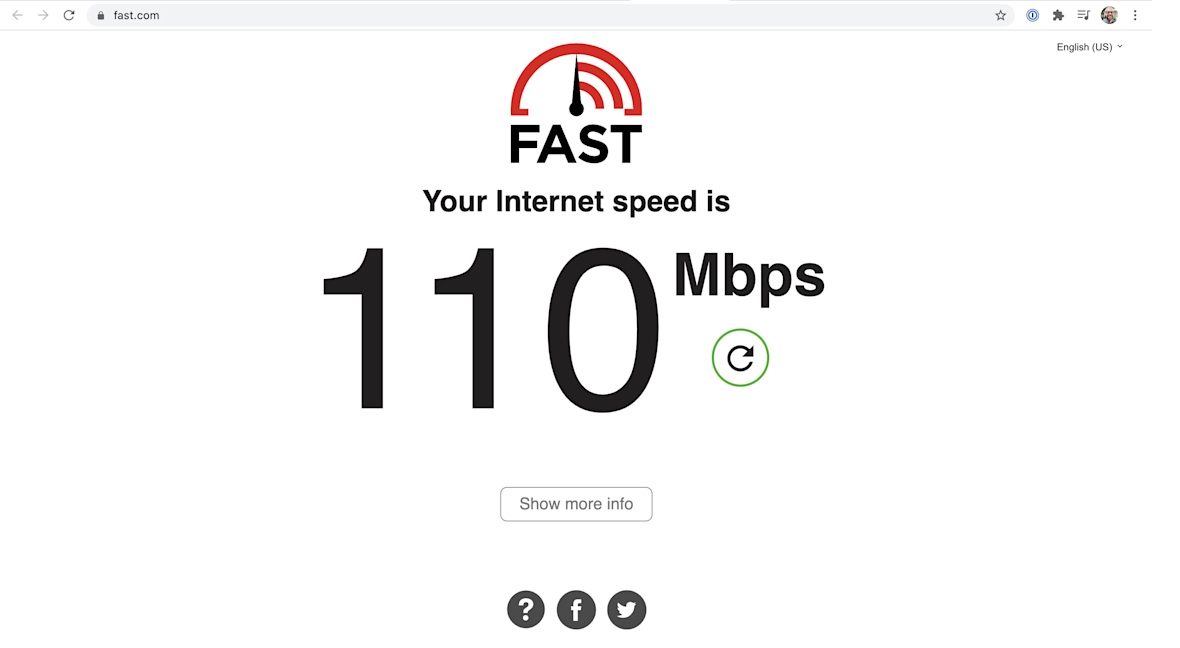
How Many Mbps Do I Need for Gaming?
Most online games don’t require extremely high download speeds just for gameplay. If you mainly play mobile games like PUBG Mobile and Mobile Legends, I think 25–50 Mbps is generally enough for gaming on a single device, provided the connection is stable.
The games themselves usually consume much less bandwidth than downloading updates or streaming high-resolution videos. Choosing a 100 Mbps or faster plan is mainly about having more capacity for other activities that happen alongside gaming.
From my own experience, 100 Mbps feels very smooth when playing PUBG Mobile. My household also uses the same connection across three smartphones, one laptop, and one PC for gaming, streaming, and browsing.
That doesn’t mean every 100 Mbps connection will deliver the same experience. Weak Wi-Fi, router problems, ISP routing, congestion, and a distant game server can all affect how responsive a game feels.
The most important factors to watch are latency, jitter, packet loss, and connection stability. A player with 100 Mbps can still experience high ping, while someone using a slower connection may enjoy smooth gameplay if the connection is stable and has enough available bandwidth.
For more gaming-related advice, see our guides on how to reduce ping and how to reduce internet latency.
What Is the Best Internet Speed for Gaming?
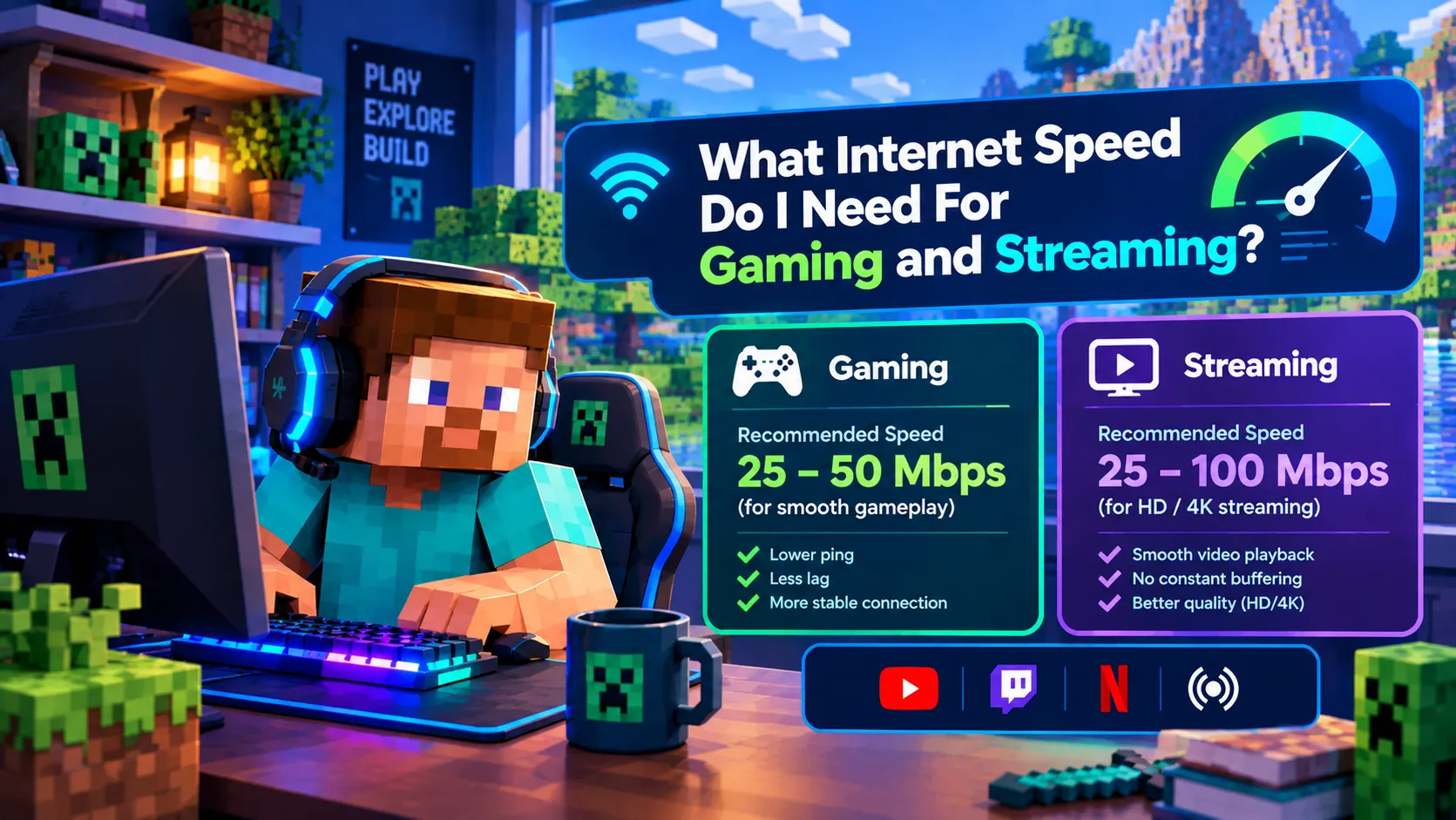
There isn’t one perfect internet speed for every gamer. For many households, 50–100 Mbps is a comfortable range for online gaming and everyday internet use.
If you mainly play mobile games and browse the web, even 25–50 Mbps may be sufficient. A faster plan becomes more useful when multiple people stream videos, download games, or use bandwidth-intensive applications at the same time.
My own 100 Mbps plan is a practical example. It handles my household’s normal online activities without noticeable lag caused by a lack of bandwidth. I don’t need gigabit internet simply to play PUBG Mobile or Mobile Legends.
However, download speed isn’t the only measure of gaming performance. Moving from 100 Mbps to 1 Gbps doesn’t automatically lower your ping if the route to the game server stays essentially the same.
A stable connection with low latency is often more useful for competitive gaming than a very fast plan that suffers from packet loss or inconsistent performance.
What Is a Fast Internet Speed?
For many households, 100 Mbps is already a fast internet connection. It provides enough capacity for online gaming, HD video streaming, browsing, video calls, and several connected devices under normal conditions.
Moving to 300 Mbps gives a household more bandwidth for simultaneous activities. Speeds of 500 Mbps or 1 Gbps can be useful for large downloads, several high-resolution streams, and frequent transfers of large files.
However, a higher number doesn’t automatically mean a better gaming experience.
If your connection already has enough bandwidth, upgrading it may not fix high ping, weak Wi-Fi, or an unstable route to the game server. Before spending more on a faster plan, find out whether bandwidth is actually the problem.
What Internet Speed Is Needed for Streaming?
Streaming requirements depend mainly on video quality and how many devices are streaming at once.
Here are approximate download-speed guidelines:
| Video Quality | Typical Download Speed |
|---|---|
| 480p | About 3–4 Mbps |
| 720p | About 5–8 Mbps |
| 1080p | About 10–25 Mbps |
| 4K | About 30 Mbps or more |
These figures are practical estimates, not universal requirements. The actual amount depends on the streaming service, video bitrate, and playback conditions.
One person watching 4K video creates a different workload from a household with three simultaneous 4K streams. You also need to leave enough bandwidth for gaming, browsing, video calls, and downloads.
That’s why choosing a plan based only on the minimum speed for one streaming device may not be the best approach for a busy household.
How Much Internet Speed Do I Need for Gaming and Streaming?
For many households, 100–200 Mbps is a comfortable range for gaming and streaming at the same time. However, the right speed depends on video quality, the number of users, and how much other activity takes place on the network.
Gaming itself usually doesn’t consume much bandwidth. Streaming is generally more demanding, especially when multiple devices play high-resolution video.
Here’s a simple guide:
| Usage | Practical Starting Range |
|---|---|
| Gaming and browsing | 25–50 Mbps |
| Gaming and one HD stream | 50–100 Mbps |
| Gaming and multiple streams | 100–200 Mbps |
| Multiple 4K streams, gaming, and downloads | 200 Mbps or more |
These ranges are meant to help with planning rather than set hard limits. A household may need less or more depending on the actual workload.
My own 100 Mbps connection handles gaming, streaming, browsing, and five connected devices without noticeable lag caused by insufficient bandwidth during normal use. A household with several people downloading large games or streaming 4K video simultaneously may benefit from a faster plan.
Is 100 Mbps Enough for Gaming?
Yes, 100 Mbps is enough for gaming for most households. It provides plenty of bandwidth for normal online gameplay while leaving capacity for other activities.
My own setup uses a 100 Mbps plan across three smartphones, one laptop, and one PC. I use the connection for gaming, streaming, browsing, and everyday internet activities. Playing PUBG Mobile, Fortnite, and Mobile Legends feels smooth under normal conditions, and I haven’t noticed lag simply because multiple devices are connected.
There’s an important detail to remember, though: a 100 Mbps plan doesn’t guarantee that you’ll always receive a stable 100 Mbps connection.
In my experience, the measured speed can fluctuate. When the weather is bad, I sometimes see results around 90 Mbps or even below 80 Mbps. That’s what I’ve noticed with my own service; the effect of weather varies by connection technology, provider, and local network conditions.
Even when the measured speed drops below 100 Mbps, that doesn’t automatically mean gaming will lag. PUBG Mobile and Mobile Legends generally don’t need anywhere near 100 Mbps for gameplay alone. Ping, jitter, packet loss, and stability can have a bigger impact on how responsive the game feels.
How to Check Your Internet Speed, Ping, and Jitter
Rather than assuming your internet always performs at its advertised speed, check it occasionally, especially when you notice slowdowns or gaming problems.
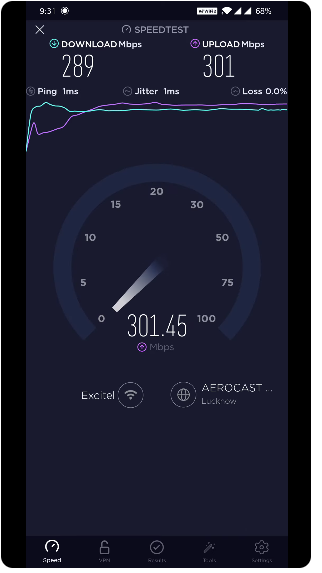
One simple option is the Speedtest by Ookla app, available for smartphones. You can also use Speedtest.net. It can measure download speed, upload speed, and latency, including ping measurements.
For a useful comparison, try these steps:
- Run a speed test near your router and note the download speed, upload speed, and ping.
- Repeat the test from the location where you normally play games.
- Test at different times of day to see whether performance changes during busy periods.
- If possible, compare Wi-Fi results with a wired Ethernet connection on a compatible PC.
- When gaming feels inconsistent, check jitter and packet loss using a diagnostic tool or in-game network statistics that explicitly report those metrics.
Not every basic speed test displays every network measurement. Speedtest is useful for checking speed and latency, while jitter and packet loss may require additional diagnostics.
Jitter measures how much latency varies over time. Packet loss occurs when some data fails to reach its destination. Either problem can make a game feel unstable, even if the download-speed result looks good.
If your speed test shows lower numbers than expected, don’t immediately assume you need a faster package. First, check whether the issue comes from Wi-Fi, network congestion, your ISP connection, or the game server.
Is 100 Mbps Enough for Streaming?
For most households, yes. A 100 Mbps connection can comfortably support normal HD streaming and often provides enough bandwidth for a 4K stream alongside everyday activities.
The situation changes when several people stream high-resolution video simultaneously. Imagine one person watching 4K video, another streaming HD content, and someone else playing an online game while a large download runs in the background.
Under those conditions, a 200 Mbps or faster plan can provide more breathing room.
The benefit isn’t necessarily that every individual activity becomes faster. You simply have more total bandwidth available for everyone to use at the same time.
Is 300 Mbps Good for Gaming?
Yes. 300 Mbps provides more than enough bandwidth for normal gaming for most households.
The main advantage isn’t that your ping automatically becomes lower. Most online games don’t use anything close to 300 Mbps during ordinary gameplay.
Instead, the additional capacity helps when several people use the connection simultaneously. One person can stream video, another can play a game, and a third can download a large update without putting as much pressure on the available bandwidth.
If your 100 Mbps connection already handles your household comfortably, though, upgrading to 300 Mbps may not make games feel noticeably more responsive.
Is Gigabit Internet Worth It?
Gigabit internet provides approximately 1,000 Mbps of download capacity under the provider’s advertised conditions. Whether it’s worth the price depends on how your household uses the internet.
A gigabit plan may be useful if you regularly have:
- Several heavy internet users online at once.
- Large game downloads and updates.
- Multiple 4K video streams.
- Large file transfers and cloud backups.
- Frequent video uploads or other demanding online tasks.
For a smaller household that mainly browses, streams, and plays online games, gigabit may provide more bandwidth than necessary.
My own 100 Mbps plan is enough for my current usage, so I don’t need a gigabit connection just to play mobile games and stream video.
For a more detailed discussion, see our guide on whether 1 gig internet is good for gaming.
What’s the Fastest Internet Speed?
There isn’t one permanent fastest internet speed for every consumer. Providers offer different plans depending on location, network technology, and local infrastructure.
You may see residential plans advertised at 1 Gbps, 2 Gbps, 5 Gbps, 10 Gbps, or higher in some markets.
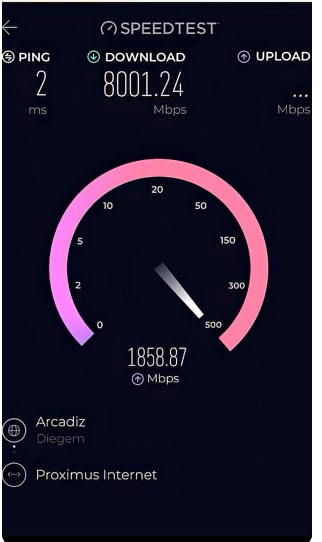
For most gamers, buying the fastest plan available isn’t necessary. Once your connection has enough bandwidth for your household, additional speed mainly helps with capacity and large transfers rather than automatically making online games more responsive.
Multi-gigabit internet can be useful for people with very demanding workloads, but it isn’t a requirement for smooth mobile or PC gaming.
What Is a Fast Upload Speed?
Upload speed describes how quickly your connection sends data from your device to the internet.
It matters most when you’re:
- Streaming gameplay live.
- Uploading gaming videos.
- Making video calls.
- Backing up files to the cloud.
- Sending large files to other people or services.
Ordinary online gaming doesn’t usually require extremely high upload speeds. Streaming your gameplay or uploading large videos is different because these activities send much more data continuously.
Fiber internet can be particularly useful for people who need strong upload performance, since many fiber plans offer similar upload and download speeds.
Learn more in our guide to fiber internet benefits and functionality.
What Is a Good Upload Speed?
For basic browsing and online gaming, a few Mbps of upload capacity may be enough. A connection with around 5–10 Mbps upload gives you more room for video calls and other everyday online tasks.
Content creators who stream regularly or upload large video files may benefit from 10–25 Mbps or more, depending on their streaming settings and workload.
The amount you need depends on what you’re uploading and how many devices are sending data at the same time. When comparing internet packages, check both download and upload speeds rather than focusing only on the larger number.
What Is a Good Internet Speed for Multiple Devices?
The number of connected devices matters less than what those devices are doing.
Five devices running light applications can require less bandwidth than two devices downloading large files. That’s why I don’t consider five or seven connected devices, by themselves, a reason to buy gigabit internet.
For example:
- Web browsing, messaging, and social media typically use relatively little bandwidth.
- Online gaming generally uses much less bandwidth than large downloads.
- HD and 4K streaming require more sustained bandwidth.
- Game downloads and updates can temporarily use a large share of your available connection.
A household should choose a plan based on its busiest normal usage, not just the number of phones, computers, and TVs connected to the router.
How Much Internet Speed Do I Need for 7 Devices?
A 100 Mbps connection can be enough for seven devices when their activities are relatively light or moderate.
The situation changes if several devices simultaneously stream 4K video, download games, back up files, and make video calls. A 200 Mbps or 300 Mbps plan can give a busy household more room for these activities.
The number seven isn’t the deciding factor. What matters is the amount of bandwidth everyone uses at the same time.
What If I Have Fast Internet but Still Experience Gaming Lag?
Having a fast internet plan doesn’t guarantee a lag-free gaming experience. You could have 100 Mbps, 300 Mbps, or even 1 Gbps and still experience lag because download speed is only one part of your connection.
Before upgrading your plan, check whether one of these issues is responsible:
- High latency: Data takes too long to travel between your device and the game server, causing delayed actions or high ping.
- Jitter: Your latency varies over time instead of remaining relatively stable. The game may feel smooth one moment and laggy the next.
- Packet loss: Some data fails to reach its destination. Characters may freeze, actions may fail to register, or the connection may behave unpredictably.
- Weak Wi-Fi: Your internet plan may be fast, but your gaming device might have a poor wireless connection to the router.
- Network congestion: Other devices may be consuming substantial bandwidth through streaming, downloads, or cloud backups.
- Server distance: Connecting to a distant game server usually produces more latency than connecting to a nearby one.
- Server-side problems: Sometimes the game server itself is the problem. If only one game or server lags while other services work normally, your internet plan may not be the cause.
This is why upgrading from 100 Mbps to 500 Mbps won’t necessarily fix high ping. If your household already has enough bandwidth, the extra capacity won’t solve poor Wi-Fi, packet loss, or a bad route to the game server.
My own 100 Mbps connection is sufficient for three smartphones, one laptop, and one PC because our normal use doesn’t constantly saturate the available bandwidth. Your results may differ depending on your provider, router, location, and the servers you connect to.
Before paying for a faster plan, try troubleshooting the underlying problem. Our guides on how to reduce ping and how to reduce internet latency are good places to start.
In many cases, fixing the source of the latency is more useful than simply buying more Mbps.
Why Wi-Fi Can Make a Fast Internet Plan Feel Slow
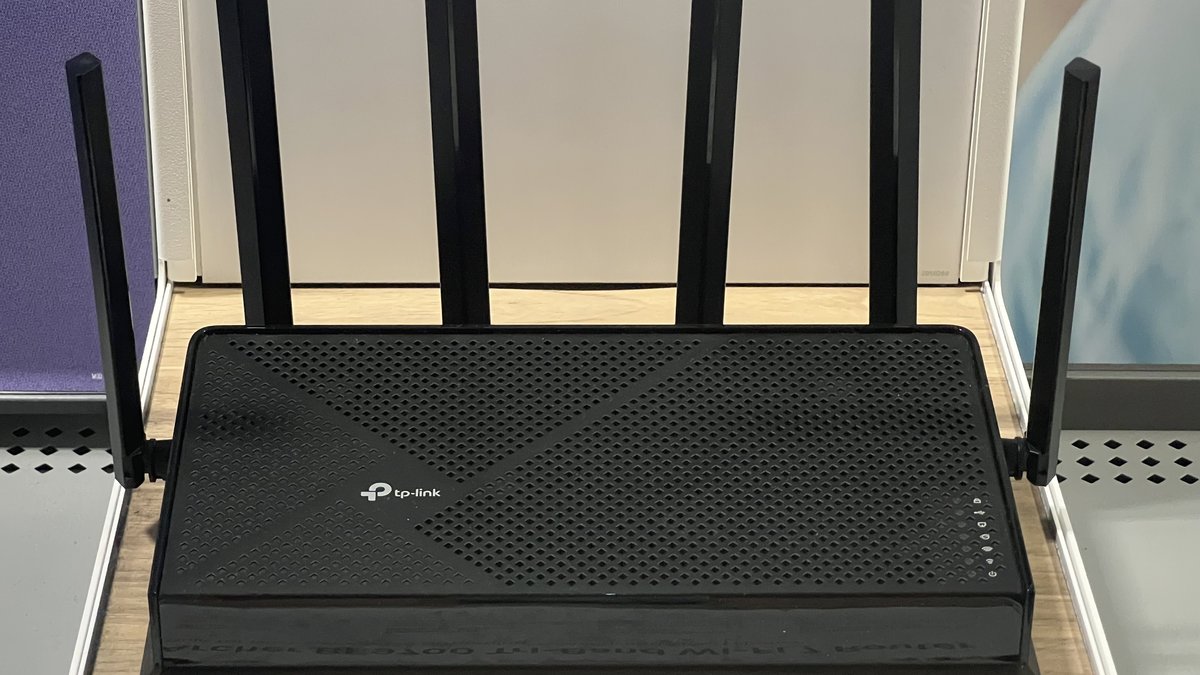
Your internet package is only one part of the connection between your gaming device and the internet.
You can pay for 1 Gbps service and still experience poor performance if your device is connected through weak Wi-Fi. Distance from the router, walls, interference, router placement, and local network congestion can all affect your wireless connection.
For example, a speed test may show good results beside the router but much lower speeds in a bedroom upstairs. That difference suggests your wireless coverage may need attention.
Our guide on the differences between modems and routers explains what each device does. You can also read Wi-Fi booster vs. Wi-Fi extender to learn more about improving wireless coverage.
Does Faster Internet Reduce Ping?
Not necessarily. Increasing your download speed doesn’t automatically change the route between your device and a game server.
Ping can be affected by several factors:
- Distance to the game server.
- Network routing and ISP infrastructure.
- Network congestion.
- Wi-Fi quality and interference.
- Jitter and packet loss.
- Server-side conditions.
That’s why someone can upgrade from 100 Mbps to 1 Gbps and see very little change in gaming latency. The connection has more bandwidth, but the path to the server may remain essentially the same.
A stable internet connection with sufficient bandwidth is usually a better starting point than paying for the fastest plan available.
Does Internet Speed Affect Gaming Lag?
It can, especially when your connection is heavily congested. Imagine someone in your household is downloading a huge game update while another person streams 4K video and you’re trying to play an online game. A connection with limited available bandwidth may become congested, which can affect performance.
Once you have enough bandwidth for normal household usage, however, moving from 100 Mbps to 300 Mbps doesn’t automatically make games respond faster.
It’s important to distinguish between a bandwidth problem and a latency problem. More bandwidth can help when the connection is overloaded. It won’t necessarily fix a distant server, unstable Wi-Fi, jitter, or packet loss.
How Much Internet Speed Do I Need for Downloading Games?
Game downloads are one area where higher speeds make a noticeable difference.
Modern games can be very large, so a faster connection reduces the time you spend waiting for downloads and updates. Moving from 100 Mbps to 300 Mbps can make downloads substantially faster when the server, device, and network can deliver those speeds.
The benefit of 300 Mbps or 1 Gbps is much easier to notice when downloading a large game than during normal online gameplay.
In other words, faster internet can help you get the game onto your device sooner without necessarily changing how responsive it feels once you’re playing.
Storage also matters when you install several large games. See our guide on whether a 1TB SSD is enough for gaming if you’re planning your gaming storage.
What Is the Best Internet Speed for Streaming?
For many households, 50–100 Mbps is a comfortable starting range for streaming.
A single person watching HD video needs much less bandwidth than a family with several simultaneous 4K streams. You should also leave room for gaming, browsing, downloads, video calls, and other activities.
Choosing a plan that only meets the minimum streaming requirement may not be ideal when several people share the connection. Having additional bandwidth can make the household experience more comfortable during busy periods.
What Speed Internet Is Needed for Streaming Multiple Devices?
Multiple simultaneous streams require more total bandwidth.
One HD stream is relatively light, but several high-resolution streams combined with gaming and downloads can consume considerably more capacity.
A 100 Mbps connection may be plenty for a household with moderate streaming habits. Homes with several simultaneous 4K streams and frequent downloads may benefit from 200 Mbps or more.
My household’s experience shows why the number of devices alone doesn’t tell the whole story. Three smartphones, one laptop, and one PC share my 100 Mbps connection, yet that speed has been enough for our regular gaming, streaming, and browsing. A different household with heavier simultaneous use may need more.
What Is a Good Internet Speed for 5 Devices?
Five connected devices don’t automatically require a particular internet speed.
My own home uses three smartphones, one laptop, and one PC on a 100 Mbps plan. We use those devices for online gaming, streaming, browsing, and everyday internet activities without noticeable lag caused by insufficient bandwidth during normal use.
That doesn’t mean every five-device household will perform equally well on 100 Mbps. The workload can be very different elsewhere.
If all five devices are streaming high-resolution video, downloading large files, or uploading data simultaneously, a faster plan can provide more headroom.
When Should You Upgrade Your Internet Speed?
An upgrade makes sense when your current plan regularly becomes a bottleneck.
You might benefit from more bandwidth if:
- Streaming quality drops when several people are online.
- Large downloads slow down everything else.
- Video calls become unreliable during heavy usage.
- Multiple users compete for bandwidth at the same time.
- Your connection regularly reaches its available capacity.
However, if gaming and streaming already feel smooth, paying for more bandwidth may not provide a noticeable improvement.
Before upgrading, check whether the problem comes from Wi-Fi, latency, jitter, packet loss, or your ISP connection. A speed test can help you understand your connection, but you’ll need to consider other network measurements if the problem is gaming lag rather than low download speed.
What Is the Minimum Internet Speed for Gaming?
Basic online gaming can work at relatively low speeds, but choosing the absolute minimum leaves less room for other activities on your connection.
For many players, 25 Mbps or more is a practical starting point, while 50–100 Mbps gives you more capacity for streaming, browsing, and household use.
If you mainly play mobile games such as PUBG Mobile and Mobile Legends on one device, a stable 25–50 Mbps connection can be sufficient. The amount you need increases when other people use the internet heavily at the same time.
There is no single minimum that guarantees a smooth experience because the quality of your connection matters just as much as the download-speed figure.
Does Upload Speed Matter for Gaming?
Yes, but most players don’t need extremely high upload speeds just to play online games.
Upload performance becomes more important when you stream gameplay, upload videos, make video calls, or back up large files. For ordinary gaming, stable connectivity is generally more important than having an exceptionally high upload number.
If you’re a content creator, a stronger upload connection can make a bigger difference to the quality and consistency of your live streams.
Does Fiber Internet Make Gaming Better?
Fiber can be an excellent choice for gaming because it can provide high bandwidth and strong upload speeds. Depending on the provider and plan, it may also deliver consistent performance.
However, fiber doesn’t automatically guarantee perfect ping. Your distance from the game server, ISP routing, local congestion, Wi-Fi quality, and the game server itself still matter.
Fiber can provide a strong foundation for gaming, but it doesn’t eliminate every possible source of latency.
See our guide on fiber internet benefits and functionality for more information.
What If My Internet Is Fast but My Wi-Fi Is Slow?
This is a common situation. Your provider may deliver the expected speed to your home, but your gaming device might not receive the same performance over Wi-Fi.
The problem could come from distance, walls, interference, router placement, or the wireless hardware itself.
Try testing the connection close to the router and then compare it with the location where you normally play. If the results are significantly different, your home Wi-Fi may need attention rather than your internet plan.
Our guide on the best places to put a Wi-Fi extender in a 2-story house can help if poor wireless coverage is the problem.
Frequently Asked Questions
How many Mbps do I need for gaming?
For many online games, 25–50 Mbps is a reasonable starting range. If you mainly play mobile games such as PUBG Mobile and Mobile Legends, this can be enough for one device when the connection is stable. A 50–100 Mbps plan gives many households more room for streaming, browsing, downloads, and other activities.
What is the best internet speed for gaming?
There isn’t one best speed for every gamer. For many households, 50–100 Mbps is a comfortable range. Latency, jitter, packet loss, and connection stability can matter more than having extremely high download speed.
What is a good internet speed?
For many households, 50–100 Mbps is a practical starting point. Larger households with heavy simultaneous usage may benefit from 200 Mbps, 300 Mbps, or more.
What is a fast internet speed?
Around 100 Mbps is already fast enough for many everyday household activities. Higher speeds mainly provide additional capacity for large households, frequent downloads, and heavier simultaneous use.
What speed internet is needed for streaming?
Streaming requirements depend on video quality and the number of simultaneous streams. Lower-resolution video may work with only a few Mbps, while 4K streaming commonly needs around 25 Mbps or more per stream.
Is 100 Mbps enough for gaming and streaming?
Yes, for many households. I personally use 100 Mbps with three smartphones, one laptop, and one PC for gaming, streaming, and browsing without noticeable lag caused by bandwidth limitations during normal use.
Is 300 Mbps good for gaming?
Yes. A 300 Mbps connection provides more than enough bandwidth for normal gaming and gives households additional capacity for streaming, downloads, and other simultaneous activities.
Is gigabit internet worth it?
It can be worthwhile for large households, heavy downloaders, content creators, and people with many demanding devices. Smaller households may find 100–300 Mbps sufficient.
What is a good upload speed?
A few Mbps can be enough for basic gaming and everyday use. Around 5–10 Mbps gives more room for video calls and uploads, while content creators may benefit from 10–25 Mbps or more, depending on their needs.
What’s the fastest internet speed?
There isn’t one permanent fastest consumer speed because providers offer different plans and technologies in different markets. Multi-gigabit plans are available in some locations.
Does faster internet reduce ping?
Not necessarily. Ping depends heavily on distance, routing, congestion, Wi-Fi quality, and the game server. Increasing download speed doesn’t automatically change those factors.
Why am I lagging with fast internet?
The problem may be high latency, jitter, packet loss, weak Wi-Fi, network congestion, server distance, or a problem with the game server. A faster plan won’t necessarily fix these issues.
How much internet speed do I need for 5 devices?
The activities matter more than the device count. Five devices doing light tasks can work comfortably on 100 Mbps, while five devices performing heavy streaming and downloads simultaneously may need more.
How much internet speed do I need for 7 devices?
A 100 Mbps connection can be enough for seven devices when their activities are light or moderate. Heavier simultaneous usage may justify 200 Mbps or more.
Does gaming use a lot of internet speed?
Most online games don’t use huge amounts of bandwidth during normal gameplay. Gaming is often more sensitive to latency and stability than raw download speed.
Does upload speed matter for gaming?
Yes, but ordinary gaming usually doesn’t require a very high upload speed. Upload capacity becomes more important for streaming gameplay, uploading videos, cloud backups, and other data-heavy activities.
Does 1 Gbps improve gaming?
Not automatically. A gigabit plan provides more bandwidth, but it doesn’t guarantee lower ping or higher FPS. A stable 100 Mbps connection can already be enough for many gamers.
How do I check ping and jitter?
Use the Speedtest by Ookla app or Speedtest.net to check your download speed, upload speed, and latency or ping. For jitter and packet loss, use a diagnostic test or in-game network statistics that explicitly report those measurements.
Is a 100 Mbps internet plan always stable above 100 Mbps?
No. Your actual speed can fluctuate, and the speed you receive may be lower than the advertised rate. In my own experience, I sometimes see around 90 Mbps or less than 80 Mbps during bad weather. Results vary by connection type, provider, and local conditions, so test your own connection rather than assuming it will always reach the advertised speed.
Final Thoughts
You don’t need the fastest internet plan available to enjoy gaming and streaming.
For many households, 50–100 Mbps is a practical sweet spot. A 200–300 Mbps plan offers more room when several people use the connection heavily, while 500 Mbps or 1 Gbps can make sense for larger households with demanding workloads.
My own experience has been straightforward. I use a 100 Mbps internet plan with three smartphones, one laptop, and one PC. We use the connection for online gaming, streaming, browsing, and everyday internet activities. Playing PUBG Mobile and Mobile Legends feels smooth under normal conditions, and I haven’t noticed lag caused by insufficient bandwidth.
That doesn’t mean my connection always delivers a perfect 100 Mbps. Sometimes the measured speed falls to around 90 Mbps or below 80 Mbps, particularly during bad weather. That’s why I recommend checking your actual speed from time to time with Speedtest by Ookla or another suitable diagnostic tool. Look at ping as well, and investigate jitter and packet loss if gaming feels unstable.
A larger household with several simultaneous 4K streams, large downloads, video calls, and gaming sessions may need more bandwidth than mine. Your requirements depend on what everyone does online, especially during the busiest part of the day.
The biggest mistake is assuming that more Mbps automatically means better gaming.
More bandwidth gives you more capacity. It doesn’t automatically give you lower ping.
Before paying for a faster plan, check download speed, upload speed, ping, jitter, packet loss, Wi-Fi quality, and the route to your game server. For many players, a stable 100 Mbps connection is already more than enough.
The best internet plan isn’t necessarily the fastest one you can buy. It’s the plan that comfortably handles your normal usage without making you pay for capacity you don’t need.
You May Also Like
 Computers & PC Games
How to Allocate More RAM to Minecraft: Complete Guide for Better Performance
 Computers & PC Games
How Much RAM Do You Need for a Minecraft Server?
 Computers & PC Games
Does a VPN Really Improve Minecraft Ping and Performance?
 Internet
The Best Places to Put a WiFi Extender in a 2-Story House
 Computers & PC Games
What Is 4K Resolution on a Monitor?
 Internet