
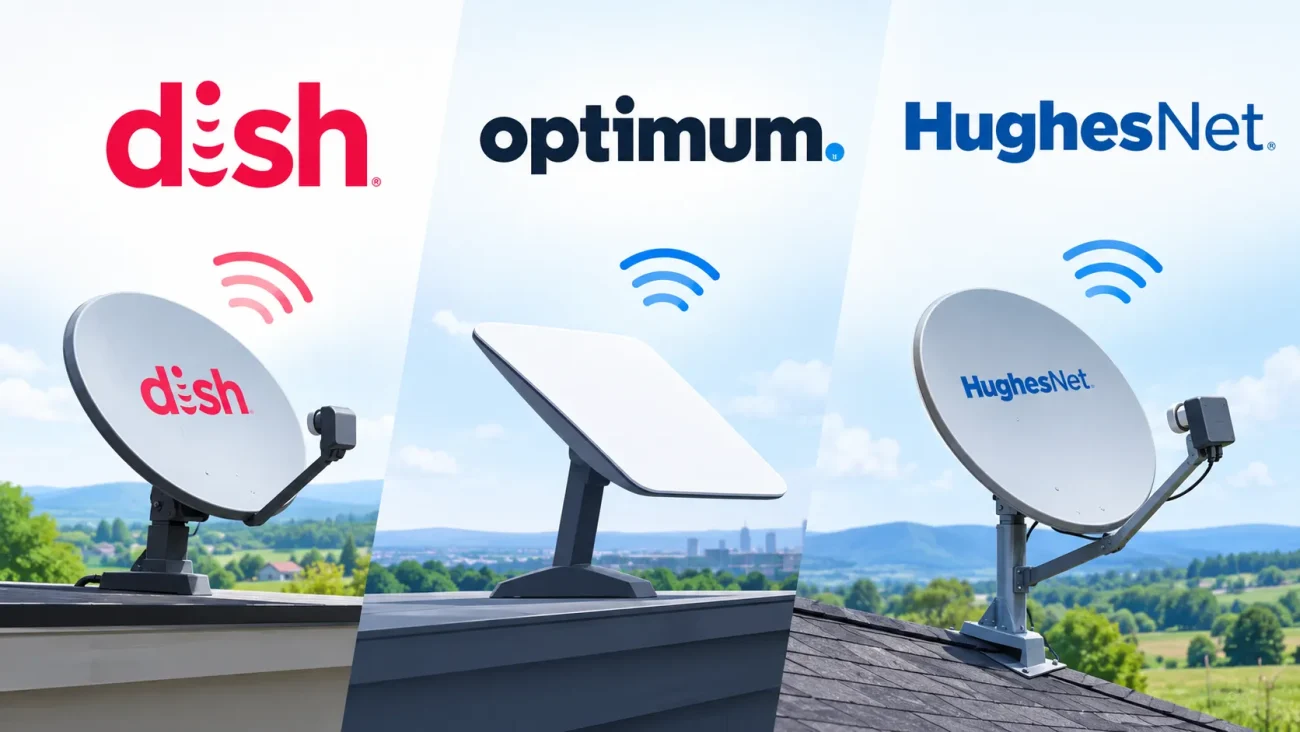
If reliable Optimum internet is available at your address, I’d usually look at it first for gaming, streaming, and remote work. HughesNet makes more sense to consider when dependable wired internet isn’t available, while DISH is a better fit when satellite TV is the main priority.
There is one important catch, though: these three companies don’t offer the same type of service.
DISH primarily provides satellite television. Optimum offers cable or fiber internet, depending on your address, along with TV services. HughesNet provides satellite internet, including a hybrid satellite-and-wireless option called HughesNet Fusion.
That difference changes how you should compare them.
A DISH TV package tells you very little about how quickly a game will download. Likewise, a HughesNet plan advertised at 100 Mbps won’t necessarily feel as responsive as a 100 Mbps wired connection. And when Optimum describes a service as “fiber-powered,” that doesn’t automatically mean fiber runs all the way to your home.
In this DISH vs Optimum vs HughesNet guide, I’ll focus on the details I’d check before signing up, including published speed measurements, gaming responsiveness, streaming limitations, weather-related interruptions, regional availability, and the real cost after introductory pricing.
DISH vs Optimum vs HughesNet: Quick Side-by-Side Comparison
| Feature | DISH | Optimum | HughesNet |
|---|---|---|---|
| Primary service | Satellite television | Cable or fiber internet; TV also available | Satellite internet |
| Home internet connection | Supplied through a separate internet partner | Fiber-to-the-home or hybrid fiber-coax cable | Geostationary satellite; Fusion combines satellite and wireless |
| Main reason to choose it | Traditional live TV and DVR features | Everyday broadband, streaming, downloads, gaming, and uploads | Internet access beyond dependable wired coverage |
| Download speed | Depends on the internet partner, not the TV package | Common tiers include 300 Mbps, 500 Mbps, and 1 Gig; higher fiber tiers in selected areas | Published contiguous-US labels list 25–100 Mbps, depending on plan |
| Upload speed | Depends on the internet partner | Symmetrical on fiber; lower uploads on cable | Published labels list 3–5 Mbps |
| Gaming responsiveness | Depends entirely on the separate internet service | Generally the strongest choice here, especially fiber | Satellite-only plans have substantial latency; Fusion is designed to reduce it |
| Internet data policy | Depends on the partner | No advertised internet data caps | Limited Priority Data plus unlimited Standard Data |
| Weather consideration | Heavy precipitation can interrupt satellite reception | Storm damage and power interruptions can affect service | Severe weather can weaken or interrupt the satellite connection |
| Geographic reach | Broad US TV availability, including Alaska and Hawaii | Selected communities across 21 states | Contiguous US, Alaska, and Puerto Rico; plans vary |
| Most important check | TV package, commitment, and actual internet supplier | Fiber versus cable at your address | Latency, Priority Data, equipment costs, and plan commitment |
Sources: Optimum availability and technology guide, HughesNet FAQ, and DISH nationwide availability.
First, Understand What You Are Actually Buying
DISH Is Primarily a Satellite TV Service
DISH satellite TV is not the same thing as a broadband internet connection. Regular DISH programming is delivered by satellite, so you don’t need to stream the entire TV service through your home internet connection. That can be useful if your internet options are limited or you want traditional TV without using your broadband connection for every channel you watch.
That said, some streaming apps, on-demand features, and remote viewing options can still require an internet connection.
DISH has also offered internet-related options through providers such as HughesNet and currently advertises Starlink internet alongside its TV service. Those are separate internet services, so I’d evaluate them based on their own technology, speeds, data policies, equipment costs, and terms.
Before signing up, my first question would be:
“Which internet company will actually serve my address, and what are its separate speeds, data policies, equipment charges, and cancellation terms?”
The DISH name on the sales page isn’t enough to answer those questions.
Optimum Fiber and Optimum Cable Are Different
Optimum offers two main types of residential internet service:
- Optimum Fiber Internet brings fiber directly to the home and typically offers symmetrical download and upload speeds.
- Optimum Cable Internet uses a hybrid fiber-coax network. Fiber carries the connection to a nearby neighborhood node, while coaxial cable handles the final connection to your home.
Both can handle everyday internet use, but upload performance can be very different.
That difference matters more if you regularly upload videos, back up large files, or have several people on video calls at once. In those situations, upload speed may matter more than whether the plan is advertised as 500 Mbps or 1 Gig.
TechPrim’s guide to fiber internet benefits and functionality explains the technology without getting too technical.
HughesNet Fusion Is Not the Same as Satellite-Only HughesNet
HughesNet’s satellite-only plans use a geostationary satellite connection, which means data has to travel a long distance. That creates noticeable response delay, even when the download speed itself looks reasonable.
HughesNet Fusion adds wireless technology to make the connection more responsive for activities where latency matters.
Because of that, I wouldn’t simply say that “HughesNet is good for gaming” or “HughesNet can’t support gaming.” It depends on the plan, the connection type, and the kind of game you’re playing.
Speed Comparison: Advertised Numbers vs. Published Test Results
A useful speed comparison should separate three different things:
- Advertised speed: The service tier being sold.
- Provider-disclosed typical speed: The performance shown on the plan’s Broadband Facts label.
- Independent speed-test results: Measurements collected from real customer connections.
These numbers are useful, but they aren’t interchangeable.
Published Third-Party Speed-Test Results
HighSpeedInternet.com publishes the following aggregate results on its provider speed-test pages:
| Published measurement | DISH TV | Optimum | HughesNet |
|---|---|---|---|
| Average download speed | Not applicable | 133.74 Mbps | 19.92 Mbps |
| Average upload speed | Not applicable | 17.61 Mbps | 1.63 Mbps |
| Average latency | Not applicable | 25.74 ms | Not supplied in the displayed aggregate |
| Number of tests | Not applicable | 45,423 | 1,357 |
| What the results represent | TV is not an internet connection | Mixed customer speed tests | Mixed customer speed tests |
I’d treat these figures as background evidence, not as a prediction of what a new customer will get.
The displayed results don’t provide a clearly matched current collection period or isolate identical service tiers. The HughesNet page also includes older plan information, so its aggregate shouldn’t be treated as a dedicated benchmark for current JUPITER 3 plans.
The Optimum figures don’t separate fiber from cable. They can include different plans, equipment, Wi-Fi conditions, and customers who were testing their connections because they were already experiencing problems.
The main takeaway is simple: an advertised maximum isn’t the same as a guaranteed household result. These published measurements don’t mean a new Optimum customer will get exactly 133.74 Mbps, or that a new HughesNet Elite customer will get exactly 19.92 Mbps.
HughesNet’s Published Typical Performance
HughesNet’s official Broadband Facts labels provide a more plan-specific comparison for the contiguous United States.
| HughesNet plan | Typical download | Typical upload | Typical latency | Priority Data |
|---|---|---|---|---|
| Lite | 25 Mbps | 3 Mbps | 650 ms | 100 GB |
| Select | 50 Mbps | 5 Mbps | 650 ms | 100 GB |
| Elite | 100 Mbps | 5 Mbps | 650 ms | 200 GB |
| Fusion | 100 Mbps | 5 Mbps | 100 ms | 200 GB |
These are provider-disclosed typical figures, not measurements from my own home. Availability and regional plans can differ, so I’d check the Broadband Facts label attached to your actual offer rather than assuming these exact plans are available everywhere.
One detail stands out right away: Elite and Fusion list the same download speed, but their published latency figures are very different.
A faster download package and a more responsive connection aren’t the same upgrade.
Optimum’s Published Fiber and Cable Speeds
Optimum’s availability guide lists these examples:
| Optimum connection and tier | Published download speed | Published upload speed |
|---|---|---|
| Fiber 300 | Up to 300 Mbps | Up to 300 Mbps |
| Fiber 500 | Up to 500 Mbps | Up to 500 Mbps |
| Fiber 1 Gig | Around 940–1,000 Mbps, depending on the offer description | Symmetrical |
| Cable 300 | Up to 300 Mbps | Up to 20 Mbps in the cited guide |
| Cable 500 | Up to 500 Mbps | Up to 20 Mbps in the cited guide |
| Cable 1 Gig | Up to 940 Mbps | Up to 35 Mbps in the cited guide |
Network upgrades and local offers can change these figures. When a general marketing page and your actual offer don’t line up, I’d use the address-specific Broadband Facts label as the more relevant reference.
Gaming Comparison: Ping Matters More Than the Biggest Mbps Number
For online gaming, I care about four things:
- Ping: How long data takes to make a round trip.
- Jitter: How much that delay changes from one moment to the next.
- Packet loss: Whether some data fails to arrive.
- Loaded latency: How much responsiveness changes while the connection is busy.
A connection can have an impressive download speed and still produce frustrating matches. Heavy uploads can increase latency, while Wi-Fi interference or an unstable connection can make the problem even worse.
For more context, see TechPrim’s guide to how to reduce internet latency.
Side-by-Side Gaming Suitability
| Gaming activity | DISH TV | Optimum Fiber | Optimum Cable | HughesNet satellite-only | HughesNet Fusion |
|---|---|---|---|---|---|
| Competitive shooters | Depends on separate internet | My first choice here | Often suitable with stable local service | Poor fit due to high latency | More viable, but needs local testing |
| Online chess and turn-based games | Depends on separate internet | Suitable | Suitable | Generally suitable | Suitable |
| Multiplayer Minecraft | Depends on separate internet | Strong option | Usually practical | Delayed interactions can be noticeable | More practical than satellite-only |
| Large game downloads | Depends on separate internet | Strong capacity | Strong download capacity | Slower and uses Priority Data | Faster tier, but still uses Priority Data |
| Cloud gaming | Depends on separate internet | Best candidate here | Potentially suitable | Poor fit | Evaluate carefully; low jitter remains important |
| Gaming while someone uploads files | Depends on separate internet | More upload headroom | Can suffer when upload capacity is saturated | Limited upload headroom | Limited listed upload capacity |
These are technical suitability assessments, not claims based on play sessions on every service.
How the Difference Can Feel in a Game
Imagine you’re playing a game where an action has to be confirmed by a remote server.
With 650 ms of round-trip latency, the network delay alone is about two-thirds of a second before you even account for the game’s own processing and rendering. In a fast-paced game, that’s a noticeable wait for things like building, interacting with objects, or reacting to another player.
A 100 ms connection feels much more responsive, but it still won’t feel the same as a stable 20–30 ms connection when split-second timing matters.
These examples are meant to show what different latency levels can feel like. They aren’t universal measurements for the providers in this comparison.
HughesNet itself says that multiplayer games requiring rapid response are supported only with Fusion plans. It also notes that console downloads and other high-data activities can use Priority Data quickly.
My Gaming Recommendation
For gaming, I’d generally look at the options in this order:
- Dependable Optimum Fiber, when it’s available at your address.
- Dependable Optimum Cable, when fiber isn’t available.
- HughesNet Fusion, when reliable wired service isn’t an option.
- Satellite-only HughesNet for games that can tolerate higher latency rather than competitive multiplayer.
DISH doesn’t really fit into this ranking because its primary service is television. For internet gaming, your experience depends on the separate internet connection you use alongside it.
If a DISH offer includes Starlink, assess it as a Starlink internet plan. TechPrim’s Starlink gaming guide explains why that network should not be treated as equivalent to geostationary satellite internet.
Game Download Times: What Different Speeds Mean
Even if you don’t play online very often, game download times can still be a good reason to look closely at your internet plan.
The table below shows how long a 100 GB download would take at a constant connection speed. These are idealized calculations using decimal gigabytes, so they don’t account for protocol overhead, server limits, Wi-Fi losses, installation time, or other people using the connection at the same time.
| Constant download speed | Idealized time for 100 GB |
|---|---|
| 25 Mbps | About 8 hours, 53 minutes |
| 50 Mbps | About 4 hours, 27 minutes |
| 100 Mbps | About 2 hours, 13 minutes |
| 300 Mbps | About 44 minutes |
| 500 Mbps | About 27 minutes |
| 940 Mbps | About 14 minutes |
These are calculated examples, not timed tests of any provider.
HughesNet adds another consideration: your data allowance. A 100 GB download can use most or all of a 100 GB Priority Data allowance before you even factor in streaming, game updates, or other household traffic.
With Optimum, the bigger issue is usually how quickly the connection can move the file and whether your household is competing for bandwidth at the same time. There isn’t a comparable Priority Data allowance in this comparison.
If you’re deciding whether gigabit is worth the additional cost, TechPrim’s article on whether 1-gig internet is good for gaming helps separate faster downloads from better match responsiveness.
Streaming Comparison: Netflix, 4K, and Live TV
For a household that streams a lot, I’d generally lean toward dependable Optimum internet. If you mainly want traditional TV and already have a limited-data internet connection, DISH can make more sense for a different reason.
Netflix recommends a stable connection of:
| Netflix quality | Recommended speed per stream |
|---|---|
| 720p HD | 3 Mbps or higher |
| 1080p Full HD | 5 Mbps or higher |
| 4K Ultra HD | 15 Mbps or higher |
Those numbers apply to Netflix, not every streaming service. Other platforms, live events, and video formats can have different requirements.
Side-by-Side Streaming Experience
| Viewing situation | DISH satellite TV | Optimum internet | HughesNet internet |
|---|---|---|---|
| Traditional live channels | Main purpose | Requires an appropriate TV package or streaming subscription | Requires a separate TV or streaming subscription |
| Netflix and similar apps | Require internet access | Generally practical | Supported, but consumes Priority Data |
| Multiple 4K streams | Depends on internet partner | More practical with sufficient capacity and strong Wi-Fi | Less attractive for routine heavy use |
| Internet data used for ordinary satellite channels | No | Not applicable unless streaming content | Not applicable |
| Starting, seeking, and browsing online video | Depends on internet partner | Usually more responsive | Satellite latency can add delay |
| After a data-priority threshold | Depends on internet partner | No advertised limit | Standard Data may be slower during high-traffic periods |
Why HughesNet Streaming Needs More Planning
HughesNet supports services such as Netflix and Hulu, but its own FAQ says it isn’t recommended as a full-time replacement for traditional TV.
That doesn’t mean every movie or show will have problems. The bigger issue is how much your household streams. If you’re watching for several hours every day, it’s worth keeping an eye on Priority Data and how the connection performs during busy periods.
For scale, a hypothetical continuous 15 Mbps stream would transfer about 6.75 GB per hour if it ran continuously. Actual usage can be higher or lower because streaming services change their bitrate based on video quality, content, and compression.
I wouldn’t use that figure as an exact estimate of Netflix’s data usage. It’s simply a useful way to see how quickly sustained video traffic can consume a data allowance compared with occasional browsing.
Where DISH Can Make Sense
If your internet options are limited, DISH can handle regular satellite TV viewing without using your HughesNet Priority Data.
That can leave your internet connection available for work, browsing, and the occasional streaming session.
The trade-off is that you’d be paying for two separate services. I’d compare the combined monthly cost with the price of a stronger internet connection plus the streaming services your household actually uses.
What Happens During Bad Weather?
This is one area where I wouldn’t put much weight on broad marketing claims. None of these services is completely immune to weather-related problems, but the way weather affects each one is different.
Satellite signals can be affected directly by heavy precipitation. Wired connections are more likely to have weather-related trouble when physical infrastructure, equipment, or power is damaged.
I didn’t find a controlled, matched storm test of these three services that would justify publishing precise “rainy-day Mbps” figures. Rather than invent numbers, I’d focus on what can realistically go wrong.
Bad-Weather Comparison
| Condition | DISH satellite TV | Optimum cable or fiber | HughesNet satellite internet |
|---|---|---|---|
| Ordinary cloud cover | Usually not a reason to expect an outage | Usually little direct effect on the connection | Most clouds generally don’t affect service |
| Light rain | Often remains usable | Usually little direct effect if infrastructure is sound | Often remains usable |
| Heavy rain or dense storm conditions | Satellite reception can weaken or fail | Damage, water ingress, or power problems can cause interruptions | The satellite signal can weaken, and performance may degrade or service may drop |
| Snow and ice accumulation | Can obstruct reception or affect equipment | Can damage aerial infrastructure or contribute to power outages | Ice or snow on the dish can interfere with reception |
| Strong winds | Mount damage or dish misalignment is possible | Falling branches and damaged lines can interrupt service | Dish movement, damage, or misalignment is possible |
| Local power outage | TV receiver and related equipment need power | Network equipment and your home equipment need power | Modem and related equipment need power |
| Reliable storm-speed prediction | Not an internet-speed measurement | No universal number | No universal number |
DISH During Heavy Rain
Heavy precipitation can cause rain fade, which weakens the satellite signal.
For viewers, that may show up as picture breakup, a frozen image, or a temporary loss of service rather than a gradual change in internet speed.
DISH advertises Signal Protector, which can switch viewing to internet streaming when the satellite signal is interrupted. Before relying on it, I’d check whether your equipment, channels, and service qualify.
There’s an obvious limitation, though: the fallback still needs a working internet connection. If both your DISH signal and your internet service are affected by the same storm, streaming fallback may not help.
That fallback also uses your internet connection and its available data.
HughesNet During Storms
HughesNet says most clouds don’t affect its connection, while severe storms or unusually dense clouds can.
When conditions get worse, you may notice slower transfers, less responsive applications, interrupted calls, or a complete outage. The exact result depends on the signal and equipment at the time.
I wouldn’t describe Fusion as a guarantee of uninterrupted service during storms. Its wireless component changes the connection, but local coverage, power, and network conditions still matter.
Optimum During Storms
Rain doesn’t weaken an optical signal inside fiber in the same way it can affect a satellite radio link.
That doesn’t make fiber or cable immune to outages. Fiber can be installed above ground as well as underground, and problems involving poles, fallen trees, damaged equipment, or power can still interrupt service. Cable networks can face similar infrastructure issues.
For me, the advantage of wired service in bad weather is mainly that it avoids the direct radio-link exposure of satellite service. I wouldn’t take that to mean fiber or cable can never go down.
Safety note: Don’t climb onto a roof during a storm, approach fallen cables, or try to realign a satellite dish yourself. Report damaged equipment to the provider.
Where Are These Providers Available in the United States?
The most important thing to check is your exact address. A provider can operate in a state or region without serving every home there.
Regional Availability Overview
| US region | DISH TV | Optimum internet | HughesNet internet |
|---|---|---|---|
| Northeast | Broad availability, subject to installation | Major presence in selected NY, NJ, CT, and PA communities | Broad satellite availability |
| Southeast and Gulf states | Broad availability | Selected communities in several states | Broad satellite availability |
| Midwest and Plains | Broad availability | Selected markets, not region-wide | Broad satellite availability |
| Southwest | Broad availability | Selected AZ, NM, OK, and TX markets, among others | Broad satellite availability |
| Western US | Broad availability | Selected CA, ID, and NV communities | Broad contiguous-US availability |
| Alaska | Available, with local installation considerations | Not listed in Optimum’s 21-state footprint | Available with different regional plans |
| Hawaii | Available | Not listed in Optimum’s footprint | Not included in HughesNet’s stated US coverage list |
| Puerto Rico | Available | Not listed in Optimum’s footprint | Available with regional plans |
| US Virgin Islands | Available | Not listed in Optimum’s footprint | Not included in the cited HughesNet coverage statement |
Optimum’s 21-State Footprint
Optimum lists service in selected communities across:
Arizona, Arkansas, California, Connecticut, Idaho, Kansas, Kentucky, Louisiana, Mississippi, Missouri, Nevada, New Jersey, New Mexico, New York, North Carolina, Ohio, Oklahoma, Pennsylvania, Texas, Virginia, and West Virginia.
Its fiber service is especially notable in parts of New York, New Jersey, and Connecticut, including selected communities around Long Island, the New York metro area, northern New Jersey, and Connecticut.
Keep in mind that fiber and cable availability can differ even between nearby streets.
HughesNet Coverage
HughesNet states that service is available in the contiguous United States, Alaska, and Puerto Rico, provided installation requirements are met.
The plan information for Alaska and Puerto Rico can differ from the contiguous-US offerings, so I wouldn’t assume a rural Alaska customer gets the same 100 Mbps option available elsewhere.
Fusion also has a more limited, address-dependent footprint than satellite-only service.
DISH Coverage
DISH states that its TV service reaches the continental United States, Alaska, Hawaii, Puerto Rico, and the US Virgin Islands.
A suitable installation location and clear satellite visibility still matter. Renters should also check whether their building or property has any installation restrictions.
Most importantly, DISH TV availability doesn’t tell you whether a particular internet partner is available at the same address.
Pricing, Equipment, and Contract Comparison
The advertised starting price is only part of what you’ll actually pay.
Published Pricing Examples
| Service or plan | Published service-price example | Key qualification |
|---|---|---|
| DISH America’s Top 120 | $94.99/month | Qualifying offer, eAutoPay, and two-year commitment; other charges may apply |
| Optimum 300 Mbps | $35/month | Eligible $10 Auto Pay and paperless discount; taxes and fees additional |
| Optimum 500 Mbps | $45/month | Same discount qualification; address-specific terms apply |
| Optimum 1 Gig | $55/month | Same discount qualification; local technology and speeds vary |
| HughesNet Lite | $44.99/month introductory label price | Separate $5 ACH discount listed; equipment additional |
| HughesNet Select | $54.99/month introductory label price | Separate $5 ACH discount listed; equipment additional |
| HughesNet Elite | $69.99/month introductory label price | Separate $5 ACH discount listed; equipment additional |
| HughesNet Fusion | $99.99/month introductory label price | Separate $5 ACH discount listed; equipment additional |
The HughesNet label examples don’t include the separate ACH discount. Eligible customers would therefore pay $5 less, but the equipment lease and other charges still need to be included in the total.
HughesNet Costs Beyond the Introductory Price
| Published label detail | Lite | Select | Elite | Fusion |
|---|---|---|---|---|
| Service price after introductory period, before separate ACH discount | $54.99 | $79.99 | $94.99 | $124.99 |
| Introductory period | 12 months | 12 months | 12 months | 12 months |
| Listed commitment | 12 months | 24 months | 24 months | 24 months |
| Listed monthly equipment lease | $9.99 | $14.99 | $14.99 | $19.99 |
| Listed lease setup fee | $99 | $99 | $99 | $99 |
| Listed early termination fee | Up to $400 | Up to $400 | Up to $400 | Up to $400 |
These published labels are useful comparison points rather than guarantees that every address receives exactly the same offer. Promotional waivers and regional terms can differ.
The Lite label is also a useful reminder that HughesNet’s commitment period isn’t necessarily the same across every plan.
My Cost Checklist
Before ordering, I’d check:
- Price during and after the promotional period
- Exact Auto Pay requirements
- Equipment lease or purchase charges
- Installation and nonstandard-work fees
- Optional trials that later become paid
- Contract length and cancellation fees
- TV receiver charges for additional rooms
- Whether a price lock requires an extra paid service
A “free installation” offer doesn’t necessarily mean there will be no other setup-related charges.
Pros and Cons: DISH, Optimum, and HughesNet
DISH
Pros:
- Broad satellite TV availability
- Regular satellite channel viewing doesn’t normally use home internet data
- Useful for households that prefer traditional channels and DVR features
- Can be paired with a separately evaluated internet service
- Internet fallback may help eligible viewers when the satellite signal is interrupted
Cons:
- Doesn’t provide a standalone home internet solution
- Adding separate internet service increases the combined cost
- Heavy precipitation can interrupt satellite reception
- The advertised qualifying TV offer requires a two-year commitment
- Additional receivers, programming, and protection services can increase the bill
My take: DISH makes sense when the TV service itself is valuable to your household. I wouldn’t choose it simply because the bundle sounds convenient.
Optimum
Pros:
- Fiber and cable options provide substantial download capacity
- Fiber offers symmetrical upload speeds
- No advertised internet data caps
- Generally the strongest technical fit of these three for interactive applications
- Multiple tiers let households choose a plan without automatically paying for gigabit service
Cons:
- Available only in selected communities
- Fiber isn’t offered at every Optimum-served address
- Cable upload speeds can be much lower than download speeds
- Local network conditions and home Wi-Fi can change the experience
- Discounts, equipment terms, and price-lock conditions require careful reading
My take: I’d check Optimum first where it’s available, but I’d still verify the actual connection type and local terms before signing up.
HughesNet
Pros:
- Reaches many homes outside dependable wired networks
- Can work well for browsing, email, and activities that tolerate higher latency
- Fusion is designed to reduce the latency limitations of satellite-only service
- Unlimited Standard Data allows continued use after Priority Data is exhausted, subject to the plan’s applicable conditions
- Official Broadband Facts labels provide useful plan-specific information
Cons:
- Satellite-only latency is a major limitation for rapid-response gaming
- Priority Data needs to be considered carefully
- Standard Data can be slower during periods of network congestion
- Upload capacity is modest
- Severe weather can interfere with the satellite link
- Equipment charges and early termination fees affect the total cost
My take: HughesNet is most useful when dependable wired service isn’t available or isn’t practical. If good fiber or cable already reaches your home, I’d compare that option first.
Ratings and Customer Reviews: What the Scores Actually Say
I wouldn’t invent a five-star “hands-on rating” for installations I haven’t personally tested.
Instead, these are the published customer-review scores shown on the named platforms:
| Provider | Published customer score | Review count shown | Platform |
|---|---|---|---|
| DISH | 1.2/5 | 1,495 | Trustpilot |
| Optimum | 3.1/5 | 764 | Allconnect |
| HughesNet | 2.8/5 | 6,354 | BroadbandNow |
Sources: DISH on Trustpilot, Optimum customer reviews, and HughesNet customer reviews.
These scores are not a controlled side-by-side ranking. The platforms use different collection methods, audiences, and review histories. Scores and counts also change.
My main use for reviews is identifying questions to ask before purchasing.
For Optimum, I’d look for recent reports from the same neighborhood and connection type. With HughesNet, I’d distinguish older satellite plans from current service and Fusion. When it comes to DISH, I’d pay attention to contract, equipment-return, and cancellation experiences.
A nationwide average can’t tell you whether the installer serving your address is dependable.
How I Would Test the Service After Installation
If I wanted a genuine first-person review, I would collect evidence rather than rely on a single screenshot.
My test plan would include:
- Wired speed tests: Use Ethernet to reduce Wi-Fi uncertainty.
- Repeated measurements: Test morning, afternoon, and evening across several days.
- Loaded latency: Check responsiveness while uploads or downloads are active.
- Actual game sessions: Record the game, server region, ping, disconnects, and packet loss.
- Streaming sessions: Test the devices and services the household actually uses.
- Work applications: Test video calls and required VPN access.
- Weather notes: Record conditions and interruptions without exposing anyone to unsafe situations.
- Data status: For HughesNet, record whether Priority Data remains available.
I’d report the plan, location, equipment, connection method, dates, and sample size alongside the results.
For weather, I’d compare observations from the same installation rather than claim that a single rainy-day result represents every customer.
If wired tests look healthy but a distant room is slow, the problem may be Wi-Fi coverage. TechPrim’s guide to extending Wi-Fi range to a room can help before you pay for a faster plan.
Which Provider Would I Choose for Different Households?
| Household situation | My first check | Why |
|---|---|---|
| Competitive gamer with Optimum Fiber available | Optimum Fiber | Low-latency technology and stronger upload capacity |
| Household streaming on several screens | Optimum | More suitable capacity and no advertised internet data cap |
| Remote worker uploading large files | Optimum Fiber | Symmetrical uploads |
| Rural home without dependable wired service | HughesNet, with Fusion availability checked | Satellite access can fill a coverage gap |
| Rural household watching lots of traditional TV | DISH plus a separately evaluated internet plan | Satellite TV can keep ordinary viewing off the internet connection |
| Someone who only wants internet | Optimum or HughesNet, based on availability | A TV package may add unnecessary cost |
| Household in a storm-prone area | Reliable wired service, plus appropriate backup planning | Less direct exposure to satellite rain fade |
| Home offered DISH plus Starlink | Compare the Starlink plan separately | Different satellite technology and service terms |
For remote work, I’d also test the employer’s required VPN. HughesNet warns that VPN access to a work network can reduce speeds. I wouldn’t disable a required security tool simply to improve performance.
Frequently Asked Questions
Is DISH Better Than Optimum?
DISH may be a better fit for someone who wants satellite TV. Optimum is the more direct option for home internet. If a DISH package includes internet, compare the named internet partner with Optimum separately.
Is Optimum Faster Than HughesNet?
Optimum offers substantially higher download tiers and much higher uploads on fiber. Published third-party aggregates also show higher Optimum averages, but those datasets are not a matched benchmark of current plans.
Is HughesNet Good for Gaming?
Satellite-only HughesNet is better suited to games that tolerate delayed responses. Fusion is the relevant option for rapid-response multiplayer gaming, though local performance should still be tested.
Can HughesNet Stream Netflix?
Yes. Netflix is supported, but streaming consumes Priority Data. HughesNet does not recommend its service as a full-time streaming replacement for television.
Does DISH Stop Working When It Rains?
Not every rain shower causes an interruption. Heavy precipitation can weaken satellite reception. Eligible Signal Protector functionality may provide internet fallback if the internet connection remains available.
Does Optimum Internet Slow Down When It Rains?
Rain doesn’t normally attenuate a wired connection like a satellite radio signal. However, damaged infrastructure, water ingress, and power interruptions can cause weather-related problems.
Is HughesNet Available in Hawaii?
HughesNet’s cited coverage statement lists the contiguous United States, Alaska, and Puerto Rico, not Hawaii. Confirm directly rather than assuming nationwide satellite coverage includes every state.
Can I Use One Dish for DISH TV and HughesNet?
No. HughesNet says its internet system requires a separate dish to send and receive data. The DISH TV dish cannot replace it.
Do I Need Gigabit Internet for Gaming?
Usually not just to play online. Gigabit can shorten downloads and provide more capacity for a busy household, but it doesn’t automatically lower ping. Choose sufficient speed alongside stable latency.
My Final Verdict
For DISH vs Optimum vs HughesNet, I’d make the decision in this order:
Start by checking the connection available at your exact address. Dependable fiber or cable is generally a better fit than satellite-only internet for latency-sensitive gaming, heavy streaming, and large uploads.
Then ask yourself whether you actually need traditional television. DISH can make sense when satellite TV solves a specific household need, but it shouldn’t be confused with the internet connection itself.
Finally, compare the complete bill and commitment. Include equipment, installation, post-promotion pricing, and cancellation charges.
Overall Recommendation
- Optimum: For most homes, I’d check Optimum first when reliable local service is available.
- HughesNet: For rural households, HughesNet is worth considering when dependable wired broadband isn’t available. Pay particular attention to Fusion, latency, and Priority Data.
- DISH: Meanwhile, DISH is worth evaluating as a satellite TV option based on its channel lineup, DVR features, installation, and total television cost.
The best choice isn’t necessarily the brand with the biggest speed number. It’s the service that reaches your home, supports your everyday activities, and remains affordable after the introductory offer ends.
You May Also Like
 Computers & PC Games
How to Reduce Ping: 8 Fixes That Actually Help (PC, PS5, and Xbox)
 Internet
Is Tachus (Ezee Fiber) Internet a Good Provider? Complete Review & Plans
 Internet
Wi-Fi Connected but No Internet? Find the Cause and Fix It
 Internet
Is 1000 Mbps Good for Gaming? What 1000 Mbps Internet Speed Really Means
 Internet
Starlink Mini Review: Price, Speed, Plans, Specs, and Real-World Performance
 Internet