
How much RAM do you actually need for a Minecraft server? It’s worth figuring that out before you pay for a hosting plan. Get too little, and you might run into performance problems as your world grows. Get more than you need, and you could end up paying for resources you’ll barely use.
For a small Minecraft Java Edition server, 2–4 GB of RAM is a good starting point. If you’re running plugins, 4–6 GB may make more sense. Larger modpacks can need 6–12 GB or even more, depending on what’s installed and how people play.
I’ve also tried Minecraft server hosting myself. I use an 8 GB RAM plan from Apex Hosting to play Minecraft Bedrock Edition with my sibling, and so far, the experience has been pretty smooth. We haven’t noticed any lag during our usual sessions, and I’m happy with how the server performs for what we need.
That said, I haven’t pushed the server to its limits. I haven’t tested it with a large group of players or more than 40 mods or plugins, so I can’t claim it will perform just as well under those conditions.
In this guide, I’ll break down how much RAM different Minecraft servers may need, share what I’ve noticed while playing on my Apex Hosting server, and explain what to check before paying for a bigger plan.
Quick answer: Start with 2–4 GB for a small vanilla Java server, 4–6 GB for many lightweight plugin-based servers, and around 6–10 GB for many modded setups. Large modpacks and busy communities may need more. My 8 GB Bedrock server has been enough for playing with my sibling so far.
One important distinction: The technical recommendations below focus mainly on Minecraft Java Edition dedicated servers. My personal hosting experience comes from Bedrock Edition, which uses different server software. I’ll keep those two things separate rather than treating my Bedrock experience as a Java Edition benchmark.
Key Takeaways
- Small vanilla servers: Start with 2–4 GB for a few friends.
- Plugin-based servers: Many small setups can get by with 4–6 GB.
- Modded servers: Around 6–10 GB is a reasonable starting range for many setups, but check the modpack’s recommendations.
- My Apex Hosting experience: 8 GB has been enough for playing Minecraft Bedrock with my sibling during our normal sessions.
- Before upgrading: Check memory use, CPU load, and server performance to figure out what’s causing the lag.
What Does RAM Do on a Minecraft Server?
Think of a Minecraft server as someone working at a desk. The world is stored on a drive, like books on a shelf. When the server needs information about part of that world, it loads the relevant data into memory so it can work with it.
RAM is the desk space available for data the server is actively using.
That data can include loaded chunks, players, mobs, dropped items, and information used by plugins or mods. As people explore, build farms, and load new areas, the server has more work to handle.
A bigger desk gives the server more room to work, but it doesn’t make the person sitting there think faster. The same idea applies to RAM. More memory helps when the server is running short, but it won’t automatically make the CPU process game ticks faster.
Java Heap vs. Total System RAM
Minecraft Java Edition runs inside the Java Virtual Machine (JVM). Its maximum Java heap is commonly controlled by the -Xmx startup option.
The heap isn’t the only thing using memory. Java also needs space for threads, native libraries, direct buffers, and other operations. The operating system and supporting services need memory, too.
For example, if your hosting plan provides 8 GB of total memory, assigning all 8 GB to the Java heap could leave too little room for everything else.
Also, don’t assume that every hosting panel measures memory the same way. One may show Java heap usage, while another reports the entire process or container.
How Memory Problems Affect Performance
Java uses garbage collection (GC) to reclaim heap memory that the application no longer needs. It’s normal for memory use to rise during gameplay and drop after garbage collection runs.
High memory use alone doesn’t mean your server needs more RAM. Look for signs such as long garbage-collection pauses, memory that stays unusually high after collection, or an OutOfMemoryError.
Players might notice temporary freezes, delayed block updates, or rubber-banding when a server struggles. But those symptoms can also come from an overloaded CPU, world generation, slow storage, or network problems.
The same principle applies when you fix high memory usage in Task Manager: figure out what’s using the resource before deciding what to change.
When More RAM Won’t Help
Minecraft has to process world updates, entities, redstone activity, player actions, and plugin or mod tasks. If that work takes too long, the server can fall behind even when it has memory to spare.
For example, a server with 32 GB of RAM can still lag if its CPU is overloaded, a plugin performs expensive operations, or several players generate new terrain at once.
That’s why I wouldn’t choose a hosting plan based on RAM alone. You need enough memory for your world, along with a CPU and server setup that can keep up.
Minecraft Server RAM Requirements
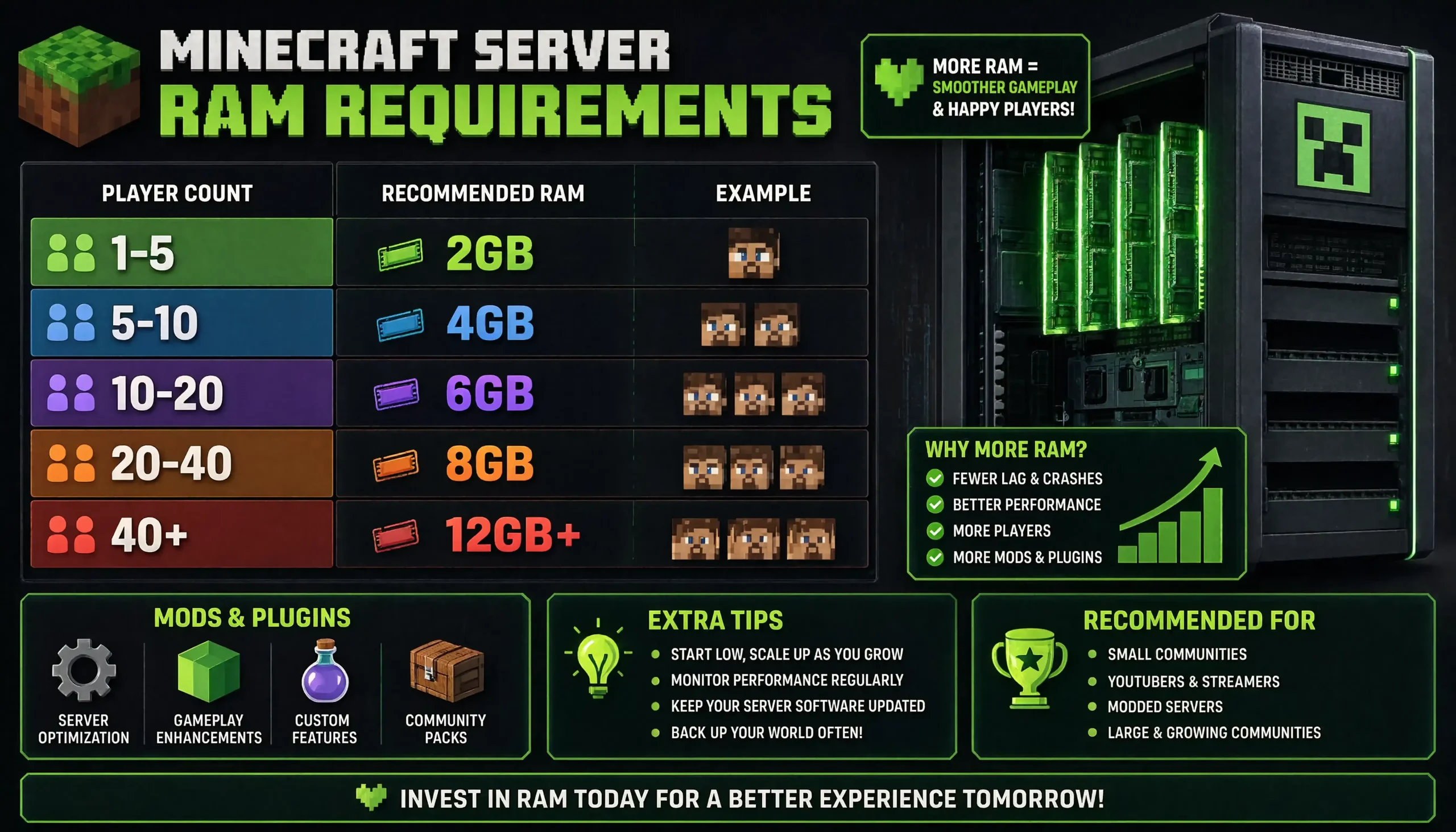
The table below gives you a starting point for common Minecraft Java Edition setups. These are general estimates, not official Mojang specifications or guaranteed player limits.
| Allocated RAM | Good Starting Point For | What to Watch For |
|---|---|---|
| 1 GB | Testing or an exceptionally small vanilla server | Very little room for exploration, plugins, or mods |
| 2–3 GB | A small vanilla server for a few friends | May struggle with busy farms or separate exploration |
| 4 GB | Many small vanilla or Paper servers with light plugins | Not enough for every large modpack |
| 6–8 GB | Active plugin-based servers and many medium modpacks | CPU performance and world activity still matter |
| 10–12 GB | Heavy modpacks or servers that have outgrown smaller allocations | More memory won’t necessarily fix lag |
| 16 GB+ | Large modpacks, busy communities, or multiple server instances | Usually unnecessary for a basic server for friends |
| 32–64 GB | Multi-server networks and supporting infrastructure | Memory must be shared among game servers and other services |
For a small group of friends, I’d start with 2–4 GB for a lightly used vanilla Java server. If you’re adding mods, running busy farms, or letting everyone explore in different directions, you may need more.
Player count alone doesn’t tell the whole story. Four players generating chunks in different areas can create a heavier workload than ten players building together in one established location.
My Experience Using 8 GB RAM on Apex Hosting
I wanted a server where my sibling and I could play Minecraft without having to manage the hardware ourselves, so I went with Apex Hosting’s Advanced Servers & All Modpacks package with 8 GB of RAM.
When I chose the plan, the price I saw was $2.99 for the first month, followed by a recurring price of $27.99. I thought that was reasonable for the package and the CPU specifications advertised at the time. Those are the prices I saw, though, not a guarantee that the same deal is available today.
The package listing said it supported over 40 mods or plugins. It also advertised processor speeds of up to 4.8 GHz and four exclusive vCores, using a Ryzen 9 5900X for US and EU servers or a Ryzen 7 5800X for the APAC region.
Those CPU specs caught my attention because RAM isn’t everything. Minecraft servers need enough processing power to handle ticks, entities, and world updates. Throwing more RAM at a server won’t solve every CPU-related problem.
What Happened When I Played Minecraft Bedrock
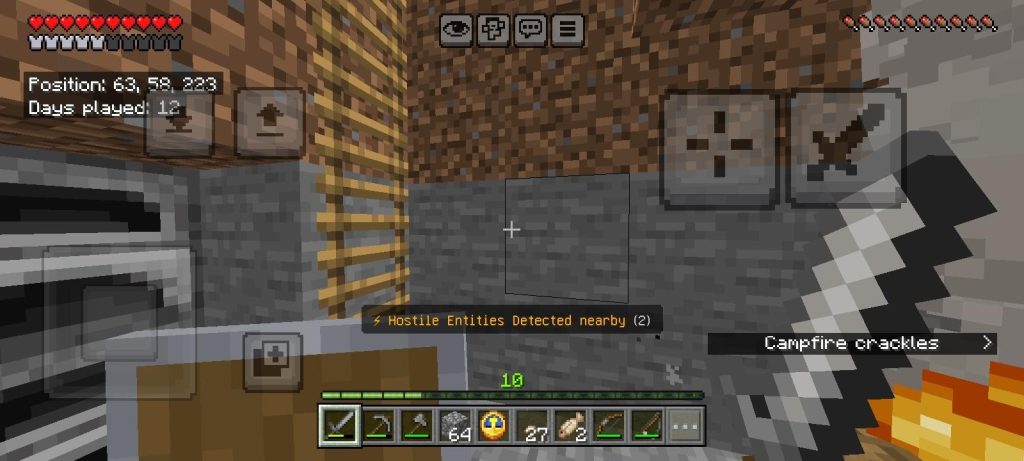
I used the server to play Minecraft Bedrock Edition with my sibling. So far, it’s been a good experience. Our normal sessions have been smooth, and we haven’t noticed any lag during gameplay.
I haven’t felt the need to upgrade the RAM just to make our sessions run better. For the way we play right now, 8 GB has been enough, and I’m happy with the results.
I wouldn’t call this a full stress test, though. We weren’t running a large community, and I haven’t personally tested the package’s advertised support for more than 40 mods or plugins. I’m sharing what happened during our regular gameplay, not claiming the server has passed every possible performance test.
There’s another important detail here: I tested Bedrock Edition, while most of the RAM recommendations in this guide focus on Java Edition. The two use different server software, so my results shouldn’t be used to predict how a large Java modpack will perform.
Is 8 GB Worth It for My Setup?
For my two-player Bedrock server, 8 GB has been enough so far. But that doesn’t mean every small Minecraft server needs the same amount.
A simple vanilla server may run comfortably with less RAM. A larger Java modpack or a busy community may need more, especially if players are generating new chunks or running lots of machines and farms.
My takeaway is pretty simple: choose a plan that fits the way you actually play. You don’t need to pay for the biggest package just because it has the most RAM.
If you’re comparing hosting options, take a look at our guide to the best Lifesteal SMP servers for Minecraft.
How to Choose the Right RAM Allocation
1. Identify Your Server Software
Start by figuring out what your server will run.
- Vanilla: The official Minecraft Java Edition server software without a standard plugin API.
- Paper: A popular choice for plugin-based Java servers with performance-focused configuration options.
- Fabric, Forge, or NeoForge: Modded environments whose requirements depend on the content you’ve installed.
- Velocity: A proxy that routes players between backend servers. It isn’t the game server itself.
These setups have different requirements, so don’t automatically apply a Bedrock or vanilla recommendation to a heavily modded Java server.
2. Think About How Your Players Will Play
Count the players you expect online at the same time, then consider what they’ll be doing.
Exploration creates new chunks. Farms add entities and scheduled activity. Redstone machines, villagers, hoppers, and active dimensions can add more work for the server.
A few players spread across a huge world may put more pressure on the server than a larger group spending most of their time in one established base.
3. Check Your Mods and Plugins
There’s no reliable formula for turning the number of mods into an exact RAM requirement.
A lightweight chat plugin may have little impact, while world-generation mods, extra dimensions, automation systems, and live maps can demand more resources.
If the modpack author provides server requirements, start there. For help choosing a suitable setup, see our guide to Minecraft modded server hosting.
4. Leave Memory for Everything Else
Don’t assign every bit of available system memory to the Java heap. The server process uses memory outside the heap, and the operating system and supporting services need resources, too.
The right amount to reserve depends on the machine and its workload. There’s no single number that works for every setup.
5. Test Before Paying for an Upgrade
Run the server with the number of players and activities you expect during normal gameplay. Check memory, CPU load, server logs, and tick performance while people explore, build, or use farms.
If memory is available but the server still struggles, look at CPU usage, plugins, mods, storage, and network conditions before adding more RAM.
Can a Minecraft Server Run With 1 GB?
The Minecraft Wiki’s server requirements provide additional background, but a minimum memory figure shouldn’t be mistaken for the ideal setup for every modern server.
One gigabyte may work for testing or an exceptionally small vanilla world. It doesn’t leave much room for plugins, mods, exploration, busy farms, or sudden increases in activity.
If 1 GB is your only option, keep things simple:
- Use relatively low
view-distanceandsimulation-distancesettings. - Limit unnecessary entities and always-active farms.
- Avoid memory-intensive plugins and modpacks.
- Pre-generate the area where players expect to spend time, when practical.
- Watch your server logs and performance metrics.
Pre-generating terrain with a tool such as Chunky can reduce how much new terrain the server must generate during normal exploration. Keep in mind that pre-generation itself can use significant CPU, memory, and storage resources.
How Much RAM Does a Modded Minecraft Server Need?

Mod count alone won’t tell you how much RAM a server needs. What matters more is what those mods add to the game.
Think about new dimensions, mobs, machines, storage networks, world generation, and automation. A world full of active machines and entities can put a very different load on a server from a simpler world running the same number of mods.
As a general starting point, a small collection of lightweight mods may run within 3–4 GB. Many medium modpacks are worth testing around 6–8 GB, while heavier packs may need 8–12 GB or more. These are estimates, not official requirements for every pack.
On supported Fabric setups, Lithium can optimize certain game logic, including mob AI and block ticking. FerriteCore can reduce memory use in some modded environments. Check version compatibility before installing either mod.
How Much RAM Does All the Mods 10 Need?
All the Mods 10 is a substantial modded Minecraft pack, so don’t size its server like a small vanilla world.
As a preliminary estimate, 8–12 GB of Java heap is a range worth investigating for a dedicated server. This isn’t a verified universal requirement, so check the current pack documentation and server instructions before choosing a hosting plan.
Player count, exploration, machines, and dimensions can all affect memory use. Start with the pack’s recommendations and see how it performs under your expected workload.
If it runs comfortably, throwing more RAM at it may not make much difference. If it struggles, check memory use, CPU load, TPS, and MSPT before changing the allocation.
How to Diagnose Minecraft Server Lag
Lag doesn’t tell you exactly what’s wrong. Before paying for a bigger plan, look at what the server is doing when the slowdown happens.
Check TPS and MSPT
TPS means ticks per second. Minecraft targets 20 TPS, giving the server roughly 50 milliseconds to process each tick.
MSPT means milliseconds per tick. If processing regularly takes longer than that budget, the server can fall behind.
For Paper-based servers, the spark profiler can help you find expensive tasks and investigate CPU activity, heap behavior, and tick performance.
| Symptom | Possible Cause | What to Check |
|---|---|---|
| Heap-related out-of-memory error | Insufficient heap or excessive memory demand | Error message, heap limit, plugins, and mods |
| Long or frequent GC pauses | Memory pressure or high allocation rate | Garbage-collection data and heap behavior |
| High MSPT despite available memory | CPU-heavy activity | Profiler data, entities, farms, and plugins |
| Lag during exploration | Chunk generation, CPU, or storage activity | Profiler results and disk behavior |
| Process killed without a Java heap error | System or container memory limit | Host logs and total process memory |
| Players lag while server ticks remain healthy | Network or client-side issue | Ping, packet loss, Wi-Fi, and server connection |
An OutOfMemoryError can involve heap space, native memory, direct buffers, or another resource. And if a hosting panel shows 100% memory, don’t assume you have a memory leak until you’ve checked what the panel actually measures.
Performance Changes to Try Before Upgrading
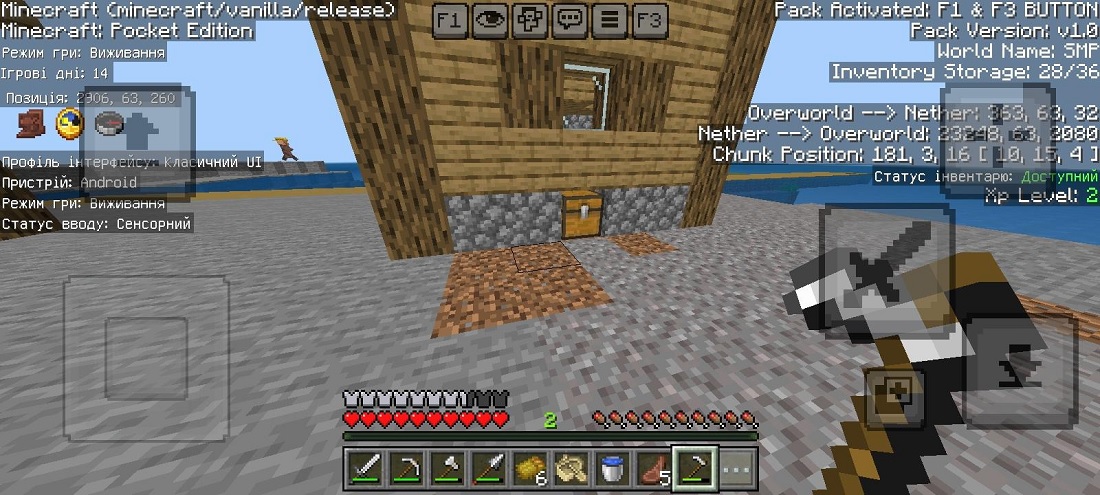
Lower View Distance and Simulation Distance
Reducing view-distance limits how much world data the server needs to provide around each player. Lowering simulation-distance reduces how far from players the server actively processes parts of the world.
For a small server, a view distance around 6–8 can be worth testing. The best setting depends on your server, workload, and how far players want to see.
Cut Down on Unnecessary Activity
Large numbers of mobs, villagers, hoppers, redstone machines, and always-active farms can consume server resources.
You don’t necessarily have to remove your favorite farms or machines. Start by identifying which ones create the most work, then consider reasonable limits or more efficient designs.
Pre-Generate the Playable Area
If exploring causes severe slowdowns, pre-generating the expected play area can reduce real-time terrain-generation work during normal play.
Set a sensible world border first. There’s little point in generating a massive area that nobody plans to visit.
Use Suitable Server Software and Configuration
Paper offers performance-focused settings for many plugin-based Java servers. Modded environments may benefit from compatible optimization mods, but check that any changes work with your Minecraft version and modpack.
The PaperMC Aikar’s Flags documentation is a JVM-tuning reference, not a universal RAM calculator. A configuration that works well for one server may not suit another.
Check Storage and Hosting Quality
An SSD can help with world loading, saving, and chunk-related storage operations. Slow or oversubscribed storage can still cause pauses when memory isn’t the problem.
It’s also worth comparing CPU allocation and resource limits when choosing shared hosting. A plan can advertise plenty of RAM but still struggle if its CPU or storage can’t keep up.
Frequently Asked Questions
Is 1 GB RAM Enough for a Minecraft Server?
It may work for testing or an exceptionally small vanilla server, but 1 GB leaves little room for exploration, plugins, or mods. For many private Java servers, 2–4 GB is a more practical starting point. See the Minecraft Wiki’s server requirements for additional context.
Is 2GB of RAM Enough for a Minecraft Server?
Yes, 2 GB can be enough for a small, lightly used vanilla server with a few players. It becomes more restrictive with separate exploration, busy farms, plugins, or mods. Consider 3–4 GB if you want more room for those activities.
Is 4 GB RAM Enough for a Minecraft Server?
Four gigabytes is a sensible starting allocation for many small vanilla or Paper servers with light plugins. Some small modded setups may also fit, but larger modpacks can need more.
Is 8 GB of RAM Good for a Minecraft Server?
Yes. Eight gigabytes is a useful allocation for many active plugin-based servers and medium-sized modpacks.
In my case, 8 GB has also been enough for playing Minecraft Bedrock with my sibling on Apex Hosting without noticeable lag during our normal sessions. That doesn’t guarantee the same performance for a larger community or a demanding modpack.
Is 8 GB of RAM Enough for Modded Minecraft?
It can be enough for many small-to-medium modded setups, but the pack and workload matter. Check the author’s requirements, especially for packs with extra dimensions, machines, or extensive world generation. Some heavier modpacks need more than 8 GB.
Is 10GB RAM Too Much for Minecraft?
It depends on whether you’re talking about a dedicated server or the Minecraft client.
For a small vanilla server, 10 GB may be more than necessary. A larger community or demanding modpack may have a reasonable use for it. For the client, 10 GB is generally more than vanilla gameplay needs.
Is 10GB RAM Enough for Modded Minecraft?
It can be enough for many modded servers, including some demanding packs. Check the pack’s documentation, then test it with your expected players. If memory isn’t the bottleneck, assigning more RAM may not solve lag.
Is 12GB of RAM Too Much for Minecraft?
Twelve gigabytes may be unnecessary for a small vanilla server, but it isn’t automatically excessive for a heavy modpack or busy server. Use monitoring data and the pack’s recommendations to decide whether it’s worth allocating.
How Much RAM Do You Need for a Minecraft Server With 2 Players?
For two players on a lightly used vanilla Java server, 2–3 GB is a sensible starting point. Four gigabytes gives you more room for plugins, light mods, exploration, and other server activity.
My Bedrock server uses 8 GB, but that’s the hosting setup I chose, not a requirement for every two-player world.
How Much RAM Do You Need for a Minecraft Server With 3 Players?
Two to three gigabytes may be enough for three players on a simple vanilla server. Consider 4 GB if players explore separately, use plugins, run busy farms, or install mods.
How Much RAM Do You Need for a 10-Player Minecraft Server?
For ten players on a vanilla or lightly modified server, 4–6 GB is a reasonable starting estimate. Demanding plugins, farms, exploration, and mods can raise the requirement. Test with the activities your players will actually do.
How Much RAM for a 20-Person Minecraft Server?
For a 20-player vanilla or Paper server, 6–8 GB is a reasonable starting estimate to test. A server where everyone builds in one area may behave differently from one where players constantly generate new chunks.
A modded server with 20 concurrent players may need more. Check TPS, MSPT, memory use, garbage collection, and CPU activity before upgrading.
Is 32GB of RAM Good for Minecraft?
Yes, 32 GB can be useful for a hosting machine that runs several server instances, a large modpack, or supporting services.
A single vanilla server for a small group usually doesn’t need 32 GB allocated to its Java heap. If your machine has 32 GB of physical RAM, divide it among the processes that need it and leave memory for the operating system.
How Much RAM Should I Give Minecraft if I Have 16GB?
This usually refers to the Minecraft client running on your PC, not a dedicated server.
| Minecraft Setup | Suggested Client Allocation |
|---|---|
| Vanilla Minecraft | 2–4 GB |
| Lightly modded Minecraft | 4–6 GB |
| Many medium-sized modpacks | 6–8 GB |
| Heavy modpacks | Follow the pack’s guidance and test |
Don’t allocate all 16 GB to Minecraft. Windows, background applications, and the launcher need memory, too.
For help changing the client’s allocation, read our guide on how to allocate more RAM to Minecraft. Dedicated server memory should be configured separately.
How Much RAM Does All the Mods 10 Need?
Check the current All the Mods 10 documentation and server instructions first. As a preliminary estimate, 8–12 GB of Java heap is a range worth investigating, but it isn’t a verified universal requirement.
Player count, exploration, automation, and dimensions can all affect memory use. Test the actual pack before deciding whether you need more RAM.
Does a Large Minecraft World File Require More RAM?
Not necessarily. A large world can use substantial storage without requiring all its data to stay in memory. Loaded chunks and active world content are generally more relevant to current memory use than the total size of the world folder.
Should I Allocate All My Computer’s RAM to Minecraft?
No. Leave memory for the operating system and other applications. The Java process can also use memory outside its configured heap, so physical RAM and the -Xmx setting aren’t interchangeable.
Do Shaders Increase Dedicated Server RAM Use?
Shaders and other client-side graphics features primarily affect the player’s computer. Server-side mods and plugins can increase server memory or CPU use because they run on the server.
If you’re experiencing lag while using shaders, investigate client performance separately from server performance.
Do I Need Fast Internet to Host a Minecraft Server at Home?
You need a stable connection with adequate upload capacity. Latency, packet loss, concurrent players, and server activity matter alongside advertised connection speed.
Before hosting at home, check your ISP’s upload speed, public IP or CGNAT situation, port-forwarding options, and potential DDoS exposure.
What Happens If a Minecraft Server Doesn’t Have Enough RAM?
The server may experience memory pressure, disruptive garbage collection, instability, or an out-of-memory error.
However, not every lag problem comes from low RAM. For Bedrock multiplayer troubleshooting, see our guide on how to fix lag in Minecraft Bedrock online worlds. Java and Bedrock servers use different software and have different performance considerations.
What’s the Best Way to Test a Minecraft Server’s RAM Allocation?
Start with the number of players and the activities you expect during normal play. Explore new terrain, use farms, and test other parts of the world that could put extra work on the server.
Then check memory use, TPS, MSPT, CPU load, and server logs. For Paper-based servers, the spark profiler can help identify expensive tasks. These measurements are more useful than changing RAM based on a single memory percentage.
The Bottom Line
For a small private Minecraft Java server, 2–4 GB is a good starting point. Plugin-based servers and modpacks can need more, while larger communities may require additional resources.
My experience with 8 GB RAM on Apex Hosting has been positive so far. Playing Minecraft Bedrock with my sibling has been smooth during our normal sessions, and I’m happy with the performance.
The plan advertised support for over 40 mods or plugins and a four-vCore CPU configuration, but I haven’t tested that maximum or run a large community. My experience shows that 8 GB has been enough for our setup. It doesn’t prove that every Minecraft server needs the same amount.
If you’re planning to run All the Mods 10, host 20 players, or build a busy community, check the relevant documentation and test under realistic conditions.
Choose enough RAM for the server you actually run, leave room for the rest of the system, and upgrade when your performance data gives you a reason to.
You May Also Like
 Computers & PC Games
How to Allocate More RAM to Minecraft: Complete Guide for Better Performance
 Computers & PC Games
What Internet Speed Do I Need For Gaming and Streaming?
 Computers & PC Games
Does a VPN Really Improve Minecraft Ping and Performance?
 Computers & PC Games
What Is 4K Resolution on a Monitor?
 Computers & PC Games
Is 16GB RAM Enough for Gaming?
 Computers & PC Games