
For many PC gamers, 16GB of RAM is still enough to play a wide range of games in 2026. It can handle many current titles without trouble, especially if you aren’t running several demanding apps alongside your game.
The catch is headroom. Newer games can put more pressure on system memory, and 16GB leaves less room for Windows, Discord, browser tabs, streaming software, and other background tasks.
So the practical answer isn’t simply, “16GB is enough,” or “You need 32GB.”
If your existing PC with 16GB runs the games you play smoothly, there’s usually no reason to upgrade just because 32GB is available. For a new PC build, though, 32GB is the more comfortable choice when the extra cost is reasonable.
Recent testing points in the same direction. TechSpot and PC Gamer have found that many games perform similarly with 16GB and 32GB, although some newer or more memory-intensive titles can benefit from having more RAM.
For a broader guide to choosing memory for a gaming PC, see our article on how much RAM you need for gaming.
Is 16GB RAM enough for gaming in 2026?
Yes, 16GB can still be enough for gaming in 2026, but it isn’t as flexible as 32GB. The difference becomes more noticeable in particularly memory-hungry games, on some systems with limited VRAM, and when you’re doing several things at once.
Two major 2026 test sets are useful here, although they used different hardware and testing methods.
TechSpot’s January 2026 testing covered 13 recent games at 4K, mostly using maximum-quality settings on an RTX 5090. Chrome, Discord, and monitoring tools remained open during testing. TechSpot tested the same memory kit at 8GB, 16GB, and 32GB to keep the memory’s speed and timings consistent. Twelve of the 13 games ran well with 16GB. Mafia: The Old Country was the notable exception, with TechSpot finding that around 20GB was needed for smoother frame times.
PC Gamer’s April 2026 testing looked at memory usage across 27 demanding games and then compared 16GB and 32GB in eight particularly memory-hungry titles. The testing used both an RTX 5090 and an RTX 5070. In several games, including Cyberpunk 2077, Kingdom Come: Deliverance 2, Black Myth: Wukong, and Stalker 2, the difference between 16GB and 32GB was minimal.
The important pattern is this: 16GB still works for many games, but there are increasingly more situations where 32GB gives you useful extra headroom.
It’s also worth remembering that benchmark results don’t transfer perfectly from one PC to another. Your hardware, game version, graphics settings, background programs, and even the part of the game being tested can all change how much system memory is actually needed.
What do RAM and VRAM do in a gaming PC?
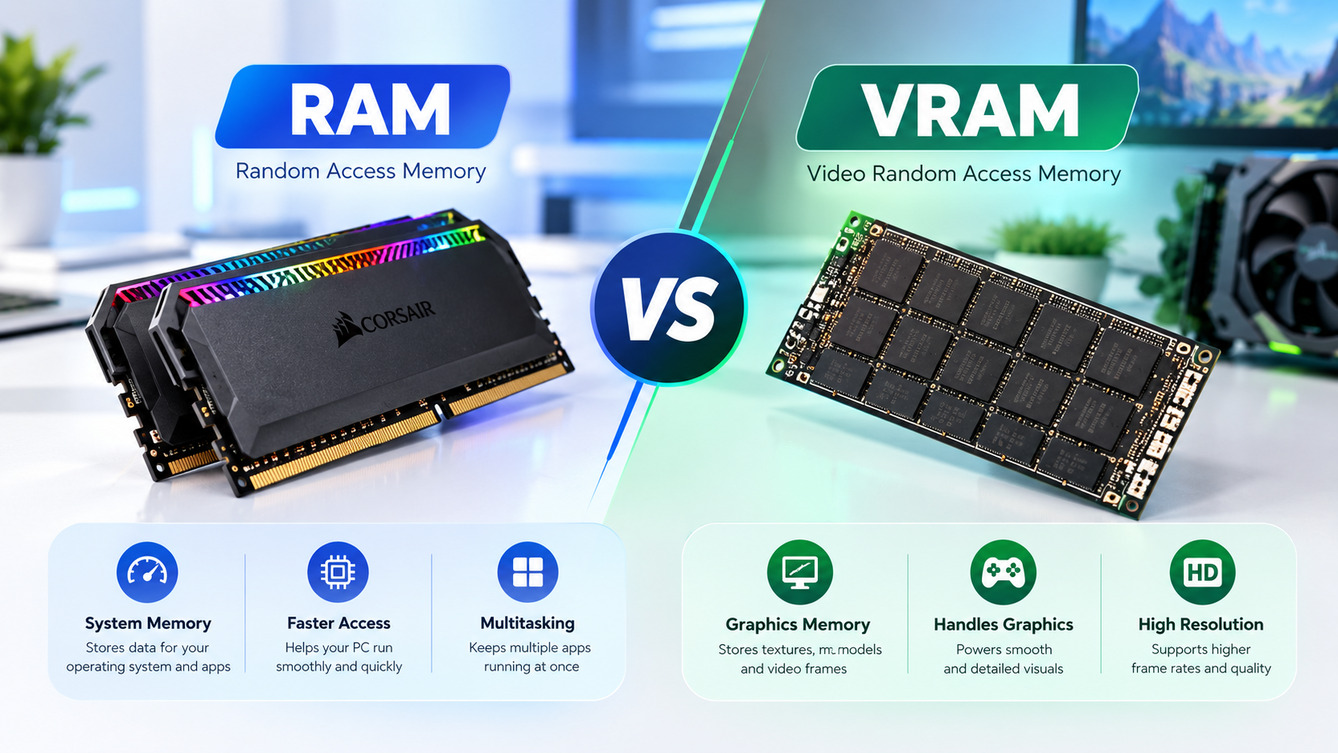
System RAM is the working memory used by Windows, games, and applications. VRAM is memory built into the graphics card and used for GPU workloads. They work together, but they aren’t the same resource.
System RAM stores data that the operating system and running programs need to access quickly. VRAM is used for graphics-related data handled by the GPU, including textures and other game assets.
Storage is different again. An SSD stores your games, applications, and files when they aren’t actively being used.
| Component | What it does | Example |
|---|---|---|
| System RAM | Provides working memory for Windows, games, and apps | 16GB or 32GB DDR4/DDR5 |
| Graphics card VRAM | Provides memory for graphics workloads handled by the GPU | GPU with 8GB or 16GB VRAM |
| Storage | Stores games, applications, and files | 1TB SSD |
This distinction matters because adding more system RAM won’t automatically solve a graphics card that doesn’t have enough VRAM.
When available VRAM is insufficient, a system may rely more heavily on shared system memory and move data between GPU memory and system memory. That can increase memory pressure and reduce performance, particularly in demanding workloads.
It’s also worth remembering that RAM capacity is only one part of a gaming PC. Your CPU, GPU, storage, drivers, and game settings can all affect performance.
Microsoft lists 4GB as the minimum RAM requirement for Windows 11, but that’s an operating system requirement, not a recommendation for modern gaming. A PC that meets Windows 11’s minimum requirements does not automatically have enough memory for current games.
What Do Game Requirements Say About 16GB RAM?
Publisher requirements show that 16GB is still a common target, but some higher-performance settings call for more memory.
The useful part is to look at the exact configuration rather than treating one RAM figure as a universal requirement.
| Game | RAM listed by the publisher | What it means |
|---|---|---|
| Cyberpunk 2077 | 12GB minimum; 16GB recommended for 1080p High; 20GB for 4K Ultra and Ray Tracing Ultra; 24GB for 4K Overdrive | 16GB covers the listed 1080p High configuration, while higher tiers call for more |
| Call of Duty: Black Ops 6 | 8GB minimum; 12GB recommended; 16GB for Competitive or 4K Ultra | The listed memory requirement changes with the target configuration |
| Indiana Jones and the Great Circle | 16GB minimum; 32GB recommended for 1440p and listed for Ultra | 16GB meets the minimum, but not the higher listed tiers |
These specifications are useful, but they aren’t guarantees of a particular frame rate. They describe specific combinations of hardware, resolution, and graphics settings.
They can also be more conservative than real-world testing. PC Gamer described many of the RAM figures it examined as a relatively “soft” limit, and some games in its testing performed almost identically on 16GB and 32GB even when the published requirements suggested more memory.
That’s why game requirements are best treated as a starting point, not the only evidence when deciding whether to upgrade.

Can demanding games run with 16GB RAM?
Yes. Some demanding games run very well with 16GB, while a smaller group benefits noticeably from 32GB or more.
Recent testing provides several useful examples.
- Mafia: The Old Country: TechSpot found poor frame times with 16GB and suggested moving toward a 24GB to 32GB setup for smoother results.
- Escape from Tarkov: PC Gamer measured 1% low performance of 63 fps with 32GB versus 47 fps with 16GB on an RTX 5070 in its training-mode test. It also noted that memory use can increase when more live players are present.
- Microsoft Flight Simulator 2024: PC Gamer observed stutter during takeoffs and landings with 16GB. Its testing also indicated that VRAM had a major effect on performance, so adding system RAM wasn’t the only factor.
- Star Citizen: On an RTX 5090, PC Gamer recorded 1% lows of 10 fps at 16GB versus 23 fps at 32GB. Performance remained poor at both capacities, showing that more RAM isn’t a cure-all.
- Indiana Jones and the Great Circle: Bethesda lists 32GB for its recommended 1440p and Ultra configurations.
At the other end of the spectrum, TechSpot’s Marvel Rivals testing showed almost no performance difference between 16GB, 32GB, and 64GB on the high-end system it tested.
The broader pattern is more useful than any single game: open-world games, large multiplayer environments, simulators, and heavily modded games can put more pressure on system memory, while many competitive and less memory-intensive games don’t necessarily need 32GB.
Does 16GB RAM affect FPS or cause stuttering?
It can contribute to stuttering when a PC runs short of available memory, but adding RAM doesn’t automatically increase average FPS.
That’s an important distinction.
Average FPS shows roughly how quickly a game renders over a test period. It doesn’t always capture brief hitches or uneven frame delivery. That’s why reviewers also examine frame times and metrics such as 1% lows.
When 16GB is sufficient for the workload, moving to 32GB may barely change average FPS. When memory pressure is the limiting factor, however, additional RAM can reduce hitching or improve low-frame performance in some games.
TechSpot’s 2024 testing of Hogwarts Legacy, for example, showed frame-time spikes at 16GB. PC Gamer’s later testing found much smaller differences in the same game under different test conditions.
That doesn’t mean one review was wrong. Hardware, game versions, settings, background applications, and test locations can all affect the results.
It’s also possible to mistake network problems for hardware-related stutter. When a game has genuine latency or connection issues, adding more RAM won’t solve the problem. Our guide to reducing lag in online games covers those issues separately.
Is 16GB enough for gaming and multitasking?
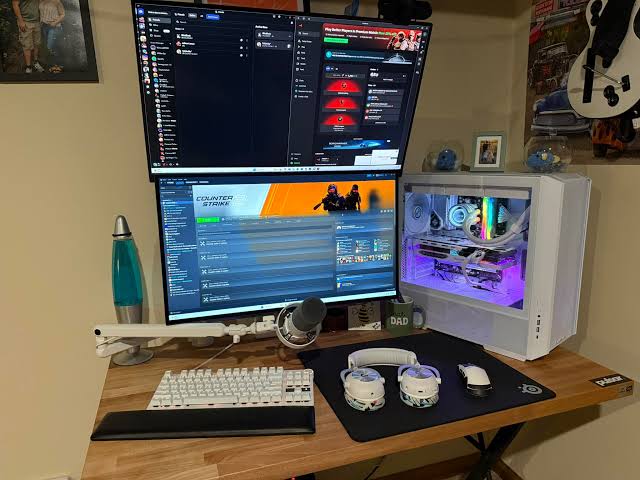
Usually, yes. However, 16GB gives you less breathing room when a game runs alongside several other applications.
A typical gaming session might include:
- Discord for voice chat
- Browser tabs
- Streaming software
- Screen recording
- Music or other background apps
- Creative software used alongside the game
PC Gamer’s tests found that some games left only a few gigabytes of memory available on a 16GB system. TechSpot’s measurements also show how quickly everyday applications can add to overall memory use.
For example, TechSpot measured roughly 400MB to 500MB for Discord and around 1.2GB to 1.5GB for a single browser tab playing 4K YouTube in its 2024 testing.
Those figures aren’t universal. Browser versions, extensions, video quality, open tabs, and other applications can all change memory usage.
If you mostly play with Discord and a few tabs open, 16GB may still be perfectly workable. If you stream, record, keep many tabs open, or run other demanding software at the same time, 32GB becomes easier to justify.
How Does 16GB Compare With 32GB for Gaming?
16GB can still be a sensible choice, especially for an existing PC or a tight budget. 32GB gives you more headroom and is the more flexible option for a new gaming build.
| Consideration | 16GB RAM | 32GB RAM |
|---|---|---|
| Lighter games | Usually sufficient | Extra capacity |
| Demanding games | Can work, but with less headroom | More breathing room |
| Background apps | Less room available | Better for multitasking |
| Existing PC that runs smoothly | Often no reason to upgrade | Optional |
| New PC build | More budget-friendly | More flexible for future use |
| Games listing 32GB for your target settings | Below the listed capacity | Matches the listed target |
The important word here is capacity.
More RAM doesn’t make the CPU or GPU faster by itself. If a game and your background applications comfortably fit within 16GB, installing 32GB may produce little or no noticeable change in average FPS.
The difference becomes more useful when the system is actually under memory pressure.
That’s why buying 32GB isn’t automatically the right upgrade for every existing PC. If the same money could instead move you to a significantly stronger graphics card, the GPU may have a larger effect on gaming performance.
When should you upgrade from 16GB to 32GB?
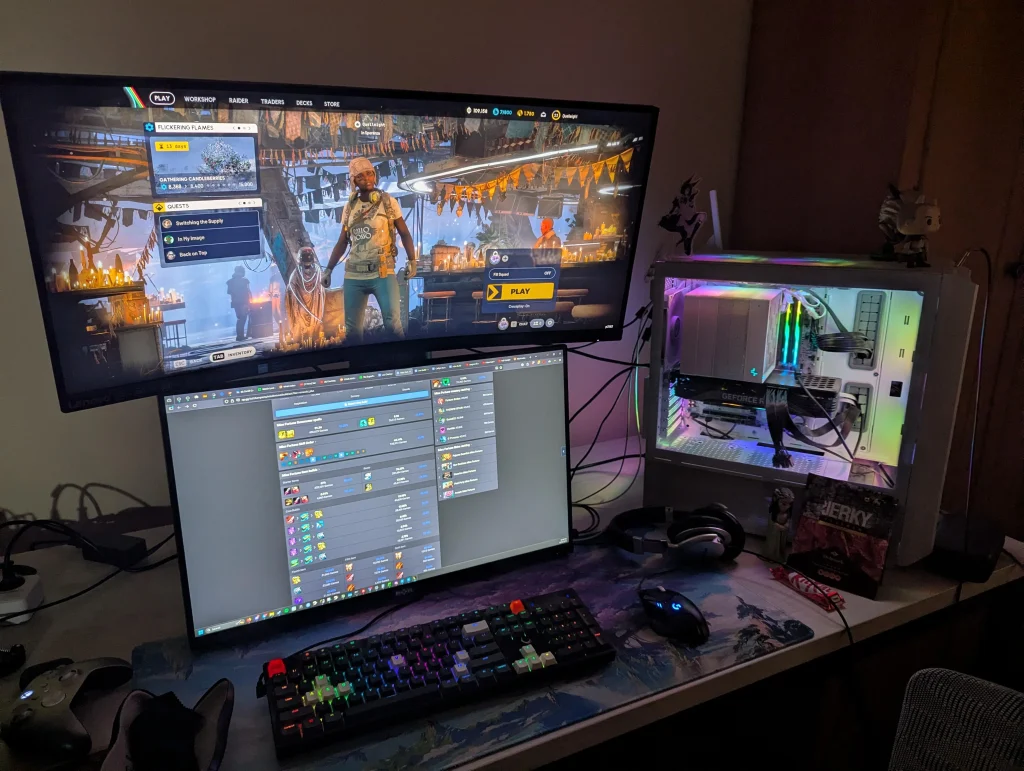
Consider moving to 32GB when your target games list 32GB for the settings you want, your available memory gets very low during gameplay, or you routinely multitask while gaming.
An upgrade makes more sense when:
- Your target game’s recommended configuration calls for 32GB. Check the requirement for your actual resolution and graphics preset.
- Your PC becomes less smooth with background apps open. Compare gameplay with those applications closed.
- Available memory gets very low during the problem. That gives you a stronger reason to investigate RAM as a possible bottleneck.
- You stream or record while gaming. These workloads use additional system resources.
- You’re building a new PC. If 32GB fits comfortably into your budget, it gives you more flexibility.
Before buying anything, you can also check whether Windows is already reporting unusually high memory usage. Our guide on how to fix high memory usage in Task Manager can help with that process.
Keep in mind that CPU limitations can sometimes look like memory problems. If the processor is consistently overloaded, see our guide on how to reduce CPU usage while gaming.
Check Compatibility Before Upgrading
Desktop and laptop memory use different physical formats in many systems, and DDR4 and DDR5 are not interchangeable.
Before buying RAM, check:
- Memory type: Confirm whether your PC uses DDR4 or DDR5.
- Free slots: Make sure the motherboard or laptop has room for the configuration you want.
- Maximum supported capacity: Check the motherboard, system, or laptop documentation.
- Module type: Desktop systems commonly use DIMMs, while many laptops use smaller SO-DIMMs.
- Matched kits: On desktops, a matched kit such as 2×16GB is generally preferable to mixing unrelated modules.
- Laptop upgradeability: Some laptops use removable memory, while others have memory soldered to the motherboard.
Mixing older and newer modules can also cause a system to run at a lower supported speed or, in some cases, lead to stability issues.
What Should You Check Before Blaming RAM?
Check your game requirements, memory usage, and the rest of your hardware before buying more RAM.
Stuttering isn’t automatically a RAM problem. A graphics card, processor, driver, game update, thermal issue, or graphics setting can produce similar symptoms.
A simple check can narrow it down:
- Open the game and the applications you normally use, such as Discord and your browser.
- Press Ctrl+Shift+Esc to open Task Manager.
- Select Performance, then Memory.
- Play for 20 to 30 minutes and check memory usage when the stutter happens.
- Pay attention to Available memory rather than treating a high In use figure as proof of a problem.
- Repeat the session with unnecessary apps closed.
- Try lowering texture quality and other memory-heavy settings.
There is no universal Windows rule saying that a certain amount of available RAM automatically proves that memory is the bottleneck. A figure around 2GB can be used as a practical warning sign, but it’s only a rule of thumb.
Windows also uses spare RAM for caching, so a high memory-used percentage isn’t necessarily a problem by itself.
The strongest evidence is when available memory becomes very low at the same time that the game develops noticeable hitching, and the problem improves after reducing the workload.
Does RAM Speed Matter More Than Capacity?
No. Capacity and memory speed solve different problems.
Capacity determines how much working memory is available. Memory speed and timings affect how the memory subsystem performs within the limits of the platform.
If a PC is running out of RAM, buying a faster kit doesn’t create additional capacity.
On the other hand, once you have enough memory, a faster kit can sometimes affect gaming performance. The size of that difference depends on the CPU, motherboard, memory configuration, timings, and game.
TechSpot also notes that RAM-capacity comparisons can be complicated by frequency, timings, and memory ranks, which is why not every difference between two memory configurations can be attributed to capacity alone.
For most gaming upgrades, make sure you have enough capacity first, then consider supported memory speeds.
Is 16GB Enough for Gaming on a Laptop?
It can be, but a laptop’s upgrade options depend heavily on the exact model.
Some gaming laptops allow RAM upgrades. Others use soldered memory that can’t be replaced. Some models also provide fewer slots than a desktop motherboard.
Check the manufacturer’s specifications or service documentation before buying a memory kit.
You should also look at the laptop’s graphics hardware rather than focusing only on system RAM. A laptop GPU can have different specifications from a similarly named desktop GPU.
Activision, for example, notes that its Black Ops 6 PC requirements refer to desktop systems and that some laptop graphics configurations can differ.
For a gaming laptop, consider RAM alongside:
- CPU
- GPU
- VRAM
- Cooling
- Display resolution and refresh rate
- Storage
A laptop with 32GB isn’t automatically a better gaming machine than one with 16GB if the rest of the hardware is significantly weaker.
What RAM amount makes sense for different gaming needs?
The right amount depends on what you play, what else you run, and whether you’re upgrading an existing PC or building a new one.
| Your use | Practical approach |
|---|---|
| Lighter games with few apps open | 16GB may be all you need |
| Existing 16GB PC running smoothly | Keep it unless you have a reason to upgrade |
| Demanding game that recommends 32GB | Treat 32GB as the target for that configuration |
| Gaming with Discord and a few browser tabs | 16GB is often workable |
| Streaming or recording while gaming | 32GB gives you more room |
| Heavy multitasking | 32GB is the more comfortable choice |
| New PC with enough budget | 32GB is the more flexible option |
| Tight gaming budget | 16GB can be reasonable if it lets you spend more on the GPU |
There isn’t a magic RAM number that guarantees smooth gaming.
The more useful question is whether your own workload is exceeding what 16GB can comfortably handle.
Frequently asked questions about 16GB RAM for gaming
Is 16gb of RAM good for gaming?
Yes, 16GB of RAM is good for gaming. Recent 2026 tests found that most games run about as well on 16GB as on 32GB. It’s a solid choice for budget and mid-range PCs. 32GB is better if you stream, keep many apps open, play a few memory-heavy games, or are building a new PC and can afford it.
Is 16GB RAM enough for gaming at 1080p?
Yes, it can be enough for 1080p gaming, depending on the game, settings, and other software running on the PC.
For example, CD Projekt Red lists 16GB for Cyberpunk 2077‘s recommended 1080p High configuration.
That doesn’t mean every 1080p game has the same requirement. Always check the specific title.
Is 16GB RAM enough for 1440p gaming?
Yes, some 1440p games can run well with 16GB, but resolution alone doesn’t determine system RAM requirements.
Texture quality, ray tracing, game engine behavior, background applications, and the rest of the system matter too.
Bethesda lists 32GB for the recommended 1440p configuration of Indiana Jones and the Great Circle, showing that some newer games set a higher memory target at that level.
Is 16GB RAM enough for 4K gaming?
It can be, but 4K gaming often puts more pressure on the GPU and can coincide with higher memory requirements depending on the game’s settings.
Activision lists 16GB for the Competitive or 4K Ultra configuration of Black Ops 6, while Cyberpunk 2077 lists higher RAM amounts for some 4K configurations.
The exact game and preset matter more than the resolution by itself.
Will 32GB RAM increase my FPS?
Not automatically.
In many tests, average FPS changed very little between 16GB and 32GB.
Where additional RAM can matter is in situations involving memory pressure, where you may see better 1% lows, fewer hitches, or more consistent frame delivery rather than a large increase in average FPS.
Can I play a game that recommends 32GB with only 16GB?
Often, yes, but 16GB is still below the publisher’s recommended amount for that configuration.
A recommendation isn’t necessarily a hard technical barrier. Some games tested by PC Gamer performed similarly below their listed RAM target.
Still, you’re giving yourself less headroom, so demanding scenes or multitasking may expose the limitation more quickly.
Can 16GB handle gaming with Discord open?
Usually, yes, especially when the game itself isn’t especially memory-hungry.
The situation changes when you add many browser tabs, streaming software, recording, or other demanding applications.
If the game runs well with those apps closed but becomes noticeably less smooth with them open, additional RAM is worth considering.
Can RAM cause stuttering in games?
Yes, limited available RAM can contribute to stuttering in some situations.
It isn’t the only possible cause.
GPU limitations, CPU bottlenecks, drivers, game bugs, storage behavior, and network problems can also cause a game to feel slow or uneven.
Should I buy 16GB now and upgrade later?
That can be a sensible strategy when you’re on a tight budget, provided your system supports a later upgrade.
Check the number of RAM slots, maximum supported capacity, memory type, and laptop upgradeability before choosing this approach.
For a new desktop, buying a properly matched kit from the start can also be cleaner than mixing different modules later.
What is the final answer on 16GB RAM for gaming?
16GB of RAM is still enough for many gaming PCs in 2026, while 32GB is the better choice when you want more headroom for demanding games and multitasking.
Recent testing from TechSpot and PC Gamer shows that a large majority of tested games can run similarly on 16GB and 32GB. The differences become more important in certain memory-heavy games, in some systems with limited VRAM, and when other applications are competing for memory.
That means you don’t need to upgrade just because 32GB has become common.
Keep 16GB when your games run smoothly, and your PC isn’t running low on available memory.
Consider 32GB when your target games recommend it, you regularly stream or multitask, or your system shows signs of genuine memory pressure.
And before spending money, check what your own PC is doing. Open Task Manager during a normal gaming session, watch available memory when a problem occurs, and compare the results with your game’s requirements.
That evidence from your own system can tell you much more about whether you actually need an upgrade than a generic “16GB vs. 32GB” rule.
You May Also Like
 Computers & PC Games
How Old Do You Have to Be to Play Fortnite? Age Rating and Parental Controls
 Computers & PC Games
How to Reduce Ping: 8 Fixes That Actually Help (PC, PS5, and Xbox)
 Computers & PC Games
Is RomsFun Safe and Legit? My Complete Review and Testing Experience
 Computers & PC Games
10 Best Modded Minecraft Server Hosting (2026): Pricing, Specs & Honest Picks for Every Modpack
 Computers & PC Games
8 Best Valheim Server Hosting Providers in 2026: Dedicated Hosts Compared
 Computers & PC Games