
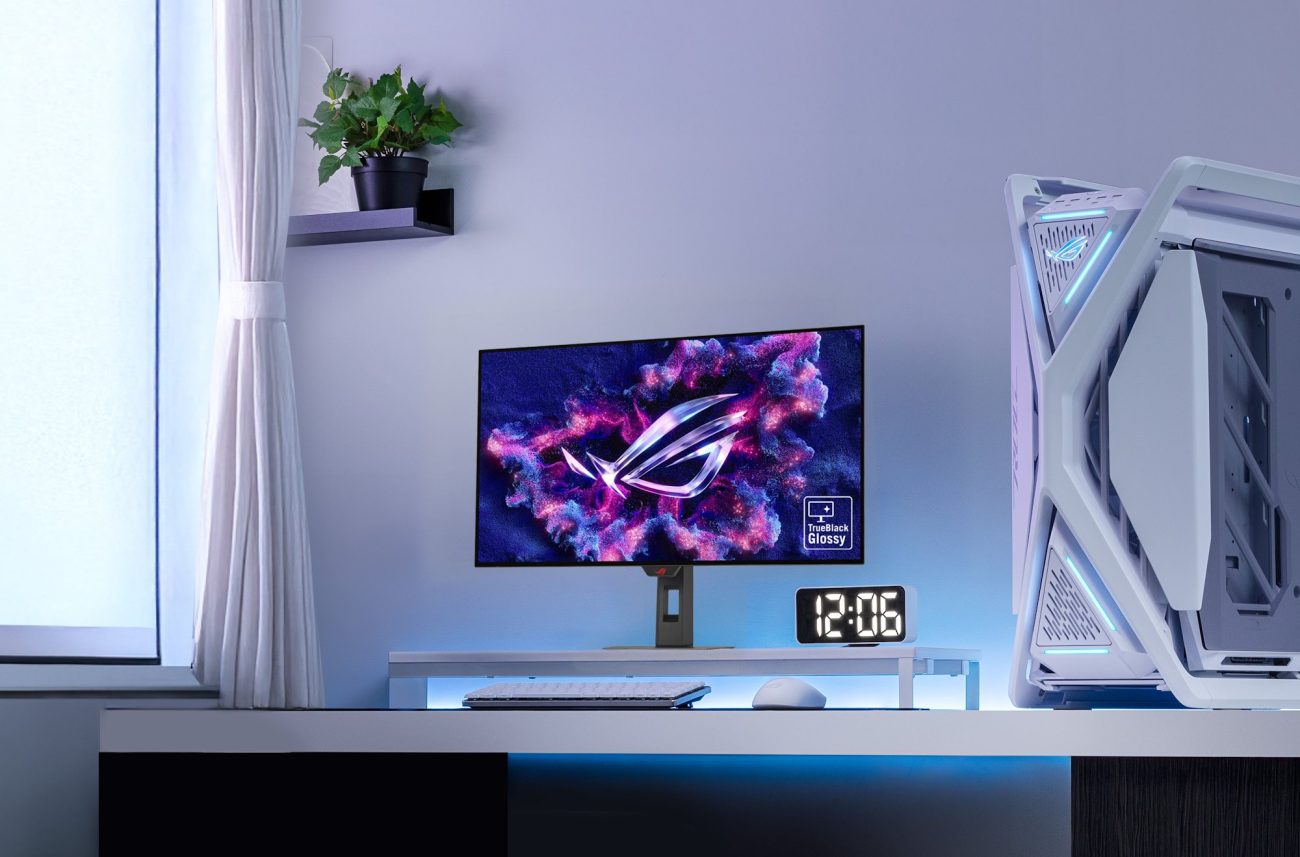
The first time I bought a 4K monitor, I wasn’t completely sure how much difference I would actually notice. I had used 1080p monitors for years and had spent a lot of time with 1440p displays too. On paper, moving to 4K sounded great, but I kept wondering whether all those extra pixels would really make a difference in everyday use.
Then I bought the ASUS ROG Strix XG32UCWMG. It’s a 31.5-inch 4K OLED gaming monitor with a 3840 × 2160 resolution, and my first impression was simple: everything looked much sharper than I was used to.
Games immediately looked more detailed. Small objects were easier to make out. Text looked cleaner. Fine details in game environments were easier to see. Even the desktop looked different because windows, icons, and text had a much more refined appearance.
The size helped too. A 31.5-inch panel gives 4K enough screen space to really show what the resolution is doing. I wasn’t just looking at a higher number in the monitor specifications. I could actually see the difference.
And then I started playing games on it. That’s when I understood why people talk so much about 4K gaming.
My First Experience Gaming on a 4K Monitor
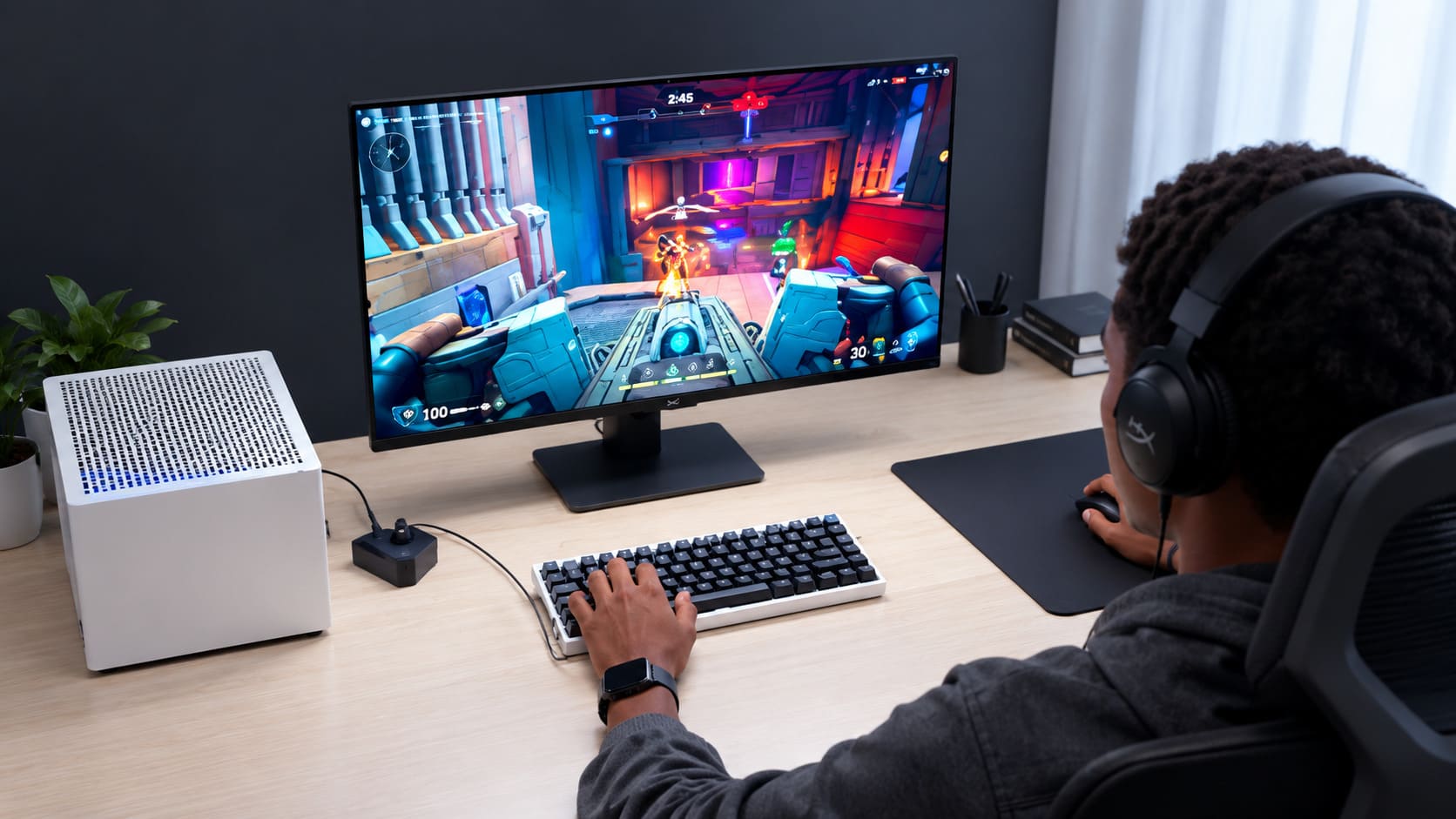
The biggest surprise for me wasn’t simply that the image looked “better.” It was how much detail I could see.
At 4K, game environments can look much more defined. Distant objects, textures, small edges, and fine details have more pixels available to represent them.
My ASUS ROG Strix XG32UCWMG also has a WOLED panel with a TrueBlack Glossy coating, which makes the experience very different from a basic LCD monitor.
Dark scenes look especially impressive. Black areas can look genuinely deep, and bright objects stand out strongly against them. That’s something I notice more in games with dark environments, nighttime scenes, caves, or dramatic lighting.
The monitor also supports 4K at 240Hz. That’s a combination I really like because it isn’t just about resolution.
You get the sharpness of 4K while also having a very high refresh rate available for games that can actually take advantage of it.
And there is another interesting feature. The monitor has a dual-mode setup, allowing it to switch between 4K at 240Hz and Full HD at 480Hz.
I don’t see those two modes as competitors. They’re useful for different situations. 4K makes sense when I want the highest image detail and visual quality.
The FHD 480Hz mode makes more sense when extreme refresh rate matters more than resolution.
What Is a 4K Monitor?
So, what is a 4K monitor? A 4K monitor is a display with a horizontal resolution of approximately 4,000 pixels. For consumer monitors and televisions, the common 4K resolution is 3840 × 2160 pixels. This is also called 4K UHD, Ultra HD, or simply 2160p.
The important part is the number of pixels on the screen. A monitor doesn’t become 4K because it is large. It becomes 4K because it has a resolution of 3840 × 2160.
What Does 4K Mean?
The “4K” name refers roughly to the horizontal pixel count. A standard consumer 4K display has 3840 pixels horizontally and 2160 pixels vertically.
Multiply those numbers together and you get 8,294,400 total pixels. That’s more than eight million pixels on the screen.
This is where the difference between resolution and screen size becomes important. A 27-inch monitor and a 32-inch monitor can both be 4K. They have the same number of pixels. The smaller screen simply packs those pixels more tightly.
What Are the 4K Dimensions?
The standard consumer 4K dimensions are:
3840 × 2160 pixels
This gives the display a 16:9 aspect ratio.
You may also see 4K referred to as:
- 3840 × 2160
- 4K UHD
- UHD
- 2160p
- Ultra HD
These terms are closely related when we’re talking about standard consumer 4K displays.
4K Resolution Explained With Pixel Count
The easiest way to understand resolution is to think about pixels. A pixel is a tiny picture element that contributes to the image on your display. The more pixels a monitor has, the more detail it can potentially represent.
Here is how common resolutions compare:
| Resolution | Pixel dimensions | Total pixel count |
|---|---|---|
| HD (720p) | 1280 × 720 | 921,600 |
| Full HD (1080p) | 1920 × 1080 | 2,073,600 |
| 2K (1440p) | 2560 × 1440 | 3,686,400 |
| 4K (UHD) | 3840 × 2160 | 8,294,400 |
This makes the jump to 4K easier to understand. 4K has four times as many pixels as Full HD. Compared with 1440p, it has more than twice the total pixel count. That doesn’t mean the image automatically looks twice as good.
Image quality also depends on panel technology, pixel density, viewing distance, scaling, content quality, and your eyesight.
But the additional pixels give the display much more room to show detail.
What Is the Difference Between 4K and 1080p?
The biggest difference is the amount of information the display can show.
A 1080p monitor has:
1920 × 1080 pixels
A 4K monitor has:
3840 × 2160 pixels
Both have a 16:9 aspect ratio, but 4K has four times the total pixels.
This becomes particularly noticeable on larger monitors.
That’s one reason I think 4K makes more sense once you move into larger screen sizes.
On my 31.5-inch ASUS monitor, the extra resolution feels useful rather than excessive.
Text is sharp.
Game elements look detailed.
Windows and applications have plenty of space.
4K vs. 1440p
1440p sits between Full HD and 4K.
Its standard resolution is:
2560 × 1440 pixels
1440p can already look excellent, especially on 27-inch gaming monitors.
So does 4K always look dramatically better?
Not necessarily.
The difference depends on screen size and viewing distance.
The closer you sit to a large display, the easier it can be to appreciate additional pixel density.
That’s part of why my 31.5-inch 4K monitor made such a strong first impression.
What Is Aspect Ratio?
Aspect ratio describes the relationship between the width and height of an image. A standard 4K monitor uses a 16:9 aspect ratio. That means the screen is 16 units wide for every 9 units of height.
You can see that relationship directly in the 3840 × 2160 resolution. Both numbers divide down to the same 16:9 proportion. Aspect ratio matters because resolution and aspect ratio are not the same thing.
Resolution tells you how many pixels the screen has.
Aspect ratio tells you the shape of the screen.
Why Does 4K Look So Sharp?
The answer is pixel density.
Pixel density describes how closely packed the pixels are, usually measured in pixels per inch, or PPI.
A 4K image on a 31.5-inch monitor has a much higher pixel density than a 4K image stretched across a much larger display.
That’s why screen size matters when you’re comparing monitors with the same resolution.
The extra pixels become especially useful when you’re sitting relatively close to the screen, as most PC users do.
Benefits of Using a 4K Monitor
There are several benefits of using a 4K monitor beyond simply having a bigger resolution number.
Sharper Game Details
This was the first thing I noticed. Games can show finer details with less visible pixel structure. Textures, small objects, foliage, distant scenery, and interface elements can look cleaner.
Cleaner Text
4K can also be excellent for everyday desktop use. Text and UI elements can look very crisp.
That’s especially useful if you spend hours browsing the web, writing, editing documents, or working with detailed interfaces.
More Screen Real Estate
A 4K monitor gives you a lot of pixels to work with. That can be useful for productivity.
You can fit multiple windows on the screen while still keeping text and interface elements reasonably sharp.
Better Fit for Larger Monitors
4K becomes more attractive when you’re looking at larger displays. A large 1080p screen can look relatively coarse at typical desktop viewing distances. 4K gives a larger screen much more pixel density.
Excellent Gaming Image Quality
For single-player games and visually demanding titles, 4K can produce a beautiful image. You get a lot of detail without needing to sit extremely far away from the screen.
My ASUS ROG Strix XG32UCWMG Experience
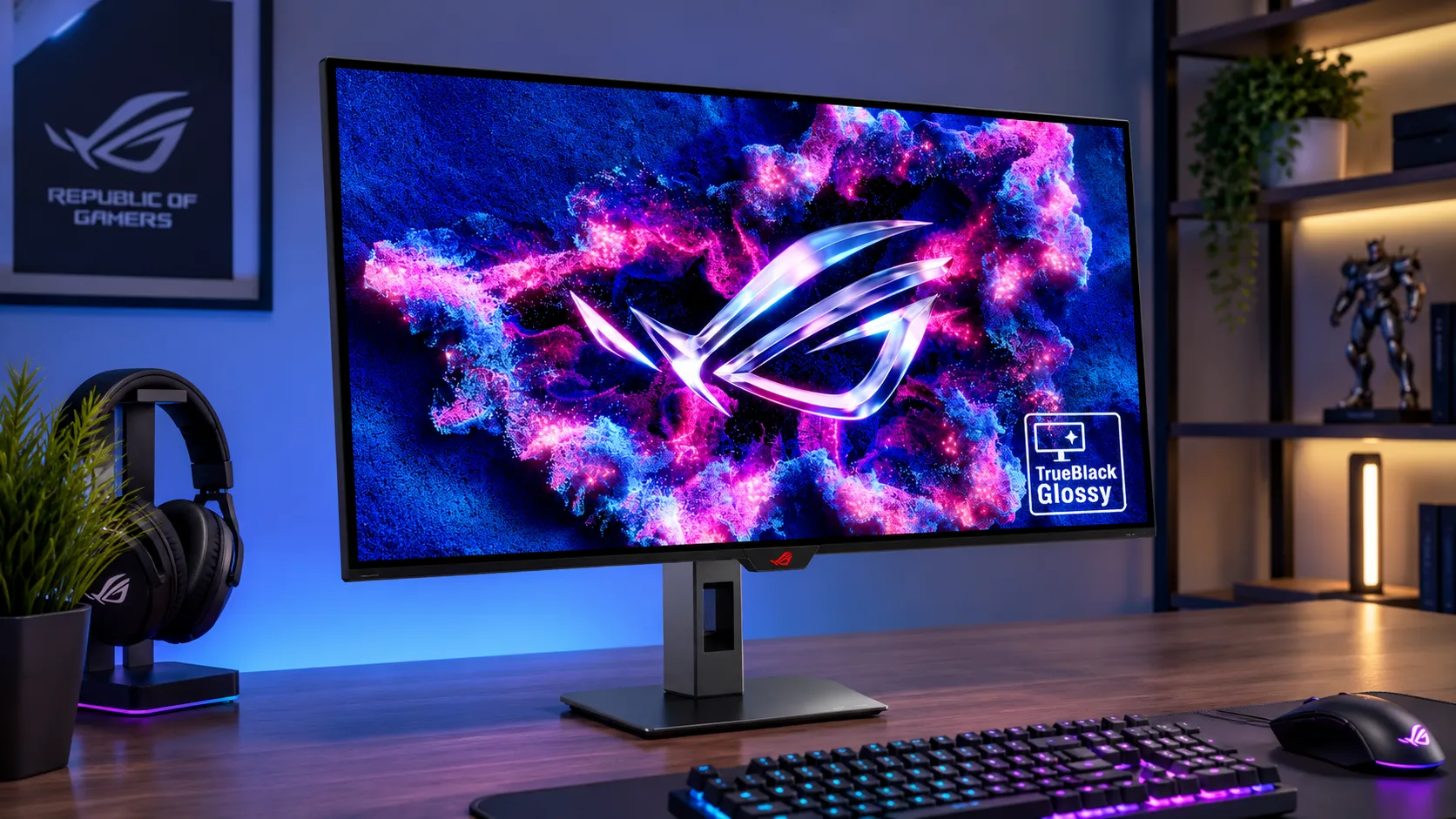
My first 4K monitor wasn’t a basic office display.
I went with the ASUS ROG Strix XG32UCWMG, and the hardware is designed specifically for high-end gaming.
Here are the main specifications:
| Specification | ASUS ROG Strix XG32UCWMG |
|---|---|
| Screen size | 31.5 inches |
| Resolution | 3840 × 2160 4K UHD |
| Panel | WOLED |
| Coating | TrueBlack Glossy |
| 4K refresh rate | 240Hz |
| Dual mode | FHD at 480Hz |
| Response time | 0.03 ms GtG |
| Color gamut | 99% DCI-P3 |
| Color accuracy | Delta E < 2 |
| Color depth | True 10-bit |
| Contrast ratio | 1,500,000:1 |
The combination is what makes the monitor interesting.
It’s not just a 4K display.
It’s a 4K high-refresh-rate OLED gaming monitor.
WOLED Makes a Difference
The WOLED panel is probably one of the most noticeable parts of the experience after the resolution itself.
OLED technology can produce extremely deep blacks because individual pixels can turn off rather than relying on a separate backlight in the way traditional LCD displays do.
That gives games a different visual character.
Dark scenes look darker.
Bright highlights can stand out more.
And the contrast can make the image feel more immersive.
240Hz Makes 4K More Interesting for Gaming
A 4K monitor doesn’t need a high refresh rate to be useful.
But when you combine 4K with 240Hz, the display becomes much more interesting for gaming.
You get the detailed 3840 × 2160 image while also having the ability to display very high frame rates when your hardware and game can deliver them.
Of course, a 240Hz monitor does not make every game run at 240 FPS.
Your GPU, CPU, game settings, and the game itself still determine how many frames your PC can actually produce.
That’s an important point when shopping for a monitor.
What Does 0.03 ms Response Time Mean?
The ASUS monitor is rated at 0.03 ms GtG.
GtG stands for gray-to-gray, which is a measurement related to pixel response.
A faster response time can help reduce visible ghosting and motion blur caused by slow pixel transitions.
However, I wouldn’t use response time as the only reason to buy a monitor.
Panel behavior, overdrive tuning, refresh rate, input latency, and real-world motion performance all matter too.
What Does True 10-Bit Color Mean?
The XG32UCWMG supports True 10-bit color.
Color depth describes how many shades a display can represent.
A higher bit depth allows more tonal steps between colors.
This can be useful for gradients, HDR content, photography, video work, and games with smooth lighting transitions.
Again, panel quality matters alongside the specification itself.
A “10-bit” label doesn’t tell the entire story about color accuracy.
The monitor also lists 99% DCI-P3 coverage and Delta E < 2, which are strong specifications for a display intended to handle both gaming and color-sensitive content.
Is a 4K Monitor Better for Gaming?
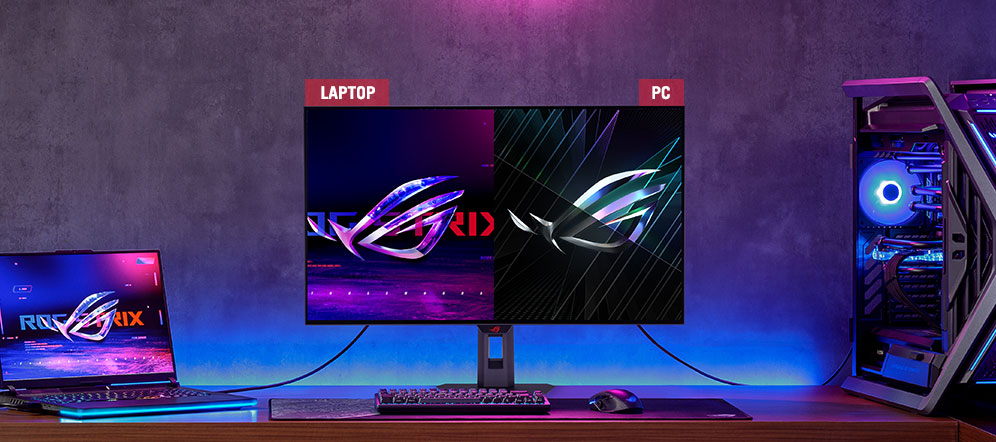
For image quality, I would say yes. But “better” depends on what you prioritize. If you mainly play visually demanding single-player games, 4K can be fantastic.
If you play competitive games where extremely high frame rates matter more than image detail, 1440p or even 1080p may make more sense depending on your hardware and goals.
That’s why I like the dual-mode idea on my ASUS monitor.
I can use 4K at 240Hz when I want image detail.
I can switch to FHD at 480Hz when a game benefits more from extreme refresh rate.
4K Monitors for Gaming: What Matters Most?
When shopping for a 4K gaming monitor, I wouldn’t look at resolution alone.
I would consider these things:
Resolution
Look for 3840 × 2160 if you specifically want standard 4K UHD.
Refresh Rate
Higher refresh rates can make motion look smoother and give you more options for high-FPS gaming.
Panel Technology
IPS, VA, OLED, and WOLED displays can all have different strengths.
OLED and WOLED can offer excellent contrast and deep blacks, while LCD technologies can have their own advantages.
Response Time
Look at realistic pixel-response performance rather than choosing solely based on the smallest number printed on a product page.
HDR Performance
A good HDR implementation can make games much more impressive, particularly on OLED displays.
Color Quality
Look at color gamut, color accuracy, and bit depth.
Screen Size
A 27-inch 4K monitor and a 32-inch 4K monitor can provide a different desktop experience even though they have the same resolution.
Your GPU
This is probably the most important factor people forget.
Driving 8.3 million pixels at a high refresh rate requires considerably more graphics performance than running the same game at 1080p.
A beautiful 4K gaming monitor is only as useful as the hardware driving it.
How to Choose the Right 4K Monitor for Gaming
I would start with your graphics card and the games you actually play.
Don’t buy the monitor first and hope your PC can keep up.
Ask yourself:
Do I mainly play AAA single-player games?
4K can be a very good fit.
Do I play competitive shooters?
High refresh rate may matter as much as resolution.
Do I also work on the same monitor?
Then 4K can be especially useful because of its sharp text and large desktop workspace.
Do I want OLED?
Then think about your usage habits, brightness requirements, static elements, and how much you value contrast and black levels.
Can my GPU drive 4K?
This needs to be answered before spending money.
Recommended 4K Monitors for Gaming
My personal reference point is the ASUS ROG Strix XG32UCWMG because it’s the first 4K monitor I bought and used as my main high-end gaming display.
Its combination of:
- 31.5-inch screen
- 4K UHD
- WOLED
- 240Hz at 4K
- 480Hz FHD dual mode
- 0.03 ms GtG
- True 10-bit color
- 99% DCI-P3
- Delta E < 2
makes it particularly appealing to me as an enthusiast gaming monitor.
For other buyers, I’d divide the market into categories rather than claiming one monitor is automatically the “best.”
Best high-end 4K OLED: Look for a 4K OLED or WOLED model with a high refresh rate, strong HDR, and excellent motion performance.
Best 4K productivity and gaming balance: Look for a 27- to 32-inch 4K display with good text clarity, color accuracy, and at least a high-refresh gaming mode.
Best competitive setup: Prioritize refresh rate and response performance. You may not actually need 4K if your primary goal is competitive FPS gaming.
Best budget approach: A good 4K 60Hz or 144Hz monitor can still deliver a sharp image without paying for an enthusiast-level 240Hz OLED panel.
The right monitor isn’t necessarily the one with the longest specification list.
It’s the one that matches your PC and the way you actually play.
Is a 4K Monitor Right for You?
A 4K monitor is worth considering when you care about image detail, desktop space, and high-quality gaming visuals.
I think it’s particularly appealing for people who:
- Play visually demanding games
- Use a 27-inch or larger monitor
- Work and game on the same display
- Edit photos or video
- Want sharper desktop text
- Have a GPU capable of handling 4K gaming
It may not be the best choice for someone whose only goal is maximizing FPS in competitive games.
In that situation, refresh rate can matter more than resolution.
What GPU Do You Need for 4K Gaming?
There isn’t one universal answer.
The GPU you need depends on the game, graphics settings, ray tracing, upscaling technology, target frame rate, and the monitor’s refresh rate.
There is a big difference between:
4K at 60 FPS
and
4K at 240 FPS.
The latter is dramatically more demanding.
That’s why you should think of the monitor’s maximum refresh rate as headroom, not a guarantee that your games will reach it.
Your CPU matters too.
So do RAM, VRAM, game optimization, and storage.
For example, having enough RAM can help avoid memory-related stuttering, but adding RAM won’t magically make a weak GPU render 4K at a higher frame rate.
TechPrim has more guides on whether 16GB RAM is enough for gaming and whether 1TB SSD storage is enough for gaming if you’re planning a larger gaming upgrade.
Does 4K Make Games More Demanding?
Yes. There are significantly more pixels to render. At 1080p, the GPU renders about 2.07 million pixels per frame. At 4K, it renders about 8.29 million.
That’s four times as many pixels.
So moving from 1080p to 4K can create a substantial increase in GPU workload.
That’s why a game that runs comfortably at 1080p may require reduced settings, upscaling, or a more powerful graphics card at 4K.
What Is 2160p?
2160p is another way to describe 4K UHD resolution.
The “2160” refers to the approximate vertical pixel count.
A standard consumer 4K monitor uses:
3840 × 2160 pixels
So when you see 2160p, 4K UHD, or 3840 × 2160, they’re generally describing the same consumer display resolution.
Is 4K the Same as Ultra HD?
For consumer monitors and TVs, the terms are commonly used together.
4K UHD = 3840 × 2160 pixels
The exact terminology can get more complicated in professional cinema, where “4K” can refer to a slightly different resolution.
For the typical PC monitor buyer, though, 3840 × 2160 is the 4K resolution you will usually be looking for.
Does a Bigger 4K Monitor Have More Pixels?
Not necessarily.
A 27-inch 4K monitor and a 32-inch 4K monitor both have:
3840 × 2160 pixels
The difference is pixel density.
The 27-inch display packs those pixels into a smaller physical area.
The 32-inch display spreads the same pixels across a larger area.
That’s one reason I like my 31.5-inch size.
It gives me a large gaming canvas without moving all the way into an oversized television-like display.
Should You Use 4K Scaling on Windows?
Usually, yes.
A 4K monitor has so many pixels that displaying Windows at 100% scaling can make text and interface elements feel very small, depending on screen size and viewing distance.
Windows scaling lets you keep the sharpness of the 4K panel while making text and applications easier to read.
That’s one of the underrated benefits of high-resolution monitors.
You don’t always have to choose between tiny text and a blurry image.
My Overall Impression of 4K
Buying my first 4K monitor changed my expectations more than I expected. I initially thought the biggest difference would be a little more detail. Instead, I started noticing 4K everywhere. Text looked cleaner. Games looked sharper. Small details were easier to see. Large game environments looked more refined.
And with a 31.5-inch WOLED panel, the combination of resolution, contrast, color, and refresh rate made the upgrade feel much more substantial than simply moving to a monitor with a bigger screen.
The ASUS ROG Strix XG32UCWMG also showed me something important.
A monitor isn’t just about resolution.
The panel, refresh rate, response time, contrast, color, screen size, and your PC hardware all work together.
Frequently Asked Questions About 4K Monitor Resolution
What Is 4K Resolution on a Monitor?
4K resolution on a standard consumer monitor is 3840 × 2160 pixels. It is also commonly called 4K UHD, Ultra HD, or 2160p.
What Does 4K Mean?
4K refers to a display resolution with roughly 4,000 horizontal pixels. Standard consumer 4K uses 3840 × 2160 pixels.
How Many Pixels Does a 4K Monitor Have?
A 4K monitor with a 3840 × 2160 resolution has 8,294,400 total pixels.
What Are the Dimensions of 4K?
Standard consumer 4K UHD dimensions are 3840 × 2160 pixels.
Is 4K Better Than 1440p?
4K has more pixels and can display more detail, but whether it is noticeably better depends on screen size, viewing distance, content, and your hardware.
Is 4K Better Than 1080p?
Generally, yes for image detail. 4K has four times the total pixel count of 1080p.
What Is 2160p?
2160p is another common name for 3840 × 2160, or 4K UHD, resolution.
What Is the Aspect Ratio of 4K?
Standard consumer 4K UHD uses a 16:9 aspect ratio.
Is a 4K Monitor Good for Gaming?
Yes. 4K can provide excellent gaming image quality, particularly on larger displays. Your GPU needs to be powerful enough to render games at the resolution and frame rate you want.
Are 4K Monitors Worth It for Gaming?
They can be, especially if you value image detail and play visually demanding games. For competitive gaming, a higher refresh rate may matter more than moving to 4K.
Does 4K Reduce FPS?
4K itself doesn’t “reduce” FPS as a monitor feature. Rendering at 3840 × 2160 requires the GPU to process far more pixels than 1080p, which can result in lower FPS when using the same hardware and settings.
Do You Need a Powerful GPU for 4K?
Yes, especially if you want high graphics settings and high frame rates.
4K at 60 FPS is considerably easier to achieve than 4K at 240 FPS.
Is 4K Good for Work Too?
Yes. The high pixel count can make text, images, and detailed applications look very sharp.
4K can also provide a large amount of usable desktop space.
Final Verdict: Is 4K Resolution Worth It?
After buying my first 4K monitor, I can understand why people who get used to high-resolution displays don’t want to go back.
For me, the biggest advantage isn’t the “4K” label itself.
It’s the combination of 3840 × 2160 resolution, a large 31.5-inch screen, WOLED contrast, high refresh rate, and sharp image quality.
The ASUS ROG Strix XG32UCWMG makes that combination particularly obvious because it pushes beyond basic 4K with 240Hz at 4K and a 480Hz FHD dual mode.
But I’d still tell anyone shopping for a 4K monitor to think about the entire setup:
- Your GPU matters.
- Your preferred games matter.
- Your viewing distance matters.
- Your screen size matters.
And whether you care more about image detail or competitive frame rates matters too.
4K is not automatically the right choice for everyone. But when the monitor, hardware, and workload are properly matched, the jump to 3840 × 2160 can be much more noticeable than you might expect.
For me, seeing it for the first time on a 31.5-inch OLED gaming monitor was enough to make 4K feel like a real upgrade rather than just another specification on a product page.
You May Also Like
 Computers & PC Games
Is 16GB RAM Enough for Gaming?
 Computers & PC Games
How Old Do You Have to Be to Play Fortnite? Age Rating and Parental Controls
 Computers & PC Games
How to Reduce Ping: 8 Fixes That Actually Help (PC, PS5, and Xbox)
 Computers & PC Games
Is RomsFun Safe and Legit? My Complete Review and Testing Experience
 Computers & PC Games
10 Best Modded Minecraft Server Hosting (2026): Pricing, Specs & Honest Picks for Every Modpack
 Computers & PC Games