

You connect to a VPN, see a different IP address, and it can be tempting to think you’re now completely private and protected online. That’s not quite how VPNs work.
So, what is VPN encryption?
VPN encryption is the process of scrambling your network traffic as it travels between your device and the VPN server. The goal is to make that traffic unreadable to people who might otherwise be able to monitor it on the local network, such as someone snooping on public Wi-Fi.
A VPN also routes your internet traffic through its server. As a result, websites you visit will generally see the VPN server’s public IP address instead of the IP address assigned to your home or mobile connection.
But there’s an important limit: a VPN doesn’t make you completely anonymous or automatically secure everything you do online. Websites can still identify you through things like account logins, cookies, and browser or device information. And once your traffic leaves the VPN server, its protection depends on the connection you’re using. HTTPS, for example, provides its own encryption between your browser and the website.
That’s why a VPN is best thought of as one layer of privacy and security, not a complete security solution. It can protect the connection between your device and the VPN server and hide your public IP from websites, but it doesn’t replace HTTPS, strong passwords, antivirus or endpoint protection, or other basic security practices.
Understanding what a VPN protects and what it doesn’t is just as important as understanding the encryption itself.
What Is VPN Encryption?
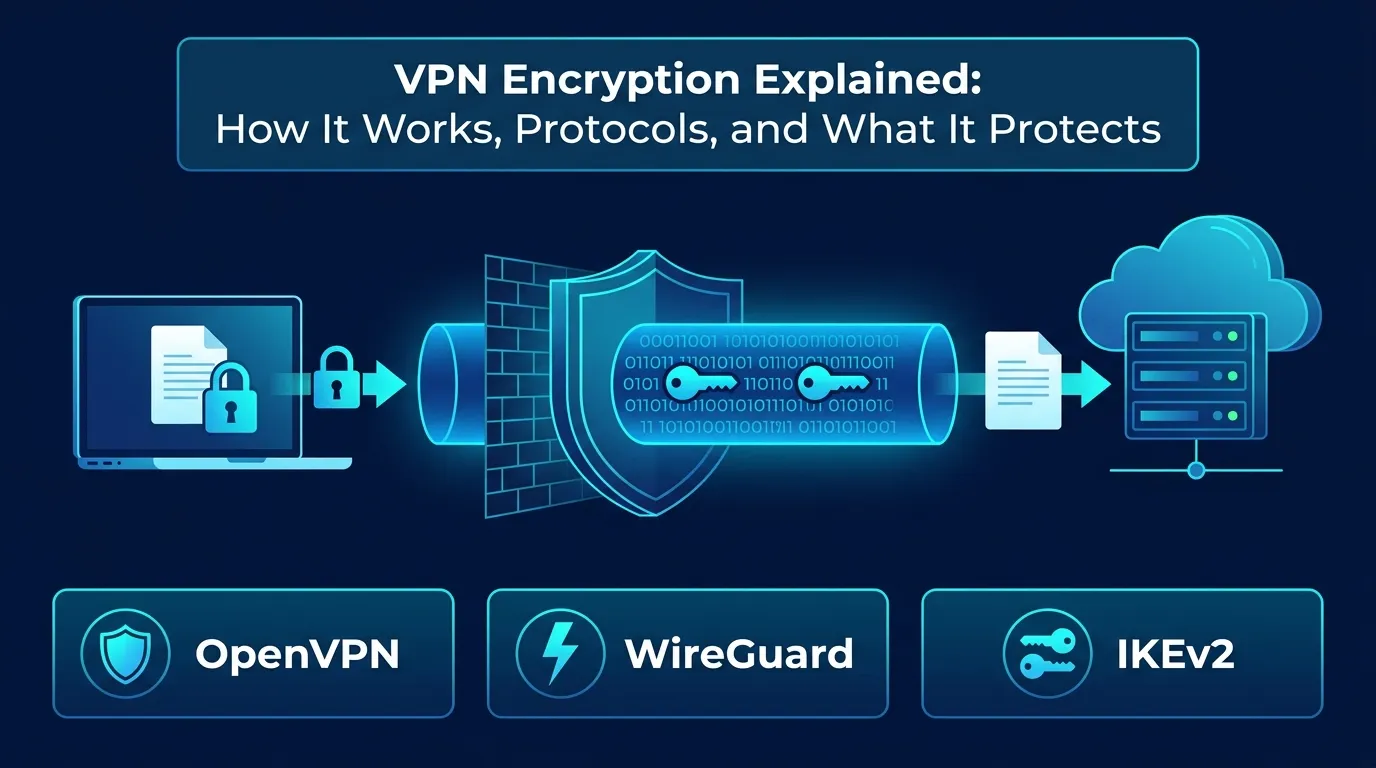
VPN encryption protects data as it travels through the connection between your device and a VPN server.
Without a VPN, your device sends network traffic through your normal internet connection. With a VPN enabled, the VPN application establishes a protected tunnel and sends your traffic through it.
A simplified view looks like this:
Your device → encrypted VPN tunnel → VPN server → destination
The VPN server handles the VPN tunnel and forwards your traffic to the destination. If you visit a website that uses HTTPS, the browser-to-website connection has another layer of encryption through TLS.
This means VPN encryption and HTTPS encryption are separate things.
A VPN protects the tunnel to the VPN server. HTTPS protects the web session between your browser and the website.
That distinction helps explain why a VPN can improve privacy without making you completely invisible online.
How Does VPN Encryption Work?
The exact process depends on the VPN protocol and implementation, but the basic idea is fairly simple.
1. Your device connects to a VPN server
You choose a VPN server through the VPN application. The client and server then establish the connection and negotiate the cryptographic parameters needed to protect the tunnel.
Modern VPN protocols are designed to handle key exchange, authentication, encryption, and packet protection as part of this process.
2. Your traffic enters the VPN tunnel
Before the traffic travels through the VPN connection, the VPN software encapsulates and protects it according to the protocol being used.
Someone monitoring the local Wi-Fi network may still be able to tell that your device is communicating with a VPN server. The contents of the protected tunnel, however, are designed to be unreadable to that observer.
3. The VPN server processes the traffic
The VPN server receives the protected traffic, handles the VPN layer, and forwards the relevant traffic toward the destination.
This creates an important privacy tradeoff.
Your ISP may no longer see the individual destinations inside the VPN tunnel in the same way it would without the VPN. However, the VPN provider operates the server through which your connection is routed and may have access to certain connection information.
That’s why the provider’s privacy practices matter.
4. The response comes back through the tunnel
The destination sends a response, which is routed back through the VPN server to your device.
When HTTPS is involved, TLS provides separate encryption between your browser or application and the HTTPS destination.
So the path can involve more than one layer of protection:
Device → VPN encryption → VPN server → HTTPS/TLS → website
The exact details vary by application and protocol, but this model is useful for understanding the difference.
VPN Encryption vs. HTTPS
VPN encryption and HTTPS are often confused because both involve encryption.
They protect different parts of a connection.
| VPN | HTTPS | |
|---|---|---|
| Main purpose | Protects the VPN tunnel | Protects communication with a website or service |
| Protects traffic between your device and VPN server | Yes | No |
| Protects HTTPS traffic to a website | Adds a separate network layer | Yes |
| Hides your public IP from the website | Usually | No |
| Prevents all tracking | No | No |
| Makes you anonymous | No | No |
HTTPS is already widely used across the modern web. A VPN adds another layer that can be useful on untrusted networks and can change the public IP address that websites see.
Which VPN Encryption Protocols Are Used?
One common mistake is treating a VPN protocol and an encryption algorithm as the same thing.
They are not.
A VPN protocol defines how a VPN connection is established and how traffic is protected.
An encryption algorithm is one cryptographic component used within a security design.
Some of the main VPN protocols you may encounter are below.
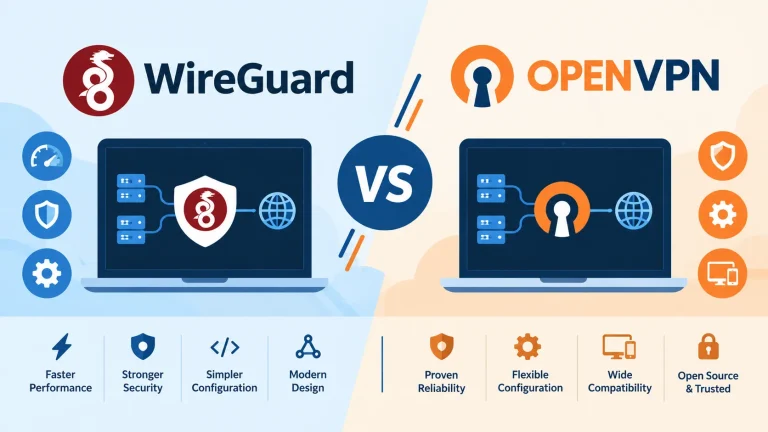
WireGuard
WireGuard is a modern VPN protocol designed with a relatively small and straightforward codebase.
It uses modern cryptographic primitives, including ChaCha20 and Poly1305, and has become widely supported by VPN providers because of its efficient design.
WireGuard is not automatically more secure simply because it is newer. The implementation, configuration, software updates, and server infrastructure still matter.
OpenVPN
OpenVPN is a well-established open-source VPN protocol that has been used for many years across consumer, enterprise, and hosted VPN deployments.
One important detail is that OpenVPN is not a single fixed encryption algorithm. Its security configuration can involve different cryptographic components depending on the implementation.
That is why saying “OpenVPN uses one specific encryption” is an oversimplification.
IKEv2/IPsec
IKEv2 is commonly used together with IPsec to establish and protect VPN connections.
It can be particularly useful on mobile devices because it is designed to handle network changes efficiently, such as moving between Wi-Fi and cellular connections.
L2TP/IPsec and PPTP
L2TP/IPsec is an older VPN technology that you may still encounter on legacy systems.
PPTP is much older and has well-known security weaknesses. It should not be considered a suitable modern option for protecting sensitive traffic.
For a current VPN service, support for modern protocols such as WireGuard, OpenVPN, or IKEv2/IPsec is generally more relevant.
What Encryption Algorithms Do VPNs Use?
VPN encryption involves more than a single algorithm.
Different protocols and configurations use different cryptographic components for encryption, authentication, key exchange, and integrity protection.
AES
AES, or Advanced Encryption Standard, is a widely used symmetric encryption algorithm.
AES-128 and AES-256 refer to the key sizes used with AES. Both are established standards, while AES-256 is commonly marketed by VPN companies.
A larger key size does not automatically mean that one VPN service is safer than another. Protocol design, implementation quality, authentication, key management, and infrastructure also matter.
ChaCha20
ChaCha20 is a modern symmetric cipher used in several cryptographic systems.
WireGuard uses ChaCha20 as part of its cryptographic design, which can offer good performance on systems where hardware acceleration for AES is not available.
Poly1305
Poly1305 is an authenticator used with ChaCha20 in modern cryptographic designs, including WireGuard.
It helps provide authentication and integrity protection for data.
The broader point is that VPN security is a system, not a single encryption number.
What Does VPN Encryption Protect You From?
A VPN can provide useful protection in several situations.
People monitoring an untrusted network
Imagine using Wi-Fi in a hotel, airport, or coffee shop.
A VPN can protect traffic inside the tunnel between your device and the VPN server, making it harder for someone on that local network to directly inspect the protected contents.
HTTPS also provides important protection for web traffic, so a VPN is best understood as an additional layer rather than the only security measure.
Some ISP-level visibility
A properly functioning VPN changes what your ISP can directly observe about your traffic.
Instead of seeing individual destinations in the same way as a normal connection, the ISP generally sees a connection between your device and the VPN server, along with certain metadata such as timing and traffic volume.
This does not mean the ISP sees nothing.
It also does not mean the VPN provider sees nothing.
Using a VPN changes which network intermediary you trust.
Your normal public IP address
A website will generally see the public IP address from which traffic reaches it.
With a VPN, that will usually be the VPN server’s IP address instead of your home connection’s public IP address.
This can provide privacy benefits and can sometimes allow you to connect through another geographic location.
Traffic interception on the VPN path
Strong and correctly implemented VPN encryption can make it substantially harder for an observer on the network path between your device and the VPN server to read protected tunnel traffic.
The level of protection depends on the protocol, software, configuration, and endpoint security.
What VPN Encryption Does Not Protect You From
A VPN is useful, but it is not an all-purpose cybersecurity product.
Malware
A VPN does not automatically detect or remove malware.
You can still download malicious software while connected to a VPN.
Phishing
A VPN cannot determine whether a message or website is trying to trick you into revealing a password or other sensitive information.
Phishing protection still depends on user awareness, secure authentication, and other security tools.
Cookies and tracking
A VPN can change the IP address visible to a website, but that does not stop every form of tracking.
Websites may still use cookies, account logins, browser characteristics, and other tracking technologies.
For example, when you log into a social media account, that service can associate activity with your account regardless of whether you are using a VPN.
The VPN provider itself
A VPN does not remove the need to trust a service provider.
Your VPN provider operates the infrastructure that carries your traffic. Depending on the provider and its systems, it may have access to certain connection information.
That is why claims such as “zero logs” should be evaluated alongside the provider’s privacy policy, technical controls, transparency, and any independent audits or assessments.
Does VPN Encryption Make You Anonymous?
No. A VPN can improve privacy, but privacy and anonymity are not the same thing.
A VPN can hide your normal public IP address from websites and protect the VPN tunnel from local network observers. It does not erase other signals that can identify or recognize you.
These may include:
- Account logins: Services can identify you through the account you use.
- Cookies: Browser data can help websites recognize returning users.
- Browser fingerprinting: Browser and device characteristics may contribute to identification.
- Tracking systems: Websites and advertising systems can use signals other than your IP address.
- Personal information: A VPN cannot hide information you voluntarily submit to a service.
A better description is that a VPN is a privacy and network-security tool, not a guarantee of online anonymity.
Does VPN Encryption Slow Down Your Internet?
It can. VPN connections add processing and routing overhead, and your traffic may need to travel to a VPN server before reaching the destination.
The impact depends on several factors:
- VPN protocol
- Distance to the VPN server
- Server load
- Network congestion
- Your original connection speed
- Device performance
- VPN software implementation
A nearby server using an efficient protocol may have only a modest impact. A distant or overloaded server can have a much more noticeable effect.
This is why real-world speed testing is more useful than assuming a particular encryption standard will always determine performance.
How to Choose a VPN With Strong Security
Don’t choose a VPN based only on a phrase such as “military-grade encryption” or “AES-256.”
Look at the complete security and privacy picture.
Support for modern protocols
A reputable service should offer modern options such as WireGuard, OpenVPN, or IKEv2/IPsec.
Transparent privacy practices
Read the provider’s privacy policy and check what information it collects, why it collects it, and how long that information is retained.
Independent audits or assessments
Independent assessments can provide useful evidence about specific provider claims or systems.
They are helpful signals, but an audit is not a guarantee that a service will never have a security problem.
Kill switch
A VPN kill switch can block certain traffic from falling back to the normal internet connection if the VPN tunnel unexpectedly disconnects.
The exact behavior varies between operating systems and VPN applications. You can learn more in our guide to how VPN kill switches work.
DNS and IPv6 leak handling
A good VPN application should properly handle DNS requests and IPv6 traffic so that traffic does not unexpectedly bypass the VPN tunnel.
Security transparency
Look for information about ownership, infrastructure, vulnerability handling, software updates, and security practices.
The more transparent a provider is, the easier it is to evaluate its claims.
Common VPN Encryption Myths
Myth 1: VPN encryption makes you completely secure
It does not. VPN encryption protects a specific part of your network connection. You can still encounter phishing, malware, vulnerable software, account compromise, and other threats.
Myth 2: AES-256 automatically makes a VPN safer
AES-256 is a strong and widely used encryption standard, but the algorithm alone does not determine the overall security of a VPN.
The protocol and implementation matter too.
Myth 3: A VPN hides everything from your ISP
A VPN can protect the contents of its tunnel from direct inspection by the ISP, but the ISP can still observe that you are connecting to a VPN server and may have access to other connection metadata.
Myth 4: A VPN stops websites from tracking you
It does not. Changing your IP address is only one part of online privacy. Cookies, logins, fingerprinting, and other technologies can still be used for recognition and tracking.
Myth 5: VPN encryption bypasses every restriction
A VPN may help with IP-based geographic restrictions because websites can see the VPN server’s IP address instead of your normal public IP.
That does not guarantee access to every service.
Some websites and streaming platforms detect and block known VPN addresses.
Is VPN Encryption Worth Using?
For many people, yes. A VPN can be useful when you are connecting through networks you do not fully trust, when you want to reduce the amount of traffic content visible to the local network, or when you want websites to see a VPN server’s IP address instead of your normal public IP.
But the benefits are easier to understand when you keep its limitations in mind.
A VPN does not make you anonymous. It does not stop malware or phishing. It does not replace HTTPS. And it does not remove the need to evaluate the VPN provider itself.
Think of it as one layer in a broader privacy and security strategy.
Final Takeaway
VPN encryption protects traffic inside a VPN tunnel, primarily between your device and the VPN server. This can provide useful privacy and security benefits, particularly on networks you do not control.
Modern protocols such as WireGuard, OpenVPN, and IKEv2/IPsec use established cryptographic techniques to protect VPN connections. However, a protocol name or an “AES-256” marketing claim is not enough to determine whether a VPN service is trustworthy.
When comparing providers, look at the bigger picture: protocol support, privacy practices, leak protection, kill switch behavior, transparency, infrastructure, and independent security assessments.
Most importantly, use a VPN for what it actually provides: an additional layer of network privacy and security, not a guarantee of anonymity or complete protection from online threats.
For related topics, TechPrim also covers VPNs for gaming, VPNs for Minecraft servers, and using a VPN with Starlink.
You May Also Like
 Computers & PC Games
Does a VPN Really Improve Minecraft Ping and Performance?
 VPNs & Proxies
Why You Should Use a VPN for Minecraft Servers
 VPNs & Proxies
What Is a VPN Kill Switch and Why Is It Important?
 Computers & PC Games
Is RomsFun Safe and Legit? My Complete Review and Testing Experience
 VPNs & Proxies
How to Hide Your IP Address and Protect It: 5 Best Ways
 VPNs & Proxies