
Yes, Tachus is worth considering if service is available at your address and you want a fiber connection with equal advertised upload and download speeds. But there’s an important update: Tachus is now Ezee Fiber, so you should compare Ezee Fiber’s current offers rather than rely on older Tachus plan lists.
The strongest reasons to consider the service are its advertised symmetrical speeds, included Wi-Fi equipment, free professional installation, and no-term-contract plans. The main questions are whether the total price is competitive at your address, which speed tier you’ll actually use, and how well the service performs in your neighborhood.
You probably don’t need its fastest plan just to watch Netflix, join work calls, or play online games. For many households, the better purchase is the lowest-priced available tier that comfortably handles their busiest periods—not the one with the biggest number.
Tachus Internet: The Quick Verdict
| Question | What to know |
|---|---|
| Is Tachus still a separate brand? | The official transition page states that Tachus is now Ezee Fiber. |
| What speeds are advertised? | Ezee Fiber’s public residential lineup includes symmetrical 1, 3, 5, and 8 Gig tiers. |
| What are the advertised prices? | The public lineup displays $69, $89, $99, and $119 per month, respectively. Confirm your address-specific offer. |
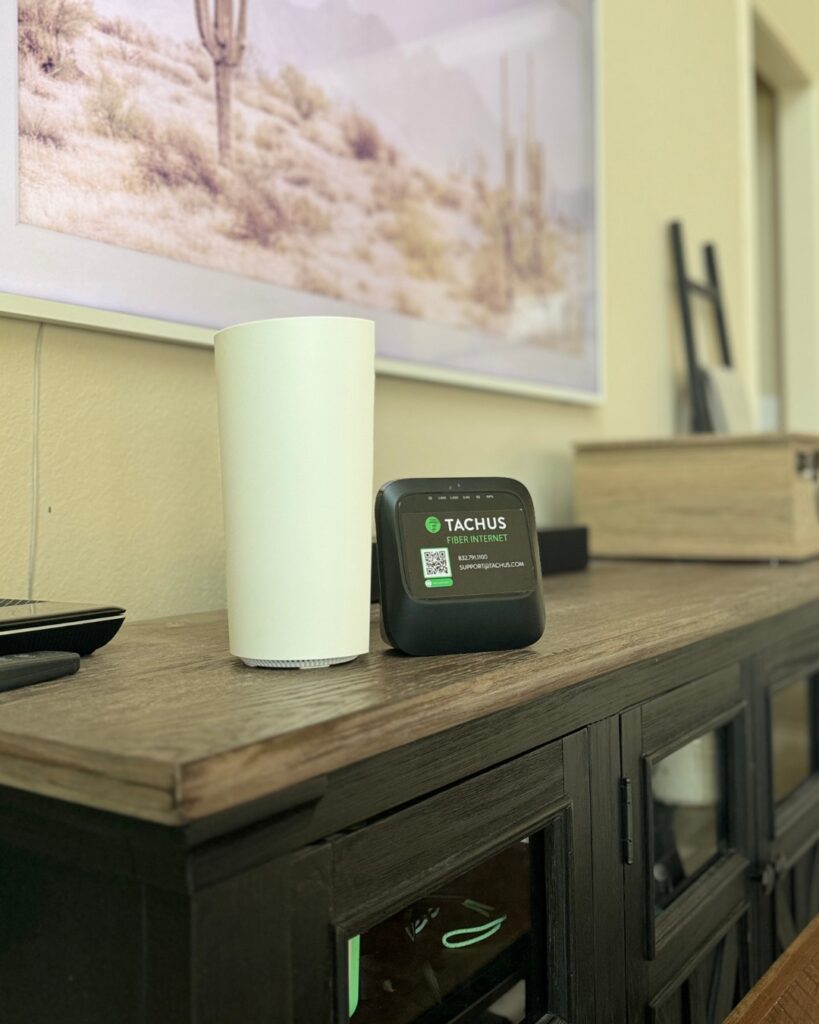
| Are equipment and installation included? | The provider advertises included eero Wi-Fi equipment and free professional installation. The equipment bundle depends on the offer. |
| Who should consider it? | Households that value upload capacity, regularly move large files, or want to compare a fiber alternative with their existing provider. |
| What’s the biggest caution? | Availability is address-specific, and advertised speeds aren’t a measurement of what every device will receive. |
Sources: Ezee Fiber’s Tachus transition page and official residential plans.
Tachus Is Now Ezee Fiber: What Changed?
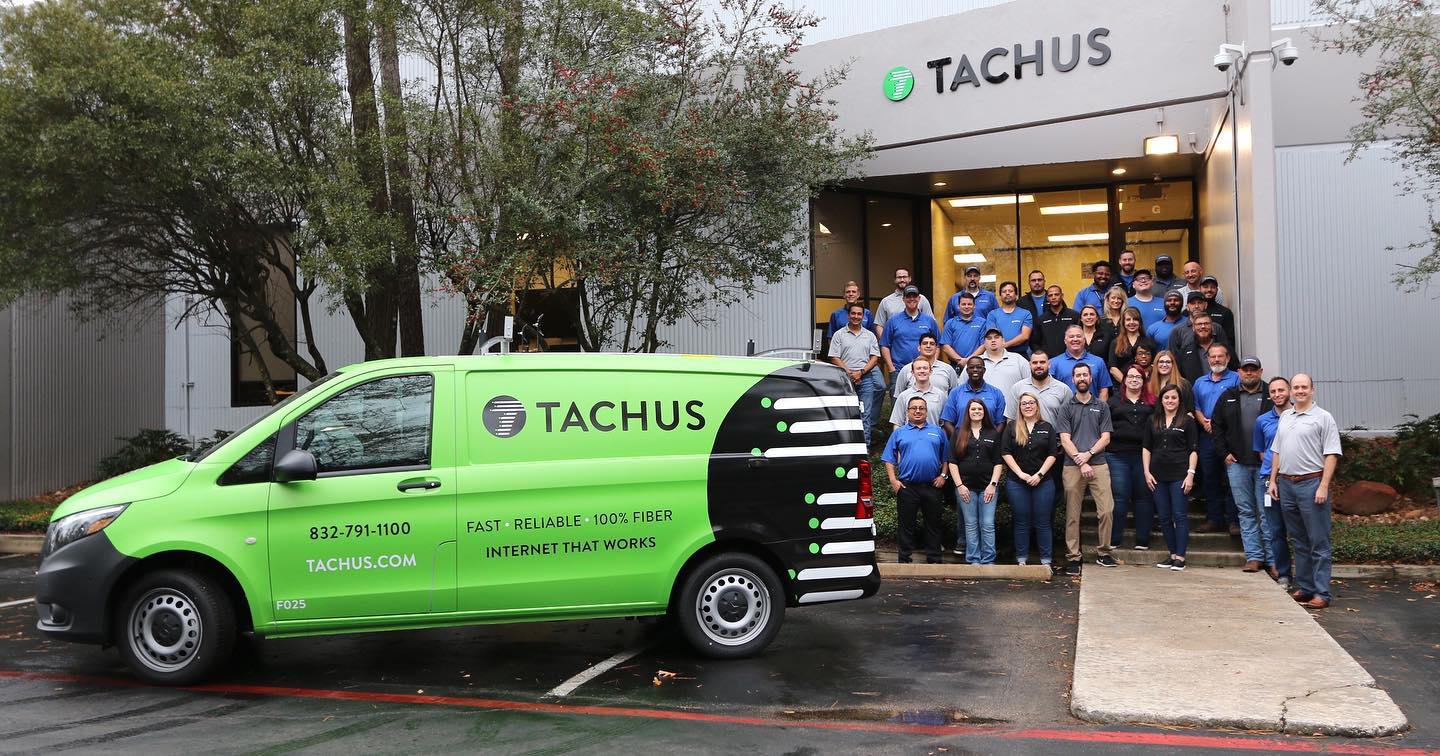
Tachus was a regional fiber internet provider headquartered in The Woodlands, Texas. Its network served communities in Greater Houston, including the northern Houston area.
On July 7, 2025, Ezee Fiber announced an agreement to acquire Tachus. The current transition page now states, “Tachus Fiber is now Ezee Fiber.”
That distinction matters when you’re shopping. An older Tachus review may describe plans or equipment that don’t match today’s public Ezee Fiber lineup. Likewise, a long-time customer’s bill may differ from the offer available to someone signing up now.
Ezee Fiber says the transition preserves the existing fiber network and customer-service commitments. That’s the company’s stated position—not independent proof that every customer’s experience has stayed identical.
If you’re already a Tachus customer, compare your current bill with the options available for your account. Before changing plans, ask whether doing so affects your price commitment, equipment, or other existing terms.
Current Advertised Plans and Pricing
The public Ezee Fiber residential lineup checked for this review lists the following tiers. “Symmetrical” means the advertised upload and download rates are equal; it doesn’t mean every speed test will produce identical results.
| Plan | Advertised download/upload | Advertised monthly price | When to consider it |
|---|---|---|---|
| 1 Gig | Up to 1,000/1,000 Mbps | $69 | A starting point for households comparing this lineup, including those with simultaneous streaming, calls, and downloads. |
| 3 Gig | Up to 3,000/3,000 Mbps | $89 | Frequent large transfers or substantial simultaneous demand, with compatible home equipment. |
| 5 Gig | Up to 5,000/5,000 Mbps | $99 | Households or home-based creators with a specific need for additional capacity. |
| 8 Gig | Up to 8,000/8,000 Mbps | $119 | Specialized, data-heavy use where the devices and services involved can use the extra bandwidth. |
These are public advertised offers, not quotes for every address or legacy Tachus account. Check the current plan page and complete an address check before making a decision.
What’s Included?
Ezee Fiber’s residential and Tachus transition pages advertise:
- Included eero Wi-Fi equipment and eero Secure.
- Free professional installation.
- No term contracts.
- 24/7 US-based customer support.
- Lifetime-pricing plans.
The provider also states that it has no data caps. That describes a data-usage policy, not unlimited connection speed or immunity from congestion.
Confirm the exact router model, whether an additional Wi-Fi unit is included, and what any optional extras cost. A bundle that suits a small apartment may not provide the same coverage in a larger, multi-story home.
How Should You Evaluate Lifetime Pricing?
Price stability can be valuable, especially if you’re tired of promotional rates that expire. Still, “lifetime pricing” deserves the same careful reading as any other billing promise.
Ask what happens if you change speed tiers, move, pause service, or add equipment. Keep a copy of the offer and the terms associated with your account.
Also review the plan’s Broadband Facts label. The FCC’s Broadband Consumer Labels guide explains how these labels disclose pricing, data allowances, speed information, and links to network-management policies.
Where Is Tachus Internet Available?

Tachus historically served parts of Greater Houston. The acquisition announcement describes its network as a 100% underground fiber network in the Houston metropolitan area.
Now that the service operates under Ezee Fiber, use the official availability checker to see what can be ordered at your complete address.
A provider serving your city doesn’t necessarily serve your street, building, or apartment. Nearby construction also doesn’t tell you when your property will be ready for installation.
Before canceling another connection, confirm:
- Whether your address is ready for service or only accepting preregistrations.
- Which plans are available at that location.
- Whether installation requires property access or landlord approval.
- When service can be installed and activated.
Keep your existing connection until the new one is installed and working if avoiding downtime matters for your work, studies, or household.
Speed and Reliability: What Can You Reasonably Expect?
The service’s main technical appeal is its fiber connection and symmetrical advertised bandwidth. Fast uploads can be especially useful for sending video projects, backing up large files, or sharing the connection among several people doing upload-heavy work.
If you’re unfamiliar with the technology, our guide to how fiber internet works provides the background.
However, connection technology is only part of the experience. Routing, shared network capacity, maintenance, equipment, and conditions inside your home all affect performance. Underground fiber can still be damaged by excavation, and powered network equipment can still be affected by electrical outages.
This review doesn’t include independent Tachus or Ezee Fiber measurements. We therefore don’t assign the service a typical ping, claim that customers receive a fixed percentage of advertised speed, or present an uptime figure as our own finding.
How to Check Performance After Installation
Start with a wired test using a computer and Ethernet connection capable of the speed you’re evaluating. Pause large background transfers, then repeat the test at different times rather than judging the service from one result.
Check more than download speed:
- Upload speed: Relevant for backups, file sharing, and content creation.
- Latency: The delay between your device and the test destination.
- Jitter: Variation in packet timing or delay.
- Packet loss: Data packets that don’t reach their destination.
- Latency under load: How responsiveness changes while the connection is busy.
Cloudflare’s speed test can help assess connection quality. Its methodology explanation also makes an important distinction: the test evaluates performance to Cloudflare’s network and isn’t designed to establish your connection’s absolute maximum throughput.
For more context on inconsistent results, see our guide to internet jitter and how to test it.
Which Speed Tier Should You Choose?
Start by evaluating the lowest-priced available tier. In the public lineup above, that’s 1 Gig. Don’t move to multi-gig simply because you have many connected devices; an idle smart speaker and a computer uploading video place very different demands on a network.
Think about what happens at your busiest time. Are several people making calls while someone downloads a game? Do you regularly transfer large projects? Or is most of your usage browsing and watching a few shows?
Our guide to choosing an internet speed for your household can help you organize those needs. If your usage is light, also compare lower-speed offers from other providers rather than assuming gigabit is necessary.
When Is Multi-Gig Worth Paying For?
A higher tier becomes easier to justify when large transfers are frequent, time-consuming, and able to run faster with your existing devices and destination services.
Using the advertised prices above, choosing 5 Gig instead of 1 Gig adds $30 per month, or $360 per year. Moving from 1 Gig to 8 Gig adds $600 per year, before any differences in your actual offer.
Those upgrades may be worthwhile if they save meaningful time. They offer less value if your work server, game launcher, or device remains the bottleneck.
Check Your Hardware Before Upgrading
A device connected through a 1 Gigabit Ethernet port can’t use a 3, 5, or 8 Gig connection at full speed. Multi-gig performance requires suitable ports and adapters throughout the wired path, as well as a capable router and destination server.
Wi-Fi adds more variables: the device’s wireless capabilities, distance, walls, interference, and the connection between mesh units.
If the real problem is a weak signal in a back bedroom, buying more internet bandwidth may leave you with the same frustrating connection. Start with our guide to extending Wi-Fi coverage to a room. If you’re considering an extender, the comparison of Wi-Fi boosters and extenders explains the terminology and limitations.
Is Tachus Good for Gaming, Streaming, and Remote Work?
Gaming: Capacity Helps, but Ping Is a Separate Question
Tachus, now Ezee Fiber, is worth evaluating for gaming households, particularly if people regularly download large games or use the connection heavily at the same time.
The key distinction is that faster bandwidth can shorten downloads and provide more room for competing traffic. It doesn’t automatically lower the delay to a game server.
For ordinary online gameplay, latency, jitter, packet loss, and connection consistency matter alongside sufficient bandwidth. Server location and routing can affect your experience even when a nearby speed-test server reports a good result.
Our explanation of what 1,000 Mbps means for gaming explores that difference. If you’re troubleshooting rather than shopping, start with ways to reduce internet latency or the game-specific guide to Fortnite high ping.
For a stationary PC or console, Ethernet is a useful starting point because it removes many Wi-Fi variables from the local connection.
Streaming: Multi-Gig Usually Isn’t the Main Requirement
Netflix recommends a stable connection of 15 Mbps or higher for one 4K stream. Other services and viewing settings can have different requirements.
That puts gigabit bandwidth in perspective: a household watching several shows may have little reason to buy a multi-gig plan solely for streaming.
The experience still depends on Wi-Fi coverage, device performance, and the streaming service itself. If one TV buffers while other devices work normally, investigate that TV’s connection before upgrading the entire household’s plan.
Remote Work: Uploads Are the More Distinctive Benefit
Symmetrical bandwidth is particularly useful if your work involves sending large files rather than mainly downloading them. Video editors, photographers, designers, and other people working with substantial media projects may notice the difference in transfer time.
For routine email, browser-based work, and meetings, connection stability and coverage at your desk may matter more than moving from 1 Gig to a higher tier.
If losing internet would interrupt essential work, consider a backup connection appropriate for your location. A faster primary plan doesn’t substitute for a separate backup during an outage.
Installation, Customer Support, and Reviews
Ezee Fiber advertises free professional installation and 24/7 US-based support on its Tachus transition page. Those are useful service features, but support availability isn’t the same as a guaranteed repair time.
Before installation, ask where the fiber connection and Wi-Fi equipment will be placed. A convenient location for the incoming cable isn’t always the best location for wireless coverage.
Also clarify whether the job involves separate outdoor and indoor visits, whether someone needs to be home, and how any property-related concerns will be handled.
How Much Weight Should You Give Customer Reviews?
The transition page includes positive customer testimonials. Because the provider selects those testimonials, they shouldn’t be treated as a representative survey or independent evidence that all customers receive the same experience.
For a more useful local check, look for recent feedback from people near your address. Focus on repeated, specific observations:
- Are recurring outages mentioned?
- Do billing concerns involve the same issue?
- How does the provider respond when something goes wrong?
- Are complaints about the internet connection or only Wi-Fi in part of the home?
- Does the feedback concern the former Tachus service or the current Ezee Fiber operation?
A detailed account of a recurring problem can be more informative than an unexplained star rating. At the same time, an isolated complaint doesn’t establish the experience of an entire neighborhood.
How Does It Compare With Other Internet Providers?
Compare the offers that can actually be installed at your home. A citywide claim about AT&T Fiber, Xfinity, Spectrum, or Google Fiber isn’t enough to identify your best option.
| Alternative | Most useful comparison |
|---|---|
| Another fiber provider | Total price, lower-speed options, equipment, installation, billing terms, and neighborhood reliability. |
| Cable internet | Actual upload speed, local network upgrades, data policies, and the regular price after promotions. |
| Fixed wireless | Performance at your property, busy-hour variation, equipment placement, and any usage restrictions. |
| Satellite internet | Whether wired service is available, installation requirements, equipment cost, and suitability for latency-sensitive activities. |
Don’t assume every cable plan has the same upload limitations. For example, Xfinity’s connection type and capabilities vary by deployment. Our guide to Xfinity fiber, cable, and X-Class service explains why the address-specific offer matters.
If your current service has suddenly become slow, first rule out a local problem using our slow-internet troubleshooting guide. Switching providers may be sensible, but it won’t necessarily fix an overloaded device or poorly placed router.
When switching from Xfinity, wait until the replacement connection is working, then follow the Xfinity cancellation checklist, including equipment-return and final-billing steps.
Five Questions to Ask Before Signing Up
- What is my complete monthly charge? Confirm the base rate, optional equipment, recurring extras, and any payment-related conditions.
- Which terms apply to the quoted price? Ask whether it’s promotional or lifetime pricing and what changes could affect it.
- What equipment will I receive? Confirm the model, additional Wi-Fi units, and whether the setup suits your home.
- What does the Broadband Facts label say? Review typical speeds, latency, data allowances, and relevant policies for your actual plan.
- When can this address be connected? Distinguish an installable property from a construction area or preregistration list.
Frequently Asked Questions
Is Tachus still in business?
The official transition page states that Tachus is now Ezee Fiber. If you’re looking for a new connection, check current Ezee Fiber offers. Existing customers should confirm account-specific details with the provider.
Does Tachus offer 10 Gig internet?
The current public residential lineup checked for this review lists speeds up to 8 Gig under Ezee Fiber. Don’t use an older 10 Gig claim as evidence of what’s available at your address today.
Does Tachus have data caps?
Ezee Fiber, which now carries the Tachus service, states that it has no data caps. Review your plan’s Broadband Facts label and network-management policy for the applicable details.
Do you need 5 or 8 Gig for gaming?
Usually not for gameplay alone. The stronger reasons to consider those tiers are large downloads, frequent transfers, and substantial simultaneous demand—not an expectation that a higher tier automatically lowers ping.
Can existing Tachus customers get the advertised Ezee Fiber prices?
Don’t assume so. Ask which offers are available for your account and whether a plan change affects your existing price commitment or equipment.
Final Verdict: Is Tachus Internet Worth It?
Tachus, now Ezee Fiber, belongs on your shortlist if it’s available at your address and its total price compares favorably with local alternatives. Its advertised symmetrical bandwidth, included equipment, and no-term-contract options make it a relevant choice for households evaluating fiber service.
The practical starting point is the lowest-priced available tier that meets your needs. Upgrade only when you can identify a real capacity limitation and your devices can use the additional speed.
For upload-heavy work, the service may offer a meaningful advantage over a plan with limited upstream bandwidth. For light browsing and occasional streaming, a less expensive alternative could be the better value. And if your main complaint is weak Wi-Fi in one room, solve that coverage problem before paying for more speed.
Check your address, read the plan’s Broadband Facts label, and compare recent neighborhood experience. Those steps will tell you more than a blanket promise that any provider is “the best.”
You May Also Like
 Computers & PC Games
What Internet Speed Do I Need For Gaming and Streaming?
 Internet
The Best Places to Put a WiFi Extender in a 2-Story House
 Internet
How to Fix Slow Internet: 15+ Things That Actually Work
 Internet
Why Is My Xfinity Internet So Slow All of a Sudden
 Internet
3 Cheap Satellite Internet Providers: Plans, Pros and Cons, Ratings, and Rural Coverage
 Internet