
In a world where data privacy is becoming increasingly important, many individuals are turning to VPNs, or Virtual Private Networks, as a solution. The question many ask is, Can a VPN effectively hide your browsing history from your internet provider? Let’s explore how a VPN works and what it does for your online privacy.
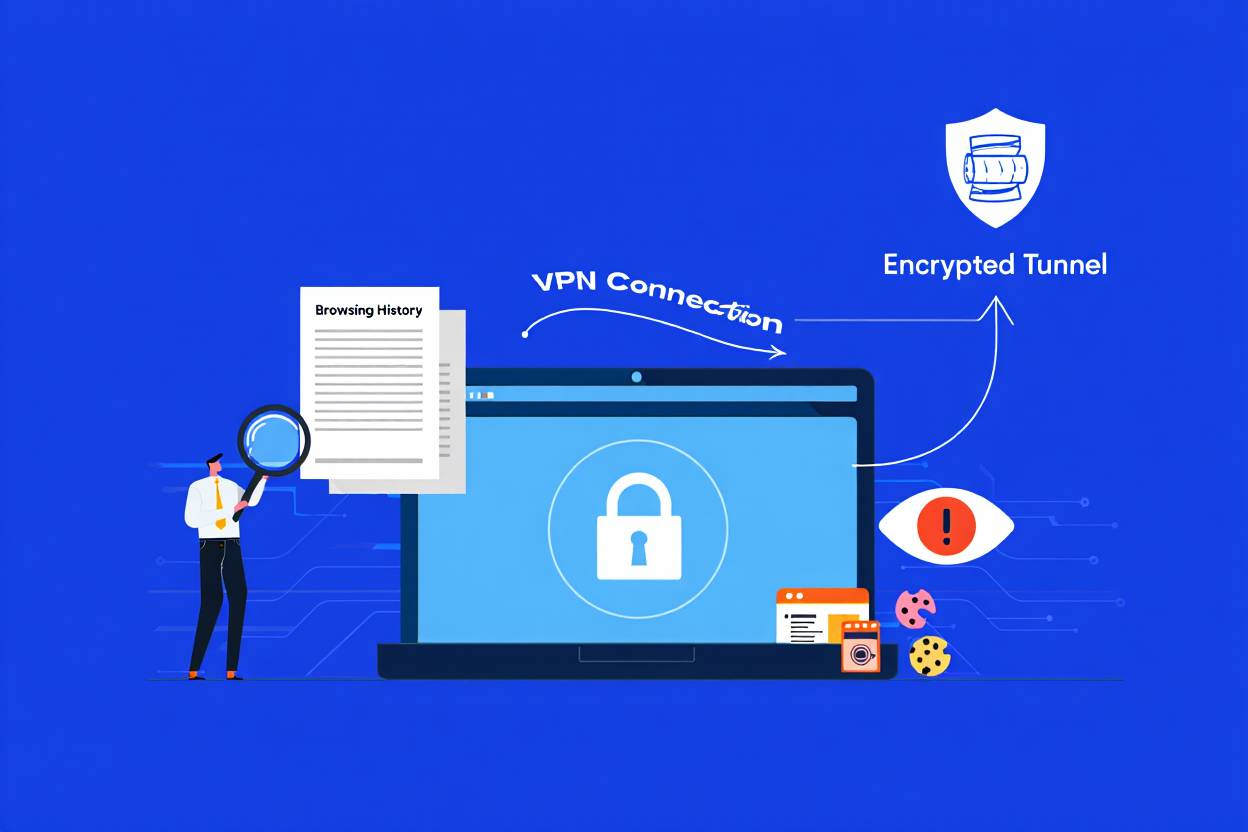
A VPN creates a secure connection between your device and the internet. When you use a VPN, all your internet traffic is routed through an encrypted tunnel to a VPN server. This means that your internet service provider (ISP) cannot see the specific websites you visit or the data you exchange. Instead, they will only see that you are connected to a VPN server.
One of the main benefits of using a VPN is increased privacy. By encrypting your data, a VPN makes it difficult for anyone, including your ISP, to monitor your online activities. This encryption is what primarily shields your browsing history from prying eyes. When you navigate the web without a VPN, your ISP can log your visits to different websites, track your online behavior, and even sell this data to advertisers. To better understand how this encryption works, you might want to read about VPN encryption standards.
Here are several key features of a VPN that help protect your browsing history:
- Encryption: Most reputable VPNs use strong encryption methods to secure your data. With encryption, even if your ISP were somehow able to access your data, they would only see a jumble of unintelligible information.
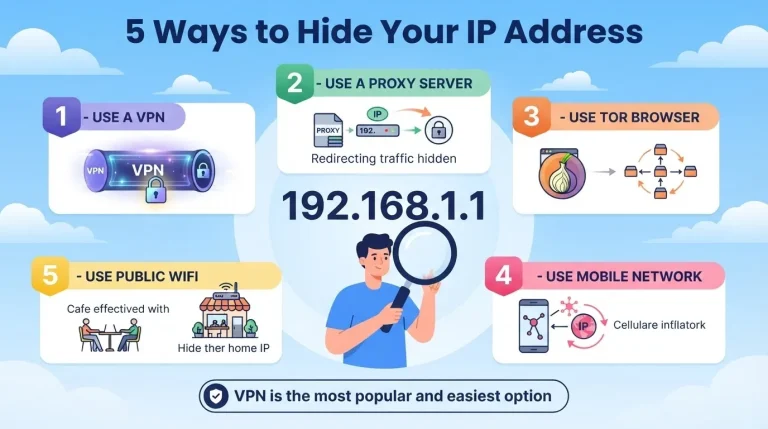
- IP Address Masking: A VPN masks your real IP address with the IP address of the VPN server you connect to. This means that your ISP cannot link your online activities back to your device.
- No-Log Policy: Many VPN services have a no-log policy, meaning they do not track or store your browsing history. This policy adds an extra layer of security because, even if requested by law enforcement, the VPN provider has no data to hand over.
- Geo-Spoofing: By connecting to servers in different locations, you can access content from around the world while keeping your original browsing history hidden from your ISP.
While a VPN is a powerful tool for enhancing your privacy, it is essential to understand its limits. A VPN can effectively hide your browsing history from your ISP, but it won’t make you anonymous online. Websites you visit can still track your activity through cookies, and your VPN provider can see your online behavior unless they explicitly commit to a no-log policy. To ensure you’re choosing a trustworthy service, learn about how to protect your data from VPN providers and whether free VPNs are safe to use.
Another consideration is the choice of VPN provider. Not all VPNs are created equal. Some may offer strong encryption, while others may compromise your privacy by logging user data. It’s crucial to conduct thorough research and choose a reputable provider. Look for a VPN with good reviews, a clear privacy policy, and robust customer service.
Here’s what to evaluate when choosing a VPN:
- Reputation: Check reviews and user experiences to gauge the trustworthiness of the VPN.
- Encryption Standards: Ensure the VPN uses strong encryption protocols like AES-256.
- No-Logs Policy: Choose a service that guarantees it doesn’t keep logs of your online activities.
- Speed: Some VPNs can slow down your connection. Look for providers known for fast speeds.
- Customer Support: Reliable customer support can help you resolve any issues that arise.
- Security Features: Consider services with additional security measures like a VPN kill switch.
Using a VPN can significantly enhance your online privacy by hiding your browsing history from your internet provider. The encryption and other protective measures make it much harder for ISPs to monitor what you do online. However, keep in mind that this doesn’t make you completely anonymous. It’s essential to choose a trustworthy VPN provider to ensure your data remains private. With careful consideration, you can take control of your online privacy and enjoy a more secure internet browsing experience.
The Limitations and Considerations of Using a VPN for Online Privacy
Many people turn to Virtual Private Networks (VPNs) seeking enhanced online privacy. VPNs promise to conceal your browsing history from prying eyes, especially your internet service provider (ISP). However, while these tools offer several advantages, there are also important limitations and considerations to be aware of when it comes to utilizing them for online privacy.
First and foremost, it’s essential to understand how a VPN works. When you connect to a VPN, it creates an encrypted tunnel between your device and the server. This means that your ISP can no longer see which websites you visit; it can only see that you’re connected to a VPN. However, the effectiveness of this privacy tool can vary based on multiple factors.
One primary limitation is the trust factor associated with the VPN provider. Not all VPNs prioritize user privacy. Some may keep logs of your browsing data, which can later be accessed by third parties or law enforcement. Therefore, choosing a reputable VPN service that has a clear no-logs policy is crucial. Always research reviews and policies before committing to a provider.
Additionally, while a VPN can mask your browsing activity, it doesn’t make you completely invisible online. Websites may still track your activities using cookies and other tracking methods. This means that although your ISP might not know your browsing habits, the websites you visit still can. To enhance your anonymity, consider combining a VPN with privacy-focused browsers and tools, such as ad blockers and anti-tracking extensions.
Another consideration is the potential for data leaks. Sometimes, users experience issues like DNS or IP leaks even when connected to a VPN. This could unintentionally reveal your real IP address to the websites you visit. Users should regularly check for leaks using online tools to identify if their VPN is functioning correctly. If leaks occur, it may be necessary to change settings within the VPN or choose another provider altogether.
Performance can also be a drawback. Using a VPN can slow down your internet connection due to the encryption process and the distance to the VPN server. This can affect streaming, gaming, or any bandwidth-intensive activity. To mitigate this, select a VPN that has a large network of servers and offers high-speed connections to minimize lag. For gamers specifically, you might want to read about whether VPNs are good for gaming and check out our guide to the best VPNs for gaming.
Moreover, while a VPN provides privacy from your ISP, it does not protect you from the risks of using unsecured public Wi-Fi networks. Cybercriminals can still intercept data over these networks, which a VPN does not shield. It’s crucial to avoid entering sensitive information, such as passwords or credit card details, when connected to public Wi-Fi, even with a VPN. To improve your Wi-Fi experience at home, you might want to learn about the differences between a WiFi booster and WiFi extender and the best places to put a WiFi extender.
Here are a few key points to keep in mind:
- Trust and Reputation: Choose a VPN with a solid reputation and a strict no-logs policy.
- Combined Tools: Use VPNs alongside privacy tools for enhanced protection.
- Check for Leaks: Regularly verify that your VPN is not leaking your IP or DNS data.
- Performance Issues: Be prepared for possible slowdowns and choose high-quality services to mitigate this.
- Wi-Fi Caution: Beware of the dangers of public Wi-Fi, even while using a VPN.
Another point to consider is the legal landscape of VPN use. Depending on your jurisdiction, using a VPN may not be illegal, but some countries have stringent regulations or outright bans on their usage. It’s essential to familiarize yourself with local laws to avoid potential legal issues. Additionally, be aware of legal implications of using a VPN to watch Netflix and other streaming services.
Beyond privacy, it’s worth noting that certain content providers restrict access based on geographical locations. While a VPN can help you bypass such restrictions, engaging in this practice may violate the service’s terms and conditions. If you choose to go this route, understand the risks involved.
For those interested in specific use cases, there are several resources available. For Minecraft players, we have articles on why you should use a VPN for Minecraft servers, whether a VPN improves Minecraft ping, and if using a VPN for Minecraft is against the rules.
While a VPN can significantly enhance your online privacy by hiding your browsing history from your internet provider, it is not a one-size-fits-all solution. Understanding the limitations, researching your options, and employing additional privacy tools can lead to a more secure online experience. Ultimately, you are your greatest asset when it comes to maintaining privacy online.
Conclusion
Using a VPN is an effective way to enhance your online privacy and can help hide your browsing history from your internet service provider (ISP). When you connect to a VPN, your internet traffic is encrypted and routed through the VPN server, making it difficult for your ISP to track what websites you visit and what data you exchange online. This layer of security can provide significant peace of mind for users who value their privacy while browsing the web.
However, it’s crucial to recognize the limitations and considerations that come with using a VPN. Not all VPN services offer the same level of security, and some may still log your activities, undermining the primary purpose of using one. Additionally, while a VPN can prevent your ISP from seeing your web history, it doesn’t make you completely anonymous online. Websites you visit, search engines, and other online services may still collect data on you.
Moreover, remember that VPNs cannot protect against all forms of tracking, such as cookies or tracking scripts used by websites. You still need to practice good online habits, such as clearing your cookies and using privacy-focused browser extensions.
Ultimately, while a VPN is a powerful tool for securing your browsing activity, it’s just one element of a comprehensive approach to online privacy. Combining a reliable VPN with other privacy measures will provide you with better protection and control over your personal information in today’s digital world. If you’re concerned about internet speeds, you might want to check out our article on what internet speed you need or learn if 100Mbps is fast enough for your needs.
You May Also Like
 Computers & PC Games
Does a VPN Really Improve Minecraft Ping and Performance?
 VPNs & Proxies
Why You Should Use a VPN for Minecraft Servers
 VPNs & Proxies
What Is a VPN Kill Switch and Why Is It Important?
 Computers & PC Games
Is RomsFun Safe and Legit? My Complete Review and Testing Experience
 VPNs & Proxies
How to Hide Your IP Address and Protect It: 5 Best Ways
 VPNs & Proxies