
Minecraft is one of those games where a small connection problem can become very noticeable very quickly.
You place a block, but it takes a moment to appear. You try to break something, and the server reacts late. Other players start freezing, interactions feel delayed, and suddenly a game that should feel smooth becomes frustrating.
I’ve experienced that myself.
At one point, I wanted to know whether a VPN could actually help my Minecraft connection. I had heard people say that a VPN can sometimes reduce ping, but I wasn’t convinced. A VPN adds another server between you and the Minecraft server, so logically, it can also make the connection slower.
So I decided to test it myself.
I played Minecraft with the VPN turned off and then tested the same setup with a VPN connected. I looked at more than just ping. I paid attention to how quickly the server loaded, whether players were freezing, how blocks responded, and whether normal interactions felt delayed.
The results were not exactly what I expected.
During my first round, the VPN made a very noticeable difference. The server loaded more smoothly, I was able to get into the game sooner, and normal interactions felt much more responsive.
But when I repeated the test, the results changed.
The VPN wasn’t always better. That experience is what led me to a more realistic conclusion: a VPN can improve Minecraft server performance in some situations, but it is not a guaranteed fix for high ping or lag.
The key is understanding why it can help and when it actually makes sense to use one.
Do You Need a VPN for Minecraft Server?
No, you don’t need a VPN to play on Minecraft servers. Minecraft works perfectly well without one, and many players will never need a VPN for gaming.
If your connection is already stable, your ping is reasonable, and your Minecraft server responds quickly, adding a VPN may not improve anything.
A VPN becomes worth testing when your normal route to a Minecraft server isn’t performing well.
Your regular connection may look something like this:
Your device → ISP → Minecraft server
With a VPN, the route changes:
Your device → VPN server → Minecraft server
At first, that sounds like a bad idea. There is now another server involved.
But the important part is that the VPN can change the network route between you and the Minecraft server.
Sometimes that new route is worse, but sometimes it is better. That’s the main reason a VPN can occasionally help with Minecraft.
Why Should You Use a VPN for Minecraft Servers?
The biggest reason is network routing. When you connect to a Minecraft server, your traffic has to travel across multiple networks before reaching the server. Your ISP decides how much of that traffic gets routed toward the destination.
Usually, you don’t think about any of this. You simply connect to the server and play. But when the route is congested or inefficient, you may notice high latency, sudden lag spikes, delayed interactions, or players appearing to freeze.
A VPN gives your traffic another route.
Instead of relying entirely on your ISP’s normal path, your connection first goes to the VPN server and then continues toward the Minecraft server.
That can sometimes avoid a problematic section of the route. This doesn’t mean the VPN makes your internet faster.
It can simply give your Minecraft traffic a better path.
That distinction is important because having a fast internet plan does not automatically guarantee low Minecraft ping.
Our guide on whether 1 gig internet is good for gaming explains why download speed and gaming latency aren’t the same thing.
Can a VPN Reduce Minecraft Ping?
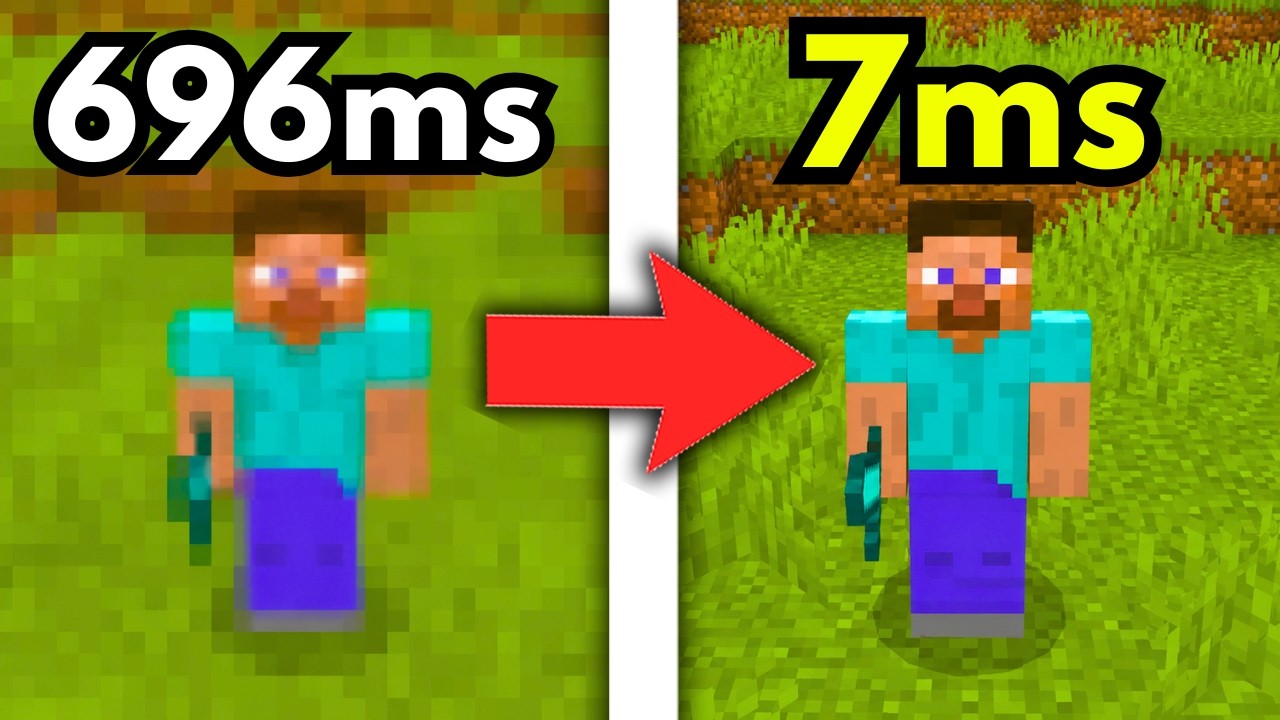
It can, but there is no guarantee. A VPN may reduce latency if the route through the VPN server is better than the route your ISP normally uses. For example, imagine your ISP’s route to a Minecraft server is congested. Your normal path might be:
PC → ISP → congested route → Minecraft server
A VPN could give you:
PC → VPN server → different route → Minecraft server
If that second path is more efficient, your Minecraft connection may feel better.
But the opposite can also happen.
A VPN server that is far away, overloaded, or poorly connected to the Minecraft server can add more latency.
That’s why I wouldn’t describe a VPN as a guaranteed Minecraft ping reducer.
It’s better to think of it as another route that may or may not work better for your particular connection.
I’ve also explained this in more detail in our guide on whether a VPN really improves Minecraft ping.
My Minecraft VPN Test: VPN On vs. VPN Off
This is where my own experience became interesting. I wanted to compare Minecraft with a VPN and without one instead of relying on what VPN companies say in their marketing.
Before testing the game, I checked my internet connection first because I wanted to make sure poor Wi-Fi wasn’t obviously causing the problem.
I then tried to join a Minecraft Bedrock server without a VPN.
The first attempt was rough.
It took a while to join, the server was slow to load, and once I got in, I noticed players freezing and problems interacting with the game. The connection wasn’t behaving well enough for me to comfortably run the tests I had planned.
So I switched to the VPN.
For this test, I used iTop VPN. It automatically connected me to a Singapore location, which made sense for me because the Minecraft servers I usually play on are often in Singapore or Japan.
And this is where I noticed a clear difference.
With the VPN connected, I joined the server sooner and didn’t have the same long loading problem. Once I was in, the game felt much smoother.
I could actually play around with the server and test specific actions.
That first result surprised me because I expected the extra VPN hop to make things worse.
What I Tested in Minecraft
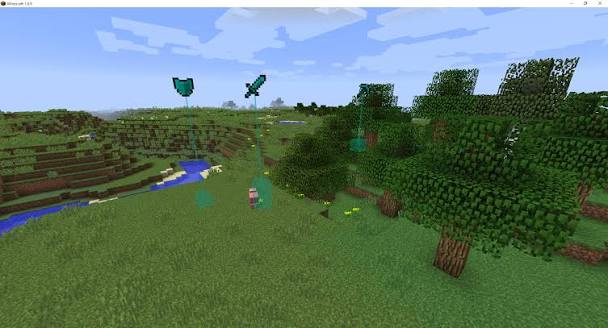
I didn’t want to decide that the VPN was better just because getting into the server felt quicker.
So I tested several things that are easy to notice during normal Minecraft gameplay.
Placing blocks
The first test was placing blocks several times in a row. The goal was simple. I wanted to see whether blocks appeared properly or whether some actions were delayed or failed to register.
With the VPN during the first round, placing blocks felt smooth. The actions registered normally, and I didn’t notice blocks disappearing or appearing noticeably late.
That was a good sign.
Breaking blocks
Next, I tested breaking blocks. I paid attention to whether there was a delay between breaking the block and seeing the server respond.
Again, the VPN performed well during the first round. I didn’t notice a significant delay.
Interacting with the game
This was probably the most useful test. I picked up items, interacted with shops, bought items, and performed the kinds of actions you normally do on a multiplayer server.
Everything felt responsive. There wasn’t a large delay between what I did and what the server showed.
For me, this was more convincing than simply seeing a different connection number.
Minecraft can feel bad even when you aren’t constantly staring at your ping. You notice it when ordinary actions stop responding the way you expect.
Then I Tested It Again
I didn’t want to stop after one successful round. A single test can be misleading, especially with online games where network conditions can change.
So I restarted the VPN and joined the server again.
This time, the result was very different.
The players looked laggy, interactions had a noticeable delay, and block placement no longer felt as smooth as it had during the first round.
Even the timing of some of the game sounds and visual responses made the delay easier to notice.
Breaking blocks also showed some inconsistency. Sometimes the connection felt fine for a while.
Then it would become laggy again.
I switched the VPN off and tested the connection again.
Interestingly, the no-VPN connection performed better than it had during my first attempt. There was no long waiting period to load the server, but I still noticed laggy players and delays when interacting with the game.
At that point, neither setup was clearly perfect.
What I Learned From the Second Test
This second round was actually more useful than the first one. My first test could have led me to a simple conclusion:
VPN on = better Minecraft ping.
But the second test showed why that conclusion would have been too broad.
The VPN was clearly better during the first round.
During the second round, however, both VPN and non-VPN connections had problems, and the results weren’t consistent enough for me to call one a permanent winner.
That taught me something important about Minecraft VPNs.
Performance can change even when you are testing the same game and server.
Network routing isn’t completely static. Conditions can change between sessions, and a VPN location that performs well at one moment may not produce the same result later.
That’s why I don’t recommend buying a VPN based on one test or one player’s result.
Why Did the VPN Help Me in the First Round?
The most likely explanation is routing. My VPN changed the path my traffic took before reaching the Minecraft server.
Because I was playing from the Philippines and usually connected to servers in Singapore or Japan, a VPN server in that region gave me another route to test.
That new route appeared to work better during my first round.
I wasn’t getting faster internet.
I was getting a connection that, at that moment, behaved better for the Minecraft server I was using.
This is an important distinction when people ask whether a VPN is good for gaming.
Our article on whether a VPN is good for gaming covers the larger picture, including situations where a VPN can help and situations where it can make gaming worse.
When a VPN Can Help Minecraft
A VPN is worth testing when the problem looks like a routing or connection issue rather than a hardware problem.
Your ISP has a poor route to the server
This is the biggest reason I would try one. You can have a fast internet connection and still have poor latency to one specific Minecraft server.
If the route between your ISP and that server is inefficient, a VPN may provide another path.
One Minecraft server is laggy while others are fine
This can be a useful clue. If every online game and every Minecraft server is slow, you probably have a broader network problem.
But if one server is consistently worse than others, the route to that specific server may be part of the problem. A VPN lets you test a different route.
You experience sudden lag spikes
Sometimes the problem isn’t high ping all the time. You may have normal gameplay and then suddenly experience a burst of lag.
That can be related to network instability or jitter, which describes variation in latency over time.
Our guide to internet jitter explains why inconsistent latency can be just as annoying as consistently high latency in online games.
You regularly play on servers in another region
If the Minecraft server is located far from you, routing becomes even more important.
In my case, I was connecting from the Philippines to servers commonly located in Singapore or Japan.
A player in the United States connecting to Europe will have a completely different network path. There isn’t one VPN location that works best for everyone.
Why a VPN Can Also Make Minecraft Worse
This is the side that sometimes gets ignored. A VPN can increase your latency. If the VPN server is far away, overloaded, or takes a poor route toward your Minecraft server, you’re adding another source of delay.
For example, choosing a VPN server in a completely different region just because it has a high number of available users doesn’t make much sense for Minecraft.
You may end up with:
- Higher ping
- More noticeable lag
- Less stable connections
- Delayed interactions
- Longer connection times
That’s why I don’t recommend turning on a VPN and automatically assuming Minecraft should perform better.
The VPN has to provide a better route, not just another route.
Can a VPN Fix Minecraft Lag?
Only if the lag is related to the network. Minecraft has several different types of performance problems, and a VPN only addresses a small part of them.
A VPN won’t fix low FPS caused by your PC. It won’t fix an overloaded Minecraft server.
It won’t suddenly give a weak processor more power. And it won’t solve a memory problem inside the game.
For example, if your issue is related to Minecraft memory usage, see our guide on how to allocate more RAM to Minecraft.
If you aren’t sure whether the problem is networking or graphics performance, learning how to show FPS in Minecraft can help you separate the two.
Bedrock players can also check our guide on how to fix lag in Minecraft Bedrock online worlds.
The important thing is not to treat every type of Minecraft lag as a ping problem.
Network Lag vs. FPS Lag in Minecraft
This is one of the easiest mistakes to make. Imagine Minecraft feels slow.
That doesn’t automatically mean your internet is slow.
If your FPS suddenly drops, the problem is probably related to rendering or system performance.
If other players freeze, blocks react late, or actions take longer to register, the network may be involved.
And if the entire server is struggling, the problem may be on the server side.
A VPN mainly changes the network path. So before using one as a solution, figure out which type of problem you’re actually dealing with.
What About Minecraft Bedrock and Java Edition?
My test focused on Minecraft Bedrock Edition. That matters because Bedrock and Java can have different server environments and networking setups.
The test also relied heavily on actual gameplay behavior rather than a single visible ping number.
That was intentional because I wanted to see whether the game actually felt better.
For Bedrock, I couldn’t rely on an easy built-in ping display during the test, so things like loading, player movement, block actions, and interaction delays became especially useful.
The same testing idea can still be used with Java Edition. The details may differ, but the principle is the same:
Compare the same server with the VPN on and off and see how the game actually behaves.
Does VPN Server Location Matter for Minecraft?
Absolutely. If you’re using a VPN for Minecraft, start with locations that make sense for the Minecraft server you’re joining.
For example:
Minecraft server in Singapore → Try a Singapore VPN server
Minecraft server in Japan → Try a Japan VPN server
You don’t have to stop there.
If your VPN has several servers in the same region, test them when possible.
The closest server isn’t always the fastest.
What matters is the full route between:
You → VPN server → Minecraft server
A VPN server that looks slightly farther away can sometimes produce a better result because of the network route.
How to Test a VPN for Minecraft
This is the approach I would recommend before deciding whether a VPN is worth using for Minecraft.
You don’t need a complicated benchmark.
Just make the comparison as fair as possible.
1. Test your normal connection
Turn the VPN off and join the Minecraft server.
Play for a few minutes and pay attention to:
- How quickly you connect
- How fast the server loads
- Whether players freeze
- Block placement
- Block breaking
- Item pickup
- Shop interactions
- Combat response
Don’t judge the connection from one tiny moment.
Try to get a general feel for its stability.
2. Turn the VPN on
Choose a VPN server that makes sense for the Minecraft server’s region.
Then repeat the same activities.
Ideally, don’t change your Minecraft settings, device, or server.
The more consistent the test, the more useful the comparison.
3. Repeat the test
This is the step I wish more people included.
My own experience showed why one round isn’t enough.
The VPN looked clearly better during the first test, but the advantage wasn’t consistent when I repeated the test.
Testing more than once helps you avoid making a big conclusion from one unusual connection.
Should You Only Look at Ping?
No. Ping is useful, but Minecraft gameplay gives you other clues.
During my test, I paid attention to how quickly blocks registered, whether interactions were delayed, and how other players behaved.
Those things are easy to notice during actual multiplayer gameplay.
A connection with a slightly higher ping can sometimes feel more stable than one with a lower average ping but frequent spikes.
That’s why I prefer looking at the whole experience rather than chasing one number.
You can read our guide on how to reduce internet latency for a deeper explanation of the factors that affect latency.
How to Reduce Minecraft Ping Without a VPN
A VPN shouldn’t be the first thing you try in every situation.
Start with the basics.
Make sure your Wi-Fi is stable.
Check whether other devices are using a lot of bandwidth.
Restart your router if necessary.
Test another Minecraft server.
Then compare your results.
You can also use our guide on how to reduce ping for additional steps.
And if you’re dealing with general online gaming lag, see how to reduce lag in online games.
The goal is to identify the real cause before adding another networking tool.
What If Minecraft Is Slow Only With the VPN?
That’s a strong sign that the VPN route isn’t helping you.
Try another VPN location first.
If a different location performs better, the original VPN server may simply not be a good match for your Minecraft server.
But if Minecraft is consistently worse with the VPN, there’s no reason to keep it turned on just for gaming.
A VPN is useful only when it provides some benefit.
What If Minecraft Is Slow With Both VPN and No VPN?
Then the VPN may not be the real problem.
Check your internet connection, Wi-Fi, Minecraft server, and computer performance.
If every online game is lagging, your connection may need broader troubleshooting.
If only Minecraft is affected, look at your Minecraft settings, server performance, and the specific server you’re joining.
If the problem is specific to Bedrock multiplayer, our guide on fixing lag in Minecraft Bedrock online worlds is a better starting point than immediately buying a VPN.
Is a Gaming VPN Necessary for Minecraft?
No. A VPN marketed specifically for gaming isn’t automatically better than a regular VPN.
What matters more is whether the provider has useful server locations, stable connections, and good routing in the regions where you actually play.
You can compare providers in our guide to the best VPN for gaming and our article on the best Minecraft VPNs.
Just remember that a provider can perform differently depending on your ISP, location, and Minecraft server.
A “best VPN” on paper isn’t necessarily the best VPN for your connection.
Can a VPN Help Protect Your IP While Playing Minecraft?
Yes, a VPN can hide your regular public IP address from the Minecraft server by presenting the VPN server’s IP instead.
That’s a separate benefit from performance. If privacy is one of your reasons for using a VPN, this can be useful.
But a VPN doesn’t make you completely anonymous, and it doesn’t replace good account security.
The VPN itself becomes another service you have to trust, so choosing a reputable provider matters.
You can learn more in our guide on whether a VPN can hide your browsing history from your internet provider.
Is Using a VPN for Minecraft Against the Rules?
This depends on the server. Using a VPN is not automatically the same as cheating, but individual Minecraft servers can have their own rules about VPNs, proxies, or connections from certain locations.
Some servers may restrict them because of moderation, abuse prevention, or ban-evasion concerns.
Before joining a server, check its rules.
I’ve also covered this in is using a VPN for Minecraft against the rules?.
This is especially important if you plan to use a VPN to connect from another region.
Should You Leave Your VPN On While Playing Minecraft?
I wouldn’t automatically keep it on. After testing it myself, my view is simple: use the VPN when it actually gives you a better result.
If my regular connection is stable and Minecraft feels smooth, I don’t gain anything by forcing the game through a VPN.
But if a VPN consistently gives me a better route to a server, lower latency, or a more stable experience, I have a reason to keep it enabled.
It’s also worth considering the wider gaming trade-offs. Our guide on whether you should leave your VPN on all the time explains some of the advantages and disadvantages.
My Verdict After Testing a VPN With Minecraft
After running the test, I wouldn’t say:
“Every Minecraft player should use a VPN.”
That’s too broad.
What I would say is:
A VPN is worth testing when your normal route to a Minecraft server isn’t performing well.
My first test showed a very clear improvement with the VPN. I connected faster, the server loaded better, and normal Minecraft interactions felt much smoother.
But the second test changed the picture.
The VPN became inconsistent, and the regular connection also behaved differently from the first attempt.
That experience convinced me that the real benefit of a Minecraft VPN comes down to routing.
You aren’t buying faster internet.
You’re testing another path.
Sometimes that path is better.
Sometimes it isn’t.
Sometimes the difference can be surprisingly noticeable.
FAQ
Why should you use a VPN for Minecraft servers?
A VPN can provide another network route to the Minecraft server. If your ISP’s normal route is congested or inefficient, the VPN route may perform better and reduce some connection-related problems.
Do you need a VPN for Minecraft servers?
No. Minecraft works normally without a VPN. A VPN is mainly useful when you’re experiencing routing, latency, or connection problems that may improve through a different network path.
Can a VPN reduce Minecraft ping?
It can sometimes reduce latency if the VPN provides a better route to the server. It can also increase ping, so the only reliable way to know is to test it.
Can a VPN fix Minecraft lag?
A VPN may help with network-related lag, but it won’t fix low FPS, weak hardware, Minecraft memory problems, or server-side performance issues.
What is the best VPN server location for Minecraft?
Start with a VPN server near the Minecraft server’s region. Then test other nearby locations because the best route isn’t always the geographically closest one.
Is a VPN good for Minecraft Bedrock?
It can be, depending on the server, VPN location, ISP, and network conditions. My own Bedrock test showed a clear improvement during the first round, but the advantage was less consistent when I repeated the test.
Can a VPN make Minecraft lag worse?
Yes. A distant, overloaded, or poorly routed VPN server can increase latency and make Minecraft feel less responsive.
How do I know if a VPN is helping Minecraft?
Test the same Minecraft server with the VPN off and on. Compare connection time, server loading, player movement, block actions, and interaction delays rather than relying only on one ping number.
Can a VPN protect my IP address in Minecraft?
Yes. A VPN can present the VPN server’s public IP instead of your regular public IP to the Minecraft server. This is separate from improving gameplay performance.
Is a gaming VPN worth it for Minecraft?
It can be worth trying, but the provider’s actual routing and server locations matter more than the word “gaming” in its marketing.
Is using a VPN for Minecraft allowed?
It depends on the individual Minecraft server. Check its rules because some servers may restrict VPN or proxy connections.
Final Thoughts
My experience with a VPN and Minecraft was more interesting than I expected.
The first test clearly favored the VPN. I connected to the server faster, the world loaded more smoothly, and actions such as placing and breaking blocks felt much more responsive.
Then I tested again.
The result wasn’t as consistent.
That second test is important because it shows why you shouldn’t treat a VPN as a guaranteed Minecraft lag fix.
A VPN can help when it gives your traffic a better route to the Minecraft server.
But the same VPN can also make your connection worse if the route is longer, congested, or simply not a good match for the server you’re playing on.
So, do you need a VPN for Minecraft?
No. Should you test one if you’re dealing with high ping, unstable connections, or a strangely laggy route to a specific Minecraft server?
Yes. That’s the approach I would take. Turn the VPN off and play normally. Then connect to a nearby VPN server and repeat the same test. Try it more than once, because one good or bad session doesn’t tell the whole story.
Your goal isn’t to find a VPN that claims to lower Minecraft ping.
Your goal is to find out whether the VPN gives your Minecraft connection a better route.
And in my case, it did. At least during the first test.
You May Also Like
 Computers & PC Games
Does a VPN Really Improve Minecraft Ping and Performance?
 VPNs & Proxies
What Is a VPN Kill Switch and Why Is It Important?
 Computers & PC Games
Is RomsFun Safe and Legit? My Complete Review and Testing Experience
 VPNs & Proxies
How to Hide Your IP Address and Protect It: 5 Best Ways
 VPNs & Proxies
WireGuard vs. OpenVPN: What Are the Key Differences?
 VPNs & Proxies