
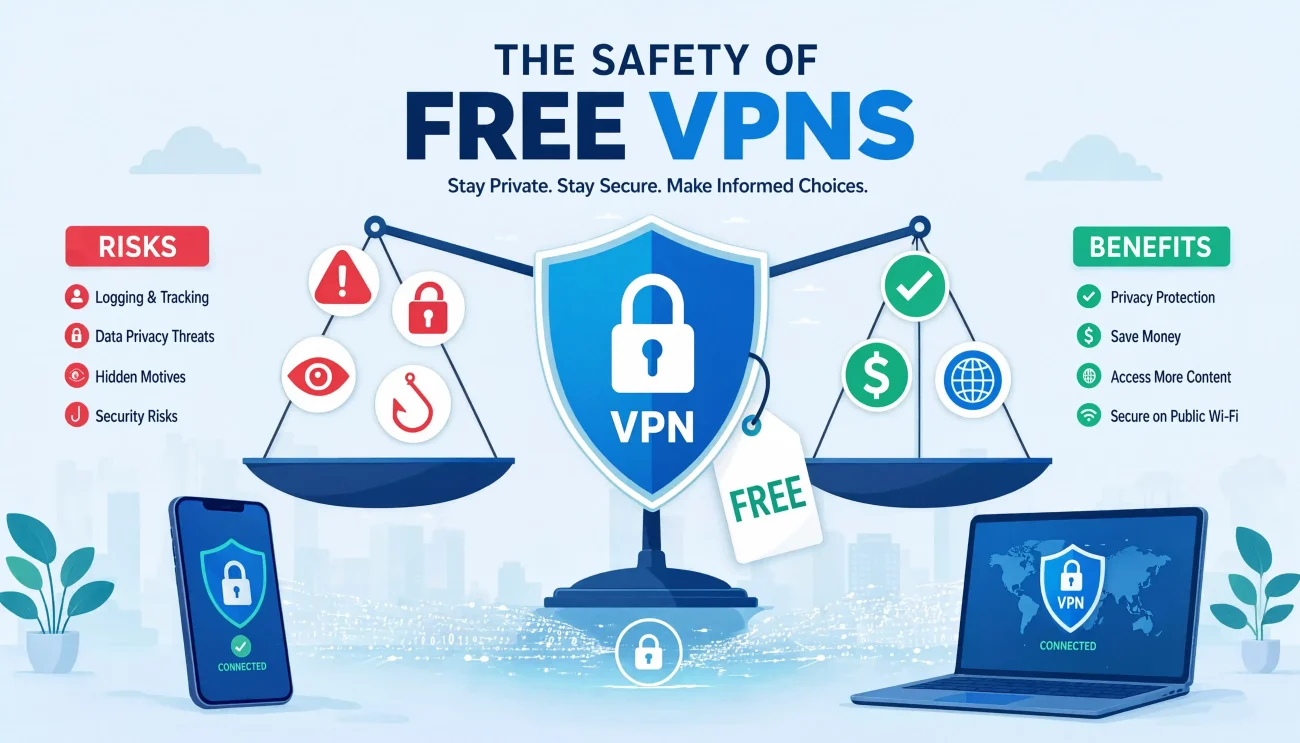
A free VPN can be safe, but only when it comes from a transparent provider with secure software, a clear privacy policy, and a business model that does not depend on exploiting user data.
That distinction matters because “free VPN” covers very different services. One may be a limited version of a reputable paid VPN, while another may be funded through advertising, tracking, or bandwidth sharing. Both might look equally convincing in an app store.
Before installing one, you need to know who operates it, what information it collects, and how the company pays for its servers. A VPN receives privileged access to your internet connection, so choosing an unknown provider can create more privacy risk than using no VPN at all.
Key Takeaways
- Free VPNs are not automatically dangerous: A limited free plan from an established provider may offer reasonable protection for casual use.
- The business model is important: If a VPN has no subscription, ads, donations, or other visible funding, investigate how the company makes money.
- A VPN transfers trust: It can limit what your internet provider sees, but the VPN company becomes an important intermediary.
- Free services usually have restrictions: Common limitations include data caps, fewer servers, lower speeds, advertising, or fewer security features.
- A VPN does not make you anonymous: Websites can still identify you through accounts, cookies, browser fingerprinting, and information you submit.
- Avoid unknown free VPNs for sensitive activity: Banking, confidential work, healthcare accounts, and business administration deserve a carefully vetted service.
- Check more than app-store ratings: Ownership, permissions, logging, encryption, leak protection, and independent audits matter more than download counts.
Are Free VPNs Safe?
Some free VPNs are reasonably safe, but the category as a whole requires caution. The safer options tend to be limited free tiers from established companies that also sell paid subscriptions. Paying customers fund the infrastructure, allowing the company to provide a restricted version without relying primarily on user data.
Higher-risk services often combine several warning signs:
- Unknown or hidden ownership
- No clear source of revenue
- Vague privacy policies
- Unrelated app permissions
- Aggressive advertising or tracking
- No independent security audit
- Outdated protocols
- Unrealistic claims of complete anonymity
- No explanation of how user bandwidth is handled
The Federal Trade Commission warns that VPN apps receive permission to intercept internet traffic. It has also highlighted research finding VPN apps that failed to encrypt data, requested unexpected permissions, or shared information with third parties.
Before trusting any provider, it helps to understand whether a VPN can access or misuse your data. A VPN’s technical position makes provider trust just as important as the encryption itself.
What Does a Free VPN Actually Do?
A VPN creates an encrypted connection—often called a tunnel—between your device and a VPN server. Traffic covered by that tunnel reaches the internet through the VPN server rather than directly through your normal connection.
A properly functioning VPN can:
- Hide your home or mobile IP address from websites
- Reduce what your internet service provider can see about your browsing destinations
- Protect covered traffic from local network monitoring
- Help secure your connection on unfamiliar Wi-Fi
- Make your traffic appear to originate from another supported location
Your internet provider can generally still see that you are connected to a VPN, when the connection occurs, how much data you transfer, and the VPN server’s IP address. For a more detailed explanation, see whether a VPN can hide browsing history from your internet provider.
A VPN does not make you invisible. Websites and apps may still identify you through:
- Account logins
- Cookies
- Browser fingerprinting
- Device identifiers
- Payment details
- GPS permissions
- Information you voluntarily provide
Apple warns that an active VPN provider may be able to see, intercept, or modify online activity. In practical terms, a VPN shifts part of your trust away from the internet provider and local network and toward the VPN company.
How Do Free VPNs Make Money?
Operating a VPN requires servers, bandwidth, app development, security maintenance, and customer support. A free provider still has to pay those costs.
Common funding models include:
Freemium subscriptions
A company offers a limited free plan while earning revenue from paid customers. Free users may receive fewer locations, lower priority, or restricted features.
This is generally the easiest free model to understand because the company has an obvious source of income.
Advertising
The VPN displays ads inside its app. Advertising is not automatically malicious, but third-party advertising and analytics tools may collect device identifiers or usage information.
Data collection
Some providers may collect information for analytics, advertising, or partnerships. The type of information matters: collecting temporary bandwidth totals to enforce a data cap is different from storing browsing activity.
Bandwidth sharing
Some services operate peer-to-peer networks where users contribute their internet connections. This can allow other people’s traffic to exit through a participant’s IP address.
Do not use a bandwidth-sharing VPN unless you fully understand whether your device can become an exit node and what activity may be associated with your connection.
Donations or sponsorships
A nonprofit, research project, or community organization may fund a free VPN through donations. This can be legitimate, but the operator should still disclose its governance, data practices, and technical controls.
Main Risks of Using a Free VPN
1. Logging and sharing user data
A VPN provider may be able to collect connection details such as:
- Your original IP address
- Connection timestamps
- Device identifiers
- Server location
- Bandwidth usage
- DNS requests
- Browsing destinations
- Advertising identifiers
- App diagnostics
Not every type of logging is equally invasive. Some operational metadata may be necessary for security, troubleshooting, or enforcing free-plan limits. The provider should clearly explain what it collects, why it needs the information, and how long it keeps it.
Be cautious when a privacy policy uses vague phrases such as “we may share information with trusted partners” without identifying the data, purpose, or recipients.
2. Weak or incorrectly implemented encryption
Having a VPN logo does not prove that the service securely protects every connection. Problems can arise from outdated protocols, weak configurations, improper certificate validation, or traffic leaving the tunnel unexpectedly.
A 2026 NDSS study analyzed 281 popular Android VPN apps. Researchers reported that:
- 61 apps transmitted some data without encryption
- Five sent sensitive VPN configuration files in cleartext
- 29 leaked user traffic, including DNS traffic, outside the tunnel
- 76 transmitted advertising IDs
- 107 did not implement recommended security practices in configuration files
These results do not mean every free VPN is unsafe, but they demonstrate why marketing claims and download counts are not enough.
If you want to evaluate the technical side, read this explanation of how strong VPN encryption is.
3. DNS, IPv6, and connection leaks
A VPN may change the IP address shown by websites while still leaking information through another route.
DNS leak: Domain requests go to your internet provider or another unintended resolver instead of through the VPN.
IPv6 leak: The VPN handles IPv4 traffic but allows IPv6 connections to bypass the encrypted tunnel.
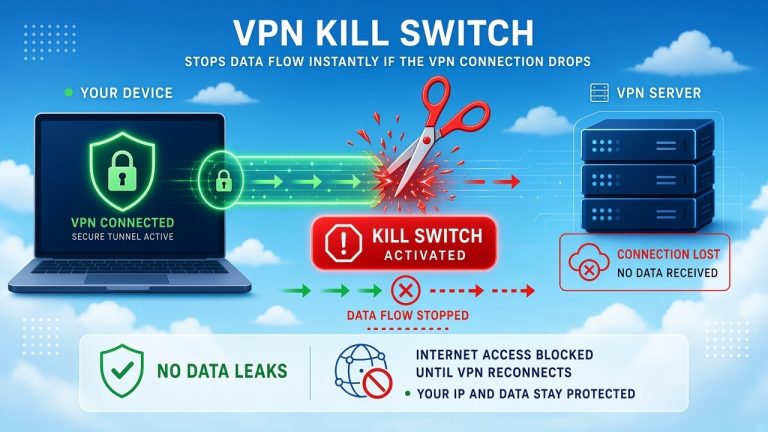
Connection-drop leak: Your device returns to its regular network when the VPN disconnects.
A working kill switch can reduce the last risk by blocking traffic when the VPN connection fails. Learn more about what a VPN kill switch does and why it matters.
4. Excessive permissions
A VPN needs network-related permission to create its tunnel. It generally should not require access to contacts, text messages, call history, microphone, or photos for basic VPN functionality.
A permission is not automatically malicious—notifications, for example, may display connection status. However, every permission should have a reasonable explanation tied to a specific feature.
5. Malware or unwanted software
An unknown VPN app can contain intrusive trackers, adware, or malicious components. The risk is higher when downloading modified or “premium unlocked” versions outside official distribution channels.
Install VPN software only from:
- The provider’s official website
- Google Play
- Apple’s App Store
- A trusted operating-system repository
Even then, verify that the developer name matches the company. App-store availability is a useful filter, not a complete security guarantee.
6. Hidden ownership
Some VPN brands do not clearly identify their operating company or parent organization. Multiple apps can also be controlled by the same owner while appearing to be independent competitors.
Check the provider’s:
- Legal company name
- Parent company
- Country of registration
- Leadership or responsible organization
- Contact information
- Acquisition history
- Privacy-policy data controller
If the website, app listing, and privacy policy name different companies without explanation, investigate before installing the software.
7. Slow or unreliable performance
Free plans often have fewer servers and more users per server. That can result in:
- Lower download speeds
- Higher latency
- Frequent disconnections
- More CAPTCHAs
- Blocked IP addresses
- Limited country selection
- Unreliable streaming
- Limited customer support
These restrictions are not necessarily bad signs. A transparent provider that limits free usage may be more sustainable than an unknown provider promising unlimited everything.
Free VPN vs. Paid VPN
Paying does not guarantee privacy, but a subscription provides a clearer revenue source.
| Factor | Typical free VPN | Typical paid VPN |
|---|---|---|
| Revenue source | Freemium, ads, sponsorship, or data | Subscriptions |
| Data allowance | Often limited | Usually higher or unlimited |
| Server locations | Limited | More locations |
| Performance | May be slower during busy periods | Usually more consistent |
| Advertising | Possible | Less common |
| Kill switch | May be unavailable | More commonly included |
| Independent audits | Varies | More common among established providers |
| Customer support | Limited | Usually better |
| Streaming support | Often restricted | More likely, but not guaranteed |
| Privacy | Varies widely | Also varies; payment is not proof |
The most meaningful comparison is not simply free versus paid. It is transparent and independently tested versus opaque and unverifiable.
When Is a Free VPN Reasonable to Use?
A carefully selected free VPN may be appropriate when:
- You need occasional protection on unfamiliar Wi-Fi.
- You want to test how a VPN works before subscribing.
- You need basic IP masking for ordinary browsing.
- You can accept slower speeds or fewer locations.
- You are using a limited free tier from an established provider.
- You are not handling confidential or regulated information.
For example, a reputable free-tier VPN may be sufficient for reading the news or checking directions while traveling. It may be less appropriate for managing company infrastructure, processing customer records, or accessing sensitive healthcare information.
When Should You Avoid a Free VPN?
Avoid a free VPN when:
- You cannot identify the operator.
- The provider has no meaningful privacy policy.
- The service uses browsing information for targeted advertising.
- The app requests unrelated sensitive permissions.
- The company does not disclose its VPN protocols.
- Independent tests report unresolved DNS or IP leaks.
- The app turns your device into an exit node.
- You are handling confidential work or regulated data.
- Your employer prohibits personal VPN software.
- The service promises that you will be completely anonymous or untraceable.
An unknown VPN is also a poor choice for financial transactions. If you shop or manage payments online, review the broader safety considerations for using a VPN during online shopping.
How to Choose a Safer Free VPN
Verify the provider
Look for a clearly identified company, credible support channels, and a history of maintaining privacy or security products.
Search for past breaches, ownership changes, regulatory actions, and unresolved vulnerability reports. A polished website alone does not establish trust.
Read the privacy policy
Look specifically for:
- Whether browsing activity is recorded
- Whether the original IP address is stored
- Data-retention periods
- Advertising and analytics partners
- Device-identifier collection
- Legal-request procedures
- Account-deletion practices
- Whether data is sold or shared
A “no-logs” statement is more useful when it defines exactly which logs are not kept.
Look for independent audits
A credible audit should disclose:
- Who performed it
- When the testing occurred
- Which apps, servers, or policies were examined
- What limitations applied
- Whether important findings were fixed
An audit improves confidence but is not a permanent guarantee. Software, ownership, and infrastructure can change after the assessment.
Check the VPN protocol
Prefer providers supporting modern, well-established protocols such as:
- WireGuard
- OpenVPN
- IKEv2/IPsec
Avoid services relying only on PPTP, which is outdated for security-sensitive use.
If you are unsure whether you need a VPN or another networking tool, this comparison of VPNs, DNS services, and proxies explains what each one can and cannot do.
Review app permissions
A standard VPN should not need unrestricted access to messages, contacts, microphone, accessibility services, or local files.
On Android, Google Play’s Verified badge can be a positive signal. Qualifying consumer VPN apps must satisfy requirements that include a Mobile Application Security Assessment Level 2 validation and a Data Safety declaration. However, Google notes that its published criteria are not exhaustive. Treat the badge as one signal, not proof that a provider is perfect.
Test for basic leaks
Before connecting, record your public IP address and DNS resolver. Then connect to the VPN and check again.
Verify:
- The public IP changes to the VPN server.
- DNS requests do not reveal your regular provider.
- IPv6 traffic is protected or intentionally disabled.
- The kill switch blocks traffic during an unexpected disconnect.
- The VPN reconnects safely when switching between Wi-Fi and mobile data.
A leak test checks the current configuration. It does not prove that the provider keeps no logs or uses your data responsibly.
Quick Free-VPN Safety Checklist
| Question | Safer sign | Warning sign |
|---|---|---|
| Who owns the VPN? | Identifiable company | Anonymous developer |
| How is it funded? | Paid upgrades or disclosed funding | No visible revenue source |
| What does it log? | Specific, limited collection | Vague or broad collection |
| Has it been audited? | Recent public audit | Unsupported “audited” claim |
| Which protocols are used? | WireGuard, OpenVPN, or IKEv2 | PPTP or undisclosed protocol |
| Does it prevent leaks? | DNS, IPv6, and kill-switch controls | No leak information |
| What permissions are requested? | Network-related access | Contacts, SMS, or microphone |
| Does it share bandwidth? | No, or clearly opt-in | Hidden exit-node behavior |
| What does it promise? | Limited, realistic privacy claims | “100% anonymous” or “untraceable” |
If several answers fall into the warning-sign column, choose another service.
What a Free VPN Cannot Protect You From
Even a trustworthy VPN cannot prevent:
- Phishing
- Malicious downloads
- Password reuse
- Tracking while signed in
- Browser fingerprinting
- Cookies
- Compromised devices
- Data breaches at websites
- Information you voluntarily provide
- Every form of employer or government monitoring
A VPN is one privacy layer. It does not replace software updates, HTTPS, unique passwords, multifactor authentication, antivirus protection, or careful browsing.
Should You Leave a Free VPN On All the Time?
Only leave a VPN connected continuously if you trust the provider.
An always-on VPN routes more of your daily traffic through the VPN company. That can be helpful with a trustworthy provider, but it increases exposure to an unreliable one.
If you plan to use always-on mode:
- Enable the kill switch.
- Enable DNS and IPv6 leak protection.
- Choose a nearby server.
- Use an efficient protocol such as WireGuard.
- Review split-tunneling settings.
- Confirm that the privacy policy matches your expectations.
Read whether you should leave your VPN on all the time for the practical trade-offs involving privacy, compatibility, and performance. Mobile users should also consider that a VPN can use some additional battery power, although the impact varies by device, protocol, signal strength, and activity.
Frequently Asked Questions
Can a free VPN sell my data?
Some providers may collect or share information for advertising, analytics, or commercial partnerships. Others state that they do not. Read the privacy policy and look for independent evidence rather than trusting a marketing badge.
Does a free VPN hide my browsing history?
A properly configured VPN can prevent your internet provider from seeing specific browsing destinations carried through the encrypted tunnel. The VPN provider may still be technically capable of observing some information, and websites can track you through accounts, cookies, and fingerprints.
Can a free VPN contain malware?
Yes, an unfamiliar or modified VPN app can contain unwanted or malicious software. Download only from official sources and check the developer, permissions, update history, and independent security reviews.
Is a paid VPN always safer?
No. A paid VPN can still have poor software, excessive logging, or misleading policies. Payment creates a clearer business model, but you should apply the same security checklist.
Is a free VPN safe for banking?
A reputable VPN may add protection on an unfamiliar network, but an unknown free VPN introduces an unnecessary intermediary. For banking, prefer the official app or HTTPS website on a trusted network or cellular connection.
Does a free VPN make me anonymous?
No. It can hide your regular IP address from websites, but your accounts, cookies, device fingerprint, location permissions, and personal information can still identify you.
Final Verdict
A free VPN can be safe for occasional, low-risk use—but only if the provider is transparent, technically competent, and responsibly funded.
The safer choice is usually a limited free plan from an established company with a specific privacy policy, modern protocols, leak protection, responsible permissions, and recent independent security reviews.
Avoid free VPNs with hidden ownership, intrusive permissions, unsupported anonymity claims, unresolved leaks, or no credible business model. If you cannot determine who operates the service or how it handles your data, not using it may be safer.
The most important question is not “Is this VPN free?” It is: “Do I trust this provider to handle my internet traffic responsibly?”
You May Also Like
 Computers & PC Games
Does a VPN Really Improve Minecraft Ping and Performance?
 VPNs & Proxies
Why You Should Use a VPN for Minecraft Servers
 VPNs & Proxies
What Is a VPN Kill Switch and Why Is It Important?
 Computers & PC Games
Is RomsFun Safe and Legit? My Complete Review and Testing Experience
 VPNs & Proxies
How to Hide Your IP Address and Protect It: 5 Best Ways
 VPNs & Proxies