Home » VPNs & Proxies » Can a VPN Steal Your Data? Understanding the Risks and Misconceptions
Posted in

Can a VPN Steal Your Data? Understanding the Risks and Misconceptions

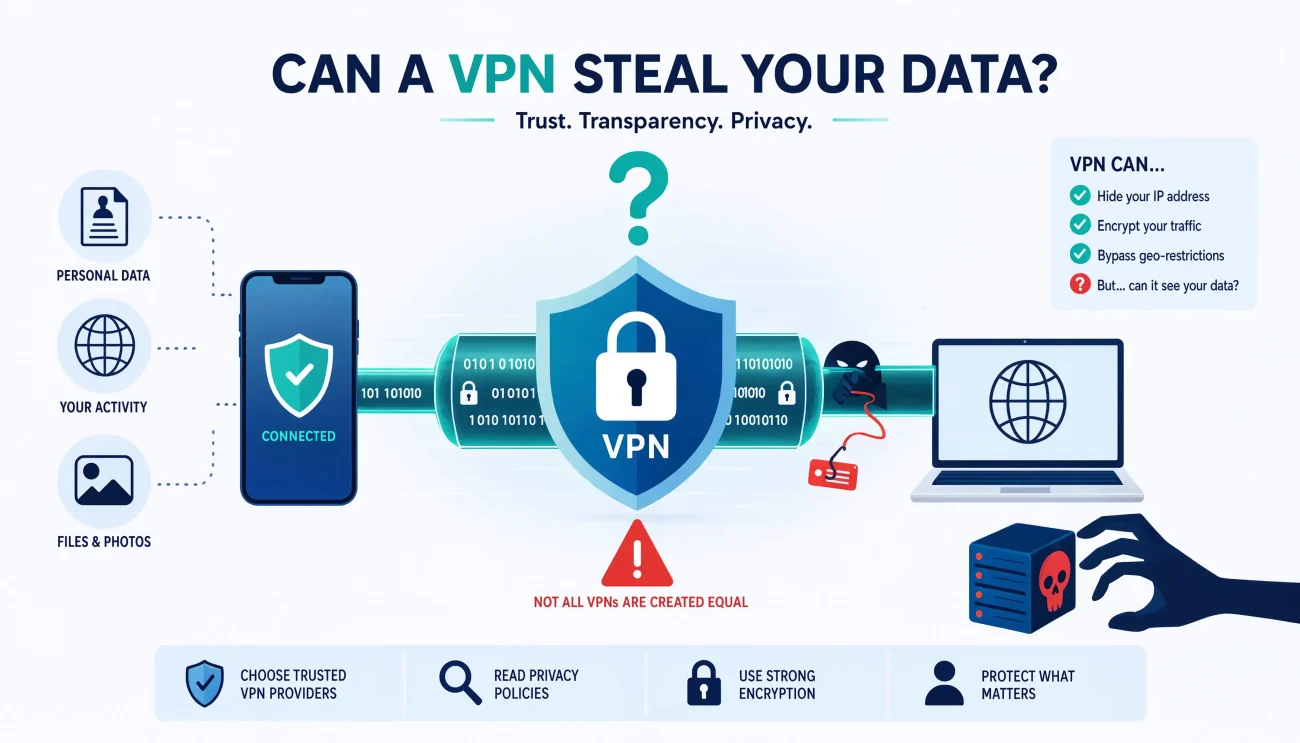
Virtual Private Networks (VPNs) have become essential tools for online privacy, promising to protect your data from prying eyes. But as you route all your internet traffic through these services, a critical question emerges: can the very service designed to protect you actually steal your data? This comprehensive guide examines VPN security risks, how to identify trustworthy providers, and what measures you can take to safeguard your information while using VPNs.

The VPN market has exploded in recent years, with hundreds of providers competing for users’ attention. While reputable VPNs enhance your security, others might compromise your privacy through data logging, weak encryption, or even malicious practices. Understanding these risks is crucial for making informed decisions about your digital privacy tools. This article will equip you with the knowledge to distinguish between trustworthy VPNs and those that might pose a threat to your personal information.

How Do VPNs Work to Protect Your Data?

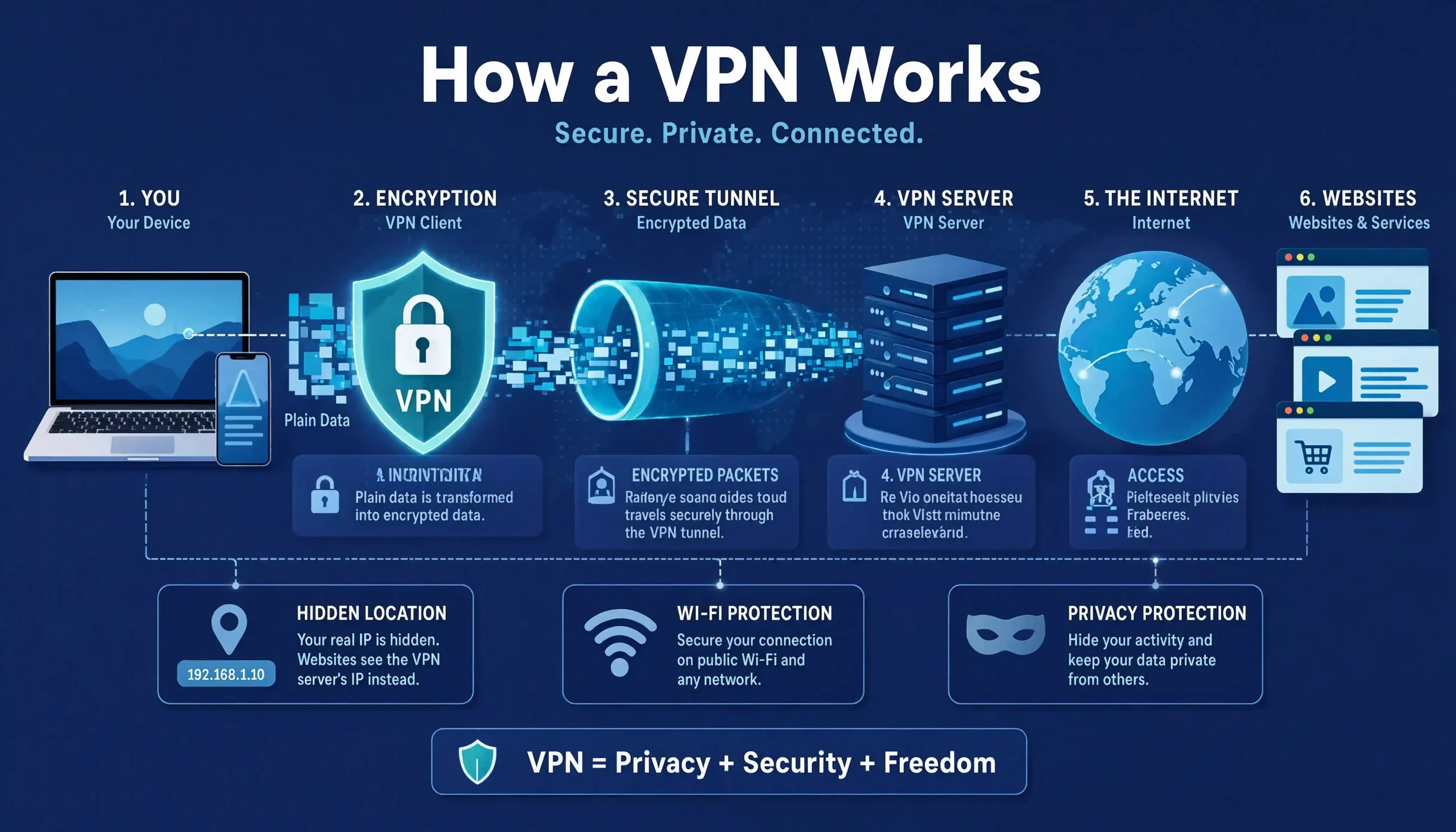
VPNs protect your data by creating an encrypted tunnel between your device and a remote server, masking your IP address and online activities. When you connect to a VPN, your internet traffic is routed through this secure connection, making it difficult for third parties to monitor your online activities. The encryption process scrambles your data, rendering it unreadable to anyone who might intercept it, including your Internet Service Provider (ISP), government agencies, or hackers on public Wi-Fi networks.

The core components of VPN protection include:

  1. Encryption protocols: VPNs use various protocols like OpenVPN, WireGuard, IKEv2/IPsec, and L2TP/IPsec to secure your data. These protocols determine how your information is encrypted and transmitted between your device and the VPN server.
  2. Server infrastructure: VPN providers maintain servers in multiple countries worldwide. When you connect to a VPN, you can select a server location, which assigns you a new IP address from that region.
  3. IP masking: By assigning you a different IP address, VPNs hide your real location and make it appear as though you’re browsing from the server’s location.
  4. DNS protection: Quality VPNs offer DNS protection to prevent DNS leaks, which could otherwise expose your browsing activities despite being connected to a VPN.
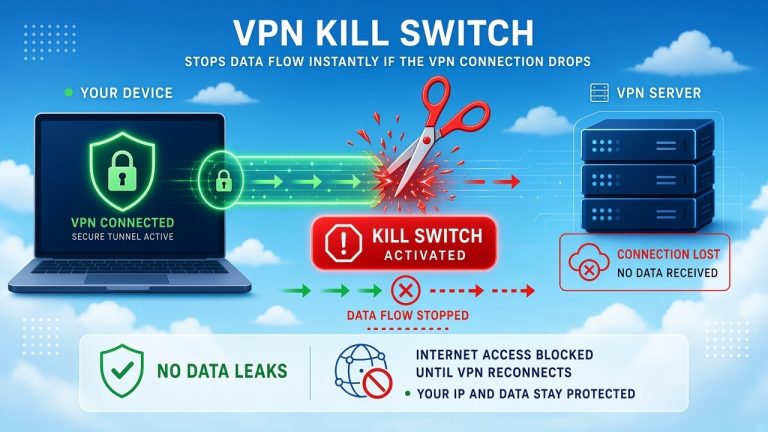
  5. Kill switch: This feature automatically disconnects your device from the internet if the VPN connection drops unexpectedly, preventing your data from being exposed. To learn more about this important feature, check out our article on what is a VPN kill switch and why it’s important.

The effectiveness of a VPN depends largely on the implementation of these components. While a properly configured VPN significantly enhances your privacy, improper implementation or malicious intent can undermine these protections, potentially exposing your data to risks.

Can VPN Providers Actually Steal Your Data?

Yes, VPN providers can potentially steal your data if they engage in malicious practices or have inadequate security measures. While the purpose of a VPN is to protect your privacy, not all providers operate with the same integrity or security standards. Some VPN services might collect, store, or even sell your data to third parties, directly contradicting their privacy promises.

Several factors determine whether a VPN might steal your data:

  1. Logging policies: VPNs that keep extensive logs of your activities can potentially access and misuse this information. Even providers claiming to have “no-logs” policies might collect metadata that could reveal your online behaviors.
  2. Jurisdiction: The legal framework of the country where a VPN is based affects how it handles user data. Providers in countries with mandatory data retention laws may be compelled to collect and share user information with authorities.
  3. Business model: VPNs that offer free services often monetize through alternative means, which might include selling user data, displaying ads, or injecting trackers into your browsing sessions.
  4. Security infrastructure: VPNs with weak encryption, outdated protocols, or vulnerable server infrastructure can be compromised, potentially exposing user data to unauthorized access.
  5. Company transparency: Providers that don’t undergo independent security audits or clearly disclose their business practices may be more likely to misuse user data.

It’s important to note that reputable VPN providers have strong incentives to protect user data as their business model depends on trust. However, the risk of data theft or misuse varies significantly between different VPN services, making it crucial to research providers thoroughly before committing to one.

What Are the Common Ways VPNs Might Compromise Your Privacy?

VPNs can compromise your privacy through data logging, weak encryption, malware injection, DNS leaks, and selling user data to third parties. While these practices violate the core purpose of VPNs, they occur more frequently than users might realize, especially with free or lesser-known providers.

Data Logging Practices

Even VPNs claiming to have “no-logs” policies might collect varying amounts of user data:

❮ Swipe table left/right ❯
Logging TypeWhat It IncludesPrivacy Impact
No logsNo user activity or connection dataHighest privacy protection
Minimal logsConnection timestamps, data usageLow to moderate privacy impact
Extensive logsBrowsing history, IP addresses, personal infoSevere privacy compromise

Some VPN providers use vague language in their privacy policies, allowing them to collect more data than users might expect. For example, they might claim “no activity logs” while still collecting connection logs that could reveal your browsing patterns over time.

Weak Encryption Standards

The strength of a VPN’s encryption directly impacts how well it protects your data. Common encryption standards include:

  1. AES-256: Considered the gold standard for encryption, used by military and government agencies.
  2. AES-128: Still strong but less secure than AES-256.
  3. Blowfish/Cast5: Older encryption methods that may have vulnerabilities.

Some VPNs use outdated or weak encryption protocols that can be cracked by determined attackers or government agencies. Others might implement strong encryption but with poor configuration that introduces vulnerabilities. To better understand these concepts, you might want to read our article on understanding VPN encryption.

Malware and Tracking Injection

Some particularly malicious VPN providers, especially free ones, have been caught injecting malware or tracking scripts into users’ browsers. These can:

  • Monitor your browsing activities even when not connected to the VPN
  • Display intrusive ads
  • Steal sensitive information like passwords and credit card details
  • Use your device’s resources for cryptocurrency mining

A 2020 study by the CSIRO analyzed 283 VPN apps and found that many contained tracking libraries and malware, with free VPNs being the worst offenders.

DNS and IP Leaks

Even when connected to a VPN, your data might leak through:

  1. DNS leaks: When your device sends DNS requests outside the encrypted VPN tunnel, revealing which websites you’re visiting.
  2. IP leaks: When your real IP address is exposed despite being connected to a VPN, often due to WebRTC or IPv6 leaks.

Quality VPNs implement protection against these leaks, but many budget or free services neglect these essential security features.

How Can You Identify a Trustworthy VPN Provider?

You can identify trustworthy VPN providers by examining their logging policies, jurisdiction, encryption standards, audit reports, and business transparency. These factors provide crucial insights into how seriously a provider takes user privacy and security.

Comprehensive Evaluation Criteria

When assessing VPN providers, consider these key indicators:

  1. Independent Security Audits: Reputable VPNs undergo regular audits by third-party security firms to verify their no-logs claims and security practices. Look for providers that publish these audit reports transparently.
  2. Jurisdiction and Privacy Laws: VPNs based in privacy-friendly countries outside major surveillance alliances (Five Eyes, Nine Eyes, Fourteen Eyes) offer better protection. Countries like Panama, the British Virgin Islands, and Switzerland have stronger privacy protections than the US, UK, or Australia.
  3. Transparent Privacy Policy: The privacy policy should clearly state what data is collected, how it’s used, and under what circumstances it might be shared with third parties.
  4. Payment Methods: Acceptance of anonymous payment methods like cryptocurrency or cash indicates a stronger commitment to privacy.
  5. Company Reputation and History: Research the company behind the VPN, including how long they’ve been in business, any past security incidents, and their response to those incidents.
  6. Technical Specifications: Look for modern encryption protocols (AES-256), secure tunneling protocols (OpenVPN, WireGuard), and essential security features like kill switches and DNS leak protection.

Red Flags to Avoid

These warning signs suggest a VPN provider might not be trustworthy:

  • Vague or misleading privacy policies
  • Promises of “complete anonymity” without technical details
  • Free services with unlimited data and no clear business model
  • Lack of transparency about company ownership or location
  • Poorly designed applications with frequent crashes
  • Aggressive marketing tactics or unrealistic promises
  • No independent security audits or verification

Comparison of Reputable VPN Providers

❮ Swipe table left/right ❯
ProviderJurisdictionIndependent AuditsEncryptionLogging Policy
ExpressVPNBritish Virgin IslandsYes (PwC, KPMG)AES-256Strict no-logs
NordVPNPanamaYes (PwC)AES-256Strict no-logs
MullvadSwedenYesAES-256Strict no-logs
ProtonVPNSwitzerlandYesAES-256Strict no-logs
CyberGhostRomaniaYesAES-256Minimal logs

This table illustrates the characteristics of some well-regarded VPN providers. Notice how all have undergone independent audits, use strong encryption, and maintain clear logging policies.

Remember that even reputable providers can have vulnerabilities or may be compelled to share data under certain legal circumstances. The goal is to minimize these risks by choosing providers with the strongest possible privacy protections.

What Security Features Should You Look for in a VPN?

Look for AES-256 encryption, a kill switch, DNS leak protection, modern tunneling protocols, and a verified no-logs policy when choosing a VPN. These security features form the foundation of a trustworthy VPN service and significantly reduce the risk of data theft or privacy compromise.

Essential Security Features

  1. Strong Encryption Standards
    • AES-256 encryption: This military-grade encryption is virtually unbreakable with current technology.
    • Perfect Forward Secrecy (PFS): Ensures that even if a private key is compromised, past sessions remain secure.
    • Handshake encryption: Protects the initial connection process between your device and the VPN server.
  2. Secure Tunneling Protocols
    • OpenVPN: Open-source, highly configurable, and considered very secure.
    • WireGuard: Newer protocol offering faster speeds with strong security.
    • IKEv2/IPsec: Good for mobile devices with stable reconnection capabilities.
  3. Leak Protection Features
    • DNS leak protection: Prevents DNS requests from bypassing the VPN tunnel.
    • IPv6 leak protection: Blocks IPv6 traffic that might expose your real IP address.
    • WebRTC leak protection: Prevents WebRTC from revealing your IP address in browsers.
  4. Kill Switch Functionality
    • Application-level kill switch: Blocks specific applications if the VPN disconnects.
    • System-level kill switch: Cuts off all internet access if the VPN connection drops.
    • Configurable kill switch: Allows you to specify which applications to protect.
  5. Additional Privacy Features
    • Obfuscation technology: Disguises VPN traffic to bypass detection in restrictive regions.
    • Multi-hop connections: Routes traffic through multiple servers for enhanced anonymity.
    • Split tunneling: Allows you to choose which traffic goes through the VPN and which doesn’t.

Advanced Security Considerations

For users with heightened security needs, these additional features provide extra protection:

  1. RAM-only servers: Also known as diskless servers, these store all data in volatile memory that’s wiped with every reboot, ensuring no data persists between sessions.
  2. Dedicated IP addresses: While shared IPs offer better anonymity, dedicated IPs can be useful for accessing services that block shared VPN IPs.
  3. Double VPN chains: Some providers offer specialized servers that route traffic through multiple VPN servers, adding extra layers of encryption and IP masking.
  4. Onion over VPN: Combines VPN protection with Tor anonymity for maximum privacy.
  5. Custom DNS: Allows you to use specific DNS servers that don’t log your queries.

Security Feature Comparison

❮ Swipe table left/right ❯
FeatureImportanceImpact on PrivacyImpact on Speed
AES-256 encryptionCriticalHighMinimal
Kill switchCriticalHighNone
DNS leak protectionCriticalHighMinimal
WireGuard protocolHighHighPositive
Multi-hop connectionsMediumVery HighNegative
ObfuscationMediumHighNegative
Split tunnelingLowVariablePositive

This table helps prioritize which security features matter most based on your specific needs. While all features contribute to better privacy, some have more significant impacts than others.

Remember that the most secure VPN is one that you’ll actually use consistently. Balance security with usability to ensure you maintain protection without sacrificing too much convenience or performance.

Are Free VPNs More Likely to Steal Your Data?

Yes, free VPNs are significantly more likely to steal your data than paid alternatives due to their business models and lack of investment in security infrastructure. The old adage “if you’re not paying for the product, you are the product” particularly applies to free VPN services, which often monetize through methods that compromise user privacy.

How Free VPNs Monetize User Data

Free VPN providers employ several strategies to generate revenue, many of which compromise user privacy:

  1. Selling User Data
    • Browsing history and habits
    • App usage patterns
    • Device information
    • Location data
    • Personal identifiers
  2. Injecting Advertisements and Trackers
    • Displaying ads in the VPN application
    • Injecting ads into websites you visit
    • Installing tracking cookies or scripts
    • Selling advertising space to third parties
  3. Bandwidth and Resource Selling
    • Selling your unused bandwidth to other users
    • Using your device’s processing power for cryptocurrency mining
    • Renting your IP address to other users
  4. Affiliate Marketing
    • Redirecting your searches to earn affiliate commissions
    • Modifying search results to include sponsored content
    • Collecting referral fees from shopping sites

Security Risks Specific to Free VPNs

A 2020 study by the International Journal of Information Security analyzed 238 free VPN Android apps and found:

  • 18% contained malware without notifying users
  • 38% used tracking libraries to monitor user activity
  • 84% accessed sensitive user data
  • 75% used third-party tracking libraries

Additional risks include:

  1. Weak or Non-existent Encryption
    • Some free VPNs don’t encrypt data at all
    • Others use outdated or easily broken encryption methods
    • Many don’t implement Perfect Forward Secrecy
  2. Data Logging Practices
    • 86% of free VPNs have privacy policies that grant them rights to user data
    • Many collect detailed logs of browsing activity
    • Some even record IP addresses and connection timestamps
  3. Server Limitations and Speed Throttling
    • Limited server locations can force users onto overcrowded servers
    • Bandwidth caps that make the service virtually unusable
    • Intentional speed throttling to encourage paid upgrades
  4. Security Vulnerabilities
    • Outdated applications with unpatched vulnerabilities
    • DNS leaks that expose browsing activity
    • IP address leaks that defeat the purpose of using a VPN

Notable Free VPN Security Incidents

Several high-profile cases highlight the dangers of free VPNs:

  1. SuperVPN
    • Exposed user data including emails, passwords, and payment information
    • Affected over 20 million users
    • Server remained unsecured for months
  2. Hola VPN
    • Caught selling users’ bandwidth to create a botnet
    • Involved in DDoS attacks against websites
    • Exposed users to legal risks by routing illegal activities through their connections
  3. Betternet
    • Found to embed tracking libraries in its applications
    • Collected device identifiers and location data
    • Shared data with advertising companies

Safer Alternatives to Completely Free VPNs

If you cannot afford a premium VPN, consider these safer alternatives:

  1. Freemium Models
    • Providers like TunnelBear and ProtonVPN offer limited free versions
    • Typically include data caps but maintain strong security practices
    • Can be upgraded to paid plans when needed
  2. Money-Back Guarantees
    • Most premium VPNs offer 30-day money-back guarantees
    • Allows you to test the service risk-free
    • Some providers offer even longer guarantee periods
  3. Browser-Based VPNs
    • Some browsers like Opera include built-in VPNs
    • Generally more trustworthy than random free VPN apps
    • Limited protection compared to full VPN services
  4. Academic or Corporate VPNs
    • Many educational institutions and employers provide VPN access
    • Typically secure and properly maintained
    • Only available to eligible users

Remember that even the safest free VPN has limitations compared to premium services. If privacy is a serious concern, investing in a reputable paid VPN is always the better choice. For more information on the safety of free VPNs, check out our article on is it safe to use a free VPN.

VPN data collection is subject to various legal frameworks depending on jurisdiction, with some countries requiring providers to retain user data while others protect privacy. The legal landscape surrounding VPNs is complex and varies significantly across different regions, affecting how providers can collect, store, and share user information.

Jurisdictional Impact on VPN Privacy

The country where a VPN provider is based determines which laws they must follow:

❮ Swipe table left/right ❯
Jurisdiction TypeExamplesPrivacy Implications
Five EyesUSA, UK, Canada, Australia, New ZealandMandatory data sharing between member countries
Nine EyesFive Eyes + Denmark, France, Netherlands, NorwayExtended intelligence sharing agreements
Fourteen EyesNine Eyes + Germany, Belgium, Italy, Sweden, SpainBroader surveillance network
Privacy-FriendlyPanama, British Virgin Islands, SwitzerlandStrong privacy protections, minimal surveillance laws

Countries within the Five Eyes, Nine Eyes, and Fourteen Eyes alliances have agreements that require member countries to share intelligence information, potentially including VPN user data. This means VPNs based in these jurisdictions could be compelled to hand over user information to authorities.

Mandatory Data Retention Laws

Some countries have implemented laws requiring internet service providers, including VPNs, to retain user data for specific periods:

  1. European Union: The Data Retention Directive (though invalidated by the EU Court of Justice) has influenced national laws in some member states.
  2. Australia: The Telecommunications (Interception and Access) Amendment Act 2015 requires metadata retention.
  3. United Kingdom: The Investigatory Powers Act 2016 requires communication service providers to retain internet connection records.
  4. Russia: Laws requiring VPNs to log user data and share it with government agencies upon request.

These laws directly conflict with the no-logs policies that privacy-conscious users seek in VPN providers, creating legal challenges for both companies and users.

Warrant Canaries and Their Limitations

Some VPN providers use “warrant canaries” as a workaround to inform users when they’ve received government requests for data:

  • A warrant canary is a regularly updated statement denying having received certain requests
  • When the statement disappears, it suggests the provider has received such a request
  • This method allows providers to legally communicate with users without directly violating gag orders

However, warrant canaries have limitations:

  • Their legal standing is uncertain in many jurisdictions
  • They don’t protect against secret court orders that specifically forbid their removal
  • They provide no specific details about any requests received

Even VPNs with strict no-logs policies may face legal challenges:

  1. Data That Might Be Available
    • Payment information (unless anonymous payment methods are used)
    • Email addresses used for registration
    • Connection timestamps (if minimal logging is practiced)
    • Server load information (which might infer usage patterns)
  2. Legal Precedents
    • In 2017, US authorities seized a server belonging to Privacy International, potentially accessing user data
    • Some VPN providers have been compelled to redirect traffic to government-controlled servers
    • Certain cases have shown that even “no-logs” providers may retain some incidental data

The global nature of VPN services creates complex legal situations:

  1. Extraterritorial Application of Laws
    • US laws like the CLOUD Act can compel US-based companies to provide data regardless of where it’s stored
    • GDPR affects how companies worldwide handle EU citizens’ data
    • Conflicting legal requirements between jurisdictions
  2. Jurisdiction Shopping
    • Some VPN providers strategically locate in privacy-friendly jurisdictions
    • Corporate structures designed to minimize legal exposure
    • Use of shell companies in multiple countries
  3. Transparency Reports
    • Reputable VPNs publish transparency reports detailing government requests
    • These reports vary in detail and frequency
    • Some providers are legally prohibited from reporting certain requests

Implications for VPN Users

Understanding these legal implications helps users make informed decisions:

  1. Risk Assessment
    • Users engaged in sensitive activities should prioritize providers in privacy-friendly jurisdictions
    • Consider the specific legal risks in your country of residence
    • Evaluate whether your activities might attract attention from authorities
  2. Anonymity Practices
    • Use anonymous payment methods when possible
    • Register with disposable email addresses
    • Avoid providing personally identifiable information
  3. Layered Protection
    • Consider using Tor in combination with a VPN
    • Implement additional privacy measures beyond just using a VPN
    • Understand that no single solution provides complete protection

The legal landscape surrounding VPNs continues to evolve as governments worldwide grapple with balancing privacy concerns with security interests. Staying informed about these developments is crucial for maintaining your digital privacy. For more information on specific legal implications, you might want to read our article on legal implications of using a VPN to watch Netflix.

How Can You Maximize Your Privacy When Using a VPN?

You can maximize your VPN privacy by choosing a trustworthy provider, configuring settings correctly, using anonymous payment methods, and implementing additional security practices. While a quality VPN forms the foundation of your privacy protection, combining it with proper configuration and complementary security measures creates multiple layers of defense against data theft and surveillance.

Selecting and Configuring Your VPN

  1. Choose a Reputable Provider
    • Select providers with independently audited no-logs policies
    • Prefer companies based in privacy-friendly jurisdictions
    • Look for transparent privacy policies and business practices
  2. Optimal Configuration Settings
    • Enable the kill switch to prevent data leaks during disconnections
    • Activate DNS leak protection to ensure all queries go through the VPN
    • Use the most secure protocol available (typically WireGuard or OpenVPN)
    • Enable obfuscation if you need to bypass VPN detection
  3. Server Selection Best Practices
    • Choose servers that are geographically close to you for better performance
    • Use specialized servers (like double VPN or onion over VPN) for sensitive activities
    • Avoid overcrowded servers which might have performance issues
  4. Application Settings
    • Configure the VPN to start automatically when your device boots
    • Enable split tunneling only when necessary and configure it carefully
    • Set up custom DNS if the option is available

Privacy-Enhancing Practices

  1. Anonymous Registration and Payment
    • Use cryptocurrency or cash for payments when possible
    • Create a new email address specifically for VPN registration
    • Avoid providing personally identifiable information beyond what’s necessary
  2. Secure Your Devices
    • Keep your operating system and applications updated
    • Use reputable antivirus and anti-malware software
    • Enable device encryption and strong authentication methods
  3. Browser Privacy Configuration
    • Use privacy-focused browsers like Firefox or Brave
    • Install browser extensions for additional protection (HTTPS Everywhere, uBlock Origin)
    • Disable WebRTC to prevent IP leaks
    • Clear cookies and browsing data regularly
  4. Network Security Measures
    • Always verify the VPN is connected before accessing sensitive information
    • Use a firewall to block unauthorized connections
    • Consider using a privacy-respecting DNS service

Advanced Privacy Techniques

For users with heightened privacy needs, these additional measures provide extra protection:

  1. Multi-Hop Configurations
    • Route traffic through multiple VPN servers
    • Combine different providers for increased anonymity
    • Use Tor in conjunction with a VPN (Tor over VPN or VPN over Tor)
  2. Virtual Machine Isolation
    • Run your VPN inside a virtual machine
    • Separate sensitive activities from regular computing
    • Create disposable environments for temporary privacy needs
  3. Custom Firmware and Routers
    • Install VPN-compatible firmware on your router (like DD-WRT or OpenWrt)
    • Configure your entire network to use the VPN
    • Ensure all connected devices are protected
  4. Operational Security Practices
    • Develop consistent habits for maintaining privacy
    • Create different identities for different purposes
    • Minimize cross-contamination between your anonymous and identified activities

Privacy Maintenance Checklist

❮ Swipe table left/right ❯
TaskFrequencyImportance
Verify VPN connection statusEvery useCritical
Check for DNS/IP leaksWeeklyHigh
Update VPN softwareAs updates availableHigh
Review privacy policy changesQuarterlyMedium
Audit connected devicesMonthlyMedium
Clean browser dataWeeklyMedium
Rotate VPN serversAs neededLow
Review payment informationAnnuallyLow

This checklist helps maintain your privacy over time. Regular checks ensure your protection remains effective as software updates and policy changes occur.

Common VPN Configuration Mistakes to Avoid

Even with a quality VPN, improper configuration can compromise your privacy:

  1. DNS Leaks
    • Occur when DNS requests bypass the VPN tunnel
    • Can reveal your browsing activity despite using a VPN
    • Test for leaks using specialized websites
  2. IPv6 Leaks
    • Happen when IPv6 traffic isn’t properly routed through the VPN
    • Can expose your real IP address
    • Disable IPv6 if your VPN doesn’t properly support it
  3. WebRTC Leaks
    • Browser technology that can reveal your IP address
    • Affects all major browsers
    • Requires specific browser configuration or extensions to prevent
  4. Disconnect Vulnerabilities
    • Occur during VPN connection drops
    • Can expose your real IP address temporarily
    • Properly configured kill switches prevent this issue
  5. Time Zone and Language Discrepancies
    • Mismatch between your claimed location and system settings
    • Can reveal that you’re using a VPN
    • Adjust settings to match your VPN server location

By implementing these comprehensive privacy measures, you significantly reduce the risk of data theft or surveillance while using a VPN. Remember that privacy is an ongoing process that requires regular attention and maintenance rather than a one-time setup.

What Real-World Examples Exist of VPNs Misusing User Data?

Several real-world cases demonstrate VPN providers misusing user data, including selling browsing histories, injecting malware, and cooperating with surveillance programs. These examples highlight the importance of carefully selecting VPN providers and understanding the potential risks involved in using these services.

Documented Cases of VPN Data Misuse

  1. Hola VPN Botnet Scandal (2015)
    • Hola VPN was discovered selling users’ bandwidth to create a botnet called Luminati
    • Users’ connections were used to launch DDoS attacks against websites
    • The service operated as a peer-to-peer network, essentially using customers as exit nodes
    • This exposed users to legal risks as illegal activities could be traced back to their IP addresses
  2. SuperVPN Data Breach (2021)
    • A database containing records of over 10 million SuperVPN users was left exposed without a password
    • The breach included emails, passwords, payment information, and device details
    • The exposed data remained accessible for an extended period
    • SuperVPN had previously been flagged for security vulnerabilities
  3. Betternet and Hotspot Shield Data Collection (2020)
    • A study found these popular free VPNs embedded tracking libraries in their applications
    • They collected device identifiers, location data, and application usage information
    • This data was shared with third-party advertising companies
    • The practices contradicted the privacy promises made to users
  4. Opera VPN Data Collection (2018)
    • Although marketed as a free VPN, Opera’s service was later revealed to be a secure proxy
    • It collected user data including device IDs and browsing information
    • The service was eventually discontinued and replaced with a paid offering

Government Cooperation and Surveillance

  1. VPN Provider Cooperation with Authorities
    • In 2017, IPVanish confirmed it had provided user data to US authorities despite claiming a no-logs policy
    • The data helped in a child pornography investigation
    • The incident revealed that the company had been keeping connection logs despite its claims
  2. Five Eyes Surveillance Program
    • Documents leaked by Edward Snowden revealed extensive surveillance programs
    • These programs potentially compelled VPN providers in member countries to share data
    • The revelation led to increased scrutiny of VPN jurisdiction and logging policies
  3. Russian VPN Regulation (2017)
    • Russia passed laws requiring VPNs to log user data for at least six months
    • Providers were required to share this data with government agencies upon request
    • Many international VPN services withdrew from the Russian market rather than comply

Malware and Security Vulnerabilities

  1. VPN Android Apps with Malware (2020)
    • A study of 283 VPN apps found that 28% contained malware
    • Many free VPN apps requested excessive permissions on users’ devices
    • Some apps were found to be stealing user data or installing additional malware
  2. VPN Filter Malware (2018)
    • While not directly related to VPN providers, this malware targeted networking equipment
    • It could collect data, intercept communications, and render devices inoperable
    • The incident highlighted the importance of securing all network components
  3. Windscribe Security Incident (2021)
    • Windscribe disclosed a server breach that exposed user data
    • The breach affected a subset of their servers
    • While the company claimed no user activity logs were compromised, the incident demonstrated that even reputable providers can experience security failures

Deceptive Marketing and Privacy Policies

  1. Unlimited Free VPN Claims
    • Many VPN providers advertise “free unlimited” services
    • These claims are often misleading, with significant limitations in practice
    • Some providers have been found to throttle speeds or restrict access after certain usage thresholds
  2. Misleading No-Logs Claims
    • Several providers have marketed “no-logs” policies while actually collecting substantial user data
    • Some use semantic games in their privacy policies, claiming not to log “activity” while collecting connection data
    • Independent audits have revealed discrepancies between marketing claims and actual practices
  3. Jurisdiction Misrepresentation
    • Some VPN providers misrepresent their actual jurisdiction
    • Others use complex corporate structures to obscure their true location
    • This can mislead users about the legal protections available to their data

Lessons from These Examples

These real-world cases offer important lessons for VPN users:

  1. Free Services Often Have Hidden Costs
    • If you’re not paying for a VPN with money, you’re likely paying with your data
    • Business models that seem too good to be true usually are
    • Premium services generally have stronger incentives to protect user privacy
  2. Transparency Matters
    • Providers that undergo independent audits are generally more trustworthy
    • Clear, detailed privacy policies are essential
    • Companies that openly discuss security incidents are more likely to be trustworthy
  3. Jurisdiction Is Critical
    • The legal framework of a VPN’s home country significantly affects your privacy
    • Privacy-friendly jurisdictions offer better protection for user data
    • Understanding international agreements like Five Eyes helps evaluate provider claims
  4. Technical Implementation Matters
    • Strong encryption and secure protocols are essential
    • Features like kill switches and leak protection prevent common vulnerabilities
    • Regular security updates and maintenance are crucial for ongoing protection

These examples demonstrate that while VPNs can significantly enhance your privacy, choosing the wrong provider can actually increase your risk. Thorough research and ongoing vigilance are essential for maintaining your digital privacy.

How Do VPN Audits Help Verify Provider Trustworthiness?

VPN audits verify provider trustworthiness by independently examining their logging policies, security infrastructure, and privacy claims. These third-party assessments provide objective verification of whether VPN providers actually follow through on their privacy promises, offering users valuable insights into the reliability of different services.

Types of VPN Audits

  1. No-Logs Policy Audits
    • Verify that providers don’t collect or store user activity data
    • Examine server configurations to ensure data isn’t being logged
    • Review company policies and procedures for data handling
  2. Security Infrastructure Audits
    • Assess encryption implementation and strength
    • Evaluate server security configurations
    • Test for vulnerabilities in applications and network infrastructure
  3. Privacy Policy Audits
    • Analyze the clarity and comprehensiveness of privacy policies
    • Verify that practices align with stated policies
    • Assess compliance with relevant privacy regulations
  4. Code Audits
    • Examine VPN client applications for security vulnerabilities
    • Check for potential backdoors or malicious code
    • Evaluate data handling within the applications

The Audit Process

Professional VPN audits typically follow these steps:

  1. Planning and Scoping
    • Define what aspects of the VPN service will be examined
    • Establish criteria for evaluation
    • Determine testing methodologies
  2. Information Gathering
    • Review documentation provided by the VPN company
    • Interview technical staff and management
    • Examine infrastructure and code where applicable
  3. Testing and Verification
    • Conduct technical tests of the VPN infrastructure
    • Verify claims through practical testing
    • Attempt to identify potential vulnerabilities
  4. Analysis and Reporting
    • Analyze findings against established criteria
    • Prepare a detailed report of findings
    • Provide recommendations for improvement
  5. Follow-up
    • Verify that recommended changes have been implemented
    • Conduct periodic re-audits to ensure ongoing compliance
    • Update reports as necessary

Notable VPN Audit Examples

  1. NordVPN Audits
    • First independent audit by PricewaterhouseCoopers (PwC) in 2019
    • Verified no-logs policy through infrastructure examination
    • Follow-up audits in 2020 and 2021 to maintain verification
    • Additional security audit by Cure53 in 2021
  2. ExpressVPN Audits
    • First audit by PwC in 2019 verifying no-logs policy
    • Follow-up audit in 2020 confirming continued compliance
    • KPMG audit in 2021 verifying TrustedServer technology
    • Additional security audits by Cure53
  3. ProtonVPN Audits
    • Security audit by SEC Consult in 2020
    • No-logs audit by PwC in 2022
    • Regular transparency reports detailing government requests
  4. Mullvad Audits
    • Multiple audits by third-party security firms
    • Detailed transparency reports
    • Open-source applications for community verification

Limitations of VPN Audits

While valuable, VPN audits have certain limitations:

  1. Point-in-Time Verification
    • Audits only verify compliance at a specific time
    • Practices could change between audits
    • Ongoing monitoring is necessary for continued assurance
  2. Scope Limitations
    • Some aspects of VPN operations may be excluded from audits
    • Certain claims might be difficult to verify independently
    • Companies might limit access to sensitive information
  3. Audit Quality Variations
    • Different auditing firms use different methodologies
    • Audit reports vary in detail and transparency
    • Some audits might be less thorough than others
  4. Potential Conflicts of Interest
    • Auditing firms are paid by the VPN companies
    • This could potentially influence audit outcomes
    • Independent verification is still valuable but not infallible

How to Evaluate VPN Audit Reports

When reviewing VPN audit reports, consider these factors:

  1. Auditor Reputation
    • Established accounting or security firms provide more credibility
    • Look for firms with recognized expertise in cybersecurity
    • Consider whether the auditor is independent and reputable
  2. Audit Scope and Depth
    • Comprehensive audits examine multiple aspects of the service
    • Detailed reports provide more transparency
    • Look for specific testing methodologies and criteria
  3. Frequency and Recency
    • Regular audits demonstrate ongoing commitment to privacy
    • Recent audits are more relevant to current practices
    • Look for a history of consistent auditing
  4. Transparency of Results
    • Full audit reports provide more value than summaries
    • Look for detailed findings and recommendations
    • Assess whether the company addressed any identified issues

The Future of VPN Auditing

The VPN auditing landscape continues to evolve:

  1. Standardization Efforts
    • Industry groups are working to establish audit standards
    • Common frameworks are emerging for VPN evaluation
    • Certification programs may become more widespread
  2. Increased User Awareness
    • Users are becoming more knowledgeable about audit importance
    • Demand for verified no-logs policies is increasing
    • Audits are becoming a competitive differentiator
  3. Technical Advancements
    • New tools are making audits more comprehensive
    • Automated testing can verify claims more thoroughly
    • Blockchain technology might provide additional verification methods
  4. Regulatory Influence
    • Privacy regulations are driving audit requirements
    • Legal frameworks may mandate independent verification
    • Compliance certifications are becoming more important

VPN audits represent a significant development in the industry’s move toward greater transparency and accountability. While not infallible, they provide valuable verification of provider claims and help users make more informed decisions about their privacy tools.

Conclusion

The question “Can a VPN steal your data?” reveals a complex landscape where the answer depends entirely on which VPN service you choose. While reputable VPN providers enhance your privacy and security through strong encryption, no-logs policies, and transparent practices, others—particularly free services—may compromise your data through logging, malware injection, or selling your information to third parties. The VPN industry operates on a spectrum of trustworthiness, making it essential for users to carefully evaluate providers before entrusting them with their digital privacy.

The key takeaways from this comprehensive analysis are clear: not all VPNs are created equal, and the difference between a privacy-enhancing tool and a data-stealing service lies in the provider’s business model, jurisdiction, technical implementation, and transparency. Independent audits, verified no-logs policies, strong encryption standards, and privacy-friendly jurisdictions are hallmarks of trustworthy VPNs. Conversely, vague privacy policies, free services with unlimited data, and providers in surveillance-heavy jurisdictions should raise red flags for privacy-conscious users.

As the digital landscape continues to evolve, with increasing surveillance and data collection practices, the importance of reliable VPN services cannot be overstated. However, users must remain vigilant, conducting thorough research and implementing best practices to maximize their privacy. The responsibility for protecting your data ultimately rests with you, the user, making it crucial to choose your digital privacy tools wisely and use them correctly.

Call to Action: Take control of your digital privacy today by researching VPN providers thoroughly. Look for independent audits, transparent privacy policies, and strong encryption standards. Before committing to any VPN service, test it with non-sensitive activities to verify its performance and security features. Remember that investing in a reputable paid VPN service is an investment in your privacy that pays dividends in peace of mind and digital security.

FAQ

Can a VPN provider see my passwords?

Yes, a VPN provider could potentially see your passwords if they are sent unencrypted through the tunnel. However, reputable VPNs use strong encryption protocols that protect all data passing through their servers. Most websites and services also use HTTPS encryption, which adds another layer of protection. To maximize security, always ensure you’re visiting HTTPS-secured sites and consider using a password manager for additional protection.

Do all VPNs keep logs of user activity?

No, not all VPNs keep logs of user activity, but logging practices vary significantly between providers. Trustworthy VPNs maintain strict no-logs policies and undergo independent audits to verify these claims. However, some providers collect various types of data, from minimal connection logs to extensive browsing histories. Always carefully review a VPN’s privacy policy and look for independent verification of their logging practices before subscribing.

Are paid VPNs always safer than free ones?

Yes, paid VPNs are generally safer than free ones because they have a clear business model that doesn’t involve selling user data. Free VPNs typically monetize through methods that compromise privacy, such as selling browsing data, injecting ads, or collecting personal information. Paid VPNs have a direct financial incentive to protect user privacy as their business depends on maintaining trust with customers.

Yes, using a VPN can potentially get you in legal trouble if you engage in illegal activities while connected. While VPNs themselves are legal in most countries, using them to conceal illegal activities remains illegal. Additionally, some countries restrict or ban VPN usage altogether. Always comply with local laws and use VPNs only for legitimate privacy protection purposes.

How often should I change my VPN provider?

You should consider changing your VPN provider if your current service experiences security breaches, changes its privacy policy unfavorably, or if better alternatives become available. There’s no set timeframe for changing providers, but staying informed about your VPN’s practices and the broader industry helps ensure you’re always using the most trustworthy service available.

Can a VPN protect me from all forms of online tracking?

No, a VPN cannot protect you from all forms of online tracking, though it significantly reduces many types of surveillance. VPNs effectively hide your IP address and encrypt your traffic, but websites can still track you through cookies, browser fingerprinting, and account-based tracking. For comprehensive protection, combine a VPN with privacy-focused browsers, anti-tracking extensions, and careful online practices.

Is it safe to use a VPN on public Wi-Fi?

Yes, it is safe to use a VPN on public Wi-Fi and is actually highly recommended for protecting your data on unsecured networks. Public Wi-Fi networks are notoriously insecure, making it easy for attackers to intercept your data. A VPN creates an encrypted tunnel that protects your information from prying eyes, making it an essential tool for anyone using public internet connections.

Leave a Reply

Your email address will not be published. Required fields are marked *