
I wanted to find out for myself, so I tested Minecraft with the VPN off and then compared it to the experience with the VPN connected.
I wasn’t interested in checking one ping number and calling it a result. What mattered to me was how Minecraft actually felt while I was playing. Could I join the server quickly? Would the world load properly? Were players freezing? Did blocks respond when I placed or broke them?
The first test surprised me.
With the VPN connected, the server loaded more smoothly, I joined sooner, and normal interactions felt much more responsive. That made the VPN look like a clear winner.
Then I ran the test again.
The second round wasn’t nearly as simple. The VPN became less consistent, while the regular connection also behaved differently from the first attempt.
That experience changed how I look at VPNs for Minecraft.
A VPN can improve Minecraft ping and network performance, but it isn’t a guaranteed fix. The result depends on the route, your ISP, the VPN server, your location, and the Minecraft server you’re connecting to.
Does a VPN Really Lower Minecraft Ping?
Sometimes, it can. A VPN changes the route your traffic takes to the Minecraft server. When your normal ISP route is congested or inefficient, another route may perform better.
The opposite can happen too.
A VPN server that’s far away, overloaded, or poorly connected to the Minecraft server can add latency. In that situation, your regular connection may actually be faster.
That’s why I don’t see a VPN as a tool that automatically lowers ping. I see it as another route worth testing.
My Minecraft VPN Test
I tested this with Minecraft Bedrock Edition.
Before starting, I checked my internet connection because I wanted to make sure poor Wi-Fi wasn’t obviously responsible for the problem. After that, I tried joining the Minecraft server without a VPN.
The first attempt was frustrating.
It took a while to connect. The server was slow to load, other players appeared to freeze, and interactions weren’t working normally. I couldn’t comfortably perform the gameplay tests I had planned because the connection itself was already struggling.
I then switched on iTop VPN.
The VPN automatically connected me to a Singapore server. That made sense for my setup because I was playing from the Philippines and many of the servers I commonly joined were in Singapore or Japan.
The difference was immediately noticeable.
I joined the server sooner, didn’t experience the same long loading delay, and the game felt much smoother once I was inside.
At that point, I had a strong reason to keep testing.
What I Tested in Minecraft
I didn’t want to decide that the VPN was better just because the server loaded faster.
Instead, I tested normal Minecraft actions that make connection problems easy to notice. The idea was to compare actual gameplay rather than rely entirely on a number.
I looked at:
- Server connection time
- World loading
- Player movement
- Block placement
- Block breaking
- Item pickup
- Shop interactions
- Buying items
- General server responsiveness
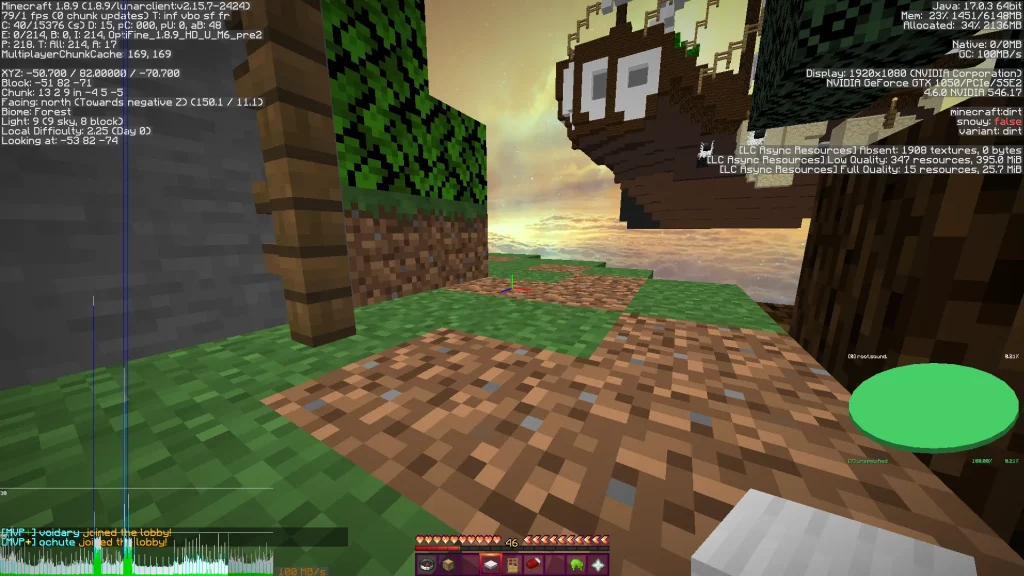
This approach also helped separate network problems from PC performance problems.
A VPN can change your network path, but it won’t improve your graphics performance. When the game itself is running at low FPS, for example, changing VPN servers isn’t going to solve the problem.
For that reason, it can be useful to check how to show FPS in Minecraft before deciding that every form of lag is caused by your connection.
Test 1: Placing Blocks
My first gameplay test involved placing several blocks in quick succession.
I watched for missing blocks, delayed placement, or actions that didn’t seem to register correctly with the server.
The VPN performed very well during this first round.
Block placement felt smooth, the blocks registered properly, and I didn’t notice a significant delay between my actions and the server response.
That gave me a useful first indication that the improvement wasn’t limited to the initial server connection.
Test 2: Breaking Blocks
Next, I tested breaking blocks.
The goal was similar. I wanted to see whether there was a noticeable delay between breaking a block and the server responding.
Again, the VPN felt good during the first round.
Breaking blocks was responsive, and I didn’t notice the kind of delay that had made the earlier no-VPN attempt frustrating.
Test 3: Interacting With the Server
Interaction was probably the most revealing part of the test.
I picked up items, interacted with shops, bought things, and performed several normal actions.
With the VPN connected during the first round, those interactions felt much smoother.
There wasn’t a large delay between clicking something and seeing the server respond.
That’s important in Minecraft because responsiveness is part of the gameplay experience. You don’t spend your entire session staring at a ping number. Instead, you notice the problem when actions start taking too long to register.
The VPN Won the First Round
At the end of the first round, the result looked quite clear.
VPN on performed better than VPN off.
The server connection felt smoother, loading was better, and the actual gameplay tests were much easier to perform.
I could have stopped there and concluded that the VPN improved Minecraft.
However, I didn’t think one test was enough.
Online connections change, and a single successful session doesn’t tell you whether the result will remain consistent.
So I tested again.
The Second Round Changed Everything
After restarting the VPN and connecting again, the experience was much less impressive.
Players looked laggy.
Interactions had noticeable delays.
Block placement wasn’t as responsive as before, and some of the timing felt off.
Breaking blocks also became inconsistent.
There were moments when the connection felt fine, followed by moments when the game became noticeably less responsive.
That was a very different result from the first round.
I Tested Minecraft Without the VPN Again
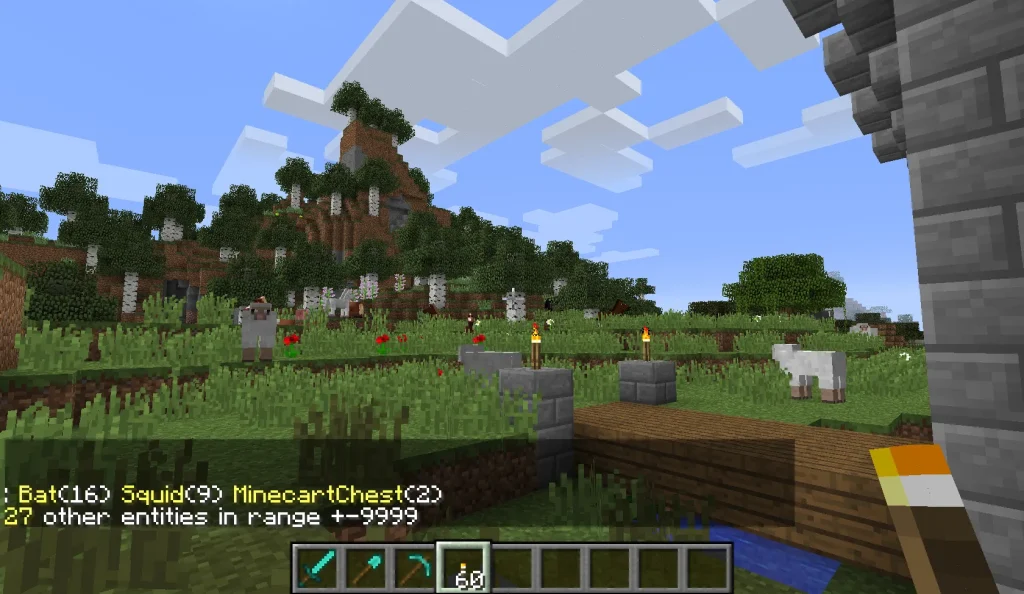
I then turned the VPN off and repeated the test.
Interestingly, the regular connection was better than it had been during my first attempt. The server loaded without the same long delay, although I still noticed laggy players and slower interactions.
At that point, the second round didn’t produce a clear winner.
Both setups had problems.
Both also had moments where the connection felt better.
That was actually more useful to me than a perfect VPN win.
What My Test Really Showed
My test did not prove that VPNs always lower Minecraft ping.
What it showed was more specific.
Changing the network route can make a noticeable difference to Minecraft performance.
During the first round, the VPN route worked much better for me.
When I repeated the test, that advantage became less consistent.
Several factors can influence that result, including your ISP, the VPN server, the Minecraft server, network congestion, and the route between those networks.
Because of that, I wouldn’t take my first result and apply it to every Minecraft player.
The better conclusion is that a VPN can be useful when the alternative route is better than the one you’re already using.
Why Can a VPN Improve Minecraft Ping?
The main reason is routing.
Your traffic doesn’t travel from your computer to a Minecraft server through one simple direct connection. Your ISP and other networks handle the route between the two endpoints.
A simplified normal path looks like this:
Your device → ISP → Minecraft server
With a VPN, it can look more like:
Your device → VPN server → Minecraft server
The VPN adds another point to the journey, but it can also change the path beyond that point.
Suppose the normal ISP route has congestion or an inefficient path toward the Minecraft server. A VPN may send the traffic through a different network path.
When that path is better, latency can decrease.
So the VPN isn’t making your internet plan faster. It may simply be helping your Minecraft traffic take a better route.
Why Can a VPN Make Minecraft Ping Worse?
The same routing principle can work against you.
A VPN server that’s too far away can add distance. An overloaded VPN server can add congestion. Poor routing between the VPN server and Minecraft server can create another bottleneck.
As a result, you might see:
- Higher ping
- More lag spikes
- Delayed interactions
- Longer server connection times
- Less consistent gameplay
For example, sending traffic to a VPN server on another continent when your Minecraft server is nearby usually doesn’t make sense.
A nearby VPN location is a better starting point, but geographic distance isn’t the only factor.
What really matters is the complete route:
You → VPN server → Minecraft server
Does a VPN Improve Minecraft Performance or Just Ping?
That depends on what you mean by performance. For this article, I’m talking mainly about network performance, not graphics performance.
A VPN can potentially affect:
- Latency
- Connection stability
- Server responsiveness
- Some forms of network-related lag
It doesn’t normally improve:
- FPS
- GPU performance
- CPU performance
- Rendering speed
- Available RAM
That distinction is important.
If Minecraft is visually stuttering because your computer can’t maintain a stable frame rate, a VPN won’t solve the problem.
Players dealing with memory-related issues can see our guide on how to allocate more RAM to Minecraft.
Can a VPN Fix Minecraft Lag?
It can help with network-related lag, but it won’t fix every type of lag. An inefficient route is one situation where a VPN might help. Low FPS is different because a VPN doesn’t improve your computer’s graphics performance. An overloaded Minecraft server is another case where changing your route won’t repair the server itself.
Unstable Wi-Fi can also remain a problem even after connecting to a VPN because the VPN doesn’t automatically fix the connection between your device and router.
That is why I prefer identifying the type of lag first.
For broader troubleshooting, see how to fix lag and high ping when using a VPN in Minecraft.
How Do You Know if Minecraft Lag Is Network Related?
There are several clues that can help narrow it down. A stable FPS combined with freezing players, delayed blocks, or slow interactions points more toward a network issue.
On the other hand, a sudden FPS drop with a visually choppy game is more likely to indicate a problem with your computer.
When only one Minecraft server lags while others work normally, the server itself or the route to it could be responsible.
Broader problems affecting other online games and websites suggest that the issue may be with your overall internet connection rather than Minecraft alone.
For more general advice, read our guides on how to reduce ping and how to reduce internet latency.
Why Fast Internet Doesn’t Always Mean Low Minecraft Ping
A faster internet plan doesn’t automatically produce lower ping.
Bandwidth and latency measure different parts of your connection. A large internet connection can give you more capacity for downloads, streaming, and multiple devices, but the route to the Minecraft server can still introduce latency.
Imagine having a very fast connection while the route to your Minecraft server passes through a congested network.
Increasing your download speed won’t necessarily remove that congestion.
That’s why a VPN can sometimes help even when your internet plan is already fast.
You can read more about the difference between speed and gaming performance in our guide on whether 1 gig internet is good for gaming.
Does Stable Ping Matter More Than Low Ping?
A low average latency is useful, but consistency matters too.
Imagine one connection that normally feels responsive but suddenly becomes extremely slow for short periods.
Another connection might have a slightly higher average latency but remain consistent throughout the game.
The second connection could feel better in actual gameplay.
That’s one reason the second round of my test mattered.
The VPN wasn’t simply “good” or “bad.” Its behavior became inconsistent.
For players who experience sudden changes in latency, our explanation of internet jitter is useful.
Does VPN Server Location Matter for Minecraft?
Yes. During my test, iTop VPN automatically connected me to Singapore. That made sense because I was playing from the Philippines and the Minecraft servers I commonly used were in Singapore or Japan.
When you’re choosing a VPN location, start with the region where the Minecraft server is located.
For example:
Minecraft server in Singapore → Try a Singapore VPN
Minecraft server in Japan → Try a Japan VPN
That doesn’t mean the closest location will always win.
Network routing can produce surprising results, so testing more than one nearby location can be useful.
Why Your Minecraft VPN Results May Be Different From Mine
My test was performed from the Philippines. Someone in Indonesia may get a different result.
A player in the United States connecting to a European server could see a completely different outcome.
Even two people using the same VPN provider can get different results because they may have different ISPs, VPN locations, Minecraft servers, and network conditions.
The Minecraft server itself can also be part of the problem.
That means my test is best viewed as a real-world example of what can happen, not a universal benchmark.
Can a VPN Improve Minecraft Server Loading?
It can, depending on what is causing the delay. One of the first things I noticed during my test was that the VPN helped me connect and load into the server more smoothly during the first round.
That suggested the route was behaving differently in a useful way.
However, server loading isn’t controlled entirely by your VPN. The Minecraft server, your local connection, and current network conditions can all affect how quickly you get into the game.
So I treat connection time as one useful signal rather than proof by itself.
Can a VPN Help Minecraft Combat?
It can potentially help when the problem is network latency or unstable routing.
Combat depends on quick communication between your game client and the Minecraft server. Delayed actions can become very noticeable when attacking another player or responding to something happening around you.
A VPN that provides a more stable route could make those interactions feel better.
The reverse is also possible.
If the VPN adds latency, combat may become less responsive.
That’s why I wouldn’t choose a VPN specifically for PvP without testing it on the server where you actually play.
Can a VPN Help When Minecraft Players Keep Freezing?
It can when the problem comes from your network route. Player freezing was one of the problems I noticed during my first no-VPN attempt. Once I connected through the VPN, the experience became smoother during that first round.
However, player freezing doesn’t always mean your route is the problem.
A Minecraft server can also struggle under heavy load, and changing VPN servers won’t fix a server-side issue.
Testing another Minecraft server is a useful way to narrow things down.
What About Minecraft Bedrock vs. Java?
My test used Minecraft Bedrock Edition.
One limitation was that I didn’t have a simple way to view an exact ping number in Bedrock during the test, so I relied heavily on actual gameplay behavior.
That included server loading, player movement, block placement, block breaking, item pickup, and interactions.
Java Edition can have different server environments and configurations, so you shouldn’t assume my Bedrock result will automatically apply to every Java server.
The underlying networking principle remains similar, though: changing the route can change the latency and stability you experience.
How to Test Whether a VPN Really Improves Minecraft
The best test is a simple comparison.
You don’t need a complicated benchmark or a long list of tools. The important thing is to keep the conditions as similar as possible.
1. Choose one Minecraft server
Use the same server for the entire comparison.
Switching servers makes it much harder to determine whether the VPN actually changed your performance.
2. Test with the VPN turned off
Play for several minutes.
Pay attention to:
- Connection time
- Server loading
- Player movement
- Block placement
- Block breaking
- Item pickup
- Shop interactions
- Combat response
Try to judge the connection as a whole rather than focusing on one moment.
3. Turn on the VPN
Choose a VPN location that makes sense for the Minecraft server’s region.
Then repeat the same actions.
Keep your device, game settings, and server the same whenever possible.
4. Test again
This step is easy to skip, but it’s important.
My own experience showed why.
The VPN performed clearly better during my first round. When I repeated the test, the advantage wasn’t as obvious.
A second or third test gives you a better idea of consistency.
What Should You Look At During the Test?
Ping is useful, but it isn’t the only thing worth watching.
Server connection time can show whether the initial connection is struggling.
World loading can reveal whether communication with the server is slow.
Player movement can make unstable connections easier to notice.
Block placement and breaking are useful because delayed server responses are easy to see.
Interactions such as shops and item pickup can also reveal delays that a simple ping number doesn’t always explain.
That’s why my test focused so much on actual gameplay.
Should You Test More Than One VPN Server?
Yes. A poor result from one VPN location doesn’t necessarily mean the entire VPN service is bad.
Try another nearby server.
For a Minecraft server in Singapore, for example, you might compare several Singapore locations if your provider offers them.
A Japanese Minecraft server could be tested against multiple Japanese VPN locations.
You can also compare a regional location with one that is slightly farther away.
The goal isn’t to find the server that looks closest on a map.
The goal is to find the route that performs best on your connection.
What If the VPN Makes Minecraft Worse?
That result is useful too. If Minecraft consistently feels worse with the VPN enabled, there is no reason to keep forcing the game through it.
Try another VPN location first.
When several locations all perform worse, your normal connection may simply be the better choice.
We’ve also covered how to fix high ping when using a VPN in Minecraft for cases where turning on a VPN creates additional problems.
What If Minecraft Lags With and Without a VPN?
At that point, the VPN may not be the main problem.
Check your Wi-Fi, router, ISP connection, Minecraft server, and computer performance.
Testing another Minecraft server can also help.
When several online games are affected, the problem may be broader than Minecraft. Our guide on why your internet is slow covers common causes and troubleshooting steps.
For general gaming problems, you can also read how to reduce lag in online games.
Should You Use a Gaming VPN for Minecraft?
Not necessarily. A VPN doesn’t automatically become better for Minecraft because it is marketed as a gaming VPN.
Useful server locations, stable connections, reasonable latency, and good routing are more important.
Our guides to the best VPNs for gaming and best Minecraft VPNs can help you compare providers, but I would still test the service on your own connection before deciding.
A provider that works well for one player can perform differently for another.
Can a VPN Protect Your IP While Playing Minecraft?
Yes. A VPN can present the VPN server’s public IP address instead of your regular public IP address to the Minecraft server.
That’s different from improving ping.
In other words, you might use a VPN for privacy even when it doesn’t make your gameplay faster.
The same service can therefore provide a privacy benefit while offering little or no performance improvement.
For a broader explanation of VPN privacy, see whether a VPN can hide your browsing history from your internet provider.
Is a VPN Safe to Use for Minecraft?
Using a VPN for Minecraft isn’t automatically unsafe.
The provider you choose matters, though.
A VPN becomes part of your network path, so you should think about the provider’s reputation, security practices, and privacy policies before using the service regularly.
Free VPNs deserve extra caution because the low price doesn’t tell you how the service handles your data or operates its network.
Our guide on whether it is safe to use a free VPN looks at some of those concerns.
Is Using a VPN for Minecraft Against the Rules?
That depends on the individual Minecraft server. Using a VPN isn’t automatically cheating, but some servers may restrict VPN or proxy connections for moderation or abuse-prevention reasons.
Before connecting, check the rules of the specific server you plan to play on.
You can also read our guide on whether using a VPN for Minecraft is against the rules.
Does a VPN Improve Minecraft FPS?
No. A VPN changes how your network traffic travels. It doesn’t normally increase your graphics performance.
If your FPS is low, look at your CPU, GPU, graphics settings, memory usage, and Minecraft configuration instead.
That distinction is worth remembering because “performance” can mean two very different things.
Network performance = latency, stability, and responsiveness.
Game performance = FPS, rendering, and hardware performance.
A VPN mainly affects the first category.
Can a VPN Reduce Minecraft Jitter?
It might. Jitter refers to variation in network latency over time.
A connection that has an acceptable average latency can still feel bad when the response time jumps around.
If a VPN gives you a more consistent route, the game may feel smoother even when the average ping doesn’t change dramatically.
On the other hand, a poor VPN route can introduce more variation.
That is why consistency should be part of your testing.
Should You Leave a VPN On While Playing Minecraft?
I wouldn’t automatically keep it on. After my own testing, I would use a VPN when it consistently gives me a better result or when I have another reason to use one.
When my normal connection is stable, forcing Minecraft through a VPN may add unnecessary latency.
For gaming generally, see our guide on whether you should leave your VPN on all the time.
My Verdict After Testing a VPN With Minecraft
My first test made the answer seem easy. The VPN worked better. I connected faster, the server loaded more smoothly, and basic actions felt more responsive. Then I repeated the test. The result changed.
That second round is what convinced me that there isn’t a universal answer to whether a VPN improves Minecraft.
It can improve your connection when the VPN gives you a better route to the Minecraft server.
When that route is worse, your ping can increase and the game can feel less responsive.
My own testing also showed that network conditions can change enough to affect the result, even when you’re playing the same game and comparing the same general setup.
So I wouldn’t describe a VPN as a guaranteed Minecraft lag fix.
I would describe it as another route worth testing when your normal connection isn’t performing well.
When Is a VPN Worth Trying for Minecraft?
A VPN is most worth testing when your Minecraft connection has a problem that looks network-related.
For example, the idea makes sense when one server consistently performs poorly while others are fine.
It’s also worth trying when your ISP’s route appears unstable or when you regularly connect to servers in another region.
A VPN may also be useful when you want to hide your regular public IP address for privacy reasons.
On the other hand, there is less reason to use one when Minecraft already runs smoothly and your current connection is stable.
In that situation, the VPN may add an extra network hop without giving you anything useful in return.
Final Thoughts
I started my Minecraft VPN test expecting that the extra connection might make things worse.
Instead, the first round gave me the opposite result.
The VPN helped me connect faster, load the server more smoothly, and perform normal actions with fewer noticeable delays.
Repeating the test changed the picture.
The VPN became less consistent, while the regular connection also behaved differently from the first attempt.
That is why I wouldn’t tell every Minecraft player to use a VPN.
A VPN can improve Minecraft ping and performance when it provides a better route to the server, but the result depends on your specific connection.
Your ISP, VPN location, Minecraft server, distance, routing, and network conditions all play a role.
For me, the biggest lesson was simple: don’t assume the VPN will be better. Test it.
Use the same Minecraft server with the VPN turned off.
Then connect to a sensible VPN location and repeat the same activities.
Look beyond a single ping number. Pay attention to server loading, player movement, block placement, block breaking, interactions, and overall consistency.
If the VPN consistently makes Minecraft feel better, you’ve found a useful route.
If it makes things worse, your normal connection may be the better choice.
So, does a VPN really improve Minecraft ping and performance?
Yes, it can. My own test showed that. But it isn’t a guaranteed improvement, and your result may be completely different.
FAQ
Does a VPN really improve Minecraft ping?
It can. A VPN may reduce latency when it provides a better route to the Minecraft server than your ISP’s normal path. It can also increase ping when the VPN route is worse.
Can a VPN make Minecraft faster?
It can sometimes make Minecraft feel more responsive by improving the network route. It won’t increase your internet speed or improve your FPS.
Why would a VPN lower Minecraft ping?
A VPN can change the route your traffic takes to the Minecraft server. If that route is more efficient or less congested, latency may improve.
Can a VPN increase Minecraft ping?
Yes. A distant, overloaded, or poorly routed VPN server can add latency and make Minecraft feel worse.
Can a VPN fix Minecraft lag?
It can help with some network-related lag, but it won’t fix low FPS, hardware limitations, memory problems, or an overloaded Minecraft server.
What is the best VPN location for Minecraft?
Start with a VPN server near the Minecraft server’s region, then compare other nearby locations. The best choice depends on the actual route and network conditions.
Does a VPN improve Minecraft FPS?
No. A VPN changes your network route and doesn’t normally improve graphics performance or frame rate.
Is a VPN good for Minecraft Bedrock?
It can be, depending on your location, ISP, VPN server, and Minecraft server. My own Bedrock test showed a clear improvement during the first round, but the advantage wasn’t consistent when I repeated the test.
Can a VPN make Minecraft lag worse?
Yes. A VPN can increase latency if its server is far away, congested, or poorly routed to the Minecraft server.
How do I test whether a VPN improves Minecraft?
Use the same Minecraft server with the VPN off and on. Compare connection time, loading, player movement, block placement, block breaking, and interactions. Repeat the test to see whether the result remains consistent.
Should I use a VPN every time I play Minecraft?
Not necessarily. If your normal connection is already stable, the VPN may add unnecessary latency. Use it when testing shows a consistent benefit or when you have another reason to use one.
Can a VPN hide my IP address in Minecraft?
Yes. A VPN can present the VPN server’s public IP instead of your normal public IP to the Minecraft server.
Is a gaming VPN necessary for Minecraft?
No. A VPN doesn’t need to be marketed specifically for gaming. Server locations, routing, stability, and latency matter more.
Can a VPN help when Minecraft players keep freezing?
It can when the problem is caused by network routing or instability. If the Minecraft server itself is struggling, a VPN may not help.
Is using a VPN for Minecraft allowed?
It depends on the specific Minecraft server. Check the server’s rules because some may restrict VPN or proxy connections.
You May Also Like
 Computers & PC Games
How to Allocate More RAM to Minecraft: Complete Guide for Better Performance
 Computers & PC Games
How Much RAM Do You Need for a Minecraft Server?
 Computers & PC Games
What Internet Speed Do I Need For Gaming and Streaming?
 VPNs & Proxies
Why You Should Use a VPN for Minecraft Servers
 VPNs & Proxies
What Is a VPN Kill Switch and Why Is It Important?
 Computers & PC Games