

Your Internet Service Provider (ISP) monitors your online activities more than you might realize. From websites visited to download habits, ISPs collect extensive data about your digital life. This tracking has raised significant privacy concerns among internet users worldwide.
A Virtual Private Network (VPN) can significantly reduce what your ISP can see about your online activities. By encrypting your connection and masking your IP address, VPNs create a secure tunnel between your device and the internet. This guide explores exactly how effective VPNs are at preventing ISP tracking, their limitations, and how to maximize your online privacy. If you’re wondering more broadly whether a VPN can hide your browsing history from your internet provider, that’s a closely related question worth exploring too.
What Is ISP Tracking and Why Should You Care?
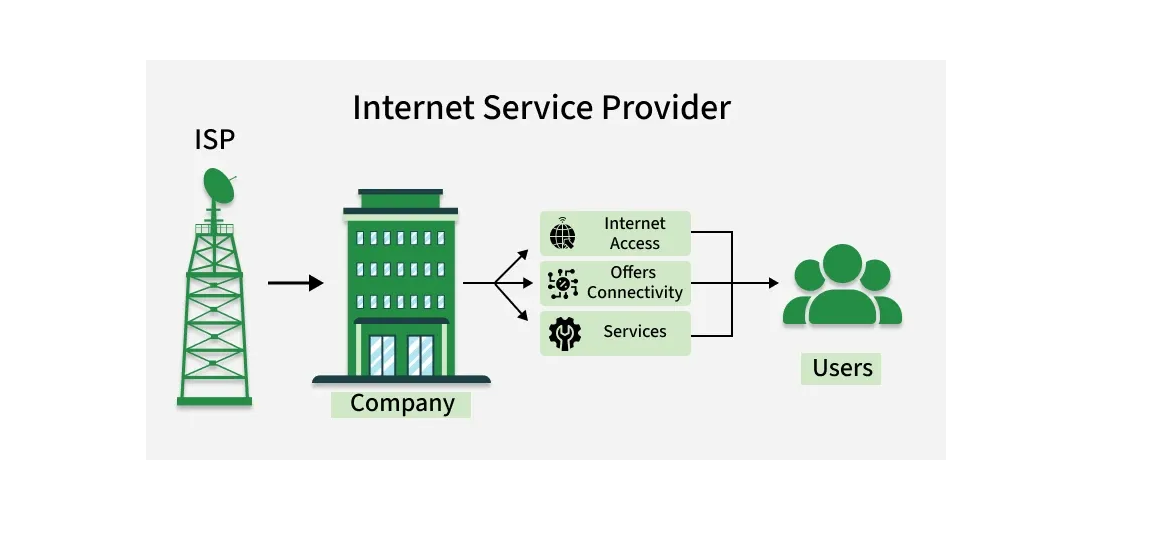
ISP tracking is the practice of internet service providers monitoring and collecting data about your online activities. Your ISP can see which websites you visit, when you visit them, how long you stay, and how much data you transfer. This monitoring happens because all your internet traffic flows through their servers.
ISPs track users for several reasons. They use this data for network management, targeted advertising, and sometimes to comply with government requests. In the United States, ISPs can legally sell this browsing data to third parties without your explicit consent.
The implications of ISP tracking extend beyond privacy concerns. Your browsing history can reveal sensitive information about your health, political beliefs, financial situation, and personal interests. This data might be used to create detailed profiles that affect the services and prices offered to you.
How Does a VPN Work to Protect Your Privacy?
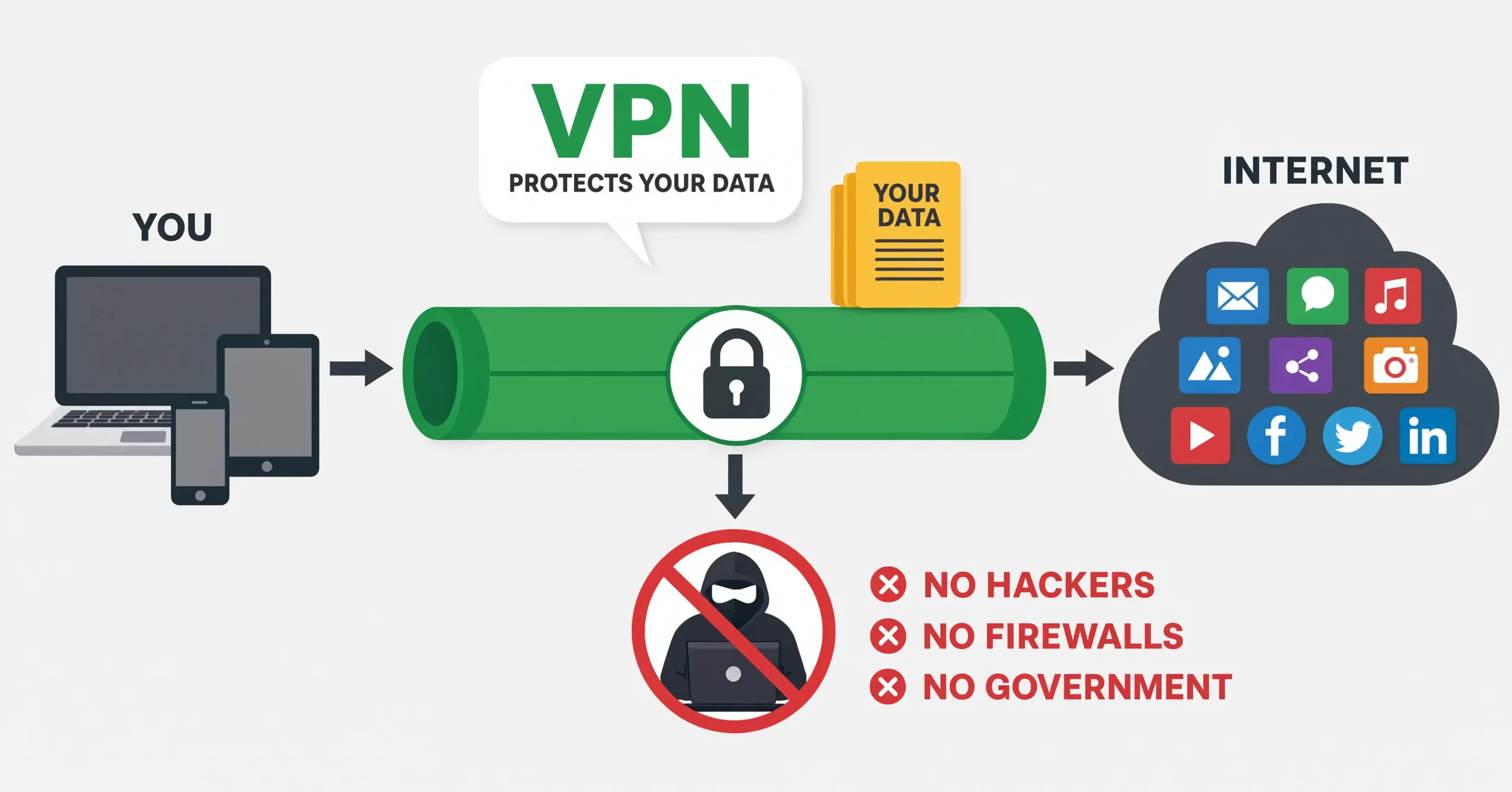
A VPN protects your privacy by creating an encrypted tunnel between your device and the internet. When you connect to a VPN server, all your internet traffic passes through this secure connection before reaching its final destination.
The process works in three key steps:
- Encryption: Your VPN client encrypts all data leaving your device using advanced protocols like OpenVPN, WireGuard, or IKEv2. This encryption makes your traffic unreadable to anyone who might intercept it, including your ISP. For a deeper dive, see our breakdown of how strong VPN encryption actually is.
- IP Masking: The VPN server replaces your real IP address with its own. This makes it appear as if your internet traffic is originating from the VPN server’s location rather than your actual location.
- Secure Tunneling: The encrypted data travels through a secure tunnel to the VPN server, where it’s decrypted and sent to its final destination. This process prevents your ISP from seeing the content of your internet traffic.
Can a VPN Completely Stop ISP Tracking?
No, a VPN cannot completely stop all forms of ISP tracking, but it significantly limits what your ISP can see. While a VPN effectively hides the content of your internet traffic and your destination websites, your ISP can still observe certain aspects of your connection. For a more detailed look at this exact question, check out our dedicated guide on whether a VPN can stop your ISP from tracking you.
When using a VPN, your ISP can still see:
- That you’re connected to a VPN server
- The amount of data you’re transferring
- The times you’re connecting and disconnecting
- The IP address of the VPN server you’re using
However, your ISP cannot see the specific websites you visit, the content you’re downloading, or the services you’re using when connected to a properly functioning VPN.
What Types of Data Can ISPs Still See When Using a VPN?
ISPs can still see connection metadata and bandwidth usage even when you use a VPN. While the encryption prevents them from viewing your actual internet activities, they can still monitor certain aspects of your connection.
What ISPs can see includes:
- Connection timestamps
- Bandwidth consumption
- VPN server IP address
- Connection duration
- Protocol used (e.g., OpenVPN)
What ISPs cannot see includes:
- Specific websites visited
- Content of communications
- Search queries
- Downloaded files
- Streaming services used
This limited visibility still provides significant privacy benefits, as your ISP cannot build detailed profiles based on your browsing habits or sell your browsing history to advertisers. It’s also worth understanding how a VPN differs from other tools in this space — see our comparison of the differences between a VPN, DNS, and a proxy.
Which VPN Features Are Most Effective Against ISP Tracking?
The most effective VPN features against ISP tracking include strong encryption, a kill switch, and DNS leak protection. These features work together to ensure your internet activities remain private and secure.
Strong Encryption Protocols
Encryption protocols determine how securely your data is protected. The most effective protocols include:
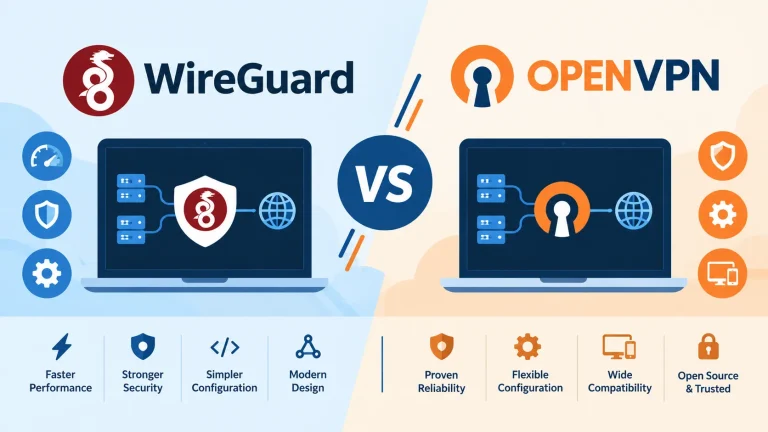
- OpenVPN: An open-source protocol known for its strong security and reliability.
- WireGuard: A newer protocol offering faster speeds with robust security.
- IKEv2/IPsec: Provides excellent security and quick reconnection when switching networks.
Kill Switch
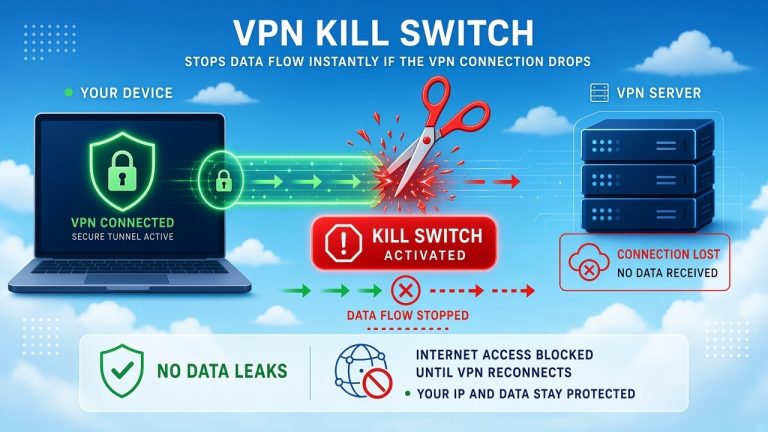
A kill switch automatically disconnects your device from the internet if your VPN connection drops unexpectedly. This prevents your real IP address and browsing data from being exposed to your ISP even for a moment. Learn more in our explainer on what a VPN kill switch is and why it matters.
DNS Leak Protection
DNS leak protection ensures that all DNS requests go through the VPN tunnel rather than your ISP’s servers. Without this feature, your ISP might still see which websites you’re trying to visit even when connected to a VPN.
No-Logs Policy
A strict no-logs policy means the VPN provider doesn’t record your online activities. This prevents your data from being shared with third parties, including your ISP, even if requested.
How to Choose the Right VPN to Prevent ISP Tracking?
Choosing the right VPN requires careful consideration of several factors. Not all VPNs offer the same level of protection against ISP tracking.
When selecting a VPN, consider these factors:
- Privacy Policy: Look for a VPN with a verified no-logs policy. Some providers have had their policies independently audited to confirm they don’t collect user data.
- Jurisdiction: Choose a VPN based in a privacy-friendly country outside the Fourteen Eyes surveillance alliance. Countries like Panama, British Virgin Islands, and Switzerland have strong privacy laws.
- Encryption Strength: Opt for AES-256 encryption, which is the industry standard and virtually unbreakable with current technology.
- Server Network: A larger server network gives you more options and helps distribute user load, maintaining better speeds.
- Speed Performance: Since VPNs can slow down your connection, look for one that minimizes speed loss, especially if you engage in activities that require high bandwidth. If gaming is a priority, our list of the best VPNs for gaming can help narrow things down.
- Simultaneous Connections: Consider how many devices you need to protect simultaneously. Most premium VPNs allow 5-7 connections.
- Customer Support: Responsive customer support can be crucial if you encounter technical issues.
- Price: While free VPNs exist, they often come with limitations and may even sell your data. A paid VPN typically offers better security and performance.
For more information on VPN features and security, you might want to check out our guide to understanding VPN encryption.
Are There Legal Implications of Using a VPN to Hide from Your ISP?
In most democratic countries, using a VPN is perfectly legal. However, the legality of VPN usage varies by jurisdiction and how you use the service.
In countries like the United States, Canada, and most of Europe, you have the right to use a VPN to protect your privacy. However, using a VPN for illegal activities remains illegal regardless of the encryption.
Some countries restrict or ban VPN usage:
- China: Only government-approved VPNs are legal.
- Russia: Individual VPN use isn’t explicitly criminalized, but the country exists in an increasingly hostile grey zone. Authorities have blocked hundreds of VPN services and several major protocols, advertising VPNs is illegal, and using one to access banned or “extremist” content can now trigger fines. The practical space for VPN use continues to narrow with each new round of enforcement.
- Iran, North Korea, and Turkmenistan: VPN usage is heavily restricted or banned.
Even where VPNs are legal, some activities might still raise concerns:
- Accessing geo-restricted content may violate terms of service of streaming platforms — see our piece on the legal implications of using a VPN to watch Netflix for more on this specific case.
- Using a VPN to engage in illegal activities is still illegal.
- Some businesses or organizations may have policies against using VPNs on their networks.
It’s important to understand the laws in your jurisdiction regarding VPN usage. When in doubt, consult with legal professionals familiar with your local regulations.
What Are the Limitations of VPNs for Privacy?
While VPNs offer significant privacy benefits, they have limitations that users should understand. No single tool can provide complete anonymity online.
Some limitations of VPNs include:
- ISP Can See VPN Usage: Your ISP can still see that you’re connected to a VPN, even if they can’t see your activities. In some regions, this might draw unwanted attention.
- VPN Provider Trust: You’re placing trust in your VPN provider not to log or misuse your data. This is why choosing a reputable provider with a verified no-logs policy is crucial — and why it’s worth asking, can a VPN steal your data?
- Potential Speed Reduction: VPNs can slow down your internet connection due to the encryption process and distance to servers. If lag is a concern, our guide on how to reduce internet latency covers ways to minimize the impact.
- Device-Level Protection: VPNs typically protect one device at a time unless you use a router-based VPN, which requires technical knowledge.
- Not Protection Against All Threats: VPNs don’t protect against malware, phishing attacks, or other online threats. You still need antivirus software and safe browsing practices.
- Possible Blocking: Some services, like certain banking platforms or streaming services, might block connections from known VPN IP addresses. This is also relevant if you’re weighing the safety of using VPNs for online shopping.
- Cost: Quality VPN services require a subscription fee, which might be a consideration for some users.
For more information on VPN safety, you can read our article on whether it’s safe to use a free VPN.
How Can You Test if Your VPN Is Effectively Blocking ISP Tracking?
Testing whether your VPN is working correctly helps ensure your privacy is protected. Several methods can verify that your ISP can’t track your online activities.
Basic tests you can perform include:
- IP Address Check: Connect to your VPN and visit an IP checking website. The displayed IP should be different from your actual IP and match the location of your VPN server.
- DNS Leak Test: Use a DNS leak test website to verify that your DNS requests are being routed through the VPN rather than your ISP’s servers.
- WebRTC Leak Test: WebRTC can sometimes reveal your real IP address even when using a VPN. Specialized websites can test for WebRTC leaks.
- Torrent IP Check: If you use BitTorrent, some clients allow you to check the IP address visible to peers in the swarm.
Advanced testing methods include:
- Packet Capture Analysis: Using tools like Wireshark to analyze your network traffic and verify encryption.
- ISP Monitoring: Some users have monitored their ISP’s account portal to see if their browsing history appears when using a VPN.
- Firewall Rules: Setting up firewall rules to block all non-VPN traffic can help ensure no data leaks outside the secure connection.
Regular testing helps maintain confidence in your VPN’s effectiveness. If you notice any issues, contact your VPN provider’s support team for assistance.
What Additional Steps Can You Take to Enhance Privacy Beyond Using a VPN?
While VPNs provide significant privacy protection, combining them with other tools and practices creates a more comprehensive privacy strategy.
Additional privacy measures include:
- Privacy-Focused Browser: Use browsers like Firefox with privacy-enhancing extensions or privacy-focused browsers like Brave or Tor.
- Secure Search Engines: Replace Google with privacy-focused alternatives like DuckDuckGo or Startpage.
- Encrypted Email: Use encrypted email services like ProtonMail or Tutanota for sensitive communications.
- Two-Factor Authentication: Enable 2FA on all accounts that support it to add an extra layer of security.
- Regular Software Updates: Keep your operating system and applications updated to patch security vulnerabilities.
- Password Manager: Use a password manager to create and store strong, unique passwords for each service.
- Secure Messaging: Use encrypted messaging apps like Signal for private conversations.
- DNS over HTTPS (DoH): Configure your browser or system to use DoH, which encrypts DNS requests.
- Privacy Settings: Review and adjust privacy settings on social media and other online accounts.
- Virtual Machines: For sensitive activities, consider using a virtual machine to isolate your main system from potential threats.
By combining these practices with a quality VPN, you create multiple layers of protection that significantly enhance your online privacy.
Conclusion
VPNs are powerful tools for protecting your privacy from ISP tracking, but they’re not perfect solutions. While they effectively hide your browsing content and destination from your ISP, some metadata remains visible. The effectiveness of a VPN depends largely on the quality of the service and how you configure it.
When choosing a VPN, prioritize providers with strong encryption, no-logs policies, and additional features like kill switches and DNS leak protection. Remember that VPNs work best as part of a comprehensive privacy strategy that includes secure browsing practices and additional privacy tools.
If you value your online privacy, investing in a reputable VPN service is worthwhile. The peace of mind that comes from knowing your ISP isn’t tracking your every move online is invaluable in today’s data-driven world.
Ready to take control of your online privacy? Research VPN providers that meet your specific needs and start protecting your digital life today.
FAQ Section
Can a VPN completely hide all my internet activity from my ISP?
No, a VPN cannot completely hide all your internet activity from your ISP. While it effectively hides the content of your traffic and destination websites, your ISP can still see that you’re connected to a VPN, the amount of data transferred, and connection times.
Is using a VPN legal in the United States?
Yes, using a VPN is completely legal in the United States. There are no laws prohibiting VPN usage for legitimate privacy purposes. However, using a VPN for illegal activities remains illegal regardless of the encryption.
Can my ISP block my VPN connection?
Yes, some ISPs can block or throttle VPN connections, especially in regions with internet censorship. They might use deep packet inspection to identify VPN traffic and block it. Quality VPNs offer obfuscation features to disguise VPN traffic and make it appear as regular internet traffic.
Do free VPNs protect me from ISP tracking?
Free VPNs offer limited protection against ISP tracking. Many free VPNs have weak encryption, collect user data to sell to advertisers, and may not have proper no-logs policies. Some free VPNs might even be honeypots designed to collect user information.
Can a VPN slow down my internet connection?
Yes, a VPN can slow down your internet connection due to the encryption process and the distance to VPN servers. However, quality VPNs minimize speed loss, and with fast internet connections, you might not notice significant differences in everyday browsing.
Does a VPN protect me on all my devices?
A VPN typically protects one device at a time unless you use a router-based VPN. Most premium VPN services allow multiple simultaneous connections (usually 5-7), so you can protect several devices with one subscription.
Can I use a VPN to access geo-restricted content?
Yes, you can use a VPN to access geo-restricted content by connecting to a server in a different region. However, this may violate the terms of service of some streaming platforms, and they might block known VPN IP addresses.
How do I know if my VPN is working properly?
You can check if your VPN is working by verifying your IP address before and after connecting, running DNS leak tests, and checking for WebRTC leaks. Quality VPN providers also offer connection status indicators in their applications.
Can the government track me if I use a VPN?
It depends on the government’s resources and the quality of your VPN. Well-funded intelligence agencies might have capabilities to bypass some VPN protections, especially if the VPN provider keeps logs. Using a reputable no-logs VPN based in a privacy-friendly jurisdiction offers the strongest protection.
Do I need a VPN if I use HTTPS websites?
Yes, you still benefit from using a VPN even when visiting HTTPS websites. While HTTPS encrypts the connection between you and the website, your ISP can still see which websites you visit. A VPN hides this information along with your IP address.
Can I use a VPN for gaming?
Yes, you can use a VPN for gaming, but it may introduce latency that affects gameplay. Some gamers use VPNs to protect against DDoS attacks or to access geo-restricted game servers. For more information, check out our article on whether VPNs are good for gaming.
How often should I connect to my VPN?
You should connect to your VPN whenever you want to protect your privacy online. For continuous protection, some VPNs offer automatic connection options that activate when you join unsecured networks or start your device.
Can a VPN protect me on public Wi-Fi?
Yes, a VPN provides excellent protection on public Wi-Fi networks. Public Wi-Fi hotspots are often insecure, making your data vulnerable to interception. A VPN encrypts your connection, protecting your information even on unsecured networks.
Will a VPN protect me from viruses and malware?
No, a VPN alone won’t protect you from viruses and malware. While it encrypts your connection, it doesn’t protect against malicious downloads or phishing attacks. You still need antivirus software and safe browsing practices for comprehensive protection.
Can my ISP tell if I’m downloading torrents with a VPN?
No, your ISP cannot tell what you’re downloading when using a properly configured VPN. All they can see is that you’re connected to a VPN server and transferring data. However, some torrent clients might leak your IP address if not configured correctly, so it’s important to use a VPN with a kill switch and DNS leak protection.
You May Also Like
 Computers & PC Games
Does a VPN Really Improve Minecraft Ping and Performance?
 VPNs & Proxies
Why You Should Use a VPN for Minecraft Servers
 VPNs & Proxies
What Is a VPN Kill Switch and Why Is It Important?
 Computers & PC Games
Is RomsFun Safe and Legit? My Complete Review and Testing Experience
 VPNs & Proxies
How to Hide Your IP Address and Protect It: 5 Best Ways
 VPNs & Proxies