
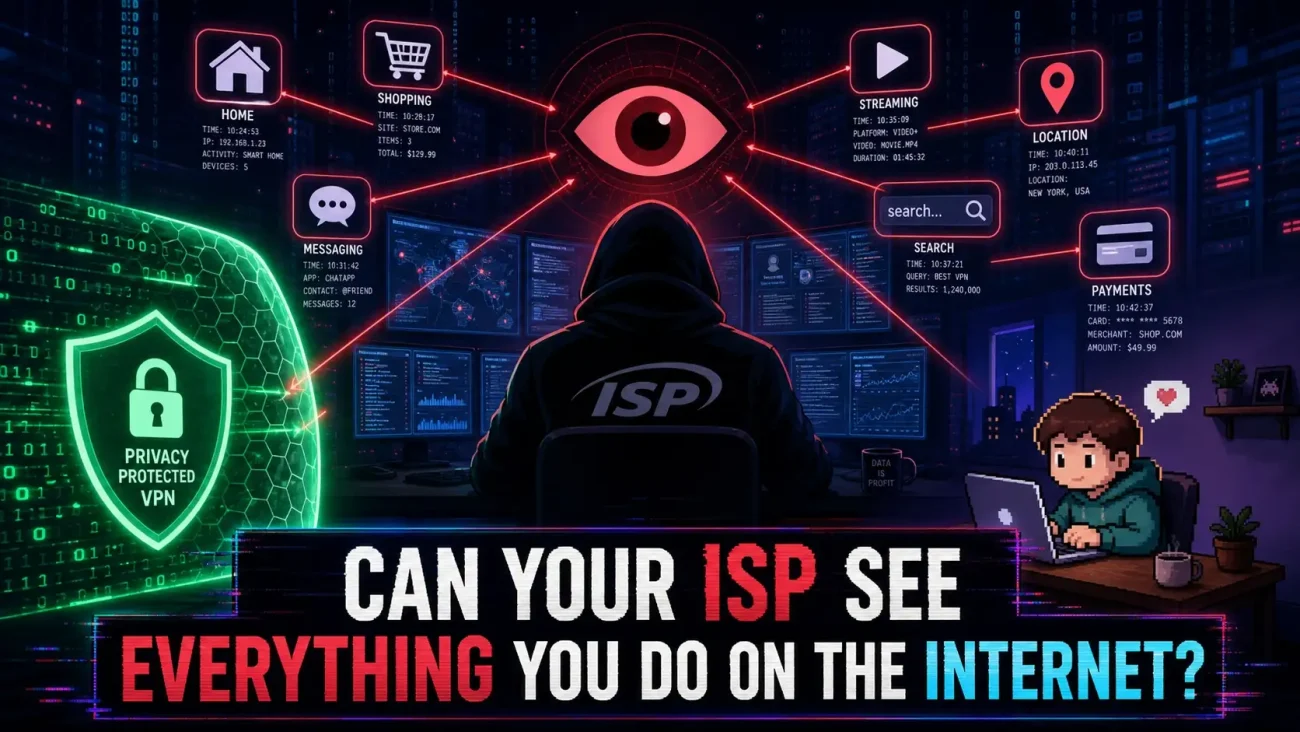
Can your ISP see what you do? No. Your ISP cannot normally see everything you do online. But it can still see some important information about your internet connection.
Your Internet Service Provider, or ISP, connects your device to the internet. Because your ISP carries your internet traffic, it can see some information about that traffic.
For example, it may see your public IP address when your connection is active, how much data you send and receive, and the IP addresses your device connects to.
But that does not mean your ISP can read everything you do.
When you use a properly secured HTTPS connection, the data sent between your device and the website is encrypted. TLS, the security technology behind HTTPS, is designed to stop network observers from reading or changing that data while it is being sent. The IETF’s TLS 1.3 standard defines these protections for data in transit.
So there are really two things to think about:
What can your ISP see about the connection?
What can it actually read inside the connection?
Those are not the same thing.
What Your ISP Can See
Your ISP can usually see basic information needed to carry your traffic across the internet.
This may include:
- Your public IP address
- IP addresses your device connects to
- When connections start and end
- How much data is transferred
- The type of network traffic being used
- DNS requests when they are not encrypted
- Other connection details
One important detail is that an IP address does not always tell your ISP exactly which website you are using.
Many websites and online services share cloud servers, content delivery networks, and other internet infrastructure. Several domains can therefore use the same IP address.
That means:
Seeing an IP address is not always the same as knowing the exact page you opened.

What Your ISP Usually Cannot Read
HTTPS protects the actual content inside a secure web connection.
For example, imagine you open an online banking website and enter your password.
Your ISP can see that your device is connecting to the internet. It may also see network information about that connection.
But, under normal HTTPS conditions, it cannot simply open the encrypted connection and read your password or the page you are viewing.
The IETF describes TLS 1.3 as a protocol that protects application data from being read or changed by network attackers.
This does not mean HTTPS protects everything.
A hacked device, malicious browser extension, phishing website, or other endpoint problem can still expose information before it is protected by HTTPS.
So a better rule is:
HTTPS protects data while it travels. It does not protect a device that has already been compromised.
Can Your ISP See Which Websites You Visit?
Sometimes it can learn part of that information, but it depends on how your connection is set up.
Older explanations often say:
HTTPS hides the page, but your ISP can still see the domain.
That is not completely wrong, but modern internet privacy is more complicated.
DNS can reveal website names
Before your browser connects to a website, it usually needs to find the website’s IP address. It does this through DNS, which works a little like the internet’s address book.
With traditional DNS, these requests may be sent without encryption.
Mozilla explains that unencrypted DNS can allow third parties to see which website your device is looking up.
For example, if your browser asks for the IP address of example.com, a network observer may be able to see that DNS request.
Encrypted DNS changes that
DNS over HTTPS, or DoH, sends DNS requests through an encrypted HTTPS connection.
This can stop your ISP or another network observer from seeing the DNS request in plain text. Mozilla’s current Firefox documentation explains this privacy benefit and also points out that the DNS provider receiving the request can still see it.
So encrypted DNS does not make the request disappear.
It changes who can see it.
ECH adds another privacy layer
There is also Encrypted Client Hello (ECH).
ECH protects sensitive information sent during the early part of a TLS connection. The IETF published RFC 9849 in March 2026, defining ECH as a way to encrypt the TLS ClientHello message.
This can help protect the website name that would otherwise appear in the TLS handshake.
However, ECH does not hide every clue about a destination. DNS information, visible IP addresses, and other network signals can still reveal useful information.
So it is better to say:
Your ISP may be able to learn something about where your connection is going, but the amount it can learn depends on DNS, TLS, ECH, VPNs, Tor, and your network setup.
Can Your ISP See Your Google Searches?
Usually, it cannot read the exact search terms you send through a properly secured HTTPS connection.
Suppose you search:
best way to reduce CPU usage while gaming
Your ISP may be able to see that your device is connecting to Google’s infrastructure.
It generally cannot read that exact search phrase from the encrypted HTTPS data.
But there is an important difference between ISP privacy and search privacy.
Google still receives the search query.
So hiding a search from your ISP does not mean hiding it from the search engine.
The same idea applies to privacy-focused search engines.
A private search engine may reduce what the search provider collects, but it does not automatically hide your network connection from your ISP.

Why Incognito Mode Does Not Hide You From Your ISP
Incognito mode is easy to misunderstand.
It mainly changes what your browser stores on your device.
Google explains that Incognito limits certain local browsing information, while websites and organizations that manage the network, including ISPs, may still be able to observe activity.
So when you open a website in Incognito mode:
Your browser may avoid saving the visit in its normal local history.
Your internet traffic still travels through the same network.
That means Incognito does not:
- Hide your traffic from your ISP
- Make you anonymous to websites
- Hide activity from a school or employer network
- Replace a VPN
- Replace Tor
The easiest way to remember this is:
Incognito changes local browser storage. It does not change your network path.
What Changes When You Use a VPN?
A VPN changes the path your traffic takes.
Without a VPN, the basic path is:
Your device → ISP → website or service
With a VPN:
Your device → ISP → encrypted VPN tunnel → VPN server → website or service
Your ISP can still see that your device is communicating with a VPN server.
It can also see some connection details, such as timing and traffic volume.
What changes is the destination information available to the ISP.
Instead of directly seeing your traffic going to each website, the ISP generally sees an encrypted connection between your device and the VPN server.
That is why a VPN can be useful when your goal is to reduce what your ISP can learn about your browsing destinations.
But a VPN does not remove trust
There is an important trade-off:
You are moving trust, not eliminating it.
Your ISP becomes less able to see the traffic inside the VPN tunnel.
But the VPN provider becomes an important part of your privacy setup.
That means you should look at the provider’s privacy policy, security practices, ownership, logging claims, and independent audits or assessments where available.
A “no logs” claim alone does not tell you everything about how a VPN provider operates.
Does a VPN Make You Anonymous?
No.A VPN can improve your network privacy, but it does not make you anonymous everywhere.
For example, a website may still know who you are when you sign in to your account.
Online services can also use cookies, account information, device details, and information you provide yourself.
So a VPN mainly changes what your network provider can see.
It does not erase every way your activity can be linked to you.
What About Torrenting?
Torrenting works differently from normal web browsing.
With a normal website, your device usually connects to the website’s servers.
With BitTorrent, your device can connect directly with many other users in the same group, or swarm.
This creates two separate privacy questions:
What can your ISP learn about the traffic?
and
Who else can see your public IP address?
Those are not the same problem.
Your ISP may be able to identify or infer peer-to-peer traffic patterns.
At the same time, other torrent peers may be able to see the public IP addresses used by participants.
What About YouTube and Netflix?
Streaming services use encrypted connections for normal web traffic.
Your ISP may still see the connection, the network addresses involved, timing, and how much data is being transferred.
But it normally cannot simply open a properly encrypted HTTPS connection and read the actual video or application content inside it.
Encrypted traffic can still have patterns that reveal some information about what is happening.
The key difference is:
Encrypted does not mean invisible.
Encryption protects the content while some connection details may remain visible.
What About ChatGPT and Other AI Services?
The same basic rule applies to modern AI websites and applications.
Your ISP can generally see that your device is connecting to the service and may observe basic network information.
It normally cannot read the actual prompts and responses inside a properly secured HTTPS connection.
For example, your ISP may be able to see:
- That a connection to the service exists
- When the connection happens
- How much data is exchanged
- Network-level destination information
It generally cannot simply inspect the encrypted traffic and pull out the text of your prompt.
But remember:
Your ISP’s visibility is not the same as the AI service’s visibility.
A VPN can change what your ISP sees, but it does not decide what the AI service receives through your account or session.
What About Telegram Messages?
Telegram is a good example of why privacy claims need to be precise.
Telegram says that its regular Cloud Chats use client-server/server-client encryption, while Secret Chats use an additional client-to-client encryption layer and are end-to-end encrypted. Secret Chats are also device-specific.
So saying:
“All Telegram chats are end-to-end encrypted”
would be too broad.
For the ISP question, the main point is simpler:
Your ISP generally cannot read Telegram message content directly from properly encrypted network traffic while it is being transmitted.
The exact privacy protections depend on which type of Telegram chat you use.
What About Reddit, X, and Other Websites?
Modern websites generally use HTTPS to protect application data in transit.
That means the same basic rule applies to Reddit, X, online stores, forums, and many other websites.
Your ISP may see:
- Network addresses
- Connection timing
- Traffic volume
- Other network metadata
It generally cannot simply read the protected contents of a properly encrypted HTTPS connection.
This leads to a useful distinction:
Network privacy is about what your ISP or another network observer can see.
Platform privacy is about what the website or app itself can collect.
Those are two different questions.
Can Your ISP See Your Passwords?
Normally not when you enter them through a properly secured HTTPS connection.
Your password becomes part of the protected data sent through the HTTPS connection.
TLS is designed to protect that data while it travels between your device and the server.
But HTTPS cannot protect you from every threat.
For example, malware, a phishing page, or a malicious browser extension could capture your password before HTTPS protects it.
So:
HTTPS protects passwords in transit. It does not protect a compromised device.
What About Downloaded Files?
Your ISP can usually see that data is being transferred.
It may also see approximately how much data is being transferred and when the transfer takes place.
Suppose you download a 4 GB software installer over HTTPS.
Your ISP may see a large transfer.
But it generally cannot simply inspect the encrypted HTTPS data and read the contents of the installer.
This is an important difference:
“A large file was downloaded” does not automatically mean “the ISP knows exactly which file was downloaded.”
Traffic size and timing can still reveal clues, though. TLS protects the data contents but does not hide every traffic characteristic.
What Happens When You Delete Your Browsing History?
Deleting your browser history only removes information stored by the browser on your device.
It does not reach into the systems of your ISP, websites, search engines, DNS providers, or other services and delete information they may already have.
There is also an important point that often gets missed:
An ISP being able to observe something does not mean it keeps a complete record of everything you do.
What a provider can see and what it actually stores are two different questions.
How Long Does an ISP Keep Your Data?
There is no single retention period that applies to every ISP and every type of data.
A provider may keep different kinds of information for different reasons, including:
- Account records
- Billing information
- Network diagnostics
- Security logs
- Usage information
- Other business or operational records
These records may have different retention periods.
So avoid statements such as:
“Your ISP keeps your browsing history for one year.”
That may be true for a specific provider or a specific type of record, but it is not a universal rule.
For a specific ISP, its current privacy policy is the better source.
Can an ISP Sell Your Browsing Data?
There is no universal yes-or-no answer.
What an ISP collects, uses, shares, or monetizes depends on the provider’s practices and the laws that apply.
The Federal Trade Commission published a major report in October 2021 examining the privacy practices of six large internet service providers. The report described extensive data collection and several ways some of the companies used or shared consumer information.
That report should be read in context.
It studied specific companies and practices at that time. It does not prove that every ISP follows the same policies today.
For a specific provider, check its current privacy policy and the rules that apply to your service.
Does Encrypted DNS Hide Your Browsing From Your ISP?
It can hide DNS lookups from your ISP, but it does not hide your entire internet connection.
With normal DNS, a network observer may be able to see the domain your device is looking up.
With DNS over HTTPS, the lookup is sent through an encrypted HTTPS connection. Mozilla explains that this can prevent network observers from seeing the DNS request in plain text.
But the DNS provider handling that request can still receive it.
So encrypted DNS does not make the lookup disappear.
It changes which party receives that information.
Does ECH Hide the Website From Your ISP?
ECH can hide the website name included in part of the TLS connection setup when ECH is successfully negotiated.
The IETF standardized ECH in RFC 9849 in March 2026. The standard explains how ECH encrypts the TLS ClientHello message and protects sensitive information carried in that message.
However, ECH is not a complete anonymity tool.
Your ISP may still see other information, such as destination IP addresses, traffic timing, or DNS information when DNS is not protected.
So ECH is best understood as one additional privacy layer, not a complete replacement for a VPN or Tor.
Does a VPN Hide Your Browsing History From Your ISP?
A VPN can hide much of the browsing traffic sent through the VPN tunnel from your ISP, but it does not erase history that already exists elsewhere.
For example, turning on a VPN today does not delete:
- Browser history already stored on your device
- Website records
- Account activity
- Data already collected by online services
- Other records created before the VPN was used
A VPN changes the network path for traffic sent through the VPN.
It does not go backward and remove information that already exists.
Can Your ISP See That You Are Using a VPN?
Usually, yes.
A VPN hides the contents of the tunnel, but it does not necessarily hide the fact that a VPN connection exists.
Your ISP may be able to see that your device is connecting to a VPN server.
It may also observe connection timing, traffic volume, and other metadata.
So a VPN does not make your connection disappear.
It changes what your ISP can learn from that connection.
Does a VPN Slow Down Your Internet?
It can, but there is no single slowdown number that applies to every VPN.
Performance depends on things such as:
- Distance to the VPN server
- Server congestion
- VPN protocol
- Network routing
- Your internet connection
- Your device
A nearby, lightly loaded server may have little noticeable impact.
A distant or crowded server can have a larger effect.
That is why claims such as “every VPN slows your internet by 20%” are too broad.
What Does Tor Change?
Tor uses a different approach from a normal VPN.
Instead of sending traffic through one VPN provider, Tor sends it through multiple relays.
The Tor Project explains that this design prevents a normal network observer from directly seeing the final websites you access through Tor, while the fact that you are connecting to the Tor network may still be visible. (Tor Project)
This creates a different trust model.
With a VPN, you place a lot of trust in one provider.
With Tor, traffic is spread across multiple relays.
Tor still does not make every action anonymous.
Signing into a personal account, sharing identifying information, or using software outside the protections of Tor can reduce your privacy.
Which Privacy Tool Should You Use?
It depends on what you are trying to protect.
| Technology | Main purpose | What can still be visible |
|---|---|---|
| HTTPS/TLS | Protects website and app data in transit | Some connection metadata |
| Encrypted DNS | Protects DNS lookups | Other network information |
| ECH | Protects sensitive TLS connection information | IP addresses and other traffic clues |
| VPN | Hides much of your destination traffic from the ISP | VPN connection and some metadata |
| Tor | Hides final destinations from normal ISP observation | Connection to Tor and information you reveal |
| Incognito | Limits local browser history | Network activity |
There is no single privacy tool that solves every problem.
Each one protects a different part of your connection.
What Should You Actually Do?
For normal web browsing, HTTPS is the most important starting point. It protects the contents of properly secured web connections while they travel across the network.
If you want to reduce what your ISP can learn from DNS requests, encrypted DNS can help. Mozilla’s current Firefox documentation explains how DNS over HTTPS works and what it can and cannot hide.
If your main goal is to reduce the amount of destination traffic your ISP can directly observe, a reputable VPN is the more direct option.
If you need a different anonymity model and are comfortable with more complexity, Tor may be useful for some situations. (Tor Project)
And if your goal is simply to stop your browser from saving normal local history, Incognito can help with that. It is not a network privacy tool.
The best choice depends on what you are trying to hide and who you are trying to hide it from.
FAQ
Can my ISP see my browsing history?
Your ISP may be able to observe network activity and some destination information, but that does not mean it has a readable copy of every page you viewed. HTTPS normally protects the content of secure web sessions.
Can my ISP see what I search on Google?
Usually not the exact search terms sent through a properly secured HTTPS connection. Your ISP can still see the connection and related network information.
Does Incognito hide browsing from my ISP?
No. Incognito mainly limits information saved locally on your device. It does not hide your network traffic from your ISP.
Can my ISP see which websites I visit?
It may be able to learn some destination information. How much it can identify depends on DNS, TLS, ECH, your network, and privacy tools.
Does a VPN hide websites from my ISP?
A properly working VPN can hide much of the destination traffic inside the encrypted VPN tunnel. Your ISP can still see the VPN connection itself.
Can my ISP see that I use a VPN?
Usually, yes. The ISP may be able to see that your device is communicating with a VPN server.
Does a VPN make me anonymous?
No. Websites can still identify you through accounts, cookies, device information, and information you provide.
Can my ISP read my passwords?
Normally not when they are sent through a properly secured HTTPS connection. A compromised device or phishing site is a different problem.
Can my ISP see torrent activity?
It may be able to identify or infer peer-to-peer traffic. Other torrent peers may also be able to see your public IP address.
Does encrypted DNS hide my browsing?
It can hide DNS lookups from your ISP, but it does not hide every part of your network connection.
Does ECH hide the website I visit?
ECH can protect sensitive website information during the TLS connection setup when it is successfully negotiated. Other destination clues may still remain visible.
Can my ISP see downloaded files?
It can usually see that data was transferred and how much traffic was involved. It generally cannot read the contents of a properly encrypted HTTPS download.
Can my ISP see my ChatGPT conversations?
It can generally see the network connection to the service, but it normally cannot read your prompts and responses inside a properly encrypted HTTPS session.
Can my ISP read Telegram messages?
Generally not from the encrypted network traffic itself. Telegram uses different encryption models for Cloud Chats and Secret Chats.
Can my ISP sell my browsing data?
There is no universal answer. What an ISP collects, uses, shares, or monetizes depends on the provider and the laws that apply.
How long does my ISP keep my data?
It varies by provider and by type of information. Check the ISP’s current privacy policy for its stated retention practices.
The Bottom Line
Your ISP cannot normally see everything you do online.
When you use HTTPS, your ISP generally cannot read the contents of properly encrypted web traffic, including things such as page contents, passwords, and exact search terms inside the secure session. TLS is designed to protect application data while it is being sent.
But your ISP can still see parts of the connection.
It may see your public IP address, destination IP addresses, connection timing, traffic volume, DNS requests when they are not encrypted, and other network information.
The amount it can learn depends on your setup.
HTTPS protects content.
Encrypted DNS protects DNS lookups.
ECH can protect sensitive information during TLS connection setup.
A VPN can hide much of your destination traffic from your ISP.
Tor uses a different multi-relay approach for privacy and anonymity.
Incognito mainly affects what is stored on your device.
The most useful question is not:
“Can my ISP see everything?”
It is:
“What can my ISP see, what is encrypted, and which privacy tool changes that?”
Once you look at privacy in those layers, the subject becomes much easier to understand. You can then choose the right tool for your needs without expecting any single technology to make you completely invisible.
Sources
- IETF — RFC 8446: The Transport Layer Security (TLS) Protocol Version 1.3 Read the TLS 1.3 standard
- IETF — RFC 9849: TLS Encrypted Client Hello Read the ECH standard
- Mozilla — Firefox DNS over HTTPS Read Mozilla’s DNS over HTTPS guide
- Google Chrome — Browse in Incognito mode Read Google’s Incognito documentation
- Federal Trade Commission — A Look at What ISPs Know About You Read the FTC report
- Tor Project — About Tor Browser Read the Tor Project documentation
- Telegram — FAQ Read Telegram’s encryption FAQ
You May Also Like
 Computers & PC Games
Does a VPN Really Improve Minecraft Ping and Performance?
 VPNs & Proxies
Why You Should Use a VPN for Minecraft Servers
 VPNs & Proxies
What Is a VPN Kill Switch and Why Is It Important?
 Computers & PC Games
Is RomsFun Safe and Legit? My Complete Review and Testing Experience
 VPNs & Proxies
How to Hide Your IP Address and Protect It: 5 Best Ways
 VPNs & Proxies