
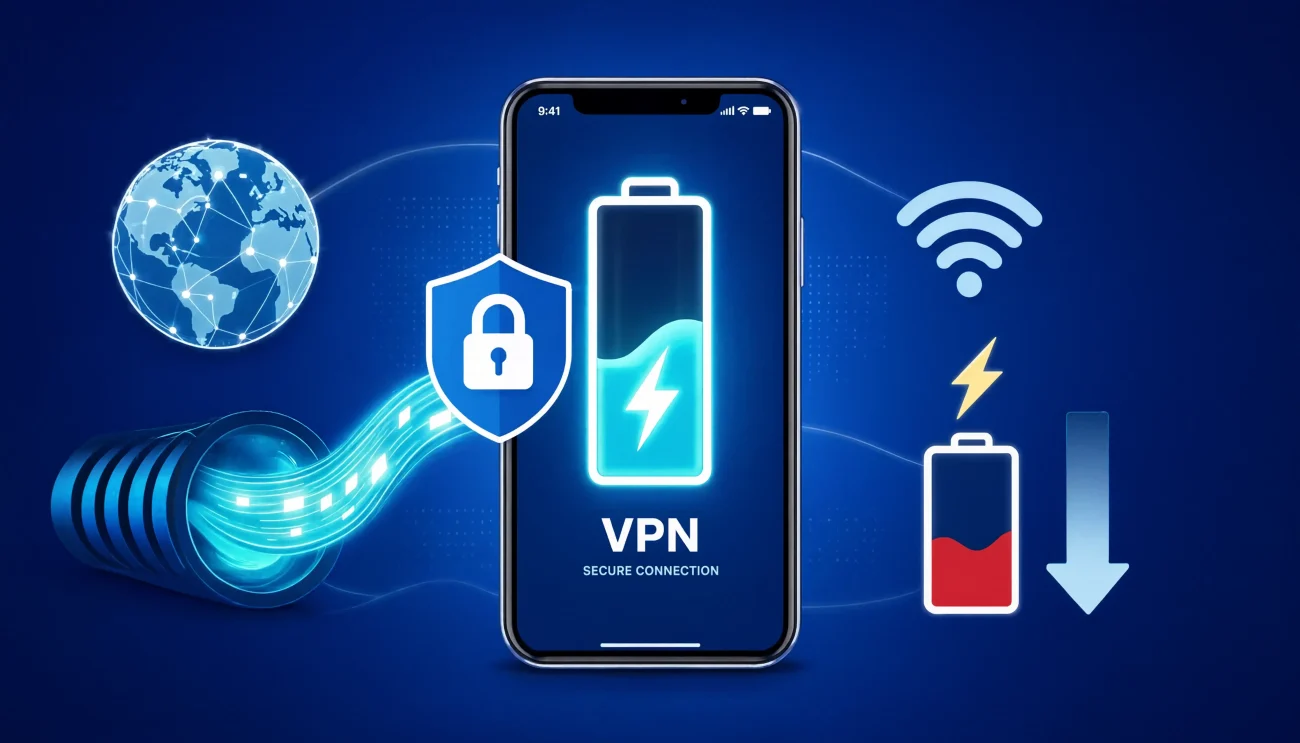
You turn on your VPN, and a few hours later your phone’s at 50% when it’s usually still sitting near 57%. So you start to wonder: is the VPN doing this?
So, does using a vpn drain battery? I can say, yes, a VPN will drain your phone’s battery life. It’s not huge, and it’s not the same for everyone, but it’s real. Here’s what’s actually going on, what percentage of the battery is consumed within one hour?, and what you can do about it without giving up your privacy.
Does a VPN Use More Battery?
Yes, a VPN can use more battery, but the extra drain may be smaller than you expect. Your phone has to do some additional work to encrypt your internet traffic and maintain a connection to the VPN server, which can increase power use.
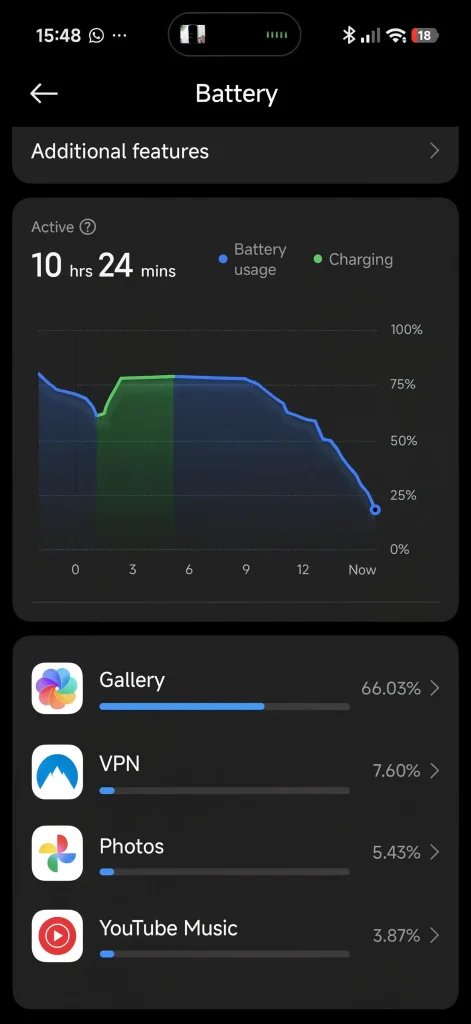
In our test, the VPN used about 7% of the phone’s battery over a little more than an hour. We tested it on a Xiaomi 17 over Wi-Fi, with Airplane Mode enabled to turn off the cellular connection. During the test, we used the phone for a mix of everyday activities, including watching YouTube, streaming Netflix, and playing an online game.
That 7% result is specific to our test setup, so you should not expect the same number on every device or VPN. Battery use can vary depending on your phone, VPN app, VPN protocol, connection quality, screen brightness, background activity, and how you use your device.
Your activity matters, too. Light web browsing may have a smaller effect on battery life than streaming video or playing an online game for a long period. Social media can also use more power when you are constantly loading videos, photos, and other content. Downloading large files can add to the workload as well.
Using mobile data can produce different results from Wi-Fi. A weak cellular signal, in particular, can make your phone work harder to maintain the connection. The VPN itself is only one part of the overall battery drain.
So, does a VPN drain your phone battery? It can, but there is no single percentage that applies to every phone, VPN, or activity. In our test, the extra battery use was fairly modest, and for everyday browsing, streaming, social media, or gaming, the impact may not be large enough to matter for most people.
Why Does Using a VPN Drain Your Battery Faster?
There are three main reasons a VPN can consume more power from your device:
- Encryption requires processing power: Your device has to encrypt outgoing traffic and decrypt incoming data before apps can use it. Modern phones are quite efficient at this, but processing network traffic still requires some power. The more data you’re sending and receiving, the more processing the VPN may need to do.
- The VPN connection has to stay active: A VPN maintains an ongoing connection with its server and may send occasional keepalive packets to prevent the connection from timing out. This network activity uses some power, although the impact is generally small.
- Mobile data can use more power: The VPN itself doesn’t make your cellular signal stronger or weaker. However, if you’re using mobile data—particularly in an area with a weak or unstable signal—the phone’s cellular radio may consume more power while maintaining the connection. The VPN adds its own processing and networking overhead on top of that.
We didn’t see a huge battery hit in our test. We used Wi-Fi with Airplane Mode on, so keep in mind that your results may be different when using mobile data. This is especially true if you’re in an area with a weak cellular signal, where your phone may already be using more power to stay connected.
For a deeper look at what happens to your data while it’s protected, see our guide to understanding VPN encryption.
How Much Battery Does a VPN Use?
Most people notice their battery drops a bit faster with a VPN running, but it’s usually not dramatic.
How Much Battery Does a VPN Use on Average?
There is no single number that applies to every phone, but in our test, the battery impact was fairly small. We used a Xiaomi 17 with the VPN running and saw about 7% battery use in a little over an hour of mixed YouTube, Netflix, online gaming, and a couple of social media.
Your results may be different. Battery drain depends on the phone you use, the VPN app and protocol, your connection, screen brightness, background activity, and what you are doing on the device. Mobile data can also change the result, especially when the cellular signal is weak.
Your activity matters, too. Light web browsing may use less battery than streaming video or playing an online game for a long time. Social media can also use more power when you are constantly loading videos, photos, and other content. Large downloads can add to the workload as well.
So, rather than expecting a fixed percentage, think of VPN battery use as some extra power on top of what your phone already uses for the screen, apps, internet connection, and whatever you are doing at the time.
In our test, that extra use was modest. But every phone, VPN, network connection, and usage pattern is different, so your battery results may be higher or lower.
Factors That Affect Battery Drain When Using a VPN
Not every VPN affects battery life in the same way. The difference can come down to a few things:
- The VPN protocol: The protocol your VPN uses can affect how much processing power it needs. WireGuard, for example, was designed to be lightweight and efficient, while OpenVPN can have more overhead in some situations. The actual difference depends on the app, device, and configuration.
- The VPN server you connect to: A server that’s far away can add latency and may require your connection to work harder, especially if the route between you and the server isn’t ideal. A nearby server will usually give you a more direct connection, although server distance alone doesn’t determine battery usage.
- Wi-Fi vs. mobile data: Your connection type can make a noticeable difference. Cellular data can use more battery when your phone is dealing with a weak or unstable signal. Wi-Fi can be more efficient in many situations, particularly when you’re connected to a strong, stable network.
- Your device and processor: Newer phones and laptops generally have more efficient processors and may handle encryption with less power. Older devices can use more energy for the same workload, especially when the CPU is already under heavy load.
- What you’re doing in the background: If apps are already syncing photos, checking for updates, or transferring data in the background, your device is doing more network and processing work before the VPN even enters the picture. A VPN adds a little more overhead to that workload.
- How well the VPN app is optimized: VPN apps aren’t all built the same way. A well-optimized app can keep its background activity and CPU usage low, while a poorly optimized one may use more resources than necessary.
Does a VPN Make Your Phone Heat Up?
Sometimes, yes. A VPN can make your phone run a little warmer because it adds some extra processing and network activity. Your phone has to encrypt your traffic and maintain the VPN connection, which adds some workload.
In our own testing, we noticed a small increase in battery use and heat during longer sessions. On our Xiaomi 17, battery use was roughly 7% to 12% over a little more than an hour, depending on what we were doing during the test. We used a mix of browsing, YouTube, Netflix, social media, and online gaming.
That result is specific to our device and test conditions. We would not use 7%–12% as a universal number for VPN battery drain or heat.
Your results can be different, especially if you use an iPhone or another Android phone. Every phone has its own processor, battery capacity, cooling system, display, operating system, background processes, and power-management features. The VPN app and protocol can also make a difference.
What you’re doing on the phone matters too. Light web browsing may produce less heat than streaming video or playing an online game for a long time. Apps such as Instagram, TikTok, and Facebook can also increase power use when you’re constantly loading photos, videos, Stories, and Reels. A weak cellular signal can add even more work because the phone may need to work harder to maintain the connection.
So, if your phone feels a little warmer with a VPN enabled, that can be normal. The VPN may be contributing to the extra workload, but it is usually only one part of the overall picture.
If you want to see how much difference the VPN makes on your own phone, try the same activity twice: once with the VPN off and once with it on. Keep the app, screen brightness, network connection, and test time as similar as possible. This gives you a much more useful comparison than relying on a battery percentage from someone else’s phone.
Unless your phone becomes unusually hot, shows an overheating warning, or starts slowing down to reduce heat, a small increase in temperature during demanding tasks is generally not a reason to panic.
Best Ways to Reduce VPN Battery Drain
You don’t have to choose between privacy and battery life. A few simple changes can help reduce the extra power your VPN may use.
- Choose a VPN that supports WireGuard: WireGuard is a modern VPN protocol designed to be lightweight and efficient. Depending on your device, VPN provider, and connection, it may use less power than some older protocols.
- Connect to a nearby VPN server: A server that’s geographically closer to you can reduce latency and may help avoid unnecessary connection work. However, distance is not the only factor. Server load and network quality can matter too.
- Use Wi-Fi when you can: Your phone may use more power on a weak cellular connection, especially when it has to work harder to maintain the signal. When you’re at home or somewhere with reliable Wi-Fi, using Wi-Fi can help reduce overall power use.
- Turn off VPN features you don’t need: Some VPN apps include extras such as ad blocking, malware protection, traffic filtering, or frequent connection checks. If you don’t use a feature, turning it off may reduce some background activity.
- Use split tunneling when available: Split tunneling lets you choose which apps use the VPN and which ones connect normally. For example, you might keep banking or work apps on the VPN while allowing apps that don’t need the VPN to use your regular connection.
- Keep your VPN app updated: Updates can include bug fixes, stability improvements, and performance changes. Keeping the app current may help it run more efficiently on your device.
- Check connection and reconnect settings: Some VPN apps use periodic checks to make sure the tunnel is still active. If your app lets you adjust these settings, reducing unnecessary reconnect attempts may help, especially if your connection is unstable.
- Don’t use Airplane Mode just to save VPN battery: Airplane Mode turns off your phone’s wireless connections, so it is not a practical way to reduce battery use while staying connected to a VPN. If you need the VPN, focus instead on using a stable Wi-Fi or cellular connection and avoiding unnecessary background activity.
Is the Battery Trade-Off Worth It?
For most people, yes. A VPN can add some extra battery use, but the difference may be small enough that you barely notice it during everyday use.
A VPN can also give you useful privacy benefits, especially when you’re using public Wi-Fi. It encrypts your traffic between your device and the VPN server, which can make it harder for someone on the same network to snoop on your connection. Your internet provider can still see that you’re connected to a VPN, but the VPN generally prevents the provider from seeing the contents of your encrypted traffic.
Based on our testing, the extra battery use was fairly modest. Your results can still vary depending on your phone, VPN app, protocol, network connection, and what you’re doing on the device.
If battery life is tight, such as during travel or a long day away from a charger, you can turn the VPN off temporarily and turn it back on when you need it. Many VPN apps also offer quick-connect or pause options that make this easy.
The key is to use a VPN you trust. A VPN does not automatically provide better privacy just because it is a VPN. The provider still matters, which is why our guide on whether it’s safe to use a free VPN looks at some of the risks to consider.
Bottom Line
Yes, a VPN can use some extra battery, but in our test, the difference wasn’t huge. On a Xiaomi 17, we saw around 7% battery usage during a little more than an hour of streaming and online gaming with the VPN enabled.
Your results may be different depending on your phone, VPN app, protocol, and network connection. Android and iOS may also handle VPN connections differently, so battery usage can vary between the two platforms. Using mobile data, especially with a weak signal, can also increase power consumption.
A VPN can make your phone run a little warmer during heavier tasks, but some warmth is normal and usually isn’t a cause for concern. If battery life is important to you, using an efficient protocol such as WireGuard and connecting to a reasonably close server can help keep the extra overhead down.
Overall, you don’t necessarily have to choose between privacy and battery life. For most everyday use, the additional battery impact should be manageable.
You May Also Like
 Computers & PC Games
Does a VPN Really Improve Minecraft Ping and Performance?
 VPNs & Proxies
Why You Should Use a VPN for Minecraft Servers
 VPNs & Proxies
What Is a VPN Kill Switch and Why Is It Important?
 Computers & PC Games
Is RomsFun Safe and Legit? My Complete Review and Testing Experience
 VPNs & Proxies
How to Hide Your IP Address and Protect It: 5 Best Ways
 VPNs & Proxies