

Starlink is good for gaming if you don’t have reliable fiber or cable. I’ve used it at my rural home since early 2024, and my gaming ping usually falls between 25 and 40 milliseconds. That’s been responsive enough for the games I play.
The tradeoff is consistency. Starlink can have ping spikes or brief outages, even when a speed test looks great. A short interruption may not matter when you’re browsing, but it can kick you out of a match.
During roughly two years of use, I remember four or five short dropouts during heavy rain. Most lasted about a minute or less. That hasn’t been a major problem for my household, but it’s worth considering if you play ranked matches.
Here’s what I’ve learned about gaming on Starlink, including where it works well, where it falls short, and what you can do to improve it.
Starlink Gaming Performance at a Glance
| Category | What to Expect |
|---|---|
| My usual gaming ping | About 25–40 ms under normal conditions |
| Casual multiplayer | Generally works well with a clear dish view and stable home network |
| Competitive gaming | Playable, but less predictable than a good fiber connection |
| Cloud gaming | Can work well when speed and latency stay stable |
| Game downloads | Generally fast, though speeds can change throughout the day |
| Hosting a server | Can be difficult because of CGNAT and inbound connection limits |
| Best device connection | Ethernet, when available |
Quick answer: Starlink has enough speed for most online games. The bigger question is whether the connection stays steady during your match. If reliable fiber or cable is available, I’d usually choose that first.
What Matters Most for Online Gaming?

A fast download speed is nice, especially when a new game takes hours to install. But it doesn’t tell you everything about how a connection will feel during a match.
These are the things I pay attention to:
- Speed: How much data your connection can transfer. Higher download speeds help with large games and updates.
- Ping: How long it takes data to travel to a server and back. Lower ping usually means a more responsive game.
- Jitter: How much your ping changes over time. Large swings can make gameplay feel uneven.
- Packet loss: When some data doesn’t reach its destination. It can cause stuttering, missed actions, or choppy voice chat.
- Outages: Brief losses of internet service. Even a short one can disconnect you from a game.
A steady 50 ms connection can feel better than one that jumps between 25 ms and 150 ms. That’s why I care more about stability than chasing the highest speed-test result.
For more background, see our guides to how much internet speed you need and what internet jitter means.
What Is a Good Ping for Gaming?
| Ping | How It May Feel |
|---|---|
| Under 30 ms | Very responsive in most games |
| 30–60 ms | Good for casual play and many competitive games |
| 60–100 ms | Playable, though some delay may be noticeable |
| 100–150 ms | Noticeable delay, especially in fast games |
| Above 150 ms | More difficult for fast-paced multiplayer games |
These are guidelines, not hard rules. The game, server location, and stability of your connection all affect how it feels.
Starlink lists typical latency of 25–60 ms on land, with higher latency possible in some remote locations. Your in-game ping may be different because the game server can be farther away than a speed-test server. Starlink Specifications
My Experience Gaming on Starlink
Most of the time, my ping stays around 25–40 ms. At that level, I can play without thinking much about the connection.
One daytime speed test showed:
- Download: 187 Mbps
- Upload: 24 Mbps
- Latency: 31 ms
I’ve also seen download speeds above 260 Mbps when conditions were good. On busier evenings, I’ve seen them fall to around 60 Mbps.
That drop hasn’t automatically made games feel slow. Actual gameplay uses much less data than a big download. A brief ping spike is usually more noticeable than the difference between a 60 Mbps and a 200 Mbps download speed.
These results come from one rural home, so your experience may be different. Dish placement, local demand, weather, Wi-Fi, and game-server location can all make a difference.
For more about my setup and everyday use, read my account of using Starlink for two years.
Is 100 Mbps Starlink Enough for Gaming?
Yes. A stable 100 Mbps connection is enough for online gaming in most homes.
You can usually play, use voice chat, and let someone else browse or stream at the same time. Trouble is more likely when several devices are downloading or uploading large files.
For example, cloud backups can fill your available upload capacity and cause lag, even if your download speed still looks good.
More speed helps with downloads, but it won’t automatically lower your ping. A stable 100 Mbps connection can feel better in a game than a faster connection with packet loss or frequent spikes.
See our guide to whether 100 Mbps is fast enough for a closer look at household use.
What Games Work Well on Starlink?
Starlink can handle many kinds of online games. How well it feels depends less on the game’s download size and more on how sensitive it is to delay or interruptions.
| Game Type | What to Expect |
|---|---|
| Single-player and turn-based games | Generally a good fit. Large downloads may be the main concern. |
| MMOs and online RPGs | Usually playable, though an outage can disconnect you. |
| Casual multiplayer | Often works well when the connection is stable. |
| Racing and sports games | Playable, but sudden ping changes can make movement look jumpy. |
| Competitive shooters | Playable, though spikes and packet loss can be frustrating. |
| Fighting games | Can work well, but a stable connection matters for both players. |
| Cloud gaming | Works best when bandwidth and latency remain steady. |
Voice chat is generally fine, too. If your audio is choppy, check for weak Wi-Fi, packet loss, or another device using a lot of upload bandwidth.
Can You Play Minecraft on Starlink?
Yes. Joining Minecraft Realms or a server hosted somewhere else should normally work without special setup.
Hosting a server from your own home can be harder. Standard Starlink connections commonly use CGNAT, which can limit direct incoming IPv4 connections. Starlink also says its router does not support port forwarding.
For a world shared with friends, renting a server may be simpler. Our guide to modded Minecraft server hosting explains what to look for.
Is Starlink Good for Competitive Gaming?
Starlink can work for competitive games, but I wouldn’t call it the most predictable option.
My usual 25–40 ms ping feels responsive. The concern is what happens during a spike or a brief interruption. In a ranked match, a few bad seconds can matter.
Games such as Fortnite, Valorant, Counter-Strike 2, Apex Legends, and Call of Duty are especially sensitive to connection problems.
If reliable fiber is available at a similar price, I’d pick fiber for competitive play. If it isn’t, Starlink can still be a useful option—just make sure your dish has a clear view and test it during the hours you normally play.
Is Starlink Good for Cloud Gaming?
Starlink can support cloud gaming when the connection is stable. Unlike a game running on your own PC or console, cloud gaming sends you a live video stream while sending your controls back to a remote computer.
That means you need steady bandwidth as well as low, consistent latency. If the connection drops or slows suddenly, you may notice blurry video, delayed controls, or a disconnected session.
An Ethernet cable can help rule out Wi-Fi problems, but it can’t fix an obstruction or a problem on the satellite connection itself.
The Main Downsides of Starlink for Gaming
Ping Spikes and Brief Interruptions
Starlink can feel responsive most of the time and still have occasional spikes. You might not notice them while watching a video, but you can feel them in an online match.
Congestion, routing, weather, dish obstructions, and your home network can all play a part. A fast speed test alone won’t identify the cause.
Dish Obstructions
Trees, rooflines, chimneys, and other objects can block part of the dish’s view. That can cause brief interruptions when the dish can’t see an available satellite.
Before mounting the dish, use Check for Obstructions in the Starlink app. The easiest spot to install it isn’t always the best one.
Bad Weather
My connection has worked through most normal weather. The outages I remember happened during particularly heavy downpours.
During roughly two years of use, I experienced four or five short weather-related dropouts. Most lasted about a minute or less. That hasn’t happened often, but a one-minute outage is long enough to lose a match.
Snow has caused fewer problems than I expected. My dish’s heating function helped clear snow from its surface. Even so, snow or ice around the dish can still block its view.
Your results will depend on the weather and installation. Starlink notes that heavy rain and other environmental conditions can affect service.
CGNAT and Hosting
CGNAT is a way for an internet provider to share public IPv4 addresses among customers. For most players, it won’t stop normal matchmaking or joining a server.
It matters more if you want other people to connect directly to a server or device in your home. Depending on your setup, you may need an external host, a relay, or a supported IPv6 connection.
Wi-Fi Problems
Not every gaming issue comes from the dish. Weak Wi-Fi, interference, or a busy home network can also cause lag.
If possible, connect your PC or console to the router with Ethernet. It won’t fix every Starlink issue, but it removes one common source of trouble.
The exact Ethernet setup depends on which Starlink hardware you have.
Is Starlink Residential Lite Good for Gaming?
Residential Lite can work for gaming, especially if you mostly play casually. The main tradeoff is that its data has lower network priority, so performance may be more affected when the network is busy. Availability and plan details depend on your address. Starlink Fair Use Policy
Lite may be worth considering if the lower price matters and your household has moderate internet use.
A standard residential plan may be a better fit if several people share the connection or you want better priority during busy periods. Neither plan guarantees a particular gaming ping.
Read our guide to Starlink Residential Lite, and check current plans for your address before ordering.
Does Starlink Have Enough Data for Gaming?
Starlink residential plans generally include unlimited data, but the type of data and network priority can vary by plan and location. Check the current terms for your address.
Regular online gameplay usually uses much less data than downloading a new game. Large updates, cloud gaming, livestreaming, and cloud backups can use considerably more.
If those activities cause lag while you play, try scheduling downloads and backups for another time.
Starlink vs. Fiber, Cable, and Other Internet Options
| Connection | Gaming Strength | Main Drawback |
|---|---|---|
| Fiber | Usually low, consistent latency | Not available at many rural homes |
| Cable | Often a good choice for online gaming | Performance can vary with local congestion |
| Starlink | Useful gaming performance in many rural areas | Can be affected by obstructions, weather, and latency changes |
| Fixed wireless or 5G | Can work well with a strong signal | Signal and tower congestion can vary |
| DSL | Can be stable on a good line | Often slower, especially for downloads |
| Traditional satellite | Available in many remote areas | High latency can make fast games difficult |
Starlink is a particularly useful option when the alternative is slow DSL, weak cellular service, or traditional satellite. Its low-Earth-orbit network generally has much lower latency than older geostationary satellite services.
For context, Ookla reported a median multi-server latency of 39 ms for Starlink in the first quarter of 2026, compared with 674 ms for Hughesnet and 750 ms for Viasat. Those are broad measurements, not a prediction for your home or game server.
A Texas Fiber Option
If you live in Texas, it may be worth checking whether Tachus or another fiber provider serves your address.
Compare the full monthly cost, installation fees, equipment, speeds, and service terms before deciding. For more information, see our Tachus Internet review.
How to Improve Starlink Gaming Performance
Before buying new equipment or changing plans, try to find out where the problem starts. It could be the dish, Wi-Fi, background traffic, or the game server.
1. Check the Dish’s View
Open the Starlink app and check for obstructions. Trees and rooflines can cause short dropouts that are easy to miss during everyday browsing.
If the app records an obstruction around the same time you lose a match connection, the dish location may need attention.
2. Try Ethernet
Connect your gaming device directly to the router if your equipment supports it. Then compare the connection with your usual Wi-Fi setup.
If Ethernet works better, weak signal or wireless interference may be contributing to the problem.
3. Pause Large Downloads and Uploads
Check for game updates, cloud backups, file syncing, and security-camera uploads. A busy upload connection can cause lag even when download speeds look fine.
Try pausing those activities during a match. If that fixes the problem, schedule them for another time.
4. Test During Your Usual Gaming Hours
A morning speed test won’t necessarily reflect your evening experience. Test more than once, including when the problem is happening.
Look at ping, packet loss, and interruptions—not just download speed. Also compare different games, since one game server may have a problem while others work normally.
5. Try Another Game Region
Start with the nearest available region, then test another nearby option if the game allows it. The closest server isn’t always the one with the best network route.
6. Consider a Better Home Network Setup
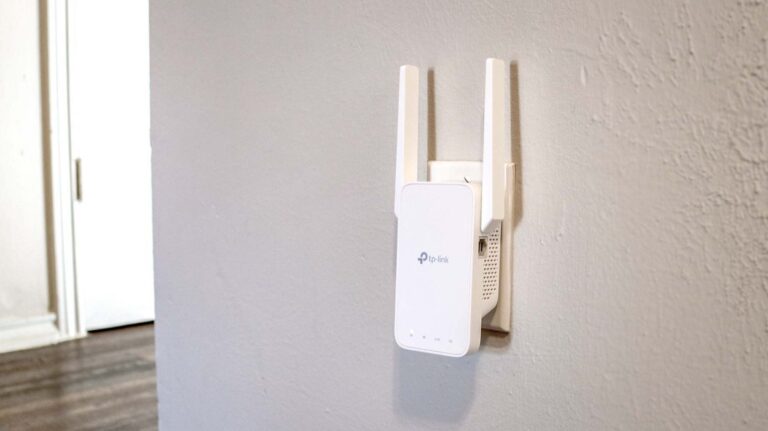
A basic Wi-Fi extender adds another wireless hop. If you need coverage farther from the router, a wired access point or a well-placed mesh system may be a better option.
A compatible third-party router with Smart Queue Management, or SQM, may also help if downloads or uploads regularly cause lag. Setup varies by hardware, and changing Starlink speeds can make the settings harder to tune.
7. Don’t Assume a VPN Will Lower Ping
A VPN can help with a specific routing or remote-access issue, but it can also add delay. Test it rather than assuming it will improve your game.
Our Starlink VPN guide covers the tradeoffs.
For more troubleshooting, see our guides on reducing lag in online games and reducing internet latency.
Frequently Asked Questions
Is Starlink Good for Fortnite?
Starlink is generally fast enough for Fortnite. A clear dish view and a stable connection can make it playable, including in ranked matches.
You may still notice occasional spikes. If Fortnite is the only game giving you trouble, try our guide to fixing high ping in Fortnite.
Can You Play Call of Duty and Warzone on Starlink?
Yes. Starlink has enough speed for both. Your experience will depend more on ping, packet loss, server routing, and how steady the connection is during a match.
Can Starlink Get Ping Below 50 ms?
Yes. My gaming ping is usually around 25–40 ms under normal conditions. Your ping may be higher or lower depending on your location and the game server.
Will a Faster Starlink Plan Lower My Ping?
Not necessarily. More download speed alone doesn’t guarantee lower ping.
A plan with higher network priority may help during congestion, but it still won’t guarantee a particular result.
Can Two People Game on Starlink at the Same Time?
Yes, normally. Regular gameplay doesn’t use a great deal of bandwidth.
You’re more likely to run into trouble if someone is also downloading a large game, uploading files, livestreaming, or using cloud gaming.
Does Starlink Work for Gaming in an RV?
It can, but you’ll need a suitable plan, enough power, and a clear view of the sky. Trees at campsites can cause interruptions during a game.
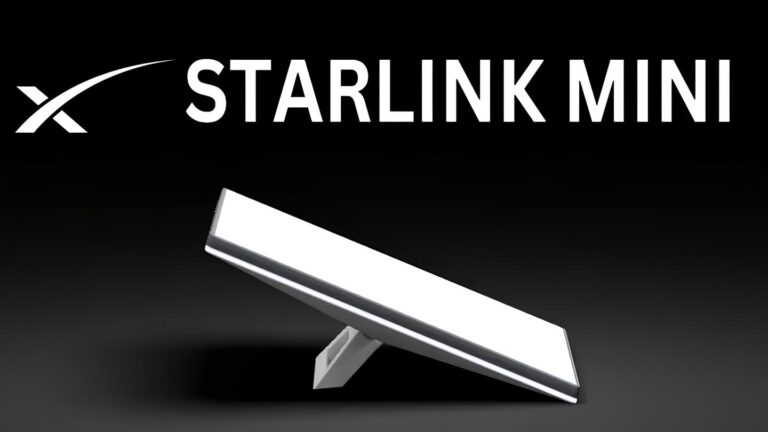
If you want a smaller setup for travel, you may also want to consider Starlink Mini. Read our guide to Starlink Mini’s price and whether it’s worth it before deciding.
For more on plans, power, and installation, see our guide to using Starlink for RV internet.
Is Wi-Fi Good Enough for Starlink Gaming?
Yes, if the signal is strong and the connection is stable. Ethernet is worth trying when possible because it removes many Wi-Fi variables.
Final Verdict: Is Starlink Good for Gaming?
For my rural home, Starlink has been good enough for the games I play. My usual 25–40 ms ping feels responsive, and I have enough speed for downloads, streaming, and other household use.
It isn’t the same as fiber. Brief outages and ping spikes can happen, and those interruptions matter more during competitive matches.
I’d consider Starlink if reliable fiber or cable isn’t available and you can give the dish a clear view of the sky. If a dependable fiber plan became available at my address for a similar price, I’d seriously consider switching.
How I Evaluated Starlink for Gaming
I’ve used Starlink at a rural home since early 2024. My assessment is based on regular gaming and household use, including streaming, video calls, downloads, busy evenings, rain, and winter weather.
My results are observations from one installation, not a guarantee for every customer. I also considered Starlink’s published information and independent performance data when comparing the service with other options.
Personal results reflect the author’s reported experience. Check current Starlink plans, terms, and availability for your address before ordering.
You May Also Like
 Internet
Starlink Mini Review: Price, Speed, Plans, Specs, and Real-World Performance
 Computers & PC Games
What Internet Speed Do I Need For Gaming and Streaming?
 Internet
The Best Places to Put a WiFi Extender in a 2-Story House
 Internet
How to Fix Slow Internet: 15+ Things That Actually Work
 Internet
Why Is My Xfinity Internet So Slow All of a Sudden
 Internet