
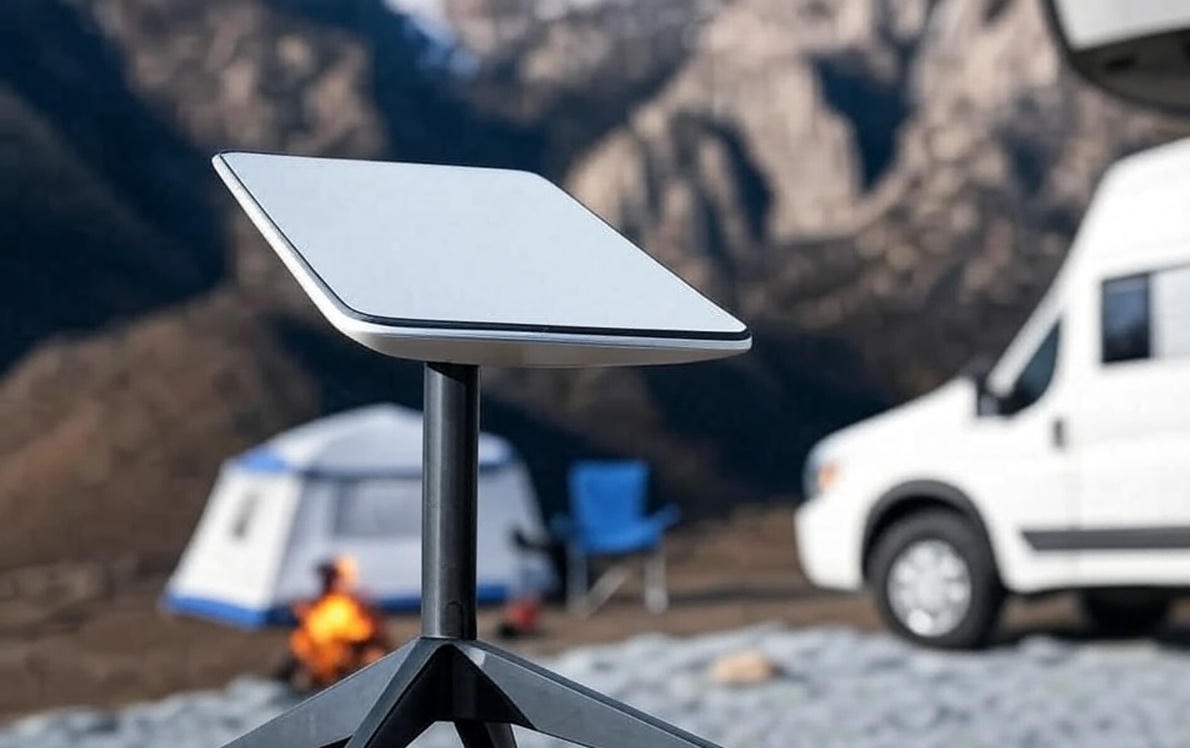
To use Starlink for RVs, first buy the Starlink Roam kit. It comes with a dish antenna, router, and power supply. Then, activate a monthly subscription for satellite WiFi while you travel. Starlink Roam offers high-speed internet through low-Earth orbit satellites. You can expect download speeds of 30 to 100 Mbps and latency of about 23 ms in most areas. This setup is a dependable option for RV internet, especially in remote places where cellular signals are weak.
RV owners choose Starlink Roam for its portability and broad coverage. This system connects to satellites in low orbits, giving RVs satellite WiFi without needing fixed ground stations. Monthly plans start at $50 for 50 GB of data, with unlimited options available for $165. Users can pause their service during off-seasons, which adds flexibility for seasonal travel. While cellular hotspots are an option, Starlink performs better in rural locations.
This guide covers Starlink RV setup, costs, performance, and tips. It includes details on hardware like the Starlink Mini for compact use. Follow steps to get internet for RV living. Starlink changes RV internet options by enabling work, streaming, and navigation on the road.
What Is Starlink Roam and How Does It Work for RV Internet?
Starlink Roam is a satellite internet service from SpaceX designed for mobile use, including RVs, providing WiFi access anywhere with a clear sky view. It uses a network of low-Earth orbit satellites to beam signals directly to a user dish.
The system includes a dish that points upward to connect with satellites. Signals travel to space and back, creating low latency compared to traditional satellites. For RVs, this means consistent RV internet even in forests or deserts.
There are 3 main components in Starlink Roam:
- Dish antenna: Captures satellite signals.
- Router: Distributes WiFi inside the RV.
- Power supply: Runs the setup on 12V or standard outlets.
Speeds reach 30 Mbps to 100 Mbps for downloads, with uploads at 10 Mbps to 20 Mbps. Latency stays at 20 ms to 40 ms, suitable for video calls. Coverage spans the US, Canada, and parts of Europe, expanding in 2025.
Human element: RV travelers report feeling connected during cross-country trips, sharing family photos from national parks. Check it out, Starlink VPN, maybe you need to use it.

How Much Does Starlink Roam Cost for RVs?
Starlink Roam costs $599 for the standard hardware kit, plus monthly subscription plans starting at $50 for 50 GB of priority data. This makes it one of the cheapest satellite internet options for RVs when considering data value.
Hardware prices vary. The Starlink Mini kit sells for $499, ideal for smaller RVs. Standard kits include mounting accessories for $100 extra.
Monthly plans include:
- 50 GB priority: $50, then $1 per GB overage.
- Unlimited regional: $150, for travel within continents.
- Unlimited global: $165, for worldwide use.
No contracts apply, and users pause plans for free. Activation fees reach $20 in some regions. Data deprioritization occurs after limits, slowing to 0.5 Mbps.
Comparisons show Starlink as cost-effective. Cellular plans like T-Mobile Away cost $160 for unlimited but lack rural coverage.
What Hardware Do You Need for Starlink in an RV?
Hardware for Starlink in an RV includes the dish kit, which consists of a phased-array antenna, WiFi router, and cables for easy setup. Kits support portable or mounted use on RV roofs.
Standard kit weighs 11 pounds and measures 23 inches by 15 inches. Mini version fits in backpacks at 2.6 pounds.
Options include:
- Flat high-performance dish: $1,999, for in-motion use at speeds up to 400 Mbps.
- Roof mount: $250, secures dish during travel.
- Power inverter: $50, converts 12V to needed voltage.
Power consumption averages 50 watts to 75 watts, drawable from RV batteries. Weather resistance handles rain and winds up to 60 mph.
Human element: Owners describe mounting the dish as a weekend project, leading to reliable WiFi for RV evenings.
How to Set Up Starlink Roam in Your RV?
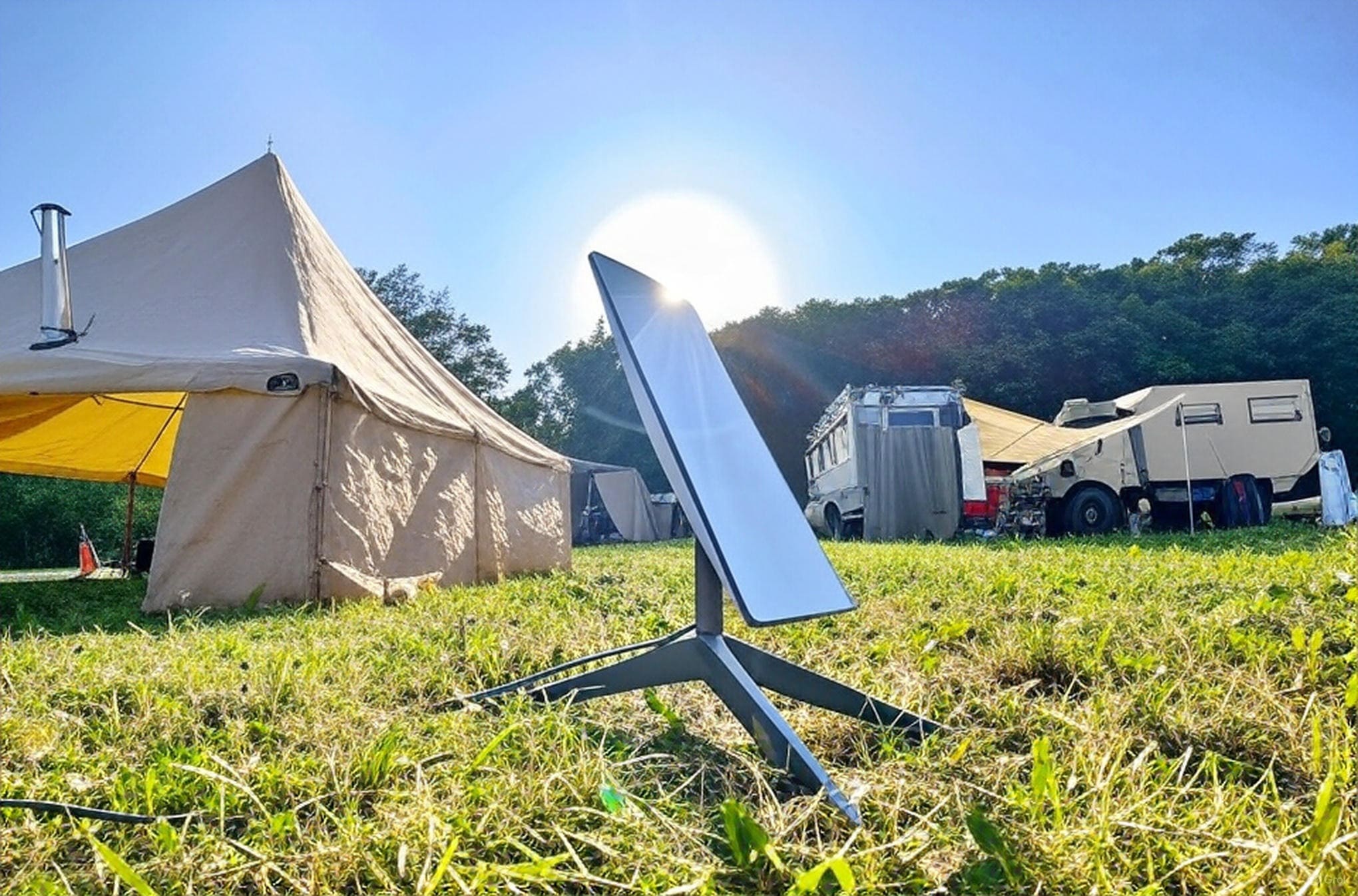
To set up Starlink Roam in your RV, unpack the kit and place the dish outside with a clear view of the sky. The app guides alignment in minutes.
Steps include:
- Download the Starlink app on your phone.
- Plug in the power supply to the RV outlet.
- Connect the dish cable to the router.
- Scan for satellites via the app.
- Mount securely if traveling.
For roof installation, use brackets like those from Agile Offroad. Portable stands work for camping stops.
Troubleshooting involves checking obstructions. Trees or buildings block signals, so reposition the dish.
Variations exist for vehicle types. Class A RVs use flat mounts for motion, while trailers prefer ground setups.
What Speeds and Performance Can You Expect from Starlink in RVs?
Speeds from Starlink in RVs range from 30 Mbps to 100 Mbps for downloads, with peaks at 220 Mbps in open areas. This supports streaming and work tasks.
Latency measures 23 ms on average, better than geostationary satellites. Performance drops in crowded areas due to deprioritization.
Factors affecting speeds:
- Obstructions: Trees reduce connectivity.
- Weather: Heavy snow interrupts service briefly.
- Location: Rural spots offer top speeds.
Users report 99.9% uptime with smart satellite switching.
Human element: Digital nomads share stories of video conferences from mountain campsites, boosting productivity.
What Coverage Areas Does Starlink Provide for RV Travel?
Coverage areas for Starlink in RV travel include most of North America, Europe, and parts of South America, with expansion in 2025. It reaches remote national parks and highways.
Global plans allow use in over 50 countries. Regional limits stay within borders like US to Canada.
Limitations occur in polar regions or dense urban canyons. Maps on the Starlink site show active zones.
Updates add more satellites, improving rural access. RV routes like Route 66 get full coverage.
How to Manage Data Usage and Plans with Starlink Roam?
To manage data usage with Starlink Roam, monitor consumption in the app and choose plans like 50 GB for light users or unlimited for heavy streaming. The app tracks real-time data.
Plans allow pauses, saving money during storage. Overages cost $1 per GB on limited tiers.
Tips to save data:
- Limit video quality to SD.
- Schedule downloads overnight.
- Use WiFi only for essentials.
Unlimited plans suit full-time RVers, avoiding caps.
Human element: Families pause service in winter, resuming for summer road trips seamlessly.
What Are the Pros and Cons of Using Starlink for RVs?
Pros of using Starlink for RVs include high speeds in remote areas and easy portability, while cons involve initial costs and weather sensitivity.
There are 6 key pros:
- Provides RV internet where cellular fails.
- Offers low latency for gaming and calls.
- Allows plan pauses for flexibility.
- Supports multiple devices, like laptops and TVs.
- Expands with global coverage.
- Improves work-from-RV lifestyles.
Cons number 4 main ones:
- Requires clear sky, avoiding trees.
- Draws power, straining batteries.
- Faces outages in heavy snow.
- Costs more upfront than hotspots.
Studies show users gain better connectivity overall.
How Does Starlink Compare to Other RV Internet Options?
Starlink compares to other RV internet options by offering superior rural coverage, unlike cellular plans that rely on towers. It outperforms traditional satellite services in speed.
Alternatives include:
- Cellular hotspots: Cheaper at $50 monthly but spotty in wilderness.
- Public WiFi: Free but insecure and slow.
- Booster antennas: Enhance signals for $200.
Here is a table comparing 3 options:
| Option | Monthly Cost | Speeds (Mbps) | Coverage |
|---|---|---|---|
| Starlink Roam | $50-$165 | 30-100 | Global rural |
| T-Mobile Away | $160 | 50-150 | Urban towers |
| HughesNet | $75 | 25 | Fixed spots |
Starlink wins for travel freedom.
Human element: Switchers from cellular note fewer dead zones on trips.
What Accessories Improve Starlink Performance in RVs?
Accessories that improve Starlink performance in RVs include roof mounts and power banks, enhancing stability and runtime. Mounts secure the dish during drives.
Popular items:
- Ladder mount: $80, for easy access.
- Battery pack: $100, provides 3 hours off-grid.
- Ethernet adapter: $30, for wired connections.
These boost reliability in motion. Weather covers protect from hail.
How to Troubleshoot Common Issues with Starlink in RVs?
To troubleshoot common issues with Starlink in RVs, check for obstructions and restart the router via the app. This resolves most connectivity drops.
Issues include:
- No signal: Reposition dish.
- Slow speeds: Avoid peak hours.
- Power fails: Inspect cables.
App diagnostics show errors. Firmware updates fix bugs automatically.
Human element: Users fix snow buildup by brushing the dish, restoring service quickly.
What Future Updates Are Coming for Starlink Roam in 2025?
Future updates for Starlink Roam in 2025 include faster speeds up to 1 Gbps and better in-motion support. New satellites launch regularly.
Enhancements cover:
- Lower latency to 15 ms.
- Expanded global maps.
- Integrated vehicle kits.
These improve RV use.
FAQ: Common Questions About Starlink for RVs
Can You Use Starlink While Driving an RV?
Yes. Flat-mount dishes, such as the high-performance model for $1,999, work while moving at speeds up to 70 mph. This lets passengers stream or browse without interruptions during travel. The dish tracks satellites dynamically. However, speeds may drop in areas with partial sky obstructions, like tunnels or dense forests.
Is Starlink Roam Unlimited Data Available?
Yes. The $165 unlimited global plan offers data without hard caps, allowing continuous use for activities like video streaming on platforms such as Netflix or YouTube, or remote work with file uploads. However, during network congestion in high-traffic areas, speeds can slow to 5 Mbps to 10 Mbps due to fair usage policies, ensuring equitable access for all users.
Does Starlink Work in Bad Weather for RVs?
Yes, but heavy snow or rain may cause brief outages lasting 1 to 5 minutes; the built-in snow melt heater on the dish activates automatically to clear accumulation and restore service. In lighter conditions like fog or light drizzle, performance remains stable with minimal impact on latency, making it reliable for most outdoor RV scenarios compared to cellular signals that weaken more in storms.
Can You Pause Starlink Subscription for RV Storage?
Yes. Users can pause the subscription at any time through the Starlink app or website without additional fees, and service resumes instantly upon reactivation, ideal for seasonal RVers who store vehicles in winter months. This flexibility helps save on costs, as billing stops during pauses, but hardware must remain registered to avoid reactivation delays.
Is Starlink the Cheapest Satellite Internet for RVs?
Yes, at $50 for the basic 50 GB plan, it undercuts competitors like Viasat’s $100 entry-level option, providing better value with higher speeds and no long-term contracts. For budget-conscious users, the overage fees of $1 per GB after limits are lower than alternatives, though total costs rise with heavy usage compared to fixed cellular plans in urban areas.
Does Starlink Require a Contract for RV Use?
No. All plans operate on a month-to-month basis with no binding contracts, allowing cancellation or changes anytime without penalties, which suits nomadic RV lifestyles where travel patterns vary. This setup contrasts with traditional providers that often lock users into 12-month or 24-month agreements, offering greater freedom for short-term or trial users.
Can Starlink Support Multiple Devices in an RV?
Yes. The included router supports up to 128 simultaneous connections, handling devices like smartphones, laptops, smart TVs, and security cameras for family or group travel. Bandwidth allocation ensures smooth operation for mixed uses, such as one person streaming 4K video while others browse emails, though peak times may require prioritizing essential devices via app settings.
Is Installation Difficult for Starlink in RVs?
No. Basic setup takes about 5 minutes using the Starlink app’s augmented reality tool to find optimal dish placement, with no professional tools needed for portable configurations. For permanent roof mounts, it involves simple drilling and sealing, often completed in under an hour, and user guides provide step-by-step photos to assist beginners.
Does Starlink Cover Remote Camping Areas?
Yes. It provides service in isolated spots like national forests or deserts without cell towers, using over 6,000 satellites for near-global reach in rural North America. Coverage maps in the app help plan routes, though polar or oceanic areas remain limited, making it essential for off-grid boondocking where traditional internet fails.
Can You Return Starlink Hardware if Unsatisfied?
Yes. A 30-day trial period allows full refunds on hardware and any paid subscription fees if returned in original condition, with prepaid shipping labels provided for convenience. This policy encourages testing in real RV scenarios, such as a weekend trip, to confirm performance before committing long-term.
Conclusion
Starlink Roam transforms RV internet by providing reliable satellite WiFi for RVs in any location. Costs start low, with flexible plans suiting nomads.
Apply this guide to set up and optimize. Regular checks ensure smooth trips. Communities on forums share more experiences.
You May Also Like
 Computers & PC Games
What Internet Speed Do I Need For Gaming and Streaming?
 Internet
The Best Places to Put a WiFi Extender in a 2-Story House
 Internet
How to Fix Slow Internet: 15+ Things That Actually Work
 Internet
Why Is My Xfinity Internet So Slow All of a Sudden
 Internet
3 Cheap Satellite Internet Providers: Plans, Pros and Cons, Ratings, and Rural Coverage
 Internet