
Look, I’ve been an Xfinity customer for three years now. I pay my bill on time, I use the xFi app to pause my kids’ tablets during dinner, and overall, I’ve been pretty happy with the service. When it works, it works. I get the speeds I pay for, streaming is smooth, and my Zoom calls are crystal clear. But let me tell you—there was a stretch of about three weeks where my internet was dropping every few minutes, and it nearly drove me insane. If you’re reading this because your Xfinity connection is doing the same dance, I want you to know you’re not alone, and more importantly, there is a path out of the frustration.
I’m going to walk you through exactly what happened, what I tried, what actually fixed it, and what I wish I had known on day one. I’m not a network engineer, but after three years with Xfinity and that brutal three-week troubleshooting marathon, I’ve learned more about coaxial cables, upstream power levels, and DOCSIS 3.1 signals than I ever wanted to know. Let’s dig in.
The Problem: The “Every Few Minutes” Disconnect
So, why does my Xfinity WiFi keep disconnecting? It didn’t start as a total outage. That would have been easier. Instead, it was this sneaky, intermittent thing. I’d be in the middle of a video call for work, and suddenly my video would freeze. I’d look at my laptop’s Wi-Fi icon, and it would still show full bars, but there was a little yellow exclamation mark or it would just say “No Internet.” Ten, maybe fifteen seconds later, it would reconnect on its own. Then it would happen again eight minutes later. Then five minutes later. Then twelve minutes later. There was no pattern.
At first, I thought it was my laptop. Then my wife yelled from the other room that her phone was doing the same thing. Then my son complained that his Xbox was booting him from Fortnite matches. That’s when I knew: this was a whole-house issue, not a device issue. The Wi-Fi network wasn’t going away—the router was still broadcasting—but the actual internet connection was dropping and coming back like a flickering light bulb.
My Setup, So You Know Where I’m Coming From
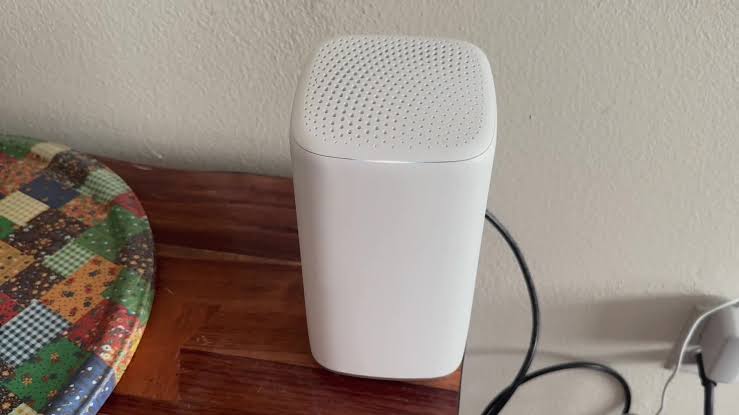
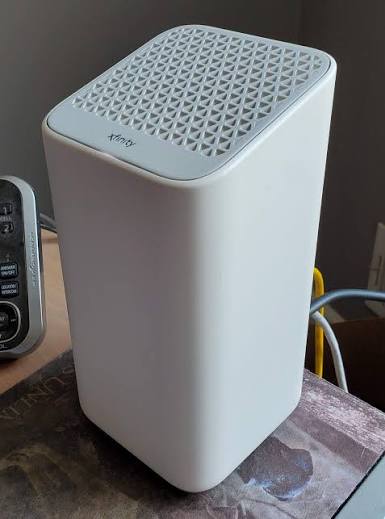
I think it helps to know my environment, because your setup might be similar. I live in a roughly 2,000-square-foot suburban home, two stories. I’m on the Xfinity “Superfast” plan, which in my area gives me up to 800 Mbps down and 20 Mbps up. I’m using the xFi Gateway that Xfinity provided—an XB7, the tall white tower-looking one. I’ve got it centrally located in my living room, not tucked away in a closet or a basement. I’ve got about 18 devices connected on a typical day: three phones, two laptops, a desktop, two smart TVs, a Ring doorbell, some smart bulbs, and the kids’ various gaming devices.
For two and a half years, this setup was rock solid. I had maybe two or three minor hiccups total, usually during big storms. So when this every-few-minutes disconnect thing started, I knew something had changed.
Phase 1: The “Have You Tried Turning It Off and On Again?” Phase
Like most people, I started with the basics. And honestly, if you’re dealing with this right now, you should too. It’s annoying to hear, but sometimes the basics actually work.
Here’s what I did in the first two days:
- Power cycled the gateway. I unplugged the XB7, waited a full 60 seconds (I used my phone timer because I’m that person), and plugged it back in. I did this twice. It helped for about four hours, then the drops came back.
- Checked the Xfinity app. The xFi app showed “Everything looks good” with a green checkmark, which honestly felt like a slap in the face. My internet was dropping every six minutes, but the app said my network was “excellent.” I’ve since learned that the app mostly monitors your Wi-Fi signal strength inside the house, not the actual connection from Xfinity’s node to your modem.
- Checked for outages. The Xfinity My Account app showed no outages in my area. I also checked the Xfinity Status Center online. Nothing.
- Tightened the coaxial cable. I unscrewed the coax cable from the back of the gateway and screwed it back in firmly. I checked the other end where it comes out of the wall plate. It felt tight, but I gave it an extra quarter turn.
After these steps, the problem was still there. I was getting drops every 3 to 10 minutes. It was random enough that I couldn’t predict it, but frequent enough that I couldn’t ignore it.
Phase 2: Getting a Little More Technical
By day four, I was annoyed. I started doing some deeper digging. I learned that you can check your modem’s signal levels by logging into the gateway directly. If you’re on an XB7 like me, you go to 10.0.0.1 in your browser, log in with the default credentials (admin/password, unless you changed them), and click on “Connection” then “Xfinity Network.”
This is where I started to feel like I was onto something. I saw two key things:
- My upstream power levels were high. They were hovering around 52 to 54 dBmV. From what I read online, the ideal range is between 35 and 51 dBmV. Being at 52+ isn’t catastrophic, but it means your modem is screaming to reach the neighborhood node. If it creeps higher, the connection gets unstable.
- My uncorrectable codewords were climbing. In the logs, I was seeing thousands of uncorrectable errors on certain channels. That basically means data was getting corrupted between Xfinity’s equipment and my modem.
I also noticed something in the event logs: repeated T3 timeouts and T4 timeouts. A T3 timeout means your modem sent a message to the Xfinity headend and didn’t hear back. A T4 timeout is even worse; it means the modem tried to re-establish its ranging and failed. Seeing these every few minutes was the smoking gun. My modem was constantly losing its handshake with Xfinity’s network.
At this point, I was 90% sure the issue wasn’t inside my house. It was either the line coming to my house, the drop cable from the pole, or something at the neighborhood tap. But I needed to rule out my internal wiring first.
Phase 3: The Inside-My-House Elimination Round
Before I called Xfinity and sat on hold for an hour, I wanted to make sure I could say with confidence that the problem wasn’t my fault. Here’s what I checked:
- Eliminated splitters. I had an old 3-way splitter in my basement from the previous homeowner. It was splitting the incoming cable to the living room, a bedroom, and an old cable outlet in the kitchen we don’t even use. I removed the splitter entirely and ran the coax directly from the wall outlet to the gateway. This is called a “home run” connection. My upstream power levels dropped from 54 to about 48 dBmV immediately. That was a huge improvement, and the drops became slightly less frequent—maybe every 15 minutes instead of every 5—but they were still happening.
- Swapped the coax cable. I had an extra RG6 coax cable lying around from a previous project. I replaced the one running from the wall to the gateway. No change.
- Tried a different outlet. I moved the gateway to a different coaxial outlet in the house, one that I knew had a direct line from outside. Still dropping.
- Factory reset the gateway. I held the reset button for 30 seconds, set everything back up from scratch, gave the network a new name just to be safe. The drops continued.
This three-day process was exhausting, but it was valuable. When I finally called Xfinity, I could say: “I’ve eliminated internal splitters, swapped cables, tried multiple outlets, factory reset the gateway, and checked my signal levels. My upstream is at 48 dBmV and I’m seeing T3 and T4 timeouts in the logs every few minutes.” That got the tech support agent’s attention immediately. I wasn’t the average “my internet is slow” caller anymore.
Phase 4: The Technician Visit (And the Real Fix)
Xfinity scheduled a technician for three days later. In the meantime, the disconnects kept happening. I was tethering my work laptop to my phone’s hotspot, which ate up my mobile data plan. I was not happy.
When the technician arrived, I showed him my notes. He was great—he didn’t talk down to me. He brought his signal meter and checked the line at the side of my house first. Within two minutes, he said, “Yeah, your signal is borderline out of spec at the tap.”
He walked out to the utility pole in my backyard and came back with the answer. The drop cable—the line running from the pole to my house—was old and had a damaged shield. It was an older RG59 cable, not the newer RG6 that Xfinity typically uses now. Over time, water had gotten into the connector at the pole, and the line was corroding. When the wind blew a certain way, or when the temperature shifted in the afternoon, the connection would physically degrade just enough to cause those micro-outages.
He replaced the entire drop cable from the pole to the house with a new RG6 line. He also replaced the connector on the house side and put a new weatherproof boot on it. Then he checked the signal levels at my gateway. My upstream power dropped to a beautiful 42 dBmV. My downstream power was well within the +/- 10 dBmV range. The signal-to-noise ratio was excellent.
That was three weeks ago. I have not had a single disconnect since. Not one.
What I Learned: The Real Causes of “Every Few Minutes” Drops
If you’re going through this nightmare, here is what I now understand about why Xfinity internet drops every few minutes. It’s rarely the gateway itself, and it’s almost never “just Wi-Fi.” It’s usually the physical layer—the actual copper wire and the signals traveling through it.
Here are the most common culprits, based on my experience and the technician’s explanation:
- Bad or aging drop cable. The line from the pole or pedestal to your house is exposed to weather, squirrels, wind, and UV damage. If it’s older than 5–7 years, it can degrade. Water intrusion is a massive issue.
- Excessive splitters or old splitters. Every splitter weakens the signal. If you have a 4-way splitter and you’re only using one port, you’re throwing away signal strength for no reason. Old splitters (5–900 MHz instead of 5–1002 MHz or higher) can also cause issues with modern DOCSIS 3.1 signals.
- Loose or corroded connectors. A connector that looks tight might not be making proper electrical contact. Corrosion inside the fitting causes intermittent resistance, which causes those maddening, unpredictable drops.
- Upstream noise or “noise funneling.” If a neighbor’s connection is bad, it can actually introduce noise back into the shared neighborhood node. Xfinity’s network operations center can sometimes see this, but it’s tricky to diagnose from a single customer report.
- Overloaded neighborhood node. This is less common, but in some areas—especially new developments or areas with lots of remote workers—the local node might be oversubscribed. During peak hours, you might see brief drops or severe slowdowns.
- Failing gateway. It happens. The XB7 and XB8 are generally solid, but the modem portion can fail. If your signal levels look perfect and you’ve ruled out wiring, ask Xfinity for a replacement gateway.
Quick Reference: Is It You or Is It Xfinity?
I put together a little mental checklist that I wish I had on day one. Maybe it’ll save you some time:
| Symptom | Likely Cause | What to Do |
|---|---|---|
| Drops every few minutes, all devices affected | Line issue, drop cable, or signal levels | Check modem logs for T3/T4 timeouts, call for a tech |
| Drops only on Wi-Fi, wired devices fine | Wi-Fi interference or gateway placement | Change Wi-Fi channel, move gateway centrally, use 5 GHz band |
| Slow speeds but no full disconnects | Overloaded node or plan mismatch | Test at off-peak hours, consider plan upgrade |
| Drops after rain or wind | Water in line or loose outdoor connection | Check exterior connections, call for line inspection |
| Green light on gateway turns to flashing orange/red | Local outage or hardware failure | Check Xfinity app for outages, power cycle, request swap |
The xFi App: Helpful, But Not for This
One thing I want to mention, because I see a lot of confusion online, is that the xFi app has limitations. It’s fantastic for managing your home network—pausing devices, setting bedtimes, seeing which kid is using too much bandwidth—but it does not show you the health of the connection coming into your house. When my internet was dropping every few minutes, the app kept saying “Great connection!” because it was measuring the Wi-Fi signal between my phone and the gateway, not the signal between the gateway and Xfinity’s network.
If you suspect an intermittent drop like mine, you need to look at the gateway’s internal diagnostics or call support and ask them to check your “upstream and downstream levels” and your “MER” (Modulation Error Rate). Using those exact terms will get you escalated faster.
Why I’m Still an Xfinity Customer After All This
Here’s the part where I’m supposed to bash the company, right? But I’m going to be honest. Yes, those three weeks were frustrating. Yes, I burned through mobile data. Yes, waiting three days for a technician felt like forever. But once the tech identified the issue, he fixed it thoroughly. He replaced the line, he tested everything, and he even gave me his direct supervisor number in case it happened again.
For three years, the service has been reliable and fast. The self-install kit was easy when I first moved in. The xFi app genuinely makes parenting easier. And in my area, the alternative is a 25 Mbps DSL line or a fixed wireless option with data caps. So despite this hiccup, Xfinity still makes sense for my family.
I think the key lesson is that intermittent disconnects are a physical infrastructure problem more often than a software or billing problem. It’s not something a customer service rep in a call center can always see on their dashboard. You have to advocate for yourself, gather data, and request a line technician—not just a swap of the gateway.
Final Thoughts: Don’t Settle for the Runaround
If your Xfinity internet is disconnecting every few minutes, I feel your pain. It’s the kind of problem that makes you want to throw your router out the window. But before you do, work through the steps I outlined. Check your modem logs. Remove splitters. Document the timing. And when you call Xfinity, be specific. Say: “I have T3 and T4 timeouts, my upstream power is above 50 dBmV, and I’ve already eliminated internal wiring issues. I need a line technician to check the drop and the tap.”
That specificity got me a real fix instead of another week of power cycling and praying.
Three years in, I’m still here. The internet is fast, the connection is stable again, and I’ve got a story to tell. If this helped you, I hope your fix is even faster than mine was. Good luck out there.
You May Also Like
 Internet
DISH vs Optimum vs Hughesnet: Which Is Better for Internet, TV, and Gaming?
 Computers & PC Games
How to Reduce Ping: 8 Fixes That Actually Help (PC, PS5, and Xbox)
 Internet
Is Tachus (Ezee Fiber) Internet a Good Provider? Complete Review & Plans
 Internet
Wi-Fi Connected but No Internet? Find the Cause and Fix It
 Internet
Is 1000 Mbps Good for Gaming? What 1000 Mbps Internet Speed Really Means
 Internet