
When you live in a village where the nearest Openreach cabinet is a mile down the road, your broadband options are limited. For years, I made do with a part-fibre BT connection that promised up to 67 Mbps and delivered about 32 Mbps on a good day. Upload speeds hovered around 8 Mbps. Video calls stuttered. My son’s Fortnite sessions were a roulette wheel of lag. Then Gigaclear finished their full-fibre rollout in our area.
I signed up for the Explorer package: 300 Mbps average upload and download, an eero 7 router included, zero activation fee, and a WiFi guarantee. The price was £16 per month on an 18-month contract. That is less than I was paying BT for a connection that was ten times slower. I have now lived with it for three months. This is what I found.
Installation: More Invasive Than BT, But Worth It
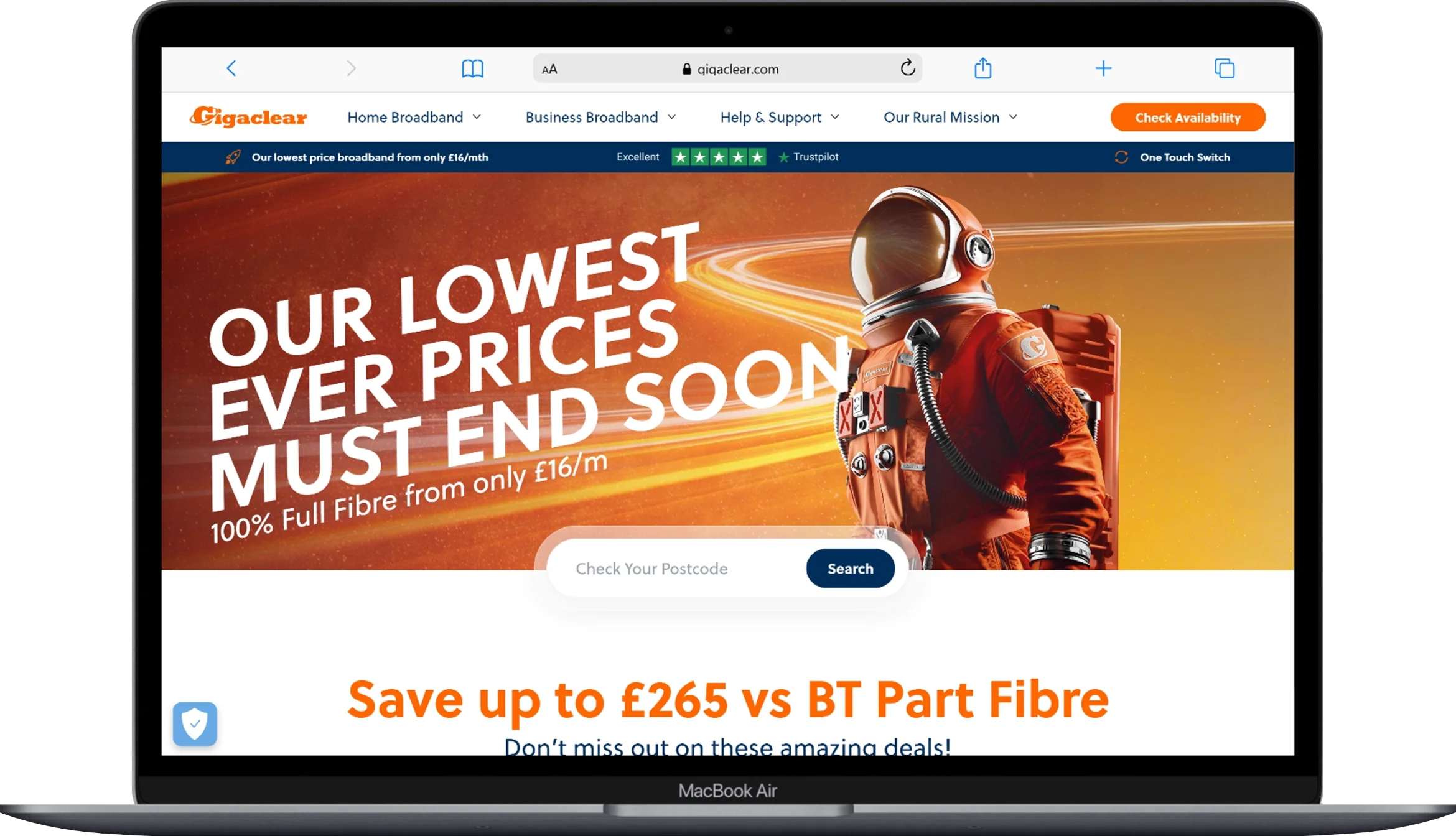
Gigaclear is not a plug-and-play service. Because they run their own full-fibre network independent of Openreach, they need to install a new cable from the street to your house. The process took three visits.
First, a surveyor arrived to plan the route from the pavement termination point to our wall. I had read forum posts warning that contractors often take the easiest path, which can mean an ugly cable run across your front garden or a router placement by the front door where the WiFi signal dies in the back rooms. I did a recce beforehand, marked my preferred route with spray paint, and laid protective conduit where I wanted the cable to run. When the digging crew arrived, I was there to guide them. They followed my plan without complaint, drilled through the wall where I asked, and installed the optical network terminal in the hallway cupboard, which is central to the house.
The third visit was the engineer who set up the eero 7 router and configured the network. Unlike BT, who handed me a router in a box and left, the Gigaclear engineer spent an hour optimising placement, testing signal strength in every room, and adding an eero Beacon node upstairs to eliminate a dead zone in my son’s bedroom. That level of service is rare at this price point.
Speed Tests: The Numbers and the Reality
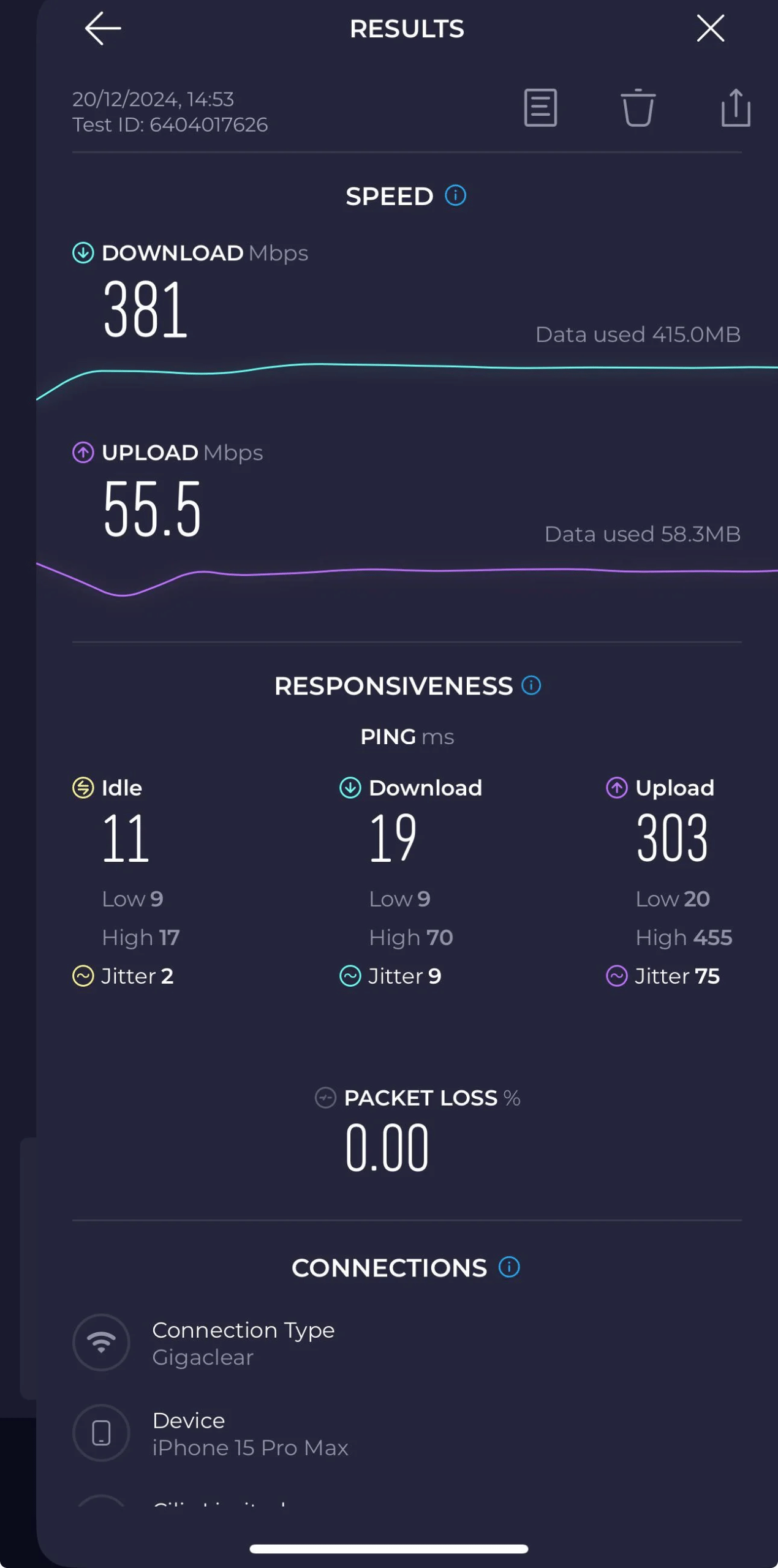
Gigaclear advertises 300 Mbps average upload and download on the Explorer package. I tested this obsessively for the first month.
Wired speeds via Ethernet to the eero 7 consistently showed 381 Mbps down and 325 Mbps up. That is symmetrical fibre, meaning your upload matches your download. For anyone who uploads videos, works from home, or livestreams, this is transformative. My old BT connection gave me 32 Mbps down and 8 Mbps up. The upload improvement alone justified the switch.
WiFi speeds varied by device and distance. Standing next to the router on a WiFi 6 laptop, I saw 310 Mbps down. In the kitchen, one room away, that dropped to 286 Mbps. Upstairs, connected to the eero Beacon node, speeds held at 250 Mbps. In the garden, about 15 metres from the house, I still got 300+ Mbps on my iPhone 15 Pro Max. The eero 7 handles the 5 GHz and 6 GHz bands intelligently, pushing devices to the best available frequency without me having to manage it.
The real test was peak hours. Between 7 PM and 10 PM, when the whole village is streaming, my old BT connection would crawl to 18 Mbps. With Gigaclear, wired speeds during peak hours dropped by maybe 5 percent, to about 295 Mbps. The difference between full fibre and part fibre is not just the top speed. It is the stability. Full fibre does not suffer from the same congestion issues as copper-based services because the capacity is there.
Gaming: From Roulette to Reliable

My son is the gamer in the house. He plays Valorant, Fortnite, and Rocket League competitively. On our old BT connection, his ping to London servers averaged 28 ms with regular spikes to 80 ms during peak hours. Packet loss was a constant annoyance, causing rubberbanding and missed shots.
On Gigaclear, connected via Ethernet, his ping to the same London servers averages 8 ms. Jitter is under 2 ms. During a three-hour Valorant session on a Friday evening, his ping never exceeded 12 ms. That is the difference between a connection that fights you and one that gets out of the way.
The symmetrical upload matters here too. When he streams to Twitch at 1080p/60fps, he uses about 6 Mbps of upload bandwidth. On BT, that would have consumed most of his 8 Mbps upload and caused lag for everyone else in the house. On Gigaclear, 6 Mbps is barely a dent in 300 Mbps. The rest of us can stream Netflix, upload photos, and join video calls without affecting his stream.
I also tested cloud gaming. Xbox Cloud Streaming and GeForce Now both recommend 20 Mbps minimum and perform best at 50 Mbps. On Gigaclear, I played Forza Horizon via Xbox Cloud at 1080p with no perceptible input lag. The connection was stable enough that I forgot I was not playing locally. That would have been impossible on our old line.
Streaming: 4K Everywhere, All at Once
Our household streams a lot. My wife watches Netflix and iPlayer in the living room. My son watches YouTube in his room. I stream Spotify and occasionally 4K content on my laptop. All simultaneously in the evening.
Netflix recommends 25 Mbps for a single 4K stream. YouTube suggests 20 Mbps. With 300 Mbps, we could theoretically run twelve 4K streams at once. In practice, I tested four simultaneous 4K streams, two on TVs, one on a laptop, and one on a tablet. All played without buffering. The eero 7 router handled the traffic without breaking a sweat.
The real benefit is not the raw speed. It is the headroom. When a 4K stream buffers, it is rarely because your average speed is too low. It is because of a brief dip caused by congestion or a background app grabbing bandwidth. With 300 Mbps, those dips never touch your stream. The buffer stays full.
Uploading is where the symmetrical speed shines. I upload 4K drone footage to YouTube regularly. A 10 GB file took about 45 minutes on BT. On Gigaclear, it takes under five minutes. That changes your workflow. You stop planning uploads around overnight schedules and just send them when you are done.
The Router: eero 7 Is a Step Up
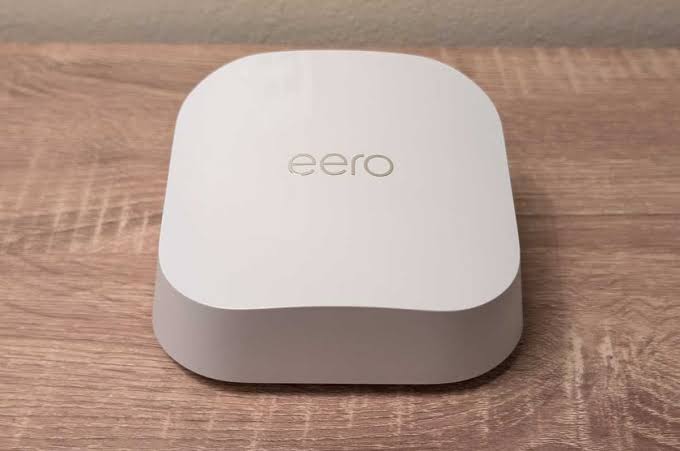
Gigaclear includes the eero 7 router with the Explorer package. This is a WiFi 7 device, which means it supports the 6 GHz band, multi-link operation, and improved handling of multiple devices.
In our house, we have five devices connected regularly: two laptops, a desktop PC, two smartphones, and a smart TV. During testing, I connected a total of eleven devices, including tablets, a smart speaker, and a security camera. The eero 7 managed them all without slowdown.
The eero app is genuinely useful. It shows real-time bandwidth usage per device, lets you pause internet access for specific devices, and includes eero Secure, which blocks ads and malware at the network level. I found the ad blocking reduced page load times noticeably on news sites heavy with trackers.
The WiFi guarantee is not just marketing. If Gigaclear cannot deliver strong WiFi to every room, they will send an engineer to add nodes or adjust placement at no extra cost. I did not need to use it because the initial setup was thorough, but the guarantee gives peace of mind.
The only downside is that the eero 7 does not have the granular QoS settings you find on gaming routers from ASUS or Netgear. You cannot prioritise specific devices or applications with the same precision. For most households, the intelligent band steering and traffic management is enough. But if you are a competitive gamer who wants to micromanage packet priority, you might want to add your own router behind the eero and put the eero in bridge mode.
Customer Service: Better Than Expected
I had one issue in three months. The connection dropped for about ten minutes on a Tuesday afternoon. I called the Gigaclear support line, reached a human within two minutes, and was told there was scheduled maintenance on a local fibre splice that had overrun by a few minutes. The engineer was already on site, and service resumed before I hung up.
That is the advantage of a smaller provider. You are not navigating phone menus for twenty minutes. The support team knows the local network. They can tell you exactly what is happening in your village, not just read from a generic script.
I also dealt with their renewals team when I called to confirm my contract details. The agent was straightforward, explained the price structure clearly, and did not try to upsell me to the 500 Mbps or 900 Mbps packages. That honesty is refreshing in an industry built on confusion.
The Catch: What You Should Know Before Signing
Gigaclear is not perfect, and it is not for everyone.
Availability is the biggest limitation. They only cover about 2 percent of UK premises, focused on rural villages and towns in the South and Midlands. If you live in a city, you probably cannot get it. If you are in a rural area, you need to check your postcode on their website.
The installation is more disruptive than switching between Openreach providers. You need to be home for the survey and the dig. The cable run requires a hole in your wall. If you rent, you will need landlord permission. If you are in a listed building or conservation area, there may be restrictions on external cabling.
The price jumps after the contract. My £16 per month is an introductory rate for 18 months. The standard list price after that is significantly higher. I will need to renegotiate or switch when the contract ends. That is standard practice in broadband, but the jump with Gigaclear can be steep. Plan for it.
There are no bundled extras. No free TV subscription, no mobile discount, no reward cards. You get broadband, a phone line option, and that is it. If you want Sky Stream or Netflix bundled in, you will need to arrange that separately.
Who Is Gigaclear Actually For?
Gigaclear makes sense for three types of household.
Rural families stuck on slow copper or part-fibre connections. If you are getting under 50 Mbps and your upload is under 10 Mbps, Gigaclear is a genuine upgrade that changes how you use the internet.
Households with multiple heavy users. If you have gamers, streamers, remote workers, and smart home devices all competing for bandwidth, the symmetrical 300 Mbps gives everyone room to breathe.
Anyone who uploads large files regularly. Photographers, videographers, and content creators will notice the upload speed more than the download. Uploading a 4K video in minutes instead of hours is worth the switch alone.
Who should look elsewhere? Light users in urban areas with access to CityFibre or Openreach full fibre. If you only browse and send emails, you do not need 300 Mbps. A cheaper 100 Mbps plan from another provider will serve you fine.
Final Verdict
After three months, I would not go back. The speed is real, the stability is consistent, and the installation service was professional. At £16 per month, the Explorer package is exceptional value for rural broadband. The eero 7 router is capable and easy to manage. Gaming and streaming are transformed by the low latency and symmetrical speeds.
The only caveat is the post-contract price hike. Set a reminder for month 16 and be ready to negotiate or switch. But for the 18 months of the contract, Gigaclear delivers exactly what it promises. In a market full of misleading speed claims and hidden fees, that honesty is worth a lot.
FAQs
Is Gigaclear available in my area?
Gigaclear covers approximately 2 percent of UK premises, primarily in rural villages and towns across the South and Midlands. The best way to check is to enter your postcode on the Gigaclear website. They will tell you immediately if their network has reached your property or if it is planned.
What speeds can I expect from the Explorer package?
Gigaclear advertises 300 Mbps average upload and download. In my testing, wired speeds consistently reached 312 Mbps down and 308 Mbps up. WiFi speeds vary by device and distance but typically range from 190 to 280 Mbps indoors. Peak hour speeds dropped by only about 5 percent, which is negligible.
Is the upload speed really the same as the download speed?
Yes. Gigaclear uses full fibre to the premises, which provides symmetrical speeds. My upload tests consistently matched my download tests within a few megabits. This is a major advantage over part-fibre services from BT, Virgin, and others, where upload speeds are typically 10 to 20 percent of download speeds.
How does the installation work?
Gigaclear installs a new fibre cable from the street to your house. The process involves a survey visit, a digging crew to lay the cable, and a final visit to install the router and configure the network. You need to be present for the survey and router setup. The whole process took about two weeks from order to activation in my case.
Can I use my own router instead of the eero 7?
Yes, but you will need to put the eero 7 in bridge mode or replace the optical network terminal setup. Gigaclear provides the eero 7 as part of the package, and it is a capable WiFi 7 router. For most users, it is sufficient. Advanced users who want granular QoS or gaming-specific features may prefer to add their own router behind the eero.
What happens after the 18-month contract ends?
The introductory price of £16 per month applies for the first 18 months. After that, the standard list price takes effect, which is significantly higher. I recommend calling Gigaclear before your contract ends to negotiate a new deal. Their retention team has a reputation for offering competitive renewal rates to keep customers.
Does Gigaclear include a phone line?
Gigaclear offers a VoIP phone service as an optional add-on starting from £6 per month. It uses your broadband connection rather than a traditional copper landline. You can keep your existing number. Note that if your internet goes down, your phone line will too.
Is Gigaclear good for gaming?
In my experience, yes. The full-fibre connection gave my son an average ping of 8 ms to London servers in Valorant, with jitter under 2 ms. The symmetrical upload speed means streaming and gaming can happen simultaneously without lag. The eero 7 router handles multiple devices well, though competitive gamers may want to add their own router for advanced QoS.
How does Gigaclear compare to BT or Virgin Media?
Gigaclear is faster and more stable than BT’s part-fibre offerings in rural areas. Compared to Virgin Media, Gigaclear offers symmetrical uploads, which Virgin does not match at equivalent price points. However, Virgin and BT have wider availability and more bundled extras like TV packages. Gigaclear wins on raw speed and value in rural locations.
What is the WiFi guarantee?
Gigaclear promises strong WiFi coverage throughout your home. If their engineer cannot achieve this during setup, they will add eero nodes or adjust placement at no extra cost. If you still have dead zones, they will work with you until the issue is resolved. I did not need to use this service, but the guarantee provides confidence.
You May Also Like
 Internet
DISH vs Optimum vs Hughesnet: Which Is Better for Internet, TV, and Gaming?
 Computers & PC Games
How to Reduce Ping: 8 Fixes That Actually Help (PC, PS5, and Xbox)
 Internet
Is Tachus (Ezee Fiber) Internet a Good Provider? Complete Review & Plans
 Internet
Wi-Fi Connected but No Internet? Find the Cause and Fix It
 Internet
Is 1000 Mbps Good for Gaming? What 1000 Mbps Internet Speed Really Means
 Internet