

A Valheim dedicated server does not need gaming-class hardware. For a small vanilla world, 2 modern CPU cores, around 4 GB of RAM, 20 GB of SSD storage, and a stable internet connection are a practical starting point.
For an established world with 5–10 active players, 4 fast CPU cores and 4–6 GB of RAM provide more headroom. Modded or build-heavy servers may benefit from 4 strong CPU cores and 8 GB of RAM or more, depending on the mods, world activity, and other workloads on the machine.
These are conservative planning recommendations, not official minimum requirements from Iron Gate Studio. The official dedicated-server documentation covers installation, networking, Linux dependencies, save files, backups, and startup options, but it does not provide a CPU, RAM, storage, or bandwidth sizing table.
Player count is only one part of the workload. World age, simultaneous exploration, large settlements, active creatures, mods, background services, shared-VPS contention, and network quality can all affect server performance.
For that reason, treat the figures above as starting points rather than fixed requirements. A small server with a few active players may run comfortably with fewer resources, while a busy or heavily modded world can need considerably more.
Valheim Server Requirements at a Glance
The following figures are practical starting points, not guaranteed requirements. Available RAM means memory left for the Valheim server after the operating system and other services have taken their share.
| Server scenario | CPU starting point | Available RAM | Storage allocation | Network planning |
|---|---|---|---|---|
| Testing or 1–2 players | 2 modern CPU cores | 2–4 GB | 10–20 GB SSD | Stable broadband |
| Small vanilla server, 1–4 players | 2 fast modern CPU cores | Around 4 GB | Around 20 GB SSD | Stable upload connection |
| Established vanilla server, 5–10 players | 4 fast CPU cores or comparable sustained VPS performance | 4–6 GB | 20–30 GB SSD | Stable upload with additional headroom |
| Modded or build-heavy server | 4 strong CPU cores | 8 GB+ | 40–60 GB SSD | More upload and performance headroom |
| Multiple active servers or services | Sized for concurrent workloads | 10–16 GB+ | 60 GB+ | Sized for combined traffic and workloads |
The 2 GB figure should be treated as a low-end testing baseline rather than a comfortable target. Likewise, a 40-60 GB storage allocation gives you room for backups, logs, mods, and multiple worlds. It is not the amount required by the Valheim server application itself.
A 250 Mbps internet plan can provide plenty of overall capacity for a private Valheim server, but the advertised download speed is not an official server requirement. What matters more is whether the connection has enough usable upload capacity, stable latency, low packet loss, and consistent performance while players are connected.
There is also no single bandwidth number that fits every Valheim server. The amount of traffic can vary with player count, server activity, network configuration, and what else is using the connection. For that reason, treat bandwidth figures as planning guidance rather than fixed requirements.
Are There Official Valheim Server Requirements?
Iron Gate does not publish an official minimum-specification table for the Valheim dedicated server.
Its official dedicated-server guide covers:
- Installing the dedicated-server application
- Steam and Crossplay networking
- Ports and startup parameters
- Linux packages and library versions
- World saves and save locations
- Automatic backup settings
- Administrative files and commands
- Docker as a compatibility option
Because the guide does not provide official CPU, RAM, storage, or bandwidth requirements, the figures in this article should be treated as practical planning baselines rather than minimum system requirements.
Actual resource usage can vary with the server version, operating system, world activity, player behavior, mods, background services, and hosting environment.
Valheim is designed around relatively small multiplayer groups, so hardware planning should focus on what those players are doing in the world, rather than treating the player count as the only sizing factor.
How Much CPU Does a Valheim Server Need?
For most Valheim dedicated servers, sustained CPU performance matters more than a high advertised core count.
As a practical starting point:
- 1–4 players: 2 fast modern CPU cores
- 5–10 players: 4 fast CPU cores or comparable sustained VPS performance
- Modded or build-heavy worlds: 4 strong CPU cores or more
- Multiple servers: Additional CPU capacity for each active instance and the operating system
These are planning guidelines, not hard limits. A lightly used server may need less, while a busy world with several simultaneous activities can need more.
Why CPU quality matters
More CPU cores do not automatically mean better Valheim server performance.
For example, 8 slow or heavily shared vCPUs are not necessarily better than 4 consistently available CPU cores. CPU architecture, per-core performance, cache, virtualization overhead, host contention, and sustained performance can all affect the result.
This matters particularly when renting a VPS. A provider may advertise 4 or 8 vCPUs while sharing the underlying hardware with other customers. If performance drops during busy periods, host contention or high CPU steal time may be part of the problem.
Do not assume that 4 shared vCPUs perform like 4 dedicated physical CPU cores.
What Increases CPU Load?
CPU demand can rise when several players are doing resource-intensive activities at the same time.
Examples include:
- Exploring different areas simultaneously
- Building large or object-dense settlements
- Keeping many creatures or interactive objects active
- Triggering combat or events involving multiple entities
- Running server-side mods
- Performing backups, compression, monitoring, or other tasks on the same machine
This is why player count alone is a poor sizing metric.
For example, 5 players exploring in different directions can create a different workload from 10 players staying together in one area. The number of players matters, but what those players are doing matters too.
Monitor CPU Usage Per Core
Do not rely only on total CPU utilization.
A server can show moderate overall CPU usage while one important thread is close to its limit. When investigating slowdowns, check per-core CPU usage during the activities that trigger the problem, particularly exploration and time spent in large settlements.
On a VPS, also look at CPU steal time when the provider exposes that metric. Consistently elevated steal time can indicate that the virtual CPU is competing for physical host resources.
The goal is not simply to buy the highest core count available. You want enough sustained CPU performance for the workload your world actually creates.
How Much RAM Does a Valheim Server Need?
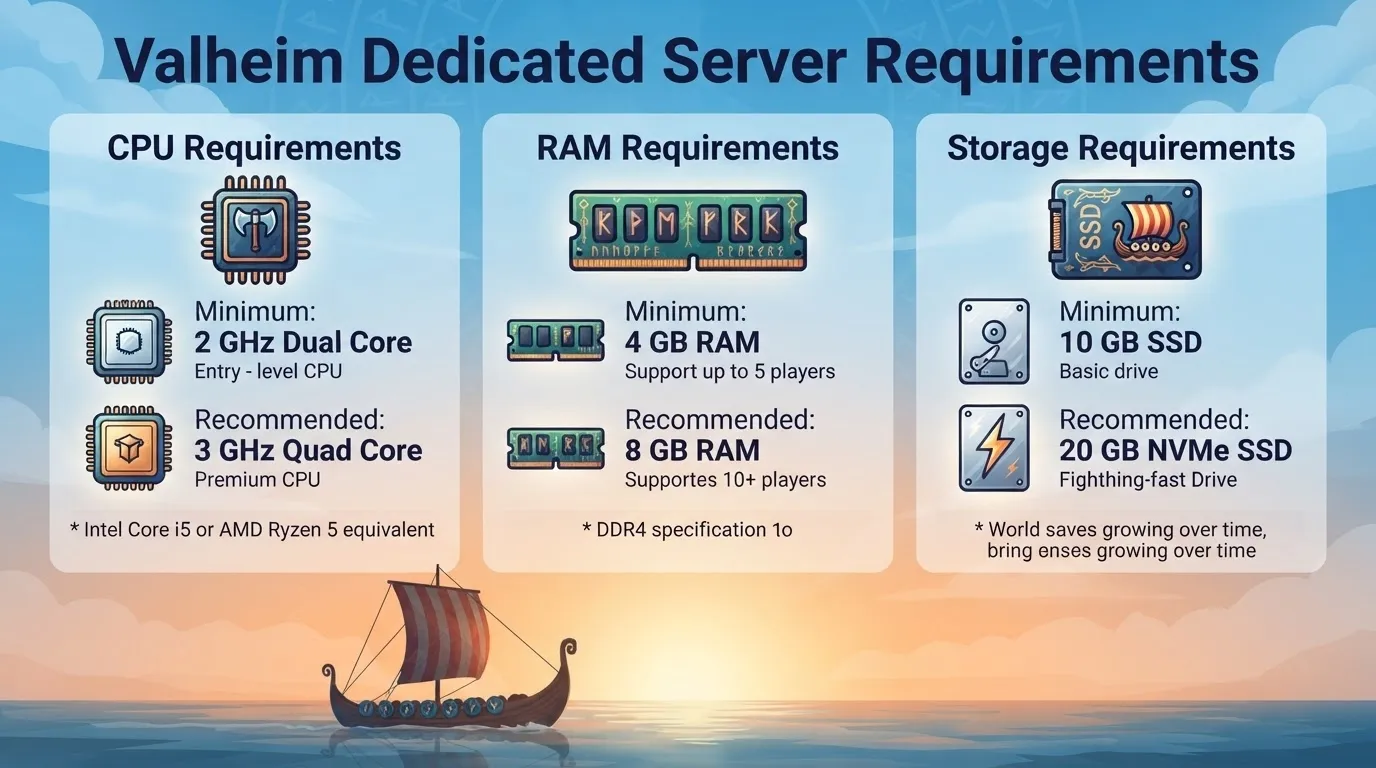
For most small vanilla servers, around 4 GB of RAM available to the Valheim workload is a practical target.
A smaller configuration may work for a lightly used server, but less memory leaves less room for the operating system, temporary workload spikes, logs, updates, backups, and monitoring tools.
A useful planning range is:
- Small vanilla server: Around 4 GB available to the workload
- Established 5–10 player world: 4–6 GB
- Modded or unusually complex world: 8 GB+
- Multiple servers or large mod collections: 10–16 GB+
These figures refer to memory available for the server workload, not necessarily the total physical RAM installed in the machine.
Leave Memory for the Operating System
A machine with 4 GB of physical RAM should not be treated as if all 4 GB can be assigned to Valheim.
Windows or Linux, security software, monitoring agents, backup jobs, Docker, hosting control panels, and other applications also consume memory. When choosing a VPS, leave additional RAM beyond the amount you expect the Valheim server to use.
Hosting and playing Valheim on the same computer also requires more memory than running a headless dedicated server because the machine has to handle both the server process and the full game client.
Swap Is Not a Replacement for RAM
Linux swap and the Windows page file can provide a safety margin during temporary memory pressure, but storage-backed memory is much slower than physical RAM.
Frequent swap or page-file activity can indicate that the system is short on memory or running more background services than it can comfortably handle.
If the server process is being terminated, also check operating-system logs and hosting limits for out-of-memory events.
How Much Storage Does a Valheim Server Need?
You generally do not need hundreds of gigabytes of storage for a single Valheim server.
For most installations, 20–30 GB of SSD storage is a comfortable working allocation. Consider 40–60 GB when the same host stores multiple worlds, frequent backups, logs, mods, container images, or other services.
Storage usage can grow through:
- Server updates
- World files
- Automatic and manual backups
- Multiple saved worlds
- Mods and configuration files
- Logs
- Docker images and volumes
- Temporary update or backup files
A 60 GB allocation can therefore provide useful operational headroom, but most of that space is not required by the Valheim server application itself.
SATA SSD vs. NVMe SSD
Use an SSD whenever possible.
A reliable SATA SSD is normally sufficient for a single Valheim server. NVMe becomes more useful when the same machine handles multiple servers, large backup sets, containers, or other storage-intensive workloads.
Faster storage can help with:
- Updates
- Save operations
- Server startup and shutdown
- Backup creation
- World restoration
It will not fix CPU contention, insufficient RAM, packet loss, excessive latency, or a problematic mod.
Keep Free Space Available
Avoid letting the storage volume become nearly full.
Low free space can interfere with updates, backups, logs, temporary files, and world saves.
Also monitor disk health and filesystem errors. A failed save is not necessarily a storage-capacity problem; permissions issues, filesystem errors, and failing hardware can produce similar symptoms.
What Bandwidth Does a Valheim Server Need?
For a Valheim dedicated server, network quality is often more important than the headline speed shown by an internet speed test.
For planning purposes:
- Small private server: Around 10 Mbps of stable, usable upload can provide a conservative starting point.
- Busy group approaching 10 players: Around 10–20 Mbps of usable upload provides additional planning headroom.
- Home connection shared with other users: Reserve capacity for video calls, streaming, cloud backups, and other uploads.
These are planning targets, not official Valheim bandwidth requirements. Actual traffic can vary with player activity, world state, networking configuration, mods, and other traffic on the connection.
A 250 Mbps internet plan can provide plenty of raw capacity while still delivering poor gameplay if the connection has unstable latency, packet loss, bufferbloat, or unreliable routing.
Network Conditions to Monitor
When players report lag, look beyond download and upload speed.
Check:
- Packet loss
- Latency
- Jitter
- Upload saturation
- Bufferbloat
- Router stability
- ISP routing
- Carrier-grade NAT
- Wi-Fi signal quality
Use Ethernet for a home-hosted server whenever practical. Wi-Fi can work, but it introduces another possible source of interference, latency variation, and packet loss.
If your connection is behind carrier-grade NAT (CGNAT), conventional inbound port forwarding may not work. Depending on your setup, you can ask your ISP about public IPv4 connectivity, use Valheim’s Crossplay networking, or host the server with a provider that offers the required public connectivity.
Valheim Ports and Crossplay
Valheim supports both Steam networking and Crossplay, and the connectivity requirements differ between them.
Steam Backend
For the Steam backend, Valheim uses the selected starting port and the following port.
The default ports are:
- 2456
- 2457
For an externally accessible Steam server, configure the router and host firewall so the required ports can receive traffic.
If you choose a different starting port, Valheim uses that port and the next port in sequence.
Crossplay Backend
When you enable the -crossplay option, Valheim uses its Crossplay networking system rather than relying on the same direct connectivity model as the Steam backend.
According to Iron Gate’s dedicated-server documentation, Crossplay uses a relay service. As a result, traditional port forwarding is not required for the server to be reachable from outside the local network.
Players can connect using supported methods such as:
- The public server address and port
- A join code
- The server browser
Crossplay can therefore be particularly useful when the server is hosted behind CGNAT or another network where inbound connections are difficult to configure.
The exact connection behavior and supported options can change, so use Iron Gate’s official dedicated-server guide for the current setup instructions.
Why Better Hardware Does Not Always Fix Lag
A hardware upgrade helps only when hardware is the bottleneck.
Valheim performance can also be affected by:
- Distance between players and the server
- Poor ISP routing
- Packet loss or jitter
- An overloaded home connection
- Unstable Wi-Fi
- Large or object-dense builds
- Client-side performance
- Mods
- Host contention on a shared VPS
- Save or backup activity
If only 1 player is affected, investigate that player’s connection, route, Wi-Fi, and local PC before assuming the server needs an upgrade.
If everyone experiences problems at the same time, check server resources and network conditions during the incident. Look for CPU spikes, memory pressure, disk activity, packet loss, and upload saturation.
Common Valheim Server Performance Problems

1. Rubber-banding or delayed interactions
Start with the network:
- Check packet loss and jitter
- Compare affected players’ latency
- Test without Wi-Fi
- Check whether another device is saturating the upload connection
- Review the geographic location of the server
- Compare behavior during peak and off-peak hours
A powerful server in the wrong region can still provide a poor experience.
2. Performance worsens when players split up
When players explore separate areas, the server and connected clients may need to maintain activity across more locations.
If performance consistently worsens when the group spreads out, monitor:
- Per-core CPU usage
- RAM usage
- Network traffic
- VPS steal time or host contention
- Mod-related errors
This pattern can require more CPU headroom even when the player count remains unchanged.
3. Large settlements feel slow
Large bases can contain many structures, lights, containers, crafting stations, creatures, and other interactive objects.
The slowdown may involve both the server and the player’s computer. If only 1 player has a problem, check that player’s frame rate, hardware, Wi-Fi, and route to the server. If everyone slows down in the same location, object density, server CPU load, or mods may be contributing.
Iron Gate says Valheim 1.0 includes optimizations such as faster saving and reduced microstutter when loading zones. However, the developer also cautions that large builds may not see a major improvement from those changes.
4. The server crashes or is terminated
Check:
- Available RAM
- Swap or page-file activity
- Out-of-memory logs
- Mod errors
- Disk space
- Filesystem health
- Hosting-provider resource limits
- Recent game or mod updates
Do not assume every crash is caused by insufficient RAM. A broken mod, corrupted file, permission issue, or provider-enforced limit can produce similar behavior.
5. Pauses occur during saves or backups
Monitor disk latency, available space, CPU activity, and backup timing.
If pauses happen at regular intervals, compare them with the server’s save schedule. The official default save interval is 30 minutes, although administrators can change it with the -saveinterval startup parameter.
Windows vs. Linux for a Valheim Server
Both Windows and Linux can run the Valheim dedicated server.
Windows
Windows may be a better fit if you:
- Prefer a graphical desktop
- Are more familiar with Windows administration
- Plan to host and play on the same computer
- Want straightforward local file management
Linux
Linux may be a better fit if you:
- Want a headless, long-running server
- Are comfortable with command-line administration
- Use systemd, shell scripts, or automated backups
- Want to minimize desktop overhead
- Plan to manage the server remotely
For Linux, Iron Gate currently lists these additional packages:
libatomic1libpulse-devlibpulse0
The official guide also lists these minimum library versions:
GLIBC_2.29GLIBCXX_3.4.26
If the host does not provide compatible versions, Iron Gate documents Docker as 1 possible alternative.
Whichever operating system you choose, keep it patched, restrict administrative access, and avoid exposing unnecessary services to the public internet.
Does a Valheim Server Need a GPU?
A dedicated gaming GPU is normally unnecessary for a headless Valheim server.
The server process does not render the game for connected players. CPU performance, available RAM, storage reliability, and network quality are more relevant.
A GPU becomes important when the same computer also runs the Valheim game client or another graphics-intensive application.
Recommended Valheim Server Configurations
Small private server: 1–4 players
Start with:
- 2 fast modern CPU cores
- Around 4 GB of available RAM
- Around 20 GB of SSD storage
- Around 10 Mbps of stable, usable upload
- Ethernet when possible
This is a practical baseline for a normal vanilla world without heavy background workloads.
Established server: 5–10 players
Start with:
- 4 fast CPU cores or comparable sustained VPS performance
- 4–6 GB of available RAM
- 20–30 GB of SSD storage
- 10–20 Mbps of stable upload capacity
- Additional bandwidth for other users or services sharing the connection
A long-running world with extensive exploration or large settlements may need more headroom than a new world with the same number of players.
Modded or build-heavy server
Start with:
- 4 strong CPU cores
- 8 GB+ of available RAM
- 40–60 GB of SATA or NVMe SSD storage
- At least 20 Mbps of upload headroom for a busy group
Mod workloads vary substantially. A small quality-of-life mod is not equivalent to a large content, automation, building, or creature package.
Iron Gate does not officially support mods and does not guarantee that they will remain functional after game updates. Back up the world before installing or updating mods, and verify compatibility with the current Valheim version.
Multiple servers or additional services
If the host also runs other game servers, web panels, databases, containers, or monitoring tools, size the machine for simultaneous demand rather than adding minimum specifications together mechanically.
Pay particular attention to:
- Concurrent CPU peaks
- Total memory pressure
- Backup schedules
- Disk I/O
- Combined outbound traffic
- Port conflicts
How to Identify the Real Bottleneck
Do not upgrade every component at once. Monitor the server while reproducing the exact activity that causes the problem.
| Symptom | More likely causes |
|---|---|
| Slow interactions in a large settlement | CPU load, object density, client performance, or mods |
| Problems worsen when players split up | More active areas, CPU pressure, networking, or host contention |
| Server process crashes or is terminated | Memory limit, mod failure, disk issue, or provider limit |
| Heavy swap or page-file activity | Insufficient available RAM or too many background services |
| Failed saves or backups | Low disk space, permissions, filesystem issues, or storage failure |
| Lag begins when another upload starts | Upload saturation or bufferbloat |
| Only 1 player is affected | Client hardware, Wi-Fi, routing, or local latency |
| Regular pauses occur around saves | Storage latency, world complexity, or host contention |
| Performance drops during peak hours | Shared-VPS contention or ISP congestion |
Useful metrics include:
- Per-core CPU usage
- Total and available RAM
- Swap or page-file activity
- Disk space and disk latency
- Network throughput
- Packet loss
- Latency and jitter
- CPU steal time on virtual servers
- Server logs
Change 1 variable at a time. This makes it easier to determine whether the change actually helped.
Backups Matter More Than Extra Hardware
Performance tuning is useful, but losing a mature world is much harder to recover from.
Iron Gate’s dedicated-server guide documents these default settings:
- World save interval: 30 minutes
- Automatic backups retained: 4
- Short backup interval: 2 hours
- Long backup interval: 12 hours
With the default configuration, Valheim keeps 4 automatic backups: the newest backup uses the 2-hour short interval, while the remaining backups use the 12-hour long interval.
These values can be changed through server startup parameters.
Local automatic backups are useful, but they should not be the only copies. Keep at least 1 additional backup on another device or storage service. If possible, maintain multiple historical copies rather than continuously overwriting the same file.
Test a restore occasionally. A backup is only useful if you can recover the world from it.
Final Recommendation
For most private Valheim groups, use the following starting points:
- Small vanilla server: 2 fast modern CPU cores, around 4 GB of available RAM, and about 20 GB of SSD storage
- Established 5–10 player server: 4 fast CPU cores, 4–6 GB of available RAM, and 20–30 GB of SSD storage
- Modded or build-heavy server: 4 strong CPU cores, 8 GB+ of available RAM, and 40–60 GB of SSD storage
- Network: Around 10 Mbps of stable, usable upload for a small group, with additional headroom for busier servers
- Backups: Automatic local backups plus at least 1 copy stored on another device or service
A 4-core CPU, 4–6 GB of available RAM, and 40–60 GB of SSD storage is a reasonable general-purpose starting profile. The larger storage allocation is useful for backups, logs, mods, and multiple worlds; it is not a Valheim installation requirement.
Likewise, a 250 Mbps internet plan provides ample raw capacity for most private servers, but connection stability matters more than the advertised number.
Do not size the server by player slots alone. Start with a balanced configuration, monitor the actual workload, and upgrade the resource that is demonstrably limiting performance.
Frequently Asked Questions
What are the minimum Valheim server requirements?
Iron Gate does not publish official minimum CPU, RAM, storage, or bandwidth specifications for the dedicated server.
For practical planning, a small vanilla server can start with 2 modern CPU cores, around 4 GB of available RAM, 20 GB of SSD storage, and a stable internet connection.
Is 2 GB RAM enough for a Valheim server?
A small test server may run with around 2 GB RAM, but that leaves limited headroom for memory spikes, the operating system, logs, updates, and backups.
Around 4 GB of RAM available to the Valheim workload is a more comfortable target for a small vanilla server.
How much RAM does a 10-player Valheim server need?
For a vanilla server with up to 10 players, 4–6 GB of available RAM is a reasonable starting range.
Consider 8 GB+ for heavily modded worlds, large builds, or hosts that run additional services.
Is a 4-core CPU enough for Valheim hosting?
A 4-core modern CPU is a strong starting point for an established server with 5–10 players.
CPU quality and sustained availability matter more than the advertised number of shared vCPUs. Monitor per-core usage and VPS contention before deciding that more cores are necessary.
Does a Valheim dedicated server need a GPU?
A gaming GPU is normally unnecessary for a headless dedicated server because the server does not render the game.
A GPU is relevant if the same computer also runs the Valheim client or another graphics-intensive workload.
Is 250 Mbps required for a Valheim server?
No. Iron Gate does not list 250 Mbps as a server requirement.
A connection with that capacity provides substantial headroom, but latency, packet loss, jitter, routing, and upload saturation can have a greater effect on gameplay.
Should I use a SATA SSD or an NVMe SSD?
A reliable SATA SSD is normally sufficient for 1 Valheim server.
An NVMe SSD may be useful when the host runs multiple servers, creates frequent backups, or handles other storage-intensive workloads. Neither type of SSD will compensate for an overloaded CPU or unstable network.
Can server location cause Valheim lag?
Yes. Physical distance and ISP routing can affect latency and responsiveness.
Choose a location that provides a reasonable compromise for most players rather than optimizing only for the server owner’s location.
Can mods improve Valheim server performance?
Some community mods claim to improve networking or performance, but results vary and compatibility can change after game updates.
Iron Gate does not officially support mods. Test changes on a backup, verify compatibility with the current game version, and avoid treating any mod as a guaranteed performance fix.
How many players can join a Valheim server?
Valheim is designed for 1–10 players. Iron Gate says Valheim 1.0 will continue to use the same 1–10 player design.
What should I upgrade first when my Valheim server lags?
Measure before upgrading.
Check per-core CPU usage, available RAM, swap or page-file activity, disk space, disk latency, packet loss, jitter, and upload saturation. The correct upgrade depends on which resource is actually constrained.
You May Also Like
 Computers & PC Games
How to Reduce CPU Usage for a Minecraft Server
 Computers & PC Games
The Different Types of Minecraft Server Lag
 Computers & PC Games
Is 1TB SSD Enough for Gaming? What You Should Know Before Buying
 Computers & PC Games
10 Best Modded Minecraft Server Hosting Providers for 2026
 Computers & PC Games
Is RomsFun Safe and Legit? My Complete Review and Testing Experience
 Computers & PC Games