
DatHost is the best Valheim server hosting option for most groups in this comparison. Its Valheim plan includes 10 player slots, 16 GB of DDR5 RAM, 30 GB of NVMe storage, daily backups, crossplay, BepInEx support, and many server locations.
Still, the best server hosting for Valheim can be different for each group.
A small vanilla world needs less than a large world with huge builds, long exploration trips, and many mods. Your players’ locations also matter. So do backups, server tools, CPU power, and the price after the first month.
Host Havoc is a practical choice for a 10-player vanilla group. BisectHosting gives you more control over RAM. GPORTAL makes mod setup easier. GTXGaming has larger plans for growing communities. Meanwhile, Nodecraft is useful when your group also plays other games.
For lower starting prices, Shockbyte and Indifferent Broccoli are worth a look.
Last updated: September 25, 2026. Prices, discounts, server locations, included resources, and renewal terms can change. Confirm the current price and plan details before ordering.
Best Valheim Server Hosting Compared
| Provider | Best fit | Starting price | Published RAM | Backups |
|---|---|---|---|---|
| DatHost | Most groups | €1 first month; then €14.90/month | 16 GB | Daily |
| Host Havoc | 10-player vanilla groups | $9.99/month | Not clearly stated | Offsite |
| BisectHosting | Configurable RAM | $5.99/month | 2–48 GB | Three days |
| GPORTAL | Easy mod management | $17.30 per 30 days | Not clearly stated | 50 GB backup storage |
| GTXGaming | Larger modded communities | $12.66/month | 10–64 GB | Daily |
| Nodecraft | Game switching | $8.34 first month | 4–32 GB | Pro plans |
| Shockbyte | Low first-month price | $6.99 first month | 3–6 GB+ | Automatic |
| Indifferent Broccoli | Small groups | $5.99/month | Described as uncapped | Available |
The starting prices are not equal in what they offer.
For example, a 3 GB plan does not give you the same room as a 10 GB or 16 GB plan. Likewise, a server that sleeps when unused is not the same as a server that stays online 24/7.
Best Valheim Dedicated Server Hosting: What Should You Check?
If you are looking for the best Valheim dedicated server hosting, do not look at player slots alone.
Instead, check the resources, price, backup system, mod tools, server location, and control panel.
RAM and CPU
A 10-player plan does not always tell you how much RAM or CPU power you get.
Some hosts show a fixed RAM amount. Others let you pick your plan. In some cases, the base RAM level is not clearly shown.
Therefore, clear resource details make it much easier to compare plans.
Price After the First Month
A low first-month price can be helpful. However, the regular price matters more when you plan to keep the server for a long time.
Before you purchase stuff, please check the renewal price, billing terms, player limits, resource upgrades, refund rules, and cancellation terms.
Mod Support
A host that says “mods supported” does not tell you everything.
For a modded Valheim server, useful tools can include:
- BepInEx installation
- Plugin and config access
- Server logs
- Restart controls
- Backup restore
- FTP, SFTP, or file access
One-click installation can save time. Even so, it cannot stop a mod from causing problems after a game update.
Crossplay
Valheim supports crossplay across its supported platforms.
However, crossplay does not mean every mod works on every platform. Client-side BepInEx plugins may need to be installed by each PC player who uses them. Console players cannot install the same PC files.
World Migration
An existing Valheim world can usually be moved to a new host.
The main world files are:
.dbfor the world data.fwlfor world metadata
A web file manager, FTP, SFTP, or migration service can make the move easier.
Keep the original files until you know the new server has loaded the world correctly.
Backups
“Backups included” is only the start.
You should also check how often backups run, how long they are kept, and whether you can restore or download them.
For extra safety, keep your own copy before a major game update, mod change, or server move.
Server Location
A nearby server can help reduce latency. However, the best location depends on where the whole group lives.
For a spread-out US group, Chicago or Dallas may be a useful middle point. On the other hand, players on the East Coast may prefer locations such as New York, Washington, or Montreal.
Also, the number of locations does not prove that one host will perform better. Routing, congestion, packet loss, and jitter can all affect the connection.
See our guides on how to reduce internet latency and how to reduce lag in online games for more help.
How I Compared These Valheim Server Hosts
I used the same basic checklist for all eight providers.
First, I looked at published plan details, resource limits, control panels, backup policies, support information, server locations, and Valheim-specific tools.
I did not run identical live servers or controlled tests on every host. A fair test would need the same Valheim version, world, mods, player activity, locations, and test steps on every provider.
Because those conditions were not the same, I do not present claims such as “zero lag,” “lag-free,” or “100% uptime” as results from my own testing.
Instead, this guide compares the published features and explains where each type of plan may fit.
How Much RAM and CPU Does a Valheim Server Need?
Iron Gate does not publish an official CPU-and-RAM minimum table for its dedicated server.
So, the numbers below are practical planning targets. They are not official Valheim requirements or guarantees.
| Server type | Practical RAM target | Practical CPU target | Storage target |
|---|---|---|---|
| 1–4 vanilla players | 4 GB | 2 fast modern cores | 20–30 GB |
| 5–7 vanilla players | 6 GB | 2–4 fast cores | 30 GB |
| 8–10 vanilla players | 6–8 GB | 4 fast cores | 30–40 GB |
| 8–10 players, mature world | 8–10 GB | 4 strong cores | 40 GB |
| 8–10 modded players | 10–16 GB | 4 strong high-frequency cores | 40–60 GB |
| More than 10 players | 16 GB+ | 4–8 strong cores | 50 GB+ |
Here, “CPU cores” means the processing power available to the Valheim server. It does not always mean that four physical CPU cores are reserved only for you.
World activity matters too.
For example, three players with a huge base, lots of explored land, many creatures, and several mods can place more load on a server than a fresh world with more players.
For more information, see our Valheim server requirements guide.
Choosing a Server by Player Count
1–4 Players
For a small vanilla world, a good starting point is:
- 4 GB RAM
- 2 fast CPU cores or similar shared CPU power
- 20–30 GB SSD storage
Nodecraft Lite 4 GB, a 4 GB BisectHosting plan, and Indifferent Broccoli are all worth considering.
Shockbyte’s 3 GB Eikthyr plan may also work for a very small world. Still, 4 GB gives you more room to grow.
5–7 Players
For a regular friend group, start around:
- 6 GB RAM
- 2–4 fast CPU cores
- About 30 GB storage
BisectHosting 6 GB and Nodecraft 6 GB fit this range.
8–10 Vanilla Players
For a full vanilla group, look for roughly:
- 6–8 GB RAM
- 4 fast CPU cores
- 30–40 GB storage
DatHost, GTXGaming, Host Havoc, and Shockbyte’s Yagluth plan are all relevant options.
8–10 Modded Players
Mods can raise resource use, so a larger plan is a safer starting point.
Consider:
- 10–16 GB RAM
- 4 strong, high-frequency CPU cores
- 40–60 GB storage
DatHost’s 16 GB plan, GTXGaming’s higher-RAM options, and BisectHosting’s 12 GB plan fit this range based on the published details in this comparison.
More Than 10 Players
Vanilla Valheim officially supports up to 10 players.
More than 10 generally requires ValheimPlus or another unofficial modification.
At that point, look for:
- 16 GB RAM or more
- 4–8 strong CPU cores
- At least 50 GB storage
- Live resource monitoring
- Downloadable backups
- Direct file or SFTP access
Keep in mind that a higher player limit does not guarantee better performance.
1. DatHost: Best Overall for Most Groups
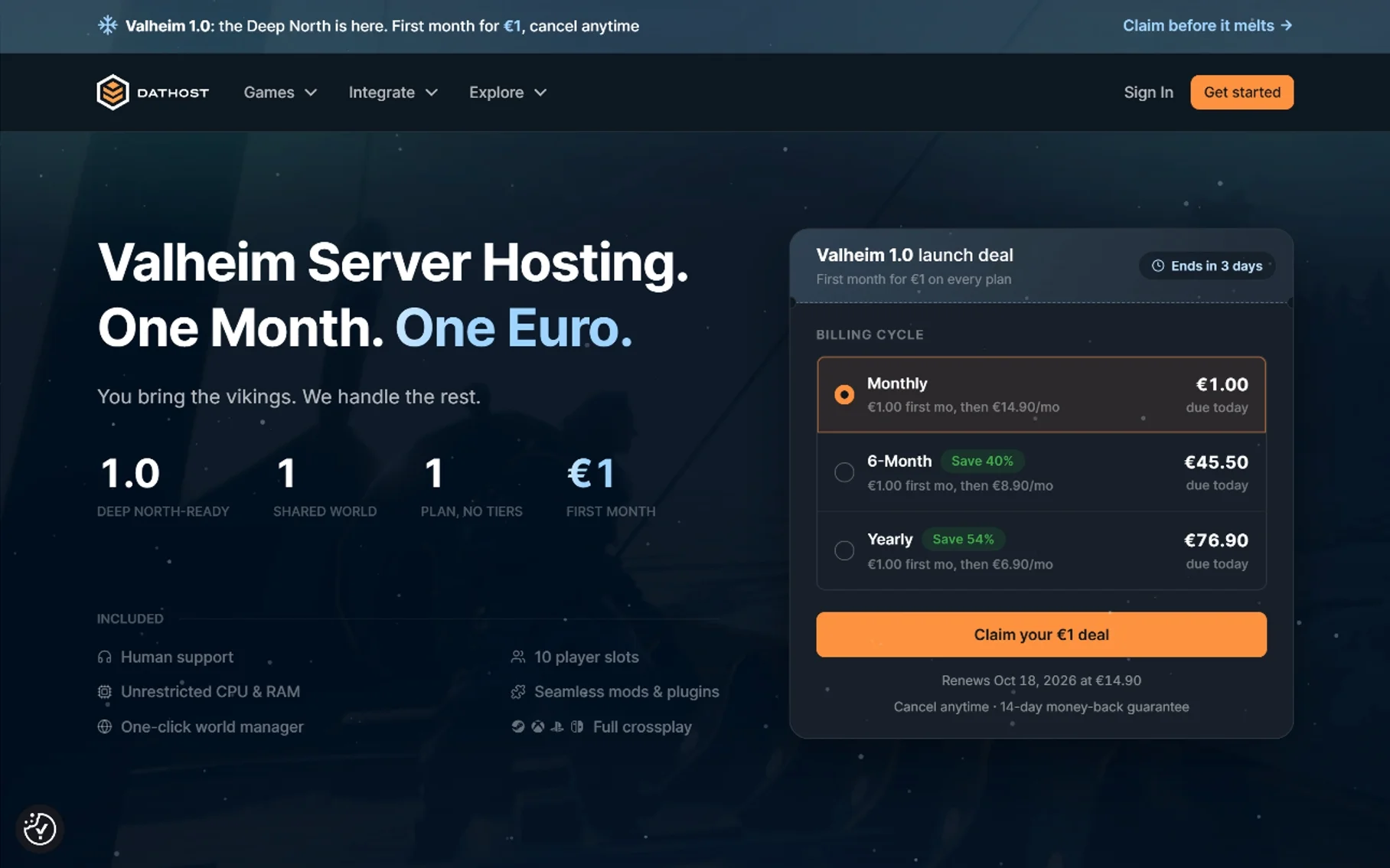
DatHost is the best Valheim server hosting option for most groups in this comparison. Its main strength is the amount of useful features included in one plan. The Valheim plan includes 10 player slots, 16 GB of DDR5 RAM, 30 GB of enterprise NVMe storage, daily backups, a one-click world manager, BepInEx support, and human customer assistance.
DatHost says it uses AMD Ryzen 9 7950X or similar high-frequency processors along with AMD EPYC hardware. It also advertises at least 1 Gbps connectivity, unlimited traffic, and up to 2 Tbps of DDoS mitigation.
The provider says it does not limit CPU or RAM usage with artificial throttling. However, the plan still comes with 16 GB of RAM. This does not mean you get a full physical server just for your Valheim world.
DatHost also says new Valheim updates are normally deployed within 15 minutes. Daily backups can be restored through the control panel.
DatHost Pricing
| Billing cycle | First-month offer | Advertised ongoing rate | Amount due today |
|---|---|---|---|
| Monthly | €1 | €14.90/month | €1 |
| Six months | €1 first month | €8.90/month afterward | €45.50 |
| Yearly | €1 first month | €6.90/month afterward | €76.90 |
Longer billing terms lower the advertised monthly price. However, they require more money upfront.
DatHost includes a 14-day money-back guarantee and allows cancellation at any time.
Main strength: 16 GB RAM, NVMe storage, daily backups, crossplay, and mod tools in one package.
Main concern: the €1 price is only for the first month, and active storage is limited to 30 GB.
Provider: DatHost Valheim server hosting
2. Host Havoc: A Practical 10-Player Option
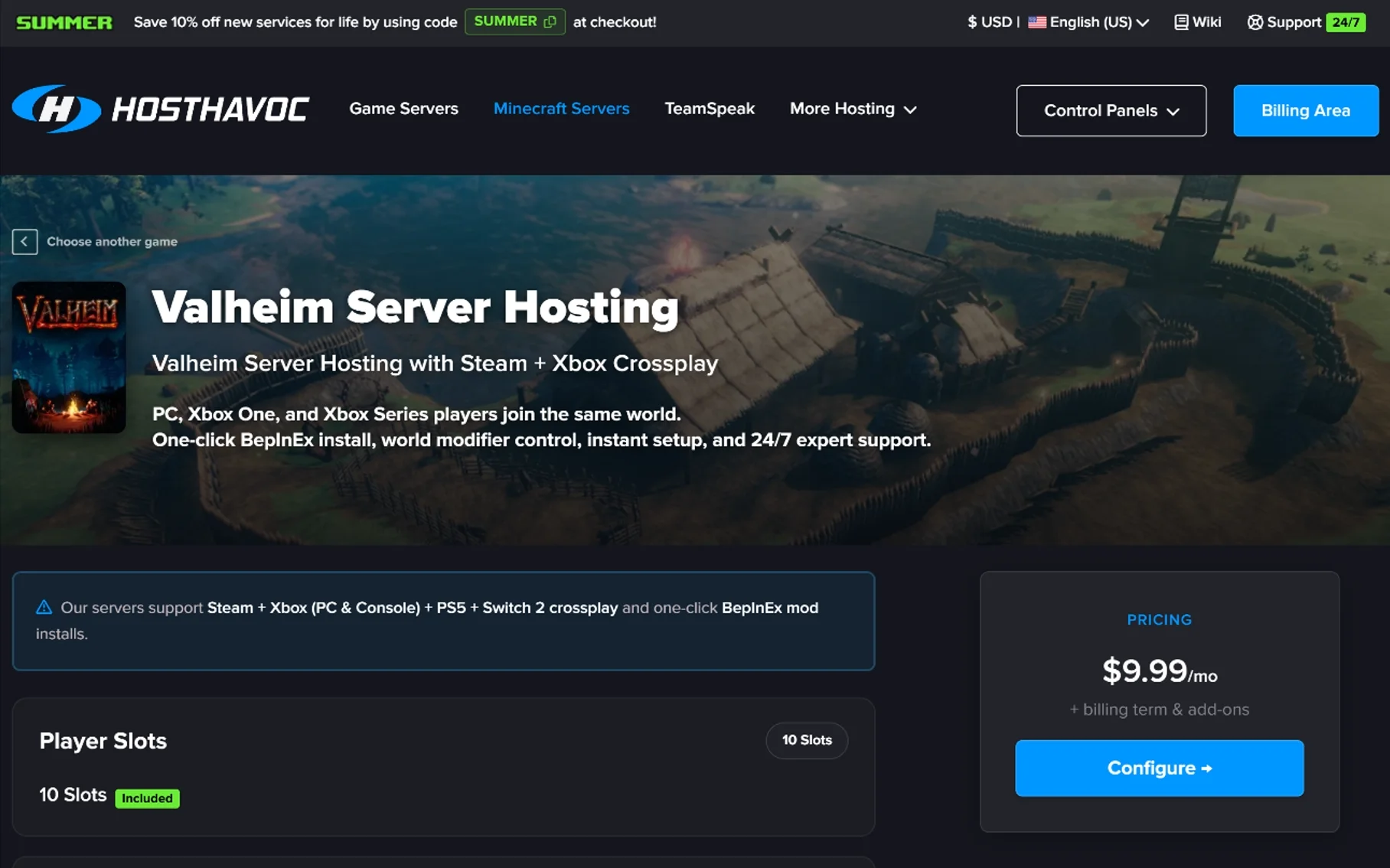
Host Havoc takes a simple approach to Valheim dedicated server hosting. Its standard Valheim plan includes all 10 vanilla slots. The $9.99 monthly plan includes one-click BepInEx installation, Crossplay controls, DDoS protection, FTP access, offsite backups, a web console, and a file manager.
Host Havoc says it owns and operates its hardware. It uses Intel Xeon and AMD Ryzen processors, DDR4 or DDR5 memory, NVMe SSDs, and network links of up to 10 Gbps.
The exact hardware can vary by data center.
Its listed locations include New York, Montreal, Miami, Atlanta, Chicago, Dallas, Los Angeles, Seattle, London, Amsterdam, Frankfurt, Nuremberg, Singapore, and Sydney.
Host Havoc Pricing
| Billing cycle | Effective monthly price | Amount billed |
|---|---|---|
| One month | $9.99 | $9.99 |
| Three months | $9.49 | $28.47 |
| Six months | $9.19 | $55.15 |
| 12 months | $8.79 | $105.49 |
Above Normal CPU Priority is included. High CPU Priority costs another $4 per month.
Seasonal promotions may change the price, so check the current offer before ordering.
What Stands Out
- All 10 vanilla slots
- One-click BepInEx
- FTP and file-manager access
- NVMe storage
- Offsite backups
- Crossplay
- Multiple US locations
- 24/7 technical support
What to Check
The main gap is the base RAM figure. It is not clearly published in the comparison data.
So, for a large or modded world, ask support about RAM and CPU use before buying.
Provider: Host Havoc Valheim hosting
3. BisectHosting: Best for Configurable RAM
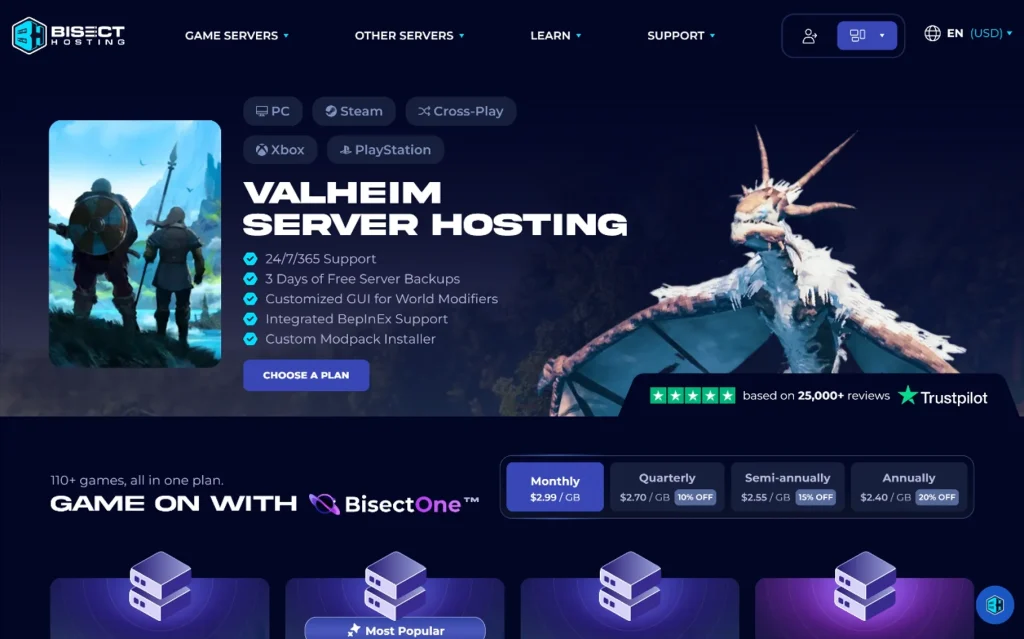
BisectHosting is a good fit if you want to choose how much RAM your server gets instead of using one fixed plan. This gives you more flexibility when you rent a Valheim server.
Its BisectOne plans range from 2 GB to 48 GB of RAM.
The control panel includes BepInEx support, a custom modpack installer, world modifier controls, multiple server instances, player management, and game switching.
You also get DDoS protection, three days of backups, 24/7/365 support, and access to 21 locations. BisectHosting says you can switch between available locations without paying a migration fee.
For players comparing the best server hosting for Valheim, BisectHosting is worth considering if RAM flexibility is important. Its range of RAM plans also gives you more flexibility when choosing a Valheim server rental.
BisectHosting Pricing
| RAM | Suggested players | Monthly price | Provider’s suggested use |
|---|---|---|---|
| 2 GB | 1–4 | $5.99 | Small server |
| 6 GB | 5–7 | $17.99 | Vanilla experience |
| 12 GB | 6–10 | $35.99 | Modded experience |
| 2–48 GB | Custom | From $5.99 | Custom configuration |
| Billing term | Price per GB | Advertised discount |
|---|---|---|
| Monthly | $2.99 | None |
| Quarterly | $2.70 | 10% |
| Semiannual | $2.55 | 15% |
| Annual | $2.40 | 20% |
The big advantage here is choice. You can pick a resource level that is closer to your needs.
On the other hand, larger RAM plans can get expensive. Backup retention is also only three days.
The 2 GB plan is better for testing than for a long-term multiplayer world.
Provider: BisectHosting Valheim servers
4. GPORTAL: Best for Easy Mod Management
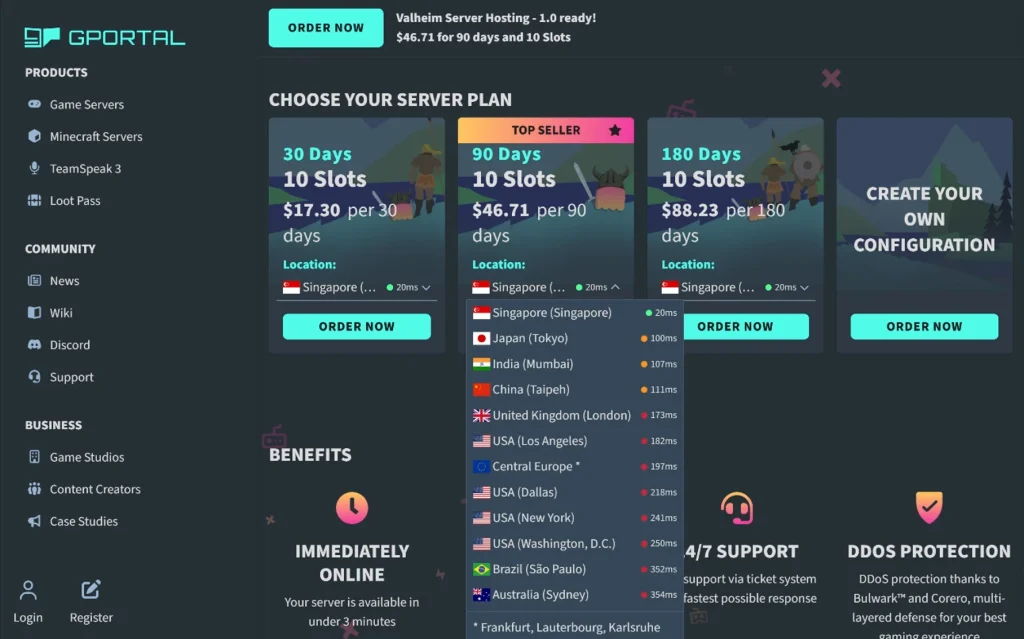
GPORTAL focuses on making server management simple. You can search for supported BepInEx and Thunderstore mods, check their dependencies, and install supported mods without moving files manually.
ValheimPlus is also built into the interface, giving you access to many settings you can change.
The package includes 50 GB of backup storage, save-game imports, DDoS protection, 24/7 ticket support, and crossplay for supported Valheim platforms.
GPORTAL Pricing
| Billing period | Slots | Total price | Effective monthly cost |
|---|---|---|---|
| 30 days | 10 | $17.30 | $17.30 |
| 90 days | 10 | $46.71 | $15.57 |
| 180 days | 10 | $88.23 | About $14.71 |
GPORTAL uses prepaid billing.
The final price can vary by currency, server location, rental period, and configuration.
What Stands Out
- Integrated BepInEx and Thunderstore tools
- Mod dependency information
- Extensive ValheimPlus controls
- 50 GB of backup storage
- Save-game imports
- Crossplay
- DDoS protection
- Advertised setup in under three minutes
- 24/7 ticket support
- Broad location coverage
What to Check
GPORTAL does not clearly publish a RAM allocation or CPU share in the comparison data.
Therefore, if you plan to run a large or heavily modded world, ask support how CPU and RAM use are handled.
Provider: GPORTAL Valheim hosting
5. GTXGaming: Useful for Larger Communities
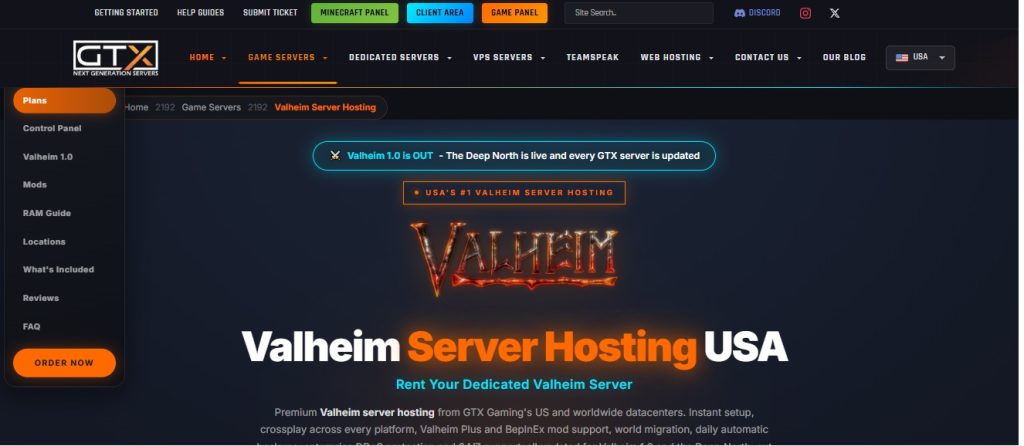
GTXGaming becomes more useful when you need support for larger player counts and more resources.
The standard package includes 10 player slots and 10 GB of RAM. Larger plans offer more RAM and additional player slots through ValheimPlus.
Its control panel includes a web console, world manager, file manager, SFTP, daily backups, and live graphs for CPU, memory, disk, and player usage.
These live graphs can help you see how much of your server’s resources you’re using as your world grows. This can be useful when running a Valheim dedicated server with more players, Valheim mods, or a larger world.
If you’re comparing Valheim server hosting providers, GTXGaming gives you useful tools for monitoring your server as your resource needs change.
GTXGaming Pricing
| Plan | Slots | RAM | Monthly price | Intended use |
|---|---|---|---|---|
| Vanilla | 10 | 10 GB | $12.66 | Most friend groups |
| Longhouse | 24 | 16 GB | $44.04 | ValheimPlus clans |
| Mead Hall | 32 | 24 GB | $62.95 | Modded communities |
| Large community | 48 | 24 GB | $83.03 | Events and larger groups |
| Kingdom | 64 | 32 GB | $110.72 | Large ValheimPlus communities |
GTXGaming also offers 12 GB and 16 GB RAM plans for 10-player worlds. A 64 GB option is also available for larger community setups.
More than 10 players may require ValheimPlus or another unofficial modification, depending on the setup.
What Stands Out
- 10 GB of RAM in the entry plan
- Clear RAM and player slot limits
- BepInEx and ValheimPlus support
- Daily backups
- Existing-world migration
- Live resource graphs
- SFTP and file management
- Crossplay
- DDoS protection
- Upgrade options
What to Keep in Mind
Larger plans can become expensive as you add more RAM and player slots.
Also, a higher player limit does not guarantee stable performance. Actual performance can depend on factors such as mods, world size, server load, and player activity.
Provider: GTXGaming Valheim hosting
6. Nodecraft: Best for Switching Between Games
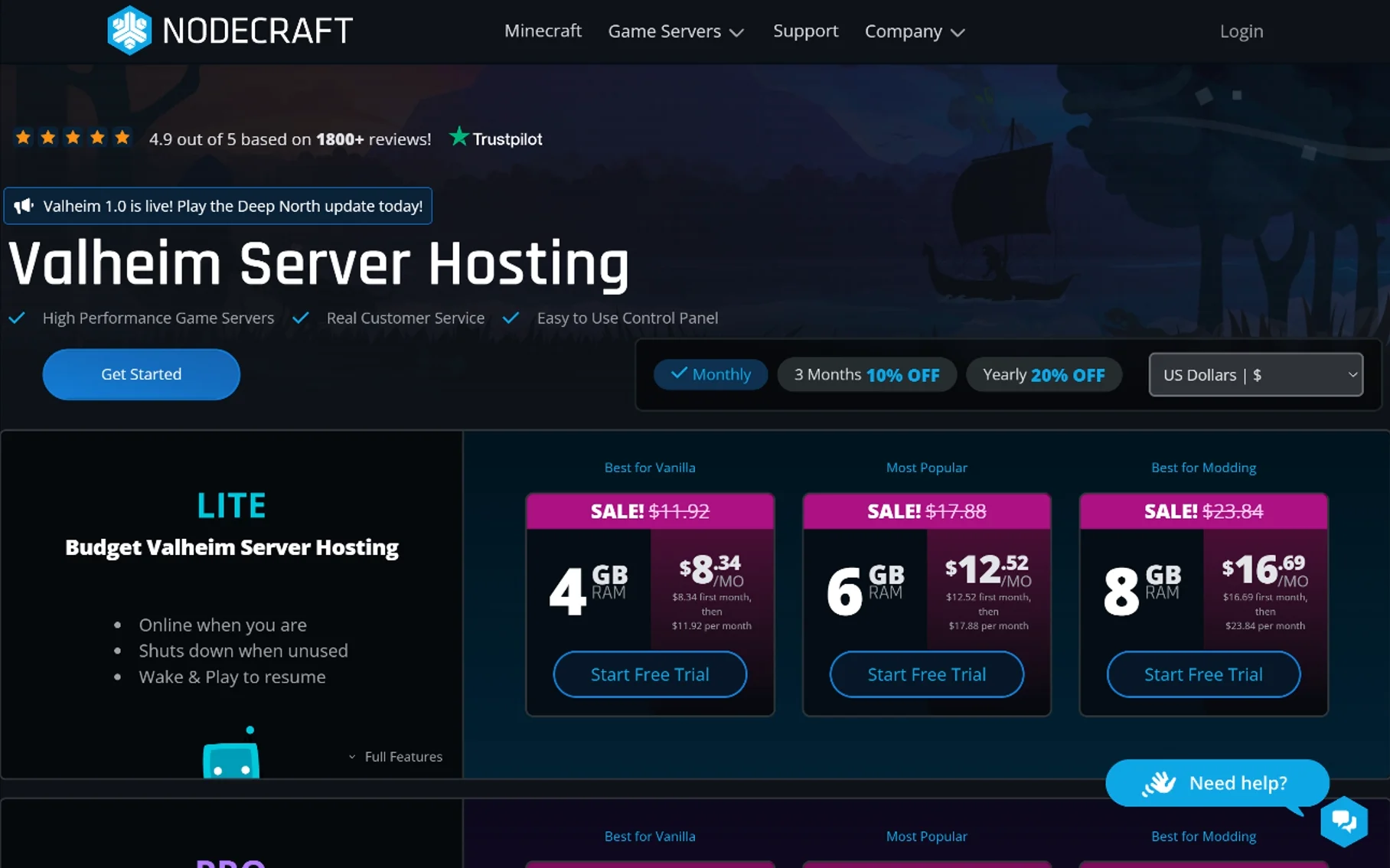
Nodecraft is different because it supports more than one game on the same platform.
Its Lite servers use Wake & Play, which lets the server sleep when nobody is using it. Trusted friends can start the server with a shared link and password.
Pro servers stay online 24/7. They also include a static IP, scheduled tasks, and manual cloud backups.
Both plans support game switching, saved server instances, BepInEx, ValheimPlus, Thunderstore mods, SFTP, and a live console.
Nodecraft Lite Pricing
| RAM | First-month price | Regular monthly price |
|---|---|---|
| 4 GB | $8.34 | $11.92 |
| 6 GB | $12.52 | $17.88 |
| 8 GB | $16.69 | $23.84 |
Nodecraft Pro Pricing
| RAM | First-month price | Regular monthly price |
|---|---|---|
| 4 GB | $13.99 | $19.98 |
| 6 GB | $20.99 | $29.98 |
| 8 GB | $27.99 | $39.98 |
Custom plans range from 2 GB to 32 GB.
Three-month billing comes with an advertised 10% discount, while annual billing comes with 20% off.
Lite can work well for small groups that do not need their server online all the time.
Pro is better suited to users who want 24/7 access, scheduled tasks, and more automation.
Provider: Nodecraft Valheim hosting
7. Shockbyte: Cheap Valheim Server Hosting With a Low Entry Price
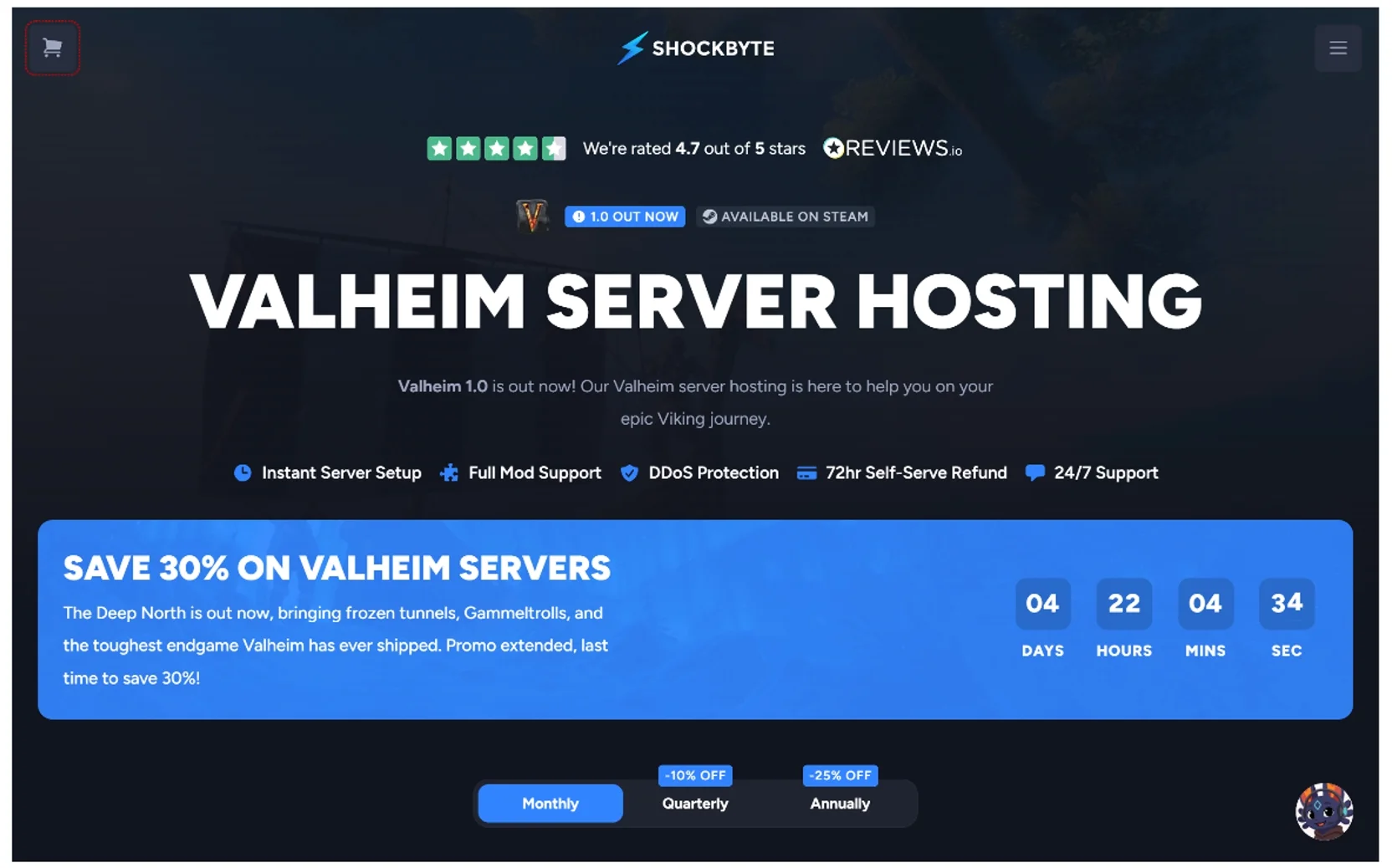
Shockbyte is one of the lower-cost ways to start a managed Valheim server.
Plans start at $6.99 for the first month and renew from $9.99 per month.
There are three main packages for four, seven, or 10 advertised players. All include automatic updates, backups, DDoS protection, FTP access, crossplay, instant setup, BepInEx, and ValheimPlus support.
Shockbyte Pricing
| Plan | RAM | Advertised players | First-month price | Regular monthly price |
|---|---|---|---|---|
| Eikthyr | 3 GB | 4 | $6.99 | $9.99 |
| Bonemass | 4 GB | 7 | $9.09 | $12.99 |
| Yagluth | 6 GB+ | 10 | $11.89 | $16.99 |
Quarterly billing comes with an advertised 10% discount, while annual billing comes with 25% off.
The low first-month price can be useful if you want to keep your initial cost down. However, check the regular renewal price before signing up.
For a mature or heavily modded 10-player world, a plan with more RAM may be a better fit.
Provider: Shockbyte Valheim hosting
8. Indifferent Broccoli: A Simple Option for Small Groups
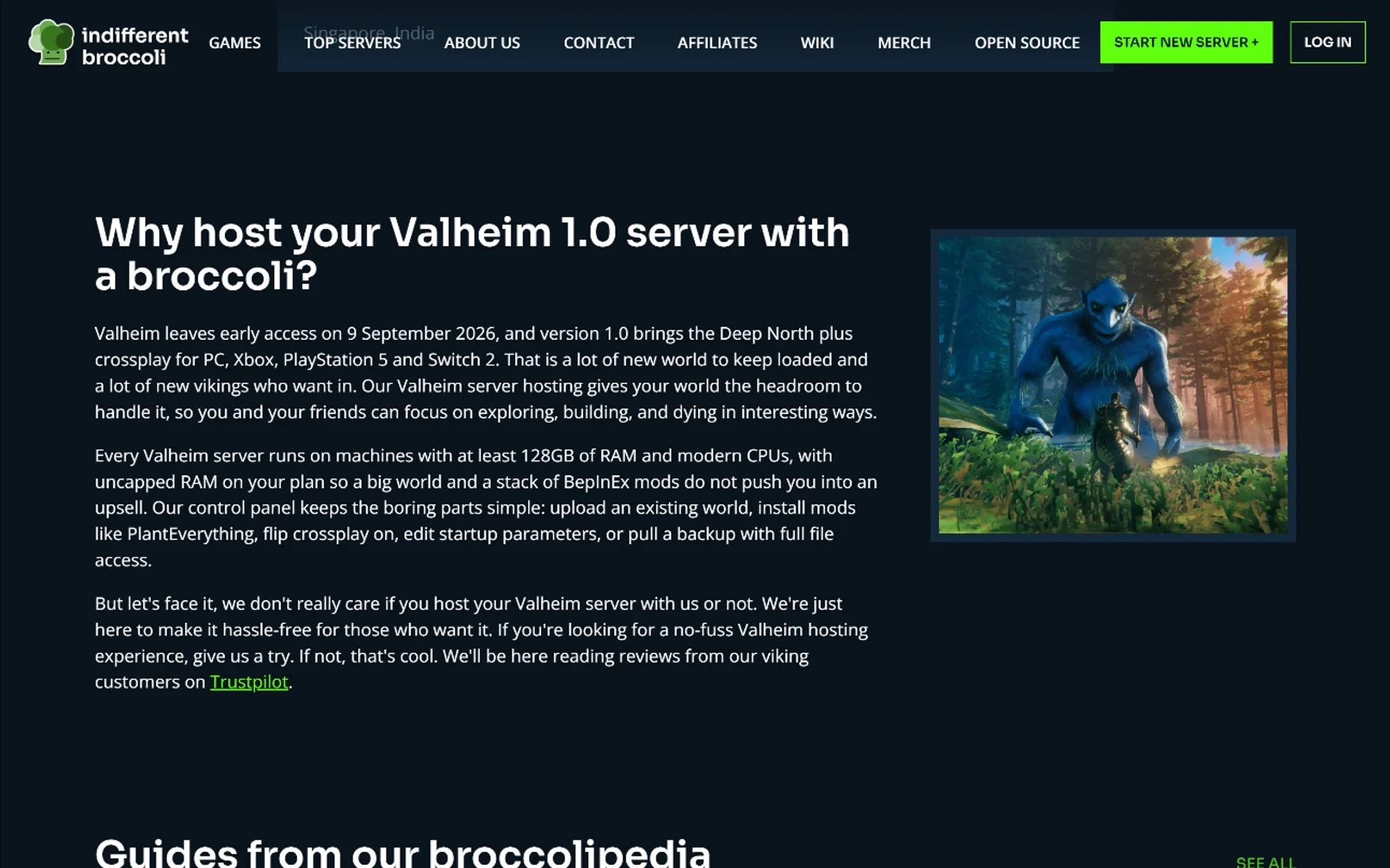
Indifferent Broccoli uses player-based pricing instead of a fixed RAM plan. Prices start at $5.99 for one player and go up to $18.99 for 10 players.
The provider describes its plans as having uncapped RAM, with player count as the main limit.
However, “uncapped RAM” does not mean one customer gets unlimited dedicated memory. Actual resource use still depends on shared hardware and the provider’s service rules.
The control panel includes world uploads, BepInEx, Crossplay settings, startup parameters, backups, and full file access.
A Discord bot can also show server status and restart the server.
Indifferent Broccoli Pricing
| Player limit | Monthly price |
|---|---|
| 1 player | $5.99 |
| 2 players | $6.99 |
| 4 players | $9.99 |
| 6 players | $12.99 |
| 8 players | $15.99 |
| 10 players | $18.99 |
Quarterly billing comes with 3% off, semiannual billing gets 6% off, and annual billing includes one month free.
The two-day trial does not require a credit card. This can be useful for checking latency and testing the control panel before paying.
At 10 players, the monthly price is higher than the provider’s lower player-count plans, so it’s worth comparing the total cost with other options.
Provider: Indifferent Broccoli Valheim hosting
Cheapest Valheim Server Hosting: What Is Actually Cheapest?
The answer depends on how many players you need.
Indifferent Broccoli starts at $5.99 per month for one player, while Shockbyte starts at $6.99 for the first month.
Those prices are not a direct comparison with a full 10-player plan.
Shockbyte moves to its regular price after the first month. Indifferent Broccoli, on the other hand, charges more as you add players.
So, when comparing cheap Valheim server hosting, check the cost for your actual group size.
Also compare:
- Renewal price
- RAM
- CPU policy
- Player limit
- Backups
- Storage
- Mod support
- Server location
The lowest number on a pricing page is not always the lowest long-term cost.
Valheim Server Rent: How Much Does It Cost?
People searching for Valheim server rent are usually looking for a managed server they can pay for each month.
Small plans can cost only a few dollars per month. Many standard setups fall around $10–$20 per month, while larger or heavily modded communities can cost more.
If you want to rent a Valheim server, check what the price includes before you sign up.
Player slots, RAM, CPU access, backups, storage, server locations, mod tools, file access, and renewal pricing can all affect the total value of a plan.
Which Valheim Host Fits Your Situation?
| Your situation | Examples to compare | Practical starting point |
|---|---|---|
| Two-player vanilla world | Indifferent Broccoli | Around 4 GB RAM |
| Four-player casual server | Nodecraft Lite or BisectHosting | Around 4 GB RAM |
| Five–seven-player group | BisectHosting or Nodecraft | Around 6 GB RAM |
| Eight–10-player vanilla group | DatHost, GTXGaming, or Host Havoc | Around 6–10 GB RAM |
| Mature 10-player world | DatHost or GTXGaming | Around 8–16 GB RAM |
| Modded 10-player server | DatHost, GTXGaming, or BisectHosting | Around 10–16 GB RAM |
| More than 10 players | GTXGaming ValheimPlus plan | 16 GB+ |
| Simplest mod installation | GPORTAL | Check available RAM |
| Frequent game switching | Nodecraft | Around 6–8 GB |
| Lowest first-month price | Shockbyte | Compare renewal price |
| No-card trial | Indifferent Broccoli | Choose based on player count |
These are planning ranges, not guarantees. Actual needs can vary based on world size, mods, player activity, and server load.
Valheim Crossplay and Mod Compatibility
Valheim supports crossplay between supported versions of the game, including Steam, Microsoft Store, and Xbox, when the server uses the Crossplay backend.
This means players on different platforms can play together. For example, a player using the Steam version can play with friends using the Microsoft Store or Xbox version when crossplay is enabled.
Most managed Valheim hosts let you enable Crossplay from the server control panel.
Mods are a different story.
Client-side BepInEx plugins may need to be installed by each PC player who uses them. Xbox players cannot install the same PC-side mod files, so a modded setup may not work for every platform.
For a mixed-platform group, start with a simple setup:
- Start with a vanilla server.
- Enable Crossplay.
- Make sure everyone can connect.
- Download a world backup.
- Add one server-side mod.
- Test each platform again.
- Continue only if everything still works.
Iron Gate does not officially support mods. Therefore, a one-click mod installer cannot guarantee that a mod will continue working after a Valheim update.
Rented Hosting vs. Self-Hosting Valheim
You do not have to rent a server.
Self-hosting can save money if you already own suitable hardware and have a stable internet connection.
It also gives you control over the operating system, files, startup settings, and backups.
However, you also take on the day-to-day work.
That includes:
- Keeping the computer online
- Installing updates
- Managing backups
- Configuring firewall rules
- Forwarding ports when needed
- Fixing mod problems
- Watching CPU and RAM use
- Handling power or internet outages
- Protecting your home network
A managed host removes much of that work.
For many groups, that makes rented hosting a simpler choice when 24/7 access, automatic backups, DDoS protection, and a shared server location matter.
Internet speed is only one part of self-hosting.
Upload speed, latency, packet loss, jitter, and Wi-Fi quality can also affect the game.
See our guide to what internet speed you need for more detail.
Frequently Asked Questions
What should I look for in Valheim server hosting?
Start with your player count, RAM needs, mod setup, budget, and preferred server location. Also check backups, CPU resources, storage, file access, renewal pricing, and support.
What is the best server hosting for Valheim?
There is no single option that fits every Valheim group. DatHost stands out for its combination of RAM, NVMe storage, backups, mod support, and server locations. Host Havoc focuses on standard 10-player setups, while BisectHosting gives you more control over RAM. GPORTAL focuses on mod management, and GTXGaming offers larger plans.
What is the best Valheim dedicated server hosting?
Start by checking the real resources behind the advertised player count. RAM, CPU access, backups, storage, mod tools, file access, server location, and renewal price all matter.
Also keep in mind that many managed game hosts use shared hardware. As a result, “dedicated server” does not always mean the same thing across providers.
How much does Valheim server hosting cost?
Many standard managed Valheim servers cost around $10–$20 per month. Small plans can cost less, while larger or heavily modded communities can cost more.
What is the cheapest Valheim server hosting provider?
Indifferent Broccoli starts at $5.99 per month for one player, while Shockbyte starts at $6.99 for the first month. For a larger group, compare the exact plan you need rather than only the lowest entry price.
How much RAM do I need for 10 Valheim players?
For 10 vanilla players, 6–8 GB is a practical starting point. A mature world may need 8–10 GB, while a heavily modded server may benefit from 10–16 GB.
Is 4 GB enough for a Valheim server?
Four GB can be a reasonable starting point for 1–4 players. A larger or more active world may need more RAM, especially with mods or extensive builds.
Is 2 GB enough for Valheim?
Two GB may work for a small test world. For a long-term multiplayer server, around 4 GB gives a small group more room for growth.
Can Valheim support more than 10 players?
Vanilla Valheim officially supports up to 10 players. Larger player counts generally require an unofficial modification or another third-party solution.
Can I transfer my existing Valheim world?
Yes. Most hosts let you upload the .db and .fwl files through a web file manager, FTP, or SFTP.
Keep your original files until you confirm that the new server has loaded the correct world and progression.
Does Valheim support crossplay?
Yes. Valheim supports crossplay across its supported platforms when the server uses the Crossplay backend. However, PC-side client mods can still prevent console players from joining.
Does a Valheim server need a GPU?
No. A headless Valheim server normally does not need a gaming GPU because it does not render the game for players. CPU resources, RAM, storage, and network stability matter more.
The Bottom Line
The right Valheim server depends on your player count, RAM needs, mods, budget, and preferred server location.
DatHost stands out for its combination of 16 GB of RAM, NVMe storage, daily backups, crossplay, BepInEx support, and multiple server locations. Host Havoc focuses on standard 10-player setups, while BisectHosting gives you more control over RAM. GPORTAL focuses on easier mod management, while GTXGaming offers larger plans for groups that need more resources.
Nodecraft can be useful for groups that switch between games. Shockbyte offers a low first-month price, while Indifferent Broccoli uses player-based pricing.
For many 10-player groups, 6–8 GB of RAM is a practical starting point. A mature or heavily modded world may benefit from 10–16 GB.
Most importantly, don’t choose a host only because it has the lowest price or the highest player count. Check the resources, renewal cost, backups, server location, mod support, and level of server control you actually need.
You May Also Like
 Computers & PC Games
How to Reduce CPU Usage for a Minecraft Server
 Computers & PC Games
The Different Types of Minecraft Server Lag
 Computers & PC Games
Is 1TB SSD Enough for Gaming? What You Should Know Before Buying
 Computers & PC Games
10 Best Modded Minecraft Server Hosting Providers for 2026
 Computers & PC Games
Is RomsFun Safe and Legit? My Complete Review and Testing Experience
 Computers & PC Games