

Picture this: you pull into a quiet spot with a lake view and mountains on every side. No cell bars. No Wi-Fi sign. Just you, the RV, and a video call starting in ten minutes. A few years ago, that meant a missed meeting. In 2026, it doesn’t have to.
Good internet is no longer a nice extra for RV life. It’s closer to a basic need, right up there with water and power. You might work from the road. You might just want to stream a show after a hike or check in with family back home. Either way, the right setup keeps you connected without giving up the remote spots that made you want RV life in the first place.
Prices shifted this year, a couple of new players showed up, and one longtime satellite provider just filed for bankruptcy. That last one alone changes what’s worth recommending.
Quick Answer: Best RV Internet by Travel Style
Short on time? Here’s the fast version.
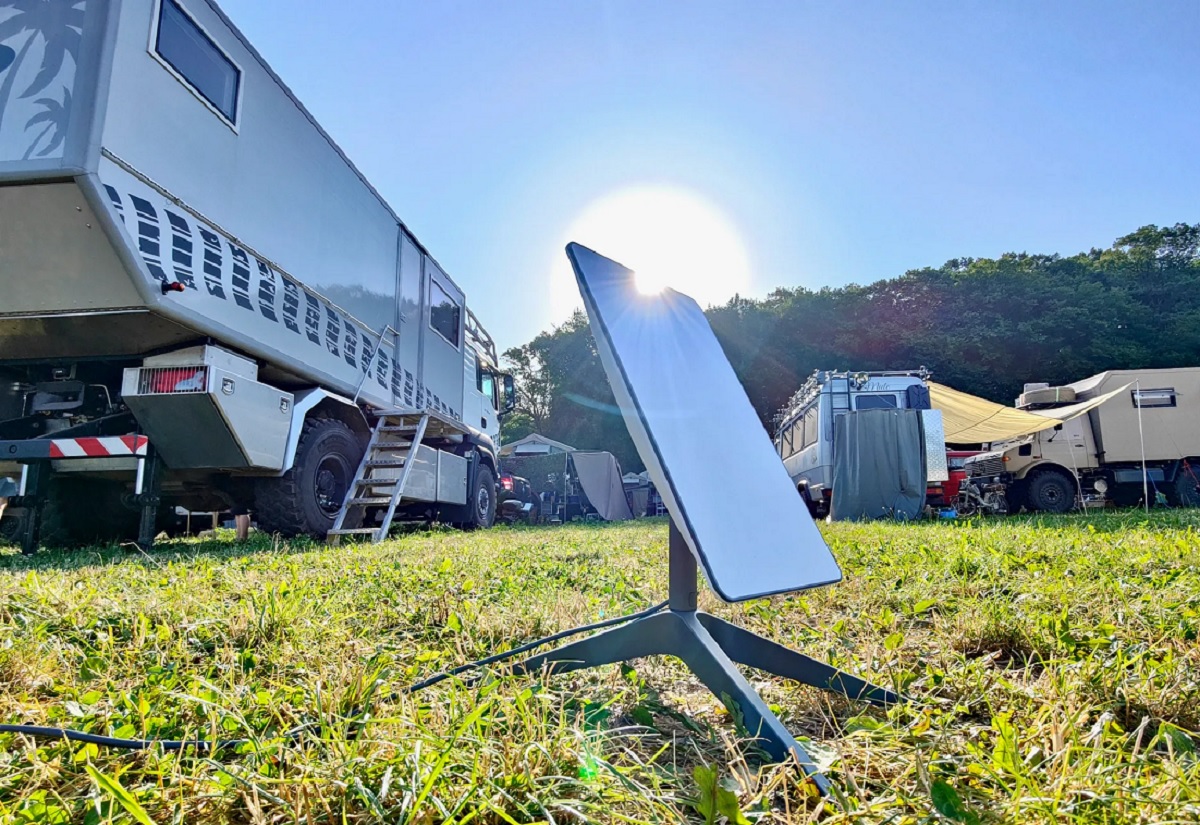
- Full-time boondockers who need reliable internet almost anywhere: Starlink Roam is the strongest all-around pick in 2026.
- Weekend travelers who mostly stay near towns and campgrounds: T-Mobile AWAY offers solid speed with no equipment to buy.
- RVers who already have great cell coverage in their area: A Verizon 5G hotspot can work as a low-cost main connection or backup.
- Rural stationary campers without a clear view of open sky: Viasat is still active and reasonably priced, though it has real limits.
- Anyone still considering HughesNet: Hold off. Its parent company filed for bankruptcy in 2026 and is actively pointing its own customers toward Starlink. More on that below.
What Changed for RV Internet in 2026
A few things shifted in a big way this year, and they matter for anyone shopping right now.
HughesNet’s parent company filed for bankruptcy
Hughes Satellite Systems Corporation, the company behind HughesNet, filed for Chapter 11 bankruptcy protection on August 3, 2026. This isn’t a shutdown; HughesNet says it has enough cash to keep running while it reorganizes, and existing customers should see no immediate change. But the company lost close to 60% of its residential subscribers over the past six years as people switched to Starlink, and it’s now steering its own remaining customers toward Starlink through a referral deal with SpaceX.
HughesNet’s stated plan going forward is to shift away from home internet and focus on enterprise, government, and airline customers instead. For anyone shopping for new RV internet, this is a clear signal to look elsewhere.
Starlink raised prices and reshuffled its Roam plans
Starlink increased most of its plans in 2026, with Roam pricing moving from $50 to $55 a month for the entry tier and Roam Unlimited jumping from $165 to $175 a month. A new 300GB tier was also added. Starlink also tightened the rules on using Roam plans outside the US, so if you travel internationally, check the current terms before you buy.
Amazon Leo (formerly Project Kuiper) is entering the market
Amazon rebranded its satellite project to Amazon Leo and began a limited rollout in 2026, with a small portable terminal designed for travelers. It isn’t broadly available yet and pricing hasn’t been announced, but it’s worth watching over the next year.
Understanding RV Satellite Internet
What Satellite Internet Actually Does
Satellite internet sends your data up to a satellite in the sky instead of through underground cables or nearby cell towers. That’s the whole idea. Because it doesn’t need a cell tower close by, it can work in spots where phones show “No Service.”
Campground Wi-Fi often struggles once a few people are using it at once. Cell signal can vanish the moment you drive into a canyon or a national park. Satellite internet gets around both problems, as long as your dish has a clear view of the sky.
With a good setup, you can:
- Work from national parks and remote boondocking spots
- Video call family from places with zero cell bars
- Stream shows on rainy days far from town
- Get weather alerts and emergency updates
- Upload trip photos without waiting for the next town with Wi-Fi
How It Works, in Plain Terms
Setting up satellite internet in an RV takes three basic pieces:
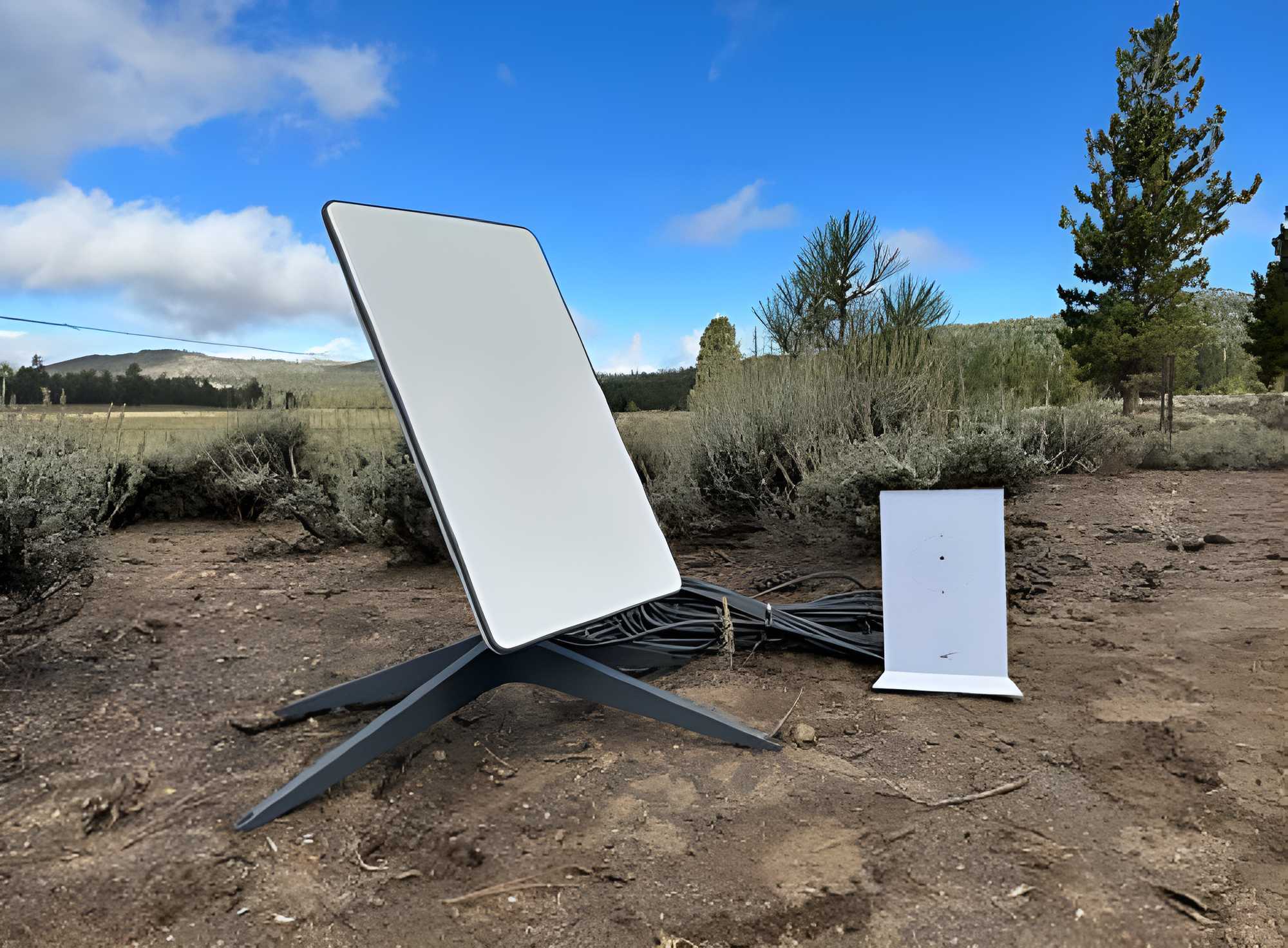
- A dish or antenna. This talks to the satellites overhead. Today’s dishes are much smaller and lighter than the huge dishes from years ago.
- A router. This turns the satellite signal into Wi-Fi you can actually use inside your RV.
- A service plan. Just like home internet, you pay a monthly fee for the connection itself.
Your dish sends a signal up to a satellite. That satellite passes it along to a ground station connected to the wider internet, and the reply comes back the same way. This entire round trip happens in a fraction of a second with newer systems, though that speed depends heavily on how far away the satellite is.
Three Types of Satellite Systems
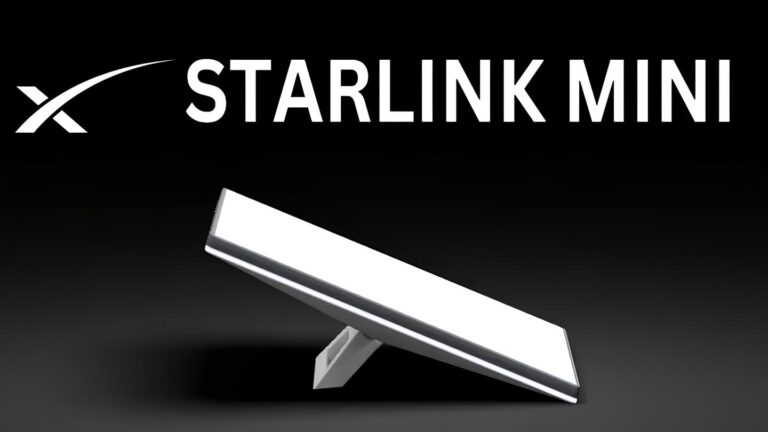
Portable systems are dishes you set up outside the RV each time you park. The Starlink Mini fits this group — you can place it on a picnic table, the ground, or your RV’s roof ladder. You do need to set it up and pack it away at every stop.
Roof-mounted systems are installed permanently on the RV. There’s no setup at each stop, but installation costs more and takes more work up front.
Low Earth Orbit (LEO) systems are the newer technology behind Starlink and the upcoming Amazon LEO. Traditional satellite internet uses satellites parked about 22,000 miles above Earth. LEO satellites orbit only a few hundred miles up. That shorter distance means far less lag, which matters a lot for video calls and online gaming.
Top RV Satellite Internet Providers in 2026
Starlink Roam
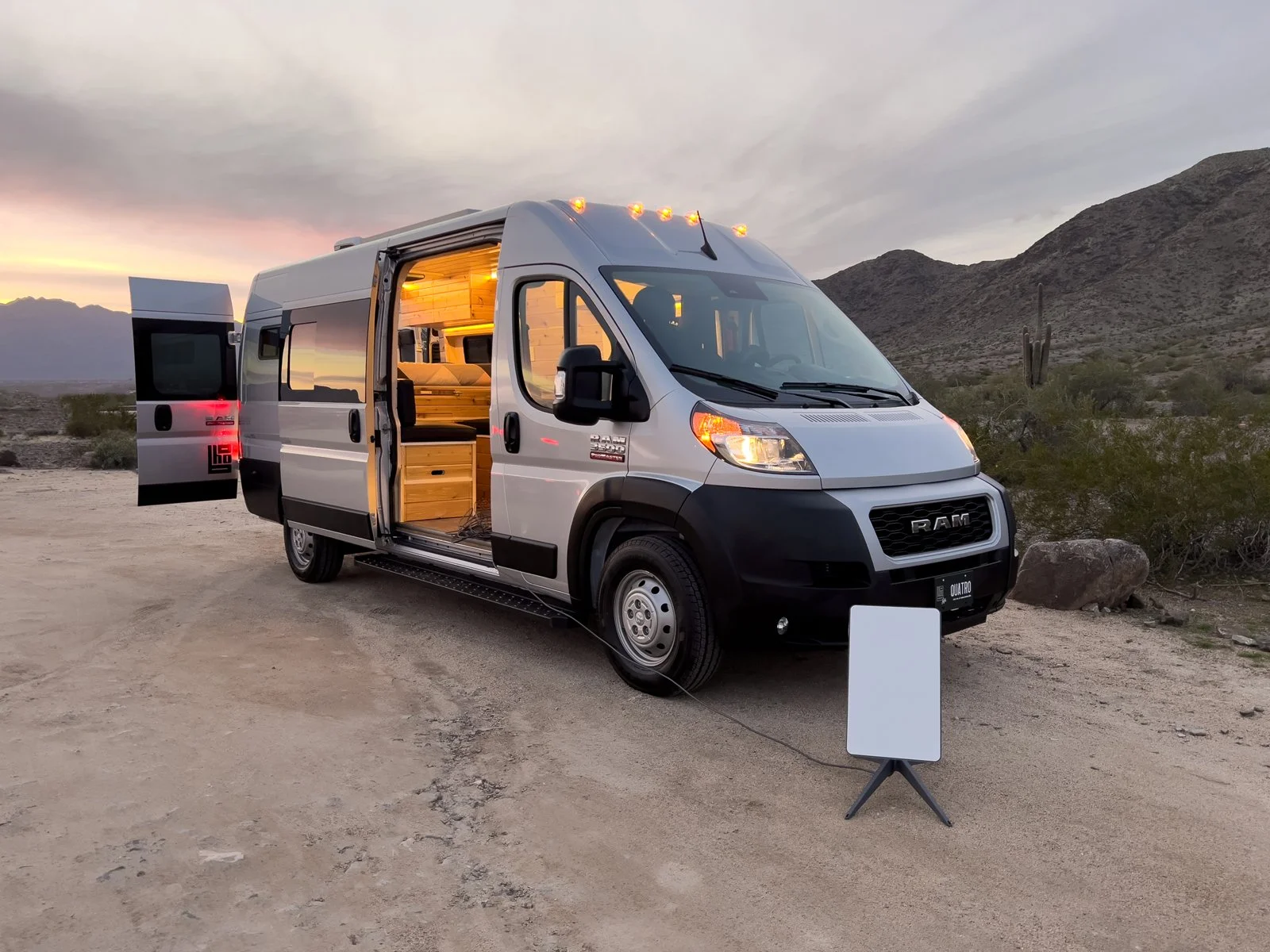
Starlink Roam remains the top pick for RVers who want internet almost anywhere. It runs on SpaceX’s LEO satellite network, which is why it beats older satellite services on speed and lag.
Pricing (as of August 2026):
| Plan | Monthly Price | Data | Notes |
|---|---|---|---|
| Roam 100GB | $55/mo | 100GB high-speed, then throttled | Domestic use only |
| Roam 300GB | $80/mo | 300GB high-speed, then throttled | Domestic use only |
| Roam Unlimited | $175/mo | Unlimited, may slow during congestion after heavy use | Supports international travel and in-motion use up to 100 mph with the right dish |
A Standby Mode add-on lets you keep your dish “warm” between trips for $10 a month, instead of fully pausing and reactivating service.
Hardware:
- Starlink Mini — the most RV-friendly option. It’s small enough to pack in a bag, has a built-in router, and runs on low power. Pricing moves around a lot with promotions, typically landing between $199 and $349.
- Standard dish — larger, with a stronger Wi-Fi 6 router built for more devices. Usually $349–$499, again depending on current promotions.
- Performance dish (Starlink’s replacement for the old Flat High Performance dish) — built for in-motion use at highway speeds and rough weather. This is the priciest option, often $1,999 or more.
Starlink changes hardware pricing and promotions often — sometimes month to month — so check current pricing directly on Starlink’s site before you order.
Real trade-offs to know: Trees and canyon walls can block the signal, so you’ll sometimes need to get creative with dish placement — a rock, a ladder, even the roof of a tow vehicle. RVers who camp under thick forest canopy often find they need to move the dish a few times before it holds a steady connection. And unlike a cell hotspot, you’re committing to buying hardware upfront in most cases, not just paying a monthly fee.
T-Mobile AWAY
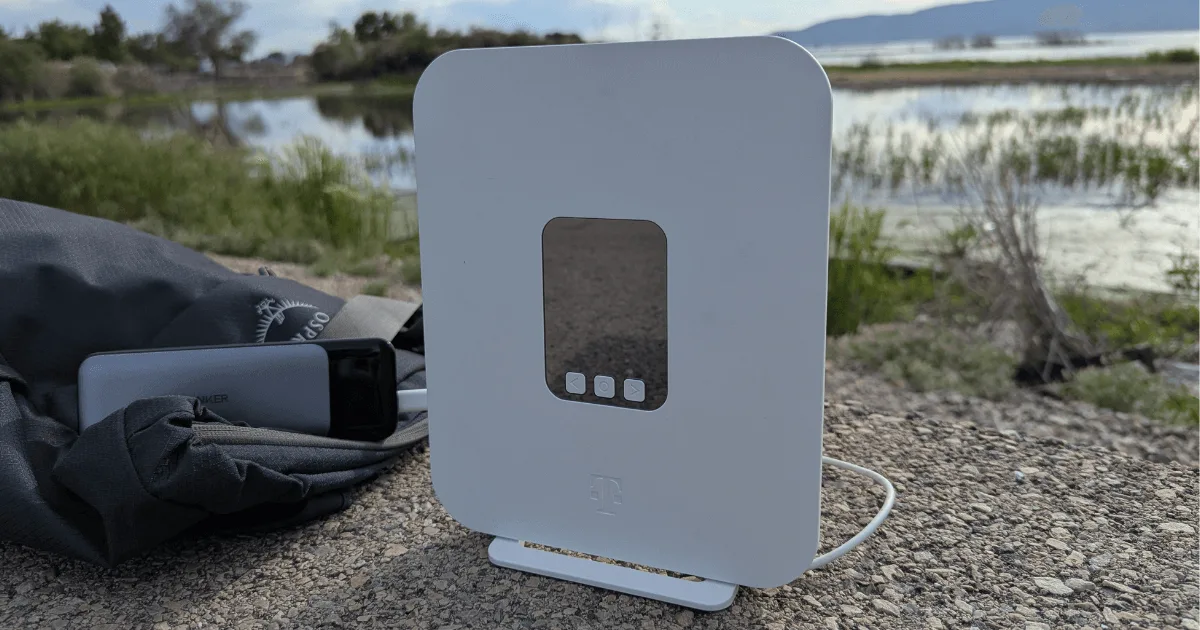
T-Mobile AWAY is a cellular-based plan built specifically for RVers and travelers, using T-Mobile’s 5G network instead of satellites.
Pricing (as of August 2026):
- 200GB plan: $110/month with AutoPay
- Unlimited plan: $160/month with AutoPay, though speeds may slow after 1.2TB during busy periods, and video streams cap at 1080p
- Discounts are available if you hold a qualifying T-Mobile phone plan
- You can pause service for up to 90 days, twice a year, for a reduced fee — useful if you store the RV for part of the year
There’s no equipment to buy. The gateway is included with your plan, and setup takes about 15 minutes through the T-Mobile app. Real-world speeds run up to around 361 Mbps where coverage is strong, though your actual speed depends heavily on how many other users are on the tower near you.
Real trade-offs to know: T-Mobile’s 5G network reaches roughly two-thirds of the country, and it thins out fast once you’re off the highway and away from towns. AWAY shines near cities and interstates. It struggles or drops out completely in deep backcountry — exactly the kind of place many boondockers want to camp.
Verizon 5G Hotspot
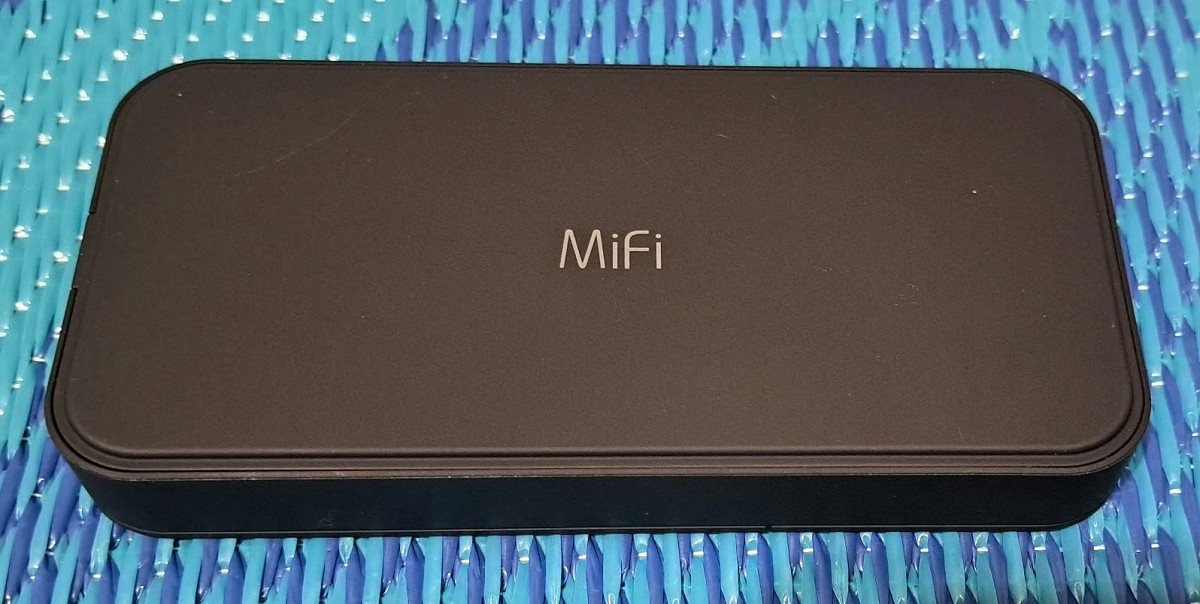
Verizon’s hotspot plans are a solid, flexible option — especially for RVers who already rely on Verizon for their phone.
Pricing (as of August 2026, approximate):
| Plan Tier | Data | Price w/ Verizon Phone Plan | Standalone Price |
|---|---|---|---|
| Essential | ~15GB | ~$10–20/mo | Higher without a phone line |
| Plus | ~50GB | ~$20–40/mo | Higher without a phone line |
| Pro | ~100GB | ~$40–60/mo | Higher without a phone line |
| Premium | ~150GB | ~$60–80/mo | First line alone runs about $90/mo |
Verizon’s hotspot devices are small, battery-powered, and easy to pack as a backup. If you already have Verizon phone service, adding a hotspot line is usually the cheapest way in. Buying a standalone hotspot line with no phone plan attached costs noticeably more.
Real trade-offs to know: Verizon’s coverage map is wide, but like any cellular carrier, it depends on nearby towers. It won’t help much in the same remote spots where cell coverage disappears entirely. Many RVers keep a Verizon hotspot specifically as a backup for when a satellite dish can’t get a clear view of the sky.
Viasat
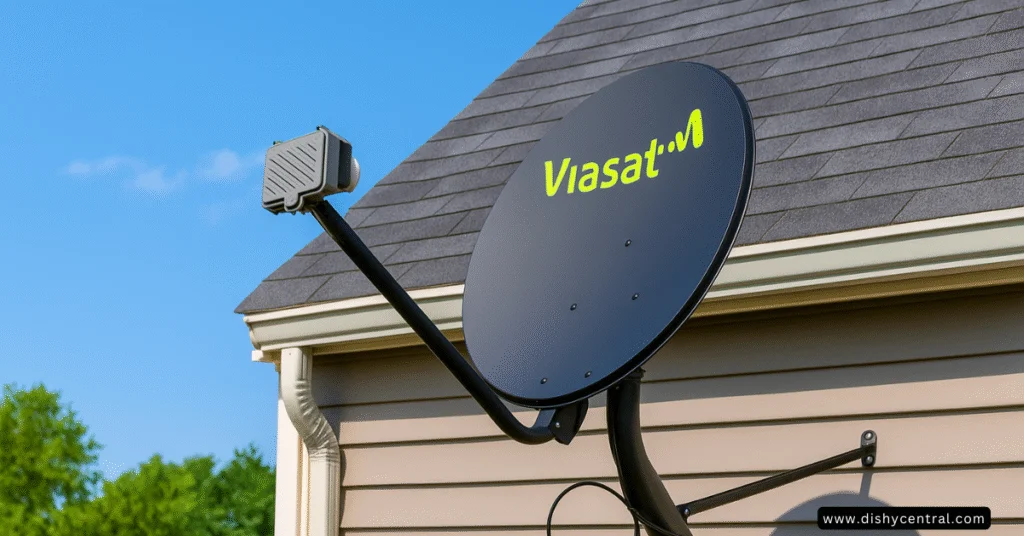
Viasat is one of the last traditional satellite providers still actively selling new plans to home and RV customers.
Pricing (as of August 2026):
- Unleashed plan: roughly $70–$100/month depending on your area, with unlimited data (though speeds may slow during busy hours once you pass around 850GB in a month)
- Essentials plan: around $40/month with a lower data cap and a 12-month contract
- Equipment: lease for about $15/month, or buy outright for roughly $250
- No annual contract on the Unleashed plan
Viasat’s satellites sit in a much higher, fixed orbit than Starlink’s, which means real lag — often 600 milliseconds or more round-trip. That’s noticeable and frustrating on video calls, though fine for email, browsing, and most streaming.
Real trade-offs to know: Viasat still makes sense if you’re mostly stationary in an area where Starlink coverage is spotty, or where thick tree cover blocks a clear view of open sky in every direction. It’s a weaker fit if you move often or need smooth video calls.
HughesNet — Proceed With Caution
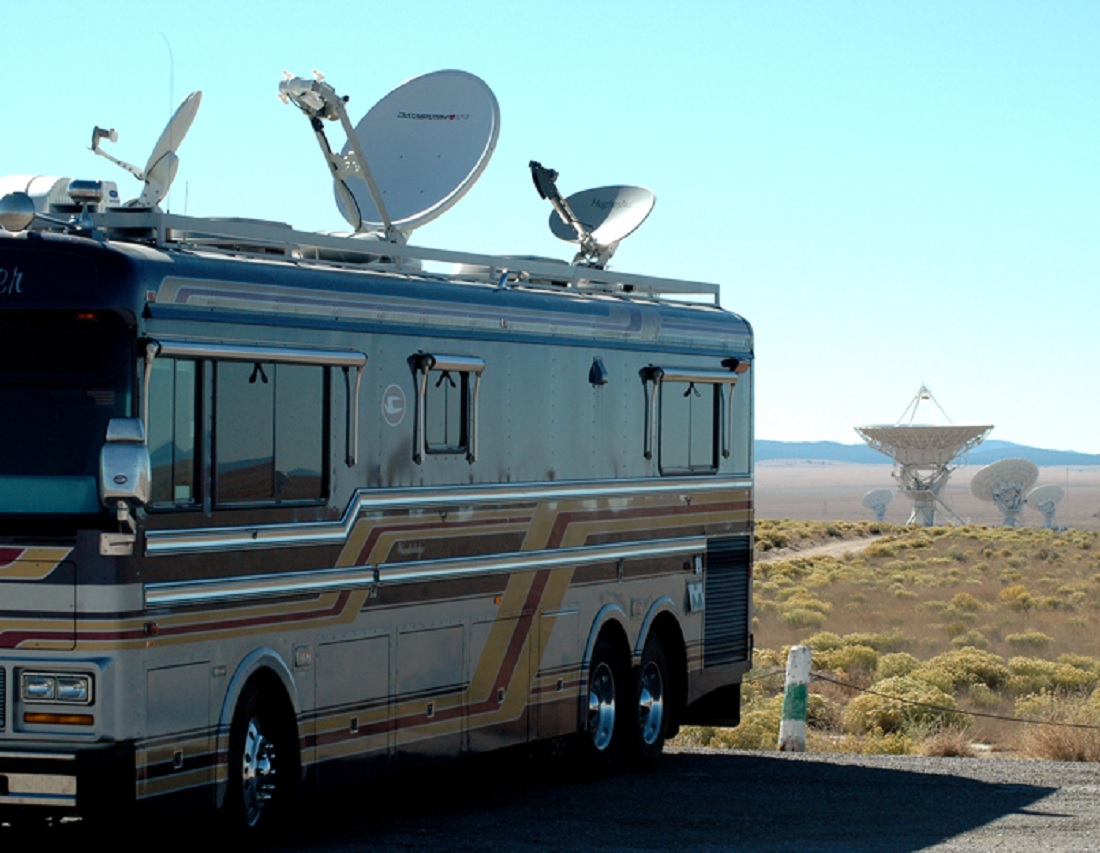
HughesNet was once a go-to name in satellite internet, and it still works for existing customers. But the picture changed sharply in 2026.
Hughes Satellite Systems Corporation, HughesNet’s parent, filed for Chapter 11 bankruptcy on August 3, 2026, after losing close to 60% of its residential subscribers to Starlink over six years. The company says service will continue for the roughly 641,000 households still signed up while it reorganizes. It has also set up a referral deal with SpaceX that points its own customers toward Starlink, in exchange for a commission.
HughesNet’s own stated plan is to shift its business away from home internet entirely, toward airlines, government agencies, and enterprise clients. New activations may still be possible in some areas, but the company itself is steering customers elsewhere.
Our take: if you’re shopping for new RV internet in 2026, HughesNet isn’t a smart starting point. Existing HughesNet customers should keep an eye on the referral offer, which has included a free Starlink dish during past enrollment windows.
Amazon Leo — Worth Watching, Not Yet Buying
Amazon Leo, previously known as Project Kuiper, is Amazon’s answer to Starlink. It began a limited rollout in 2026, including a small “Nano” terminal built for portability — reportedly around 2 pounds and roomy enough to mount on an RV or toss in a backpack.
As of August 2026, Amazon Leo isn’t broadly available to RV shoppers yet, and official pricing hasn’t been released. Industry watchers expect it to land somewhere close to Starlink’s pricing once it’s fully live. It’s a name to bookmark for next year, not a current pick.
Multi-Carrier Hotspots (An Emerging Option)
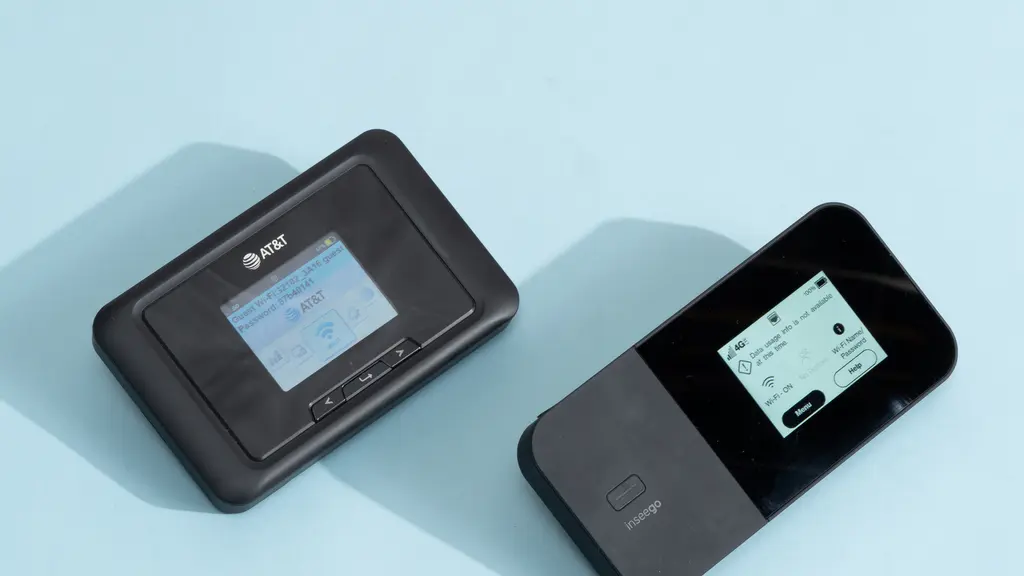
A newer category worth knowing about: hotspot devices that use an eSIM to automatically switch between several cellular carriers, picking whichever has the strongest signal at your exact location. TravlFi is one example, with unlimited plans priced around $129/month. The pitch is fewer dead zones as you cross state lines, since the device isn’t locked to a single carrier’s coverage map. This category is still young, so treat any specific performance claims from these companies with the same healthy skepticism you’d apply to any new provider, and read recent, independent reviews before committing.
Provider Comparison at a Glance
| Provider | Monthly Price | Works While Driving? | Typical Latency | Best For |
|---|---|---|---|---|
| Starlink Roam | $55–$175 | Yes, with Performance dish | Low (25–60ms) | Boondockers, remote workers |
| T-Mobile AWAY | $110–$160 | Yes | Low-moderate | Highway travelers, campground stays |
| Verizon 5G Hotspot | $10–$90 | Yes | Low-moderate | Backup connection, Verizon phone users |
| Viasat | $40–$100 | No | High (600ms+) | Stationary rural camping |
| HughesNet | Existing customers only | No | High (600ms+) | Not recommended for new RV shoppers |
| Amazon Leo | Not yet announced | Unknown | Expected low (LEO) | Watch for wider 2026–2027 rollout |
Choosing the Right Setup for Your RV
Before you spend money, take a few minutes to think through how you actually travel. A lot of RVers overspend on gear they barely end up using.
Ask yourself:
- How often do you travel? If you’re only out a few weekends a year, an expensive satellite setup may not make sense. A cell hotspot might cover you just fine.
- What do you actually use the internet for? Email and browsing need very little data. Video calls and streaming need a lot more.
- How many people will be online at once? One person checking email is very different from a family of five all streaming separate shows.
- Where do you usually camp? Campgrounds with decent Wi-Fi or strong cell service may not need satellite at all. Deep boondocking almost always does.
- What’s your budget, both upfront and monthly? Be honest about both numbers, not just the sticker price on the hardware.
Many full-time RVers land on a hybrid setup: satellite for remote spots, plus a cell hotspot for backup and for use while driving. That combination costs more but covers the most ground.
Cost Breakdown: Rough First-Year Totals
These are estimates based on 2026 pricing. Your actual cost will shift with promotions, your specific plan, and your location.
Starlink Roam (Mini + 100GB plan): roughly $250 in hardware and shipping, plus $55/month — around $900 for the first year.
Starlink Roam (Mini + Unlimited plan): roughly $250 in hardware and shipping, plus $175/month — around $2,350 for the first year.
T-Mobile AWAY (200GB plan): no hardware cost, $110/month — around $1,320 for the first year.
Verizon (with existing phone plan, mid-tier hotspot): minimal hardware cost, roughly $40/month with discount — around $500–$700 for the first year, though this varies a lot by plan.
Viasat Unleashed: roughly $250 to buy equipment (or $15/month to lease) plus about $85/month — around $1,270–$1,570 for the first year.
Looking at these numbers, a cellular hotspot might seem like the obvious budget pick. But cheaper isn’t better if it can’t reach you where you actually camp. Plenty of RVers have learned this the hard way after saving money on a hotspot-only setup, only to sit with zero signal on a remote canyon rim.
Installation and Setup
Portable systems (like the Starlink Mini) need to be set up at every stop, need a clear view of the sky, and take up storage space while you’re driving. In exchange, you get full flexibility on where you place the dish.
Roof-mounted systems get installed once, usually by a professional, and are ready the moment you park. The tradeoff is higher upfront cost and less flexibility if your parking spot doesn’t line up well with the sky.
Cellular options like T-Mobile AWAY or a Verizon hotspot need almost no setup — power it on, and you’re connected. This simplicity is a real advantage if dealing with dishes and cables isn’t your thing.
Getting the Best Performance From Your Setup
A few habits make a real difference, especially with satellite systems:
- Scan for a clear sky view before you settle in. Trees, canyon walls, and even a neighboring rig can block the signal. Walk the site before deciding where to park or place the dish.
- Use the provider’s app to check signal strength. Both Starlink and traditional satellite providers show live signal data you can use to fine-tune placement.
- Secure the dish against wind. A tipped-over dish mid-call is a common and avoidable frustration. Sandbags or a weighted base help.
- Mark metered connections on your devices. This stops background updates from quietly eating your data allowance.
- Plan for power draw. Satellite dishes typically pull 20 to 100 watts continuously, depending on the model. If you’re boondocking off battery power, factor that into your setup.
A common scenario RVers run into: a connection that works fine in the morning but drops every afternoon at the same spot. Often, it’s the sun’s angle casting a shadow from a tree that only blocks the dish’s path for part of the day. Moving the dish just a few feet usually fixes it.
Another common one: speeds that crawl every evening around 7 to 9 PM. That’s peak streaming time for everyone nearby sharing the same satellite or cell tower capacity. Downloading big files or shows earlier in the day, then watching offline at night, sidesteps the slowdown entirely.
Staying Secure on the Road
Using internet away from a fixed home adds a few extra risks worth planning for:
- Use a VPN. This encrypts your connection and keeps your browsing private from anyone else on the network.
- Keep devices updated. Security patches matter even more when you’re connecting to different networks all the time.
- Use a password manager. Strong, unique passwords for every account beat reused ones by a wide margin.
- Turn on two-factor authentication wherever it’s offered.
- Watch for fake Wi-Fi networks at busy campgrounds. Someone occasionally sets up a lookalike network with a name close to the official one, hoping travelers connect without checking. A VPN protects you even if you connect to the wrong one by mistake.
If you work remotely, a few extra habits help: keep a separate work profile on your devices, check your employer’s remote-work security policy, and be mindful of thin RV walls during confidential calls. Noise-cancelling headphones go a long way here.
What’s Coming Next
The RV internet landscape is moving fast, and a few trends are worth watching into 2027:
- Amazon Leo’s wider rollout could bring real price competition to the LEO satellite market, the same way Starlink shook up the old GEO satellite providers.
- Gigabit satellite speeds are on the way as newer satellite generations launch, which should push top speeds well past today’s numbers.
- Better in-motion technology continues to get cheaper, which should narrow the price gap between stationary and driving-capable setups.
- More seamless switching between cellular and satellite is starting to show up in newer routers, automatically picking whichever connection performs best at any given moment.
Frequently Asked Questions
Can I use satellite internet while driving my RV?
Standard satellite dishes need to stay still. Starlink’s Performance dish is built for in-motion use up to highway speeds, though it costs significantly more than the Mini. Cellular options like T-Mobile AWAY work fine while driving anywhere you have coverage.
Is HughesNet still a good choice for RV internet in 2026?
Not for new customers. Its parent company filed for Chapter 11 bankruptcy in August 2026 and is actively referring its own subscribers to Starlink. Existing customers should keep working internet for now, but new RV shoppers should look elsewhere.
Is satellite internet affected by weather?
Yes, but less than most people expect. Heavy rain, snow, or thick fog can briefly slow a connection, especially with older geostationary satellites. Newer LEO systems like Starlink handle weather better because the satellites sit much closer to Earth. Complete outages from weather alone are rare outside extreme storms.
How much data do I really need for RV internet?
It depends on how you use it:
- Light use (email, browsing, social media): 1–3 GB per day
- Moderate use (some streaming, occasional video calls): 5–10 GB per day
- Heavy use (regular HD streaming, frequent calls, multiple devices): 15GB or more per day
A 100GB monthly plan usually covers light to moderate users. Heavy users should look at unlimited plans or 300GB and up.
What’s better for RVs — satellite internet or cellular?
It depends on your travel style. Choose a cellular plan like T-Mobile AWAY if you mostly stay near towns and developed campgrounds and want the simplest setup. Choose satellite internet if you frequently boondock in remote areas and need a connection regardless of cell coverage. Many experienced full-timers carry both — satellite for the backcountry, cellular as backup and for use while driving.
Can I stream video on RV satellite internet?
Yes. Modern LEO services like Starlink Roam handle HD and even 4K streaming without much trouble. Traditional satellite from Viasat can also stream video but may cap resolution or slow down during peak hours. Just watch your data plan — a two-hour HD movie uses roughly 4–6 GB, and an hour of 4K can use 7–10 GB.
Final Thoughts
RV internet has come a long way, and 2026 marks a real turning point — not just in pricing, but in which companies are even still competing. HughesNet’s bankruptcy filing closes a chapter on one of the original satellite internet providers, while Starlink keeps expanding and Amazon Leo waits in the wings.
There’s no single right answer for every RVer. Your best setup depends on how often you travel, where you camp, and what you actually do online. Match the option to your real travel pattern, not the flashiest hardware, and you’ll stay connected without overspending.
Technology in this space keeps shifting fast. What’s true in August 2026 may look different by next year, so it’s worth checking current pricing directly with each provider before you commit — and revisiting your setup every year or two as new options like Amazon Leo become fully available.
You May Also Like
 Internet
DISH vs Optimum vs Hughesnet: Which Is Better for Internet, TV, and Gaming?
 Computers & PC Games
How to Reduce Ping: 8 Fixes That Actually Help (PC, PS5, and Xbox)
 Internet
Is Tachus (Ezee Fiber) Internet a Good Provider? Complete Review & Plans
 Internet
Wi-Fi Connected but No Internet? Find the Cause and Fix It
 Internet
Is 1000 Mbps Good for Gaming? What 1000 Mbps Internet Speed Really Means
 Internet