

If you want to host your own FiveM server, choosing the right hardware is one of the first things you need to consider. A server with insufficient CPU power, limited RAM, or an unstable network connection can cause lag, slow loading, script errors, and unexpected crashes.
However, you don’t need an expensive dedicated server to get started. The hardware you need depends on your expected player count, installed resources, custom vehicles, maps, and scripts.
For a more reliable starting configuration, I recommend using at least a quad-core CPU running at 3.5 GHz and 8 GB of RAM. This gives a FiveM server a more comfortable hardware foundation than an entry-level configuration, especially if you plan to install additional resources.
So, what are the actual FiveM server requirements?
In this guide, we’ll cover the recommended CPU, RAM, storage, operating system, internet connection, and FiveM VPS hosting options. We’ll also explain how much hardware you may need based on your expected player count.
What Are the Minimum FiveM Server Requirements?
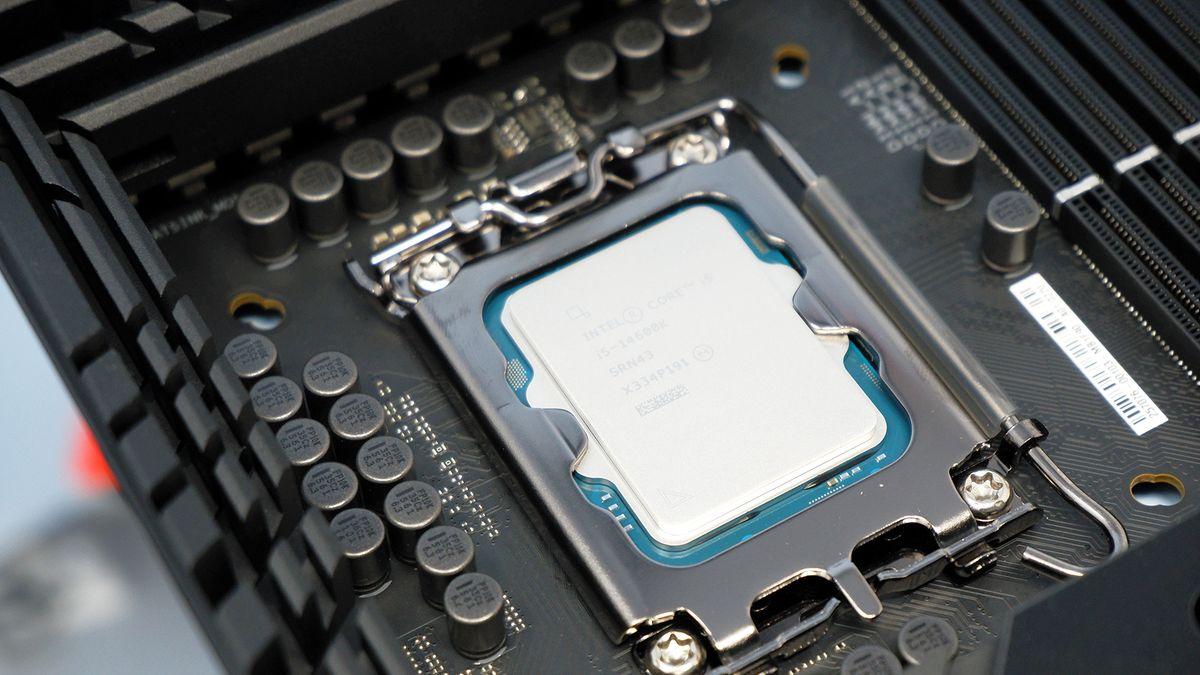
FiveM doesn’t have one fixed hardware requirement that applies to every server. The resources you install, the number of players online, and how well your scripts are optimized all affect performance.
For basic testing, you may be able to run a FiveM server with less powerful hardware. However, if you want to build a stable server for regular gameplay, I recommend starting with these specifications:
| Hardware | Recommended Starting Specification |
|---|---|
| CPU | Quad-core processor |
| CPU clock speed | 3.5 GHz or higher |
| RAM | 8 GB |
| Storage | SSD, preferably NVMe |
| Network | Stable, low-latency connection |
| Operating system | Supported Windows or Linux environment |
This is a practical hardware recommendation, not an official minimum specification published by Cfx.re. Actual requirements depend on your server configuration, installed resources, and player activity.
A small test server may work with less hardware, while a larger roleplay community may need a faster CPU, more memory, and additional storage.
1. CPU Requirements for a FiveM Server
The CPU is one of the most important components when hosting a FiveM server.
It handles server-side game logic, player activity, resource scripts, events, and other background processes. When the processor becomes overloaded, players may experience delayed actions, synchronization problems, and server-side lag.
For a reliable starting setup, I recommend a quad-core CPU with a clock speed of at least 3.5 GHz.
This gives your FiveM server a reasonable amount of processing capacity for running server resources and handling player activity.
Here are practical CPU recommendations:
- Small test server: A modern 2-core CPU may be enough for basic testing.
- Small public server: Quad-core CPU at 3.5 GHz or higher.
- Medium server: A modern quad-core or better processor with strong single-core performance.
- Large server: A higher-performance CPU with additional cores, depending on workload.
Don’t judge a hosting plan by its core count alone. CPU generation, clock speed, single-core performance, and whether the cores are shared with other customers can make a noticeable difference.
FiveM server performance can also depend heavily on individual resource scripts. A poorly optimized script may consume substantial CPU time even when the server doesn’t have many players.
For that reason, a faster CPU won’t automatically fix every performance problem. You should also monitor resource usage and investigate scripts that cause high server load.
2. How Much RAM Does a FiveM Server Need?
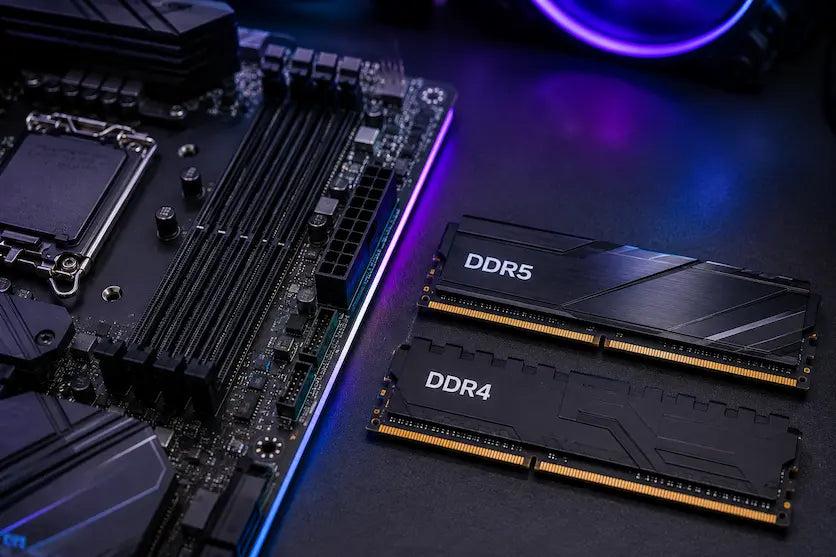
RAM stores the data and resources that the server needs while running. This includes server processes, scripts, maps, vehicles, and other installed resources.
For a more reliable FiveM server setup, I recommend at least 8 GB of RAM.
Although a small test server may run with 4 GB or 6 GB, 8 GB provides more room for server resources and background processes. It is a sensible starting point if you plan to run a small roleplay server.
Here are practical RAM recommendations:
| Server Type | Suggested RAM |
|---|---|
| Testing or development server | 4 GB |
| Small server with friends | 4–6 GB |
| Small public roleplay server | 8 GB |
| Medium roleplay server | 8–16 GB |
| Large roleplay server | 16 GB or more |
These figures are starting estimates rather than guaranteed requirements. A server with many custom assets or memory-heavy resources may need more RAM.
It’s also important to leave memory available for the operating system and other services. If you’re running a database, web panel, or additional applications on the same machine, account for their memory usage too.
Does adding more RAM reduce FiveM server lag?
Not necessarily. More RAM can help when the server is running out of available memory, but it won’t directly solve CPU bottlenecks, poorly written scripts, or network problems.
Before upgrading, check actual memory usage and look for signs of memory pressure.
3. Storage Requirements: SSD or NVMe?

A FiveM server needs storage for its server files, resources, configuration files, databases, logs, and backups.
You can technically run a server on a traditional hard drive, but an SSD is a better choice.
An SSD can improve file access and reduce delays when loading or managing large collections of server resources. NVMe SSDs offer even faster storage performance, although they won’t automatically increase server performance or fix CPU-related lag.
Recommended storage:
- 40 GB SSD: A reasonable starting point for a small test server.
- 60–100 GB SSD: More room for a growing server and additional resources.
- 100 GB or more NVMe SSD: Useful for larger servers with many custom assets and files.
Your actual storage needs depend on how many maps, vehicles, clothing packs, and other resources you install.
Remember to reserve space for backups and database files. A server that runs out of disk space can encounter problems even when its CPU and RAM are sufficient.
4. Operating System Requirements

FiveM server software, commonly known as FXServer, can run on supported Windows and Linux environments.
Both operating systems can work well, but your choice depends on your experience and hosting setup.
Windows
Windows is a convenient option if you’re new to FiveM server administration.
Its graphical interface makes it easier to manage files, edit configurations, and troubleshoot basic issues. It’s also a practical choice if you’re hosting from a Windows desktop or using Windows-based hosting.
Linux
Linux is a popular choice for VPS and dedicated server hosting.
It can be a good fit if you’re comfortable using the command line and managing server services. Linux distributions such as Ubuntu are commonly used for game server hosting.
Linux can also be suitable for automated restarts, remote administration, and running additional server tools.
Which operating system should you choose?
Choose Windows if you prefer a graphical interface and want a straightforward setup. Choose Linux if you’re comfortable with command-line administration and want to manage your server through a VPS or dedicated hosting environment.
Before installing FXServer, check the current Cfx.re documentation for supported operating systems and installation instructions.
5. Internet Connection and Network Requirements
A reliable internet connection is essential for a FiveM server.
Even if your computer has a powerful CPU and plenty of RAM, an unstable network can still cause players to experience high ping, connection drops, and synchronization problems.
For a home-hosted server, upload speed is especially important because your machine needs to send game data to connected players.
Your connection should provide:
- Stable upload speed: Enough capacity to serve all connected players.
- Low latency: Helps reduce delays between players and the server.
- Reliable uptime: Prevents frequent disconnections.
- Public accessibility: Players need a reachable server address.
- Proper firewall configuration: Required network traffic must be allowed.
FiveM servers commonly use port 30120 for connections. Make sure the required TCP and UDP traffic is configured correctly in your server settings and firewall.
If you’re hosting from home, you may also need to configure port forwarding on your router. Some internet providers use carrier-grade NAT (CGNAT), which can prevent direct inbound connections. In that situation, you may need a public IP address or another suitable networking solution.
For a public roleplay community, FiveM VPS hosting can be easier to manage than a home connection. A VPS gives you remote server resources and lets you keep your FiveM server online without leaving your personal computer running.
6. FiveM Server Requirements Based on Player Count

The number of players you expect to support is another important factor when choosing hardware.
A server with 10 players and a few basic resources has different needs from a roleplay server with 100 players, custom vehicles, extensive maps, and complex scripts.
The following table provides practical starting estimates:
| Expected Players | CPU | RAM | Storage |
|---|---|---|---|
| 1–10 players | 2–4 cores | 4–8 GB | 40 GB SSD |
| 10–32 players | Quad-core | 8 GB | 60 GB SSD |
| 32–64 players | Quad-core or better | 8–16 GB | 80–100 GB SSD |
| 64–128 players | 4–8 cores or better | 16 GB+ | 100 GB+ NVMe |
| 128+ players | Depends on workload | 16–32 GB+ | 100 GB+ NVMe |
These are not guaranteed player-capacity limits. They are starting points for planning a hosting configuration.
For example, a server with 32 players and poorly optimized scripts may perform worse than a well-maintained server with more players.
Your actual capacity depends on several factors:
- Number and complexity of installed resources.
- Custom vehicles, maps, and clothing.
- Database queries and server-side scripts.
- CPU performance and available memory.
- Network quality and hosting limitations.
Don’t upgrade based on player count alone. Monitor the server under real-world conditions and adjust your hardware when the workload requires it.
7. Should You Use FiveM VPS Hosting or a Dedicated Server?
You have several options for hosting a FiveM server. The right choice depends on your budget, technical experience, and expected player count.
FiveM VPS Hosting
FiveM VPS hosting is a practical option for people who want to run a server without purchasing and maintaining physical hardware.
A virtual private server (VPS) gives you access to virtual CPU, RAM, and storage resources. You can install FXServer, configure your resources, and manage the server remotely.
For a small public FiveM server, look for a VPS plan with at least:
- Quad-core CPU or equivalent allocated processing capacity.
- 3.5 GHz CPU clock speed or comparable performance.
- 8 GB of RAM.
- SSD or NVMe storage.
- Stable network connectivity and low latency.
However, VPS performance depends on the underlying physical hardware and how the provider allocates CPU resources.
Check whether the plan uses shared or dedicated CPU resources before purchasing. Also, don’t assume that a VPS advertising four vCPUs automatically provides the same performance as a physical quad-core processor.
Dedicated Server Hosting
A dedicated server gives you access to an entire physical machine.
This option can provide more predictable hardware resources and greater flexibility. It’s worth considering for larger communities with many players, custom resources, and higher performance requirements.
The downside is cost. Dedicated servers are usually more expensive than entry-level VPS plans, and you may need more server administration experience.
Home Hosting
You can also run a FiveM server on your own computer.
This can be useful for development, testing, or playing with a small group of friends. However, your home internet connection, public IP availability, electricity, and computer uptime can become limitations.
If you want to operate a public server around the clock, professional FiveM VPS hosting or dedicated hosting is generally more convenient.
8. Other Software You Need to Run a FiveM Server
Hardware is only part of the setup. You also need the correct software and configuration.
Here are some important components:
- FXServer: The server software that runs your FiveM server.
- Server artifacts: The server builds provided through the Cfx.re ecosystem.
- txAdmin: A server management platform that helps with monitoring, administration, and configuration.
- Server resources: Scripts, maps, vehicles, and other features that extend the server.
- Database: MySQL-compatible database software may be needed by frameworks and resources that store persistent player data.
You don’t necessarily need every component for a basic test server. However, a roleplay server will often require additional resources and a database.
Always check the installation instructions and compatibility requirements for the framework and resources you plan to use.
9. How to Choose the Right FiveM VPS Hosting Plan
Choosing a FiveM VPS hosting plan isn’t just about finding the highest CPU and RAM numbers for the lowest price.
You should also consider the quality of the underlying hardware, network, and support.
Before purchasing, check these details:
- CPU performance: Look for modern processors with strong single-core performance.
- RAM allocation: Choose at least 8 GB for a more comfortable starting configuration.
- SSD or NVMe storage: Choose fast storage with enough capacity for server files and backups.
- Network quality: Look for stable connectivity and a suitable server location for your players.
- DDoS protection: Useful for public servers that may receive unwanted network traffic.
- Backup options: Regular backups can help protect player data and server configurations.
- Upgrade flexibility: Choose a provider that allows you to increase resources as your community grows.
- Technical support: Helpful when you encounter hosting or network problems.
Server location also matters. If most of your players are in Southeast Asia, choosing a server location closer to that region can help reduce network latency.
Don’t assume that a hosting plan with more vCPU cores will always perform better. A provider with faster CPU hardware and less resource contention may deliver better results.
10. How to Check FiveM Server Performance
After setting up your server, monitor its performance regularly.
Pay attention to CPU usage, memory consumption, resource performance, and network stability. These metrics can help you identify problems before they affect the entire community.
Here are a few things to monitor:
- CPU usage: Check whether the server consistently places a heavy load on its processor.
- RAM usage: Look for unusually high memory consumption or signs of memory pressure.
- Resource performance: Identify scripts that use excessive CPU time.
- Server health: Watch for errors, crashes, and unexpected restarts.
- Network performance: Check latency, packet loss, and connection stability.
If players report lag, don’t immediately assume that your hosting plan is too weak.
A poorly optimized resource, excessive database queries, or network problems can cause performance issues even on powerful hardware.
Start by identifying the source of the problem. Then decide whether you need to optimize your resources, adjust your configuration, or upgrade your hosting plan.
Frequently Asked Questions
What are the minimum FiveM server requirements?
For a more reliable starting setup, I recommend a quad-core CPU running at 3.5 GHz or higher, at least 8 GB of RAM, and SSD storage. These are practical recommendations, not official minimum specifications from Cfx.re.
How much RAM do I need for a FiveM server?
At least 8 GB of RAM is a sensible starting point for a small public FiveM server. A larger roleplay community with many scripts, custom assets, and additional services may need 16 GB or more.
Is 4 GB RAM enough for a FiveM server?
It can be enough for a small test server or a lightweight setup with a limited number of players. However, 4 GB may not provide enough headroom for a public roleplay server with many scripts and custom assets.
Is a quad-core CPU enough for FiveM?
A modern quad-core CPU can be a good starting point for a small or medium FiveM server. For better results, look for strong single-core performance and a clock speed around 3.5 GHz or higher.
Larger communities may benefit from additional processing capacity, depending on their resources and player activity.
Is FiveM VPS hosting worth it?
Yes. FiveM VPS hosting is a convenient option if you want to run a server without maintaining physical hardware at home.
Look for a plan with sufficient CPU performance, at least 8 GB of RAM for a comfortable starting point, SSD or NVMe storage, and a stable network connection.
How much storage does a FiveM server need?
A small server can start with around 40 GB of SSD storage. A larger server with many custom vehicles, maps, and other resources may need 100 GB or more.
Can I host a FiveM server on my PC?
Yes. You can host a FiveM server on your own computer for development, testing, or playing with friends. However, you’ll need sufficient hardware, a stable internet connection, and the correct network configuration.
Does FiveM need a dedicated GPU?
A dedicated GPU is generally not necessary for a typical FXServer hosting setup. The server mainly depends on CPU, RAM, storage, and network resources.
A GPU is more relevant when you’re using the same computer to play GTA V while hosting the server.
What is the best CPU for a FiveM server?
There isn’t one best CPU for every FiveM server. Look for a modern processor with strong single-core performance and enough cores to handle your server resources and background tasks.
A quad-core CPU with a clock speed of at least 3.5 GHz is a reasonable starting recommendation. Larger communities may need a more powerful processor.
Final Thoughts
The right FiveM server requirements depend on the type of community you want to build.
For a more reliable starting configuration, I recommend a quad-core CPU running at 3.5 GHz or higher, 8 GB of RAM, and SSD storage. This provides a sensible foundation for a small public server.
If you’re planning a larger roleplay community, consider more RAM, additional CPU capacity, and NVMe storage.
FiveM VPS hosting is a practical choice if you want reliable remote hosting without maintaining your own physical machine. Compare CPU performance, memory allocation, network quality, and upgrade options before choosing a provider.
Most importantly, monitor your server as your community grows. Good resource optimization and reliable hosting matter just as much as the hardware specifications.
You May Also Like
 Computers & PC Games
How to Reduce CPU Usage for a Minecraft Server
 Computers & PC Games
The Different Types of Minecraft Server Lag
 Computers & PC Games
Is 1TB SSD Enough for Gaming? What You Should Know Before Buying
 Computers & PC Games
10 Best Modded Minecraft Server Hosting Providers for 2026
 Computers & PC Games
Is RomsFun Safe and Legit? My Complete Review and Testing Experience
 Computers & PC Games
